MusoLink

Automatic practice tracking for musicians who want to stay accountable

Beginner
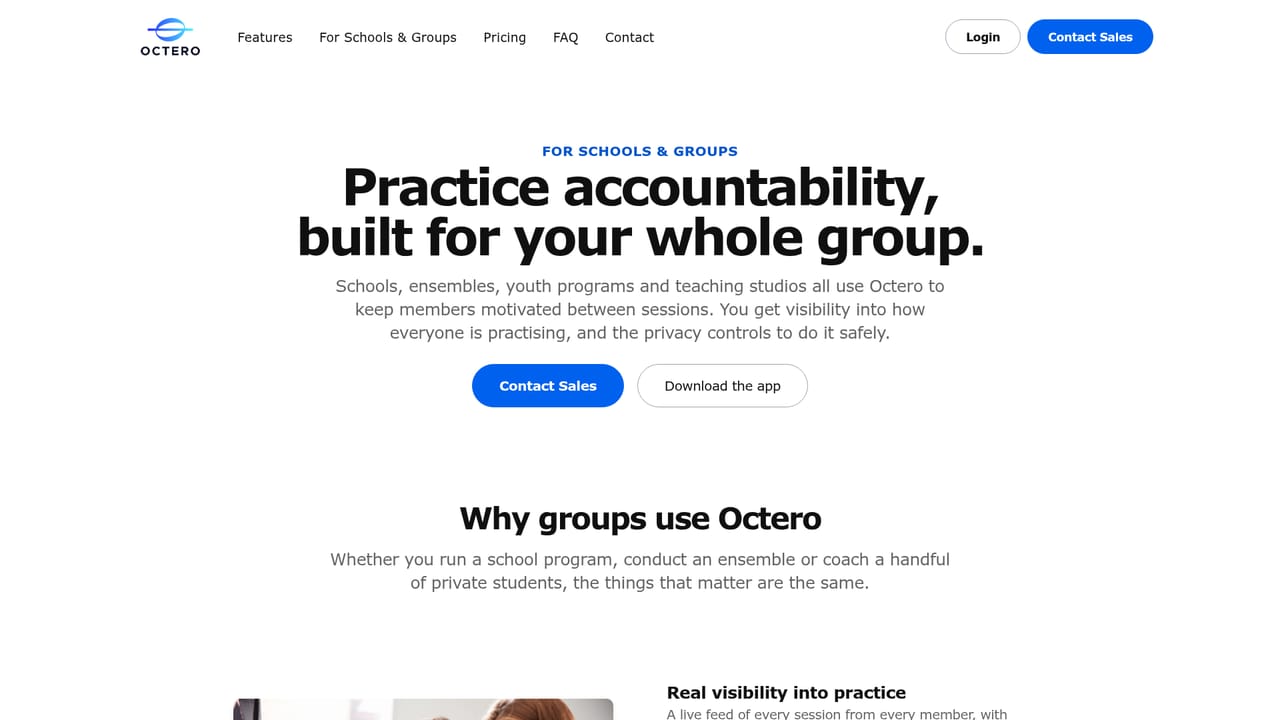
Screenshot of MusoLink, Automatic practice tracking for musicians who want to stay accountable

What is MusoLink?

MusoLink is an accountability buddy tool. Octero (formerly MusoLink) automatically tracks instrument practice with AI, logs playing versus resting time, and adds goals, a metronome, tuner, recorder and social accountability. Free tier with a paid premium plan and private groups for schools and ensembles.

Octero, formerly known as MusoLink, is a practice tracking app for musicians. The core idea is simple: instead of asking players to run a timer or log sessions by hand, the app uses AI to detect when an instrument is being played and records that time automatically. It separates active playing from resting, so the numbers reflect real work rather than a stopwatch that was left running. The homepage notes that more than 60,000 practices have been recorded on the platform. The app bundles the tools musicians usually scatter across several installs. A metronome, tuner, audio recorder, timer and notes all live inside the same product you use for tracking. Weekly targets for practice time and practice days give players something concrete to aim at, while a practice matrix shows consistency and longer term trends. Because the tracking runs in the background, the habit of logging is removed entirely, which is the part most practice journals fail at. Social accountability is the second pillar. Players follow friends, watch each other's sessions in near real time, and send kudos after a practice. Leaderboards and streaks add a competitive layer. The product is aimed at individual musicians across instruments, from guitar and piano to violin and drums, and at teachers or ensemble directors who want visibility between lessons. For schools, youth programs and professional ensembles there are private groups: members stay hidden from the wider community, while organisers get a dashboard showing who is practising, how consistently, and who may need a nudge. Compared with manual practice journals, the appeal is the removal of self-reporting. Compared with standalone tuner or metronome apps, it is the combination of utility tools with tracking and a social layer. Recordings are private by default and shared only with people the user chooses, and the company states that data is encrypted and never sold. A free tier covers core features, with a paid tier for ad removal and the full feature set.

How do you use MusoLink?

  1. 1Download Octero and create an account
    Open the download link from the homepage and install the app on your phone. Set up an account so your practice history, goals and social connections are tied to you.
    MusoLink — Download Octero and create an account
  2. 2Pick up your instrument and let the AI detect it
    Once installed, no timer needs to be started. Play as normal and the app detects the instrument and separates playing time from resting time automatically.
  3. 3Set your weekly practice targets
    Choose targets for total practice time and number of practice days per week. The practice matrix then fills in as you play, showing streaks and consistency at a glance.
  4. 4Add the toolkit to your routine
    Use the built-in metronome, tuner, recorder, timer and notes during sessions so you are not switching between separate apps while the tracker keeps running.
  5. 5Follow friends and exchange kudos
    Search for other musicians, follow them and watch their sessions appear in your feed. Send kudos after a session and use leaderboards to keep the competitive side going.
  6. 6Set up a private group for a school or ensemble
    If you run a teaching program or band, review the groups page and request a private group so members practise inside a closed space while you monitor participation from a dashboard.
    MusoLink — Set up a private group for a school or ensemble

Pros and cons

Pros

  • Practice detection runs automatically, so musicians do not have to start timers or keep a journalAI
  • Metronome, tuner, recorder, timer and notes are bundled into the same app as trackingAI
  • Weekly goals, a practice matrix and trend views give a clear picture of consistency over timeAI
  • Friends, kudos and leaderboards add accountability that solo practice apps rarely offerAI
  • Private groups give teachers and ensemble leaders a dashboard without relying on student self-reportingAI

Cons

  • The free tier is ad supported, and ad removal sits behind the $5.99 monthly premium planAI
  • Automatic detection depends on the app hearing the instrument, so quiet electronic practice or mute-heavy sessions may not register cleanlyAI
  • Private group pricing is quote only, which makes budgeting harder for smaller programsAI
  • Social features and leaderboards assume a group of active friends; a new user with no network gets little from that side of the appAI
  • The homepage gives no detail on export formats or how practice history leaves the platformAI

How much does MusoLink cost?

Pricing

Free tier at $0 per month with access to the community and all core features. Premium is $5.99 per month for an ad free experience and all features. Private groups for schools and professional ensembles are quoted on request. Prices are in USD and may vary by country, with taxes possibly applying.

Learn more

Support

Support runs through a contact email listed on the homepage, which is also the address used for private group and sales enquiries. No help centre or knowledge base is linked from the site.

Features

AI practice detection separates playing time from resting time with no manual logging. Weekly targets for time and days, a practice matrix and trend views track consistency. A built-in metronome, tuner, audio recorder, timer and notes cover the session itself. Social features include following friends, real time practice feeds, kudos and leaderboards. Private groups add a dashboard for teachers and ensemble leaders.

Frequently asked questions about MusoLink

  • How much does MusoLink cost?
    Free tier at $0 per month with access to the community and all core features. Premium is $5.99 per month for an ad free experience and all features. Private groups for schools and professional ensembles are quoted on request. Prices are in USD and may vary by country, with taxes possibly applying.
  • How do you use MusoLink?
    The walkthrough on this page covers 6 steps: 1. Download Octero and create an account 2. Pick up your instrument and let the AI detect it 3. Set your weekly practice targets 4. Add the toolkit to your routine 5. Follow friends and exchange kudos 6. Set up a private group for a school or ensemble.
  • What platforms does MusoLink support?
    MusoLink is available on iOS and Android.
  • What are the limitations of MusoLink?
    The free tier is ad supported, and ad removal sits behind the $5.99 monthly premium plan. Automatic detection depends on the app hearing the instrument, so quiet electronic practice or mute-heavy sessions may not register cleanly. Private group pricing is quote only, which makes budgeting harder for smaller programs.

Status

StatusActive
Views0
Outbound clicks0
Added10/21/2026

Platforms

iOSAndroid

Pricing

FreemiumSubscriptionPaid