Free trial
Signup grants 30 free credits with no credit card required, and the tool runs entirely in the browser. That is enough to test separation, syncing and a first export before paying.
Learn moreTurn any finished song into a synced karaoke or lyric video in minutes.
Own MyKaraoke Video? Verify ownership to get a dofollow link

MyKaraoke Video is an audio to video tool that turns any finished song into a synced karaoke or lyric video in minutes. A browser based tool that removes vocals from a finished song and syncs lyrics word by word, producing karaoke or lyric videos as 1080p MP4.
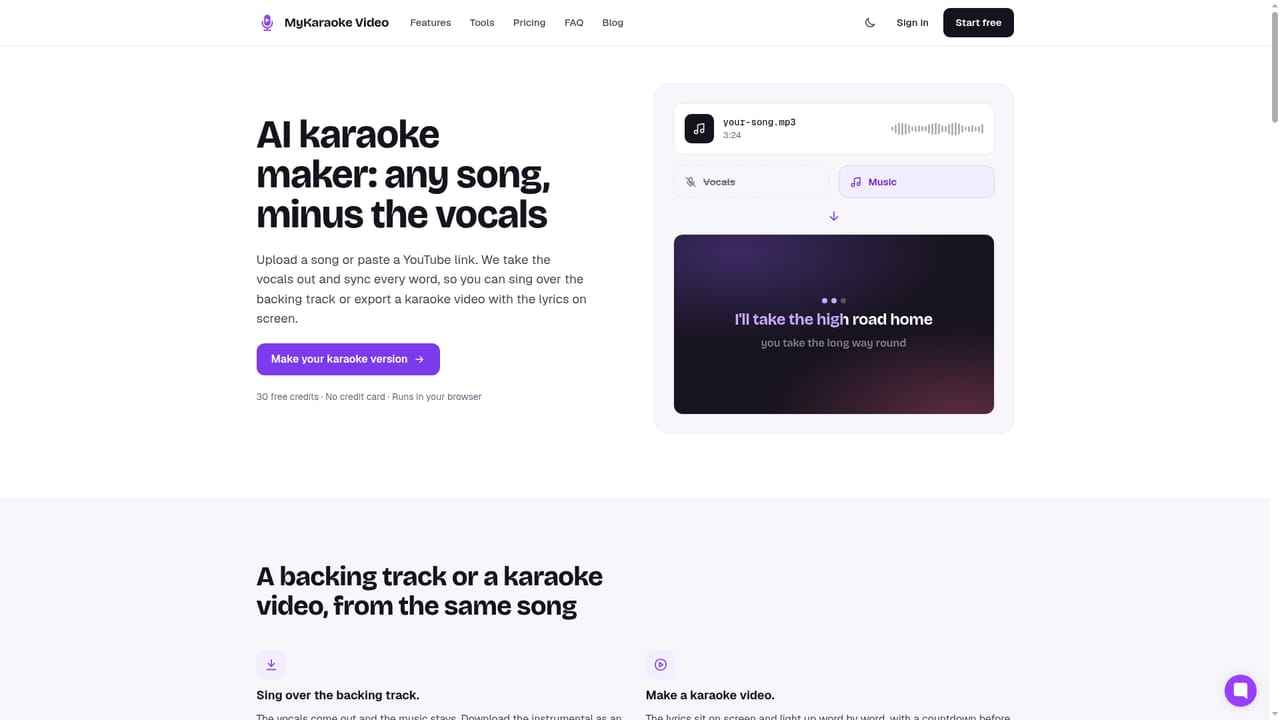
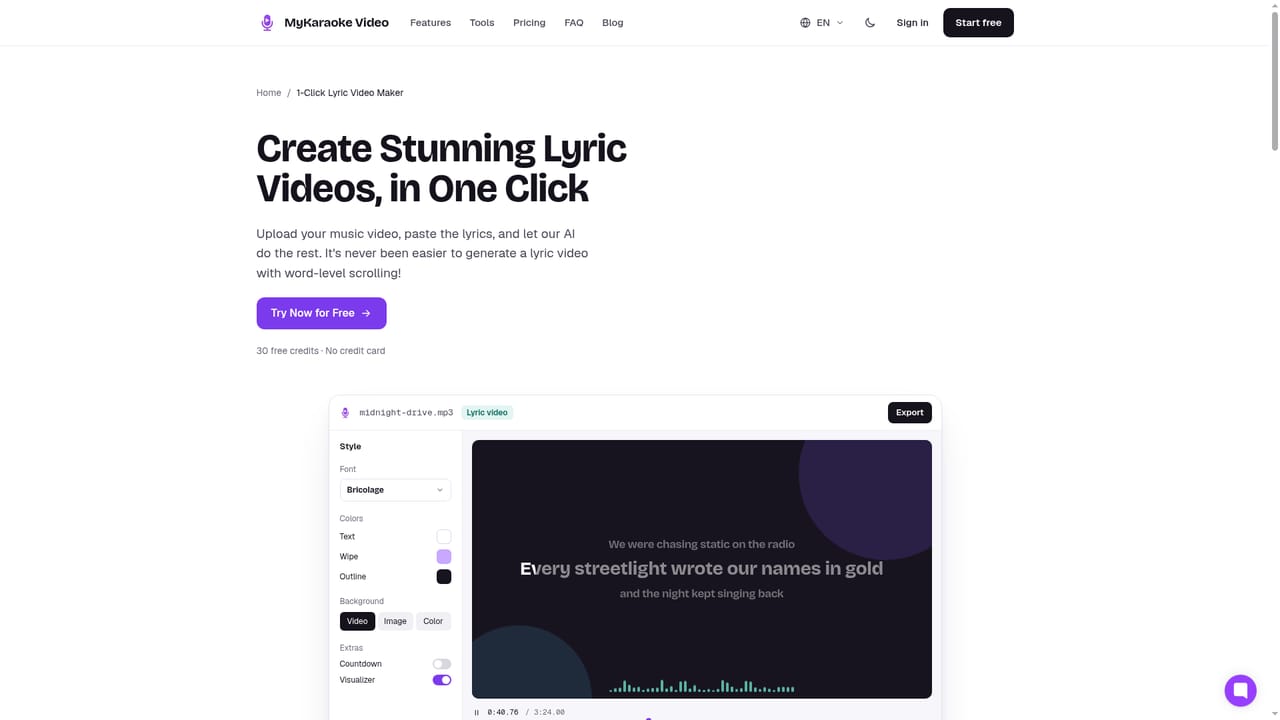
MyKaraoke Video is a browser based studio that takes a finished song and returns a sing along video. You upload an audio file (MP3, WAV, FLAC, AAC) or a music video in MP4, paste in the lyrics or let the tool transcribe them from the audio, and the system separates the vocal from the backing track and aligns every word to the singing. The whole job is designed to finish in roughly two minutes, and the export is a 1080p MP4 suitable for YouTube, TikTok or Reels. Rendering runs on the company's servers, so nothing is installed locally and the machine you work on does not need to be powerful. There are two distinct products sharing one editor. The karaoke route strips the vocals and lights each word on cue, with a duet mode that assigns a colour per singer and an MP3+G export for KJ software on the Premium tier. The lyric video route keeps your vocals and puts the words on screen, adding chord lines above the lyrics and an optional AI translation line underneath for bilingual output. Five layouts cover the range: classic karaoke, single line, scrolling, duet and dual language. In practice, the AI sync is a starting point rather than the final word. A sync editor lets you drag any word's edge to land it on the exact beat, with millisecond nudge controls, and auto transcription covers tracks where no lyrics exist. Styling draws on over 1,500 fonts, your own images or video or royalty free stock, visualizers, countdowns and overlays, and presets replay a saved look on the next video. Instant preview shows changes live with or without vocals before an export is charged. An Advanced Editor adds a multi track timeline for stacking titles, images and visualizers, animating them and automating volume per part of the song. It fits best with independent singers, KJs and creators who want a karaoke version of a track that no commercial platform carries, and with artists cutting lyric videos for their own releases. Songwriters coming from Suno have a dedicated path. Compared with studio karaoke catalogues, the appeal is coverage of songs that do not exist as karaoke anywhere else; the trade off is that vocal removal is estimation, and unusual mixes will need manual repair.
Signup grants 30 free credits with no credit card required, and the tool runs entirely in the browser. That is enough to test separation, syncing and a first export before paying.
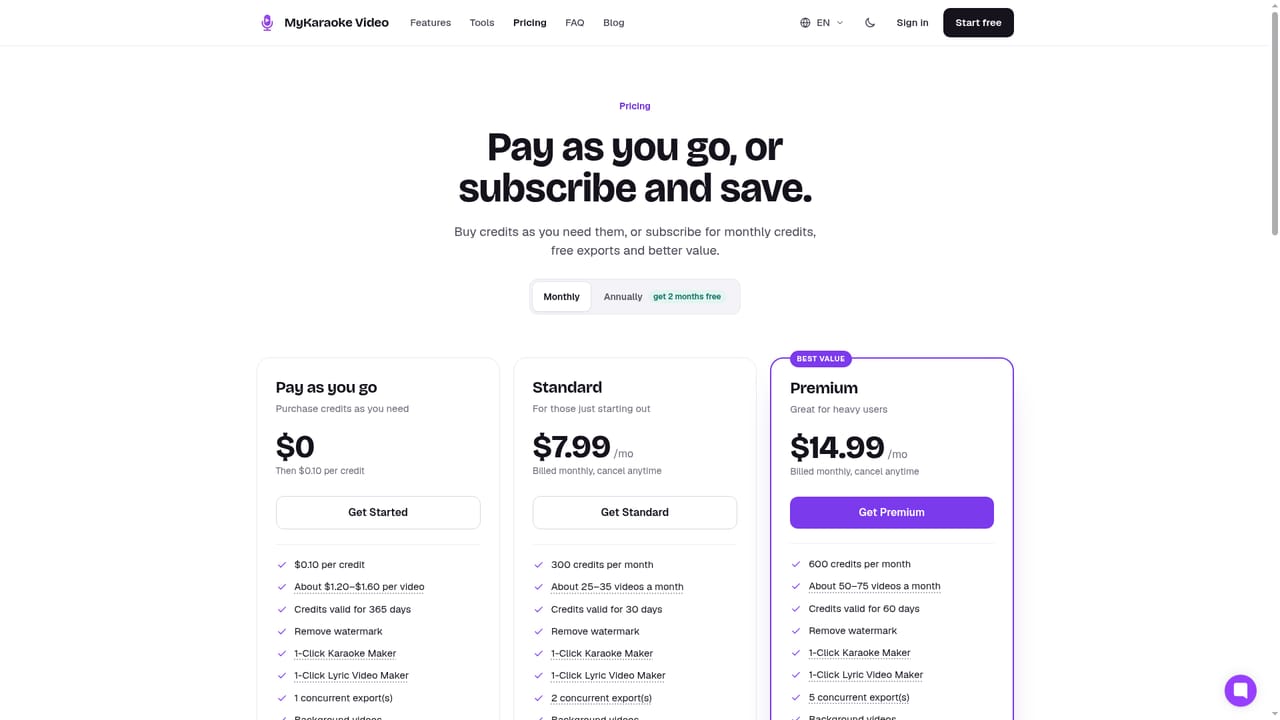
Learn moreThe site advertises 30 free credits on signup with no credit card, then a subscriber tier that includes free queue exports, MP3+G karaoke export and transparent background lyric video export. Credits can also be bought, and an Instant Export option lets anyone skip the queue. Exact prices are on the pricing page.
Learn moreA public feedback board is linked from the site, and the vendor has a record of adding requested features. The site does not describe email, chat or documentation support channels.
Learn moreNo third party integrations are listed. The relevant connections are file based: audio and MP4 upload, 1080p MP4 export and MP3+G output for KJ software.
AI vocal removal and word level lyric sync from a single audio file or music video, with automatic lyric transcription when no text is supplied. Five lyric layouts including duet and dual language with AI translation, over 1,500 fonts, custom or stock backgrounds, visualizers and countdowns. A manual sync editor with millisecond nudges, live preview with or without vocals, presets, a multi track Advanced Editor with volume automation, and cloud rendered 1080p MP4 plus MP3+G export.
Learn more AI Angels400+ customizable AI girlfriends for NSFW chat, voice calls, and roleplay
 Candy AIExperience the future of companionship with AI friends who chat, role-play, and connect with you on a human level.
 ourdream.aiA vast AI roleplay platform with millions of characters for chat, images, video and voiceAI Angels400+ customizable AI girlfriends for NSFW chat, voice calls, and roleplayCandy AIExperience the future of companionship with AI friends who chat, role-play, and connect with you on a human level.ourdream.aiA vast AI roleplay platform with millions of characters for chat, images, video and voice