Nuzza AI

Image and video generation with marketing templates built in

Beginner
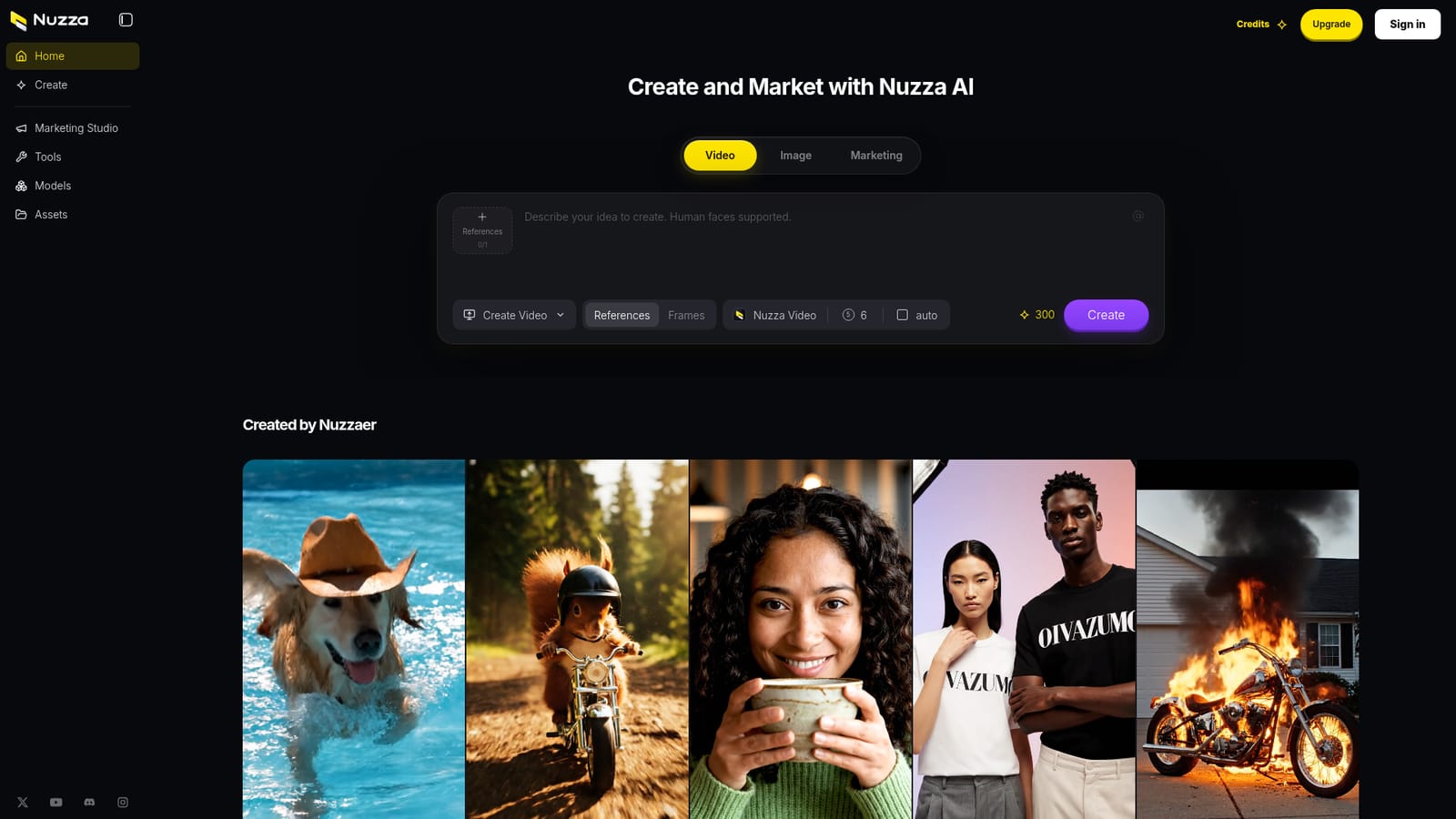
Screenshot of Nuzza AI, Image and video generation with marketing templates built in

What is Nuzza AI?

Nuzza AI is a generative image tool. An all in one AI image and video workspace with prompt based generation, editing and upscaling tools, and a gallery of reusable marketing campaign templates across several formats.

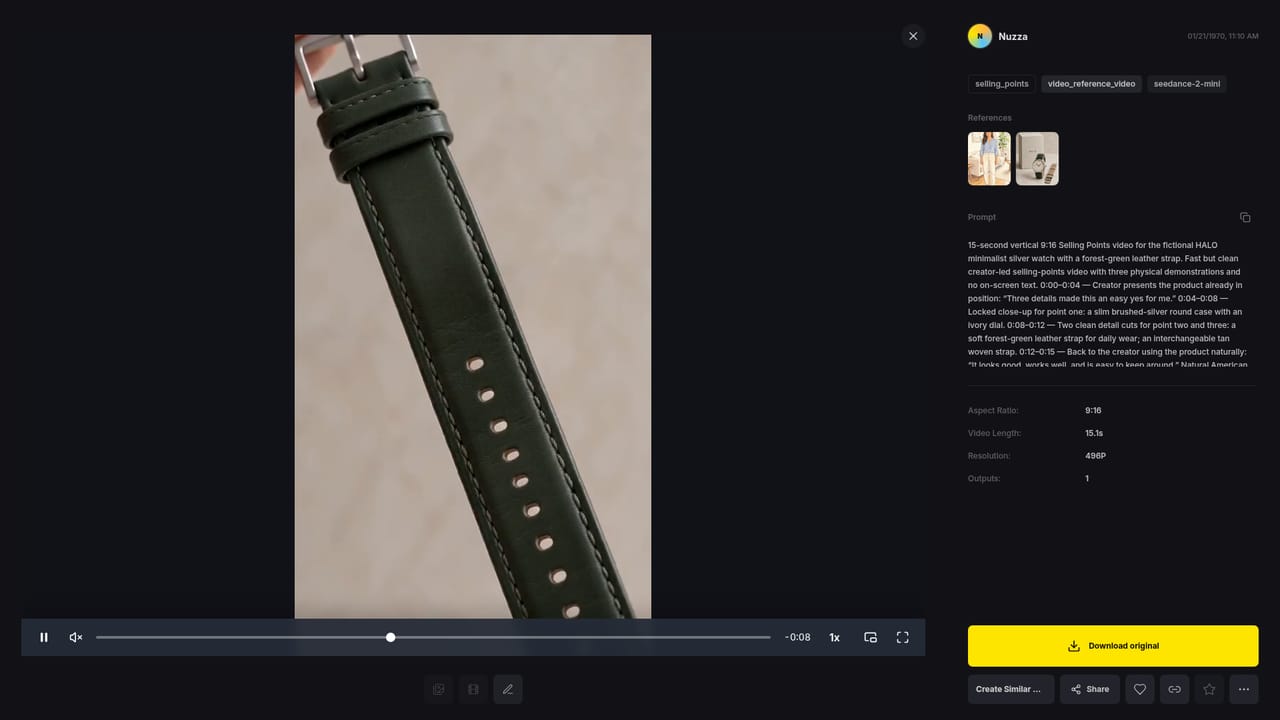
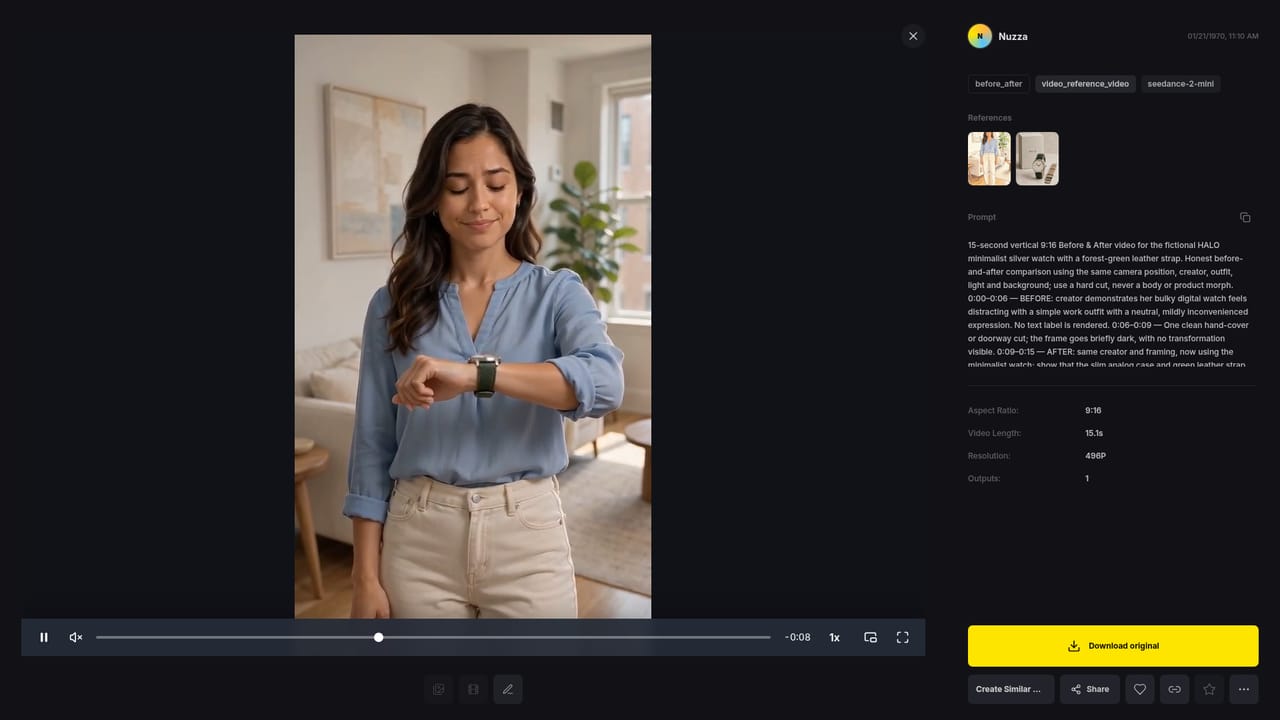
Nuzza AI is a browser-based creative workspace that bundles image and video generation with a marketing angle. The homepage presents a single prompt box where you describe the idea you want to create, with support stated for human faces, plus reference and frame controls for video work. Outputs are produced through leading third party models rather than a single in-house engine, and the Veo 3.1 Fast model is named repeatedly in the sample gallery. That positioning makes Nuzza less a model vendor and more a front end that routes a prompt to a capable generator while keeping the results in one place. The gallery on the homepage is the most distinctive part. It mixes playful one-off clips (a golden retriever cowboy in a pool, a red squirrel on a tiny motorcycle, a woman drinking matcha) with structured campaign sets. Six named campaigns, HALO, VANTA, FIELD DAY, MERIDIAN, AERIN and one further set, each ship with four marketing formats: Selling Points, Before and After, Problem and Solution, and Tutorial. Every item has a Recreate button, so a user can start from a finished example instead of a blank prompt. Alongside generation, the meta description points to editing, enhancement, upscaling and background removal, which covers the cleanup work that usually follows a first draft. The tool fits social media managers, small brand teams and solo creators who need short-form marketing visuals without a production pipeline. It is less suited to someone who wants fine control over a specific model version or a documented API. Because the homepage does not publish plans, credits or limits beyond a visible Video 56 and 300 counter, pricing has to be checked inside the product.

How do you use Nuzza AI?

  1. 1Pick a starting point in the gallery
    Browse the created-by-Nuzzaer gallery on the homepage. Each card opens a finished image or video with a Recreate button, which is the fastest way to see what the generator can do before writing your own prompt.
    Nuzza AI — Pick a starting point in the gallery
  2. 2Study a campaign variation
    Open one of the marketing sets, such as the Selling Points or Tutorial variation for a named campaign, to see how a single brand concept is split into several short formats.
    Nuzza AI — Study a campaign variation
  3. 3Recreate and adjust the prompt
    Hit Recreate on a clip you like, then edit the description text to swap product, scene or tone. Remember that the prompt box states human faces are supported.
    Nuzza AI — Recreate and adjust the prompt
  4. 4Add a reference or frame
    Before generating, attach a reference image or set frames so the model has visual direction beyond the text description.
  5. 5Generate and refine the result
    Run the generation, then use the editing, enhancement, upscaling and background removal tools to prepare the output for its final destination.

Pros and cons

Pros

  • Single prompt box handles both image and video generation, so you are not juggling separate tools for each formatAI
  • Homepage states that human faces are supported, a common pain point in AI video generationAI
  • Campaign gallery ships Selling Points, Before and After, Problem and Solution and Tutorial formats that can be recreated as starting pointsAI
  • Reference and frame controls give more direction than a plain text prompt for video outputAI
  • Cleanup features such as enhancement, upscaling and background removal sit in the same workspace as generationAI

Cons

  • No pricing, credit costs or plan tiers are published on the homepage, so you cannot budget before signing upAI
  • The underlying models are third party and only Veo 3.1 Fast is named, leaving coverage of other engines unclearAI
  • Recreate buttons are useful but can push output toward template-style marketing clips rather than original conceptsAI
  • Nothing on the homepage describes export formats, resolution limits, or commercial usage rights for generated mediaAI

How much does Nuzza AI cost?

Features

Prompt based image and video generation in one workspace, with support for human faces. Reference and frame controls steer video output, and the homepage names Veo 3.1 Fast among the models used. A gallery of Nuzzaer-created clips includes six marketing campaigns, each with Selling Points, Before and After, Problem and Solution and Tutorial variations, all recreatable. Editing, enhancement, upscaling and background removal round out the workflow.

Frequently asked questions about Nuzza AI

  • How do you use Nuzza AI?
    The walkthrough on this page covers 5 steps: 1. Pick a starting point in the gallery 2. Study a campaign variation 3. Recreate and adjust the prompt 4. Add a reference or frame 5. Generate and refine the result.
  • What platforms does Nuzza AI support?
    Nuzza AI is available on Web App.
  • What are the limitations of Nuzza AI?
    No pricing, credit costs or plan tiers are published on the homepage, so you cannot budget before signing up. The underlying models are third party and only Veo 3.1 Fast is named, leaving coverage of other engines unclear. Recreate buttons are useful but can push output toward template-style marketing clips rather than original concepts.

Status

StatusActive
Views0
Outbound clicks0
Added10/22/2026

Platforms

Web App

Pricing

Freemium