Free trial
The site states 'Try PearAI for free' and links a download button to the pricing page, with no further terms given.
Learn moreAn open source AI code editor with chat, agents, and model routing

PearAI is an open source AI code editor combining a codebase-aware chat assistant, an autonomous coding agent, and a router that selects high-performing models for coding under one subscription.
PearAI is an open source AI code editor that layers several assistants onto a familiar editing environment. The core building blocks are PearAI Chat, a conversational assistant that answers questions and generates code with awareness of the @codebase, and PearAI Agent, a coding agent built on Roo Code and Cline that can write features and fix bugs on its own. A router sits underneath both: selecting the 'PearAI Model' option points requests at whichever model the team currently considers strongest for coding, so users are not forced to track weekly model releases or juggle several subscriptions. The editor is aimed at makers across the technical spectrum. The project's own testimonials describe a founder moving from little Swift experience to senior level productivity in under a month, and a big tech engineer praising how the chat understands file and codebase context. That framing suggests two audiences: developers who already use AI chat by pasting code into a browser window and want that loop inside the editor, and learners who need contextual help while picking up a new language. A single subscription covering multiple model families is the pitch for people currently paying for several assistants at once. In day to day use, the workflow is chat first: ask a question or request a change, reference the codebase for context, then apply edits inline. When a task is larger than a snippet, the agent takes over and works through the change. PearAI Creator (to generate new projects with current best practices), PearAI Login (authentication scaffolding) and PearAI Launch (deploying web projects through Netlify) are all marked coming soon, so the product today is strongest for editing and fixing existing code rather than starting and shipping a project end to end. Against alternatives, PearAI's open source status and model routing are the clearest differentiators, while its dependence on third party agent frameworks is worth noting. The feature roadmap signals where the product intends to go, but buyers should evaluate what ships now.
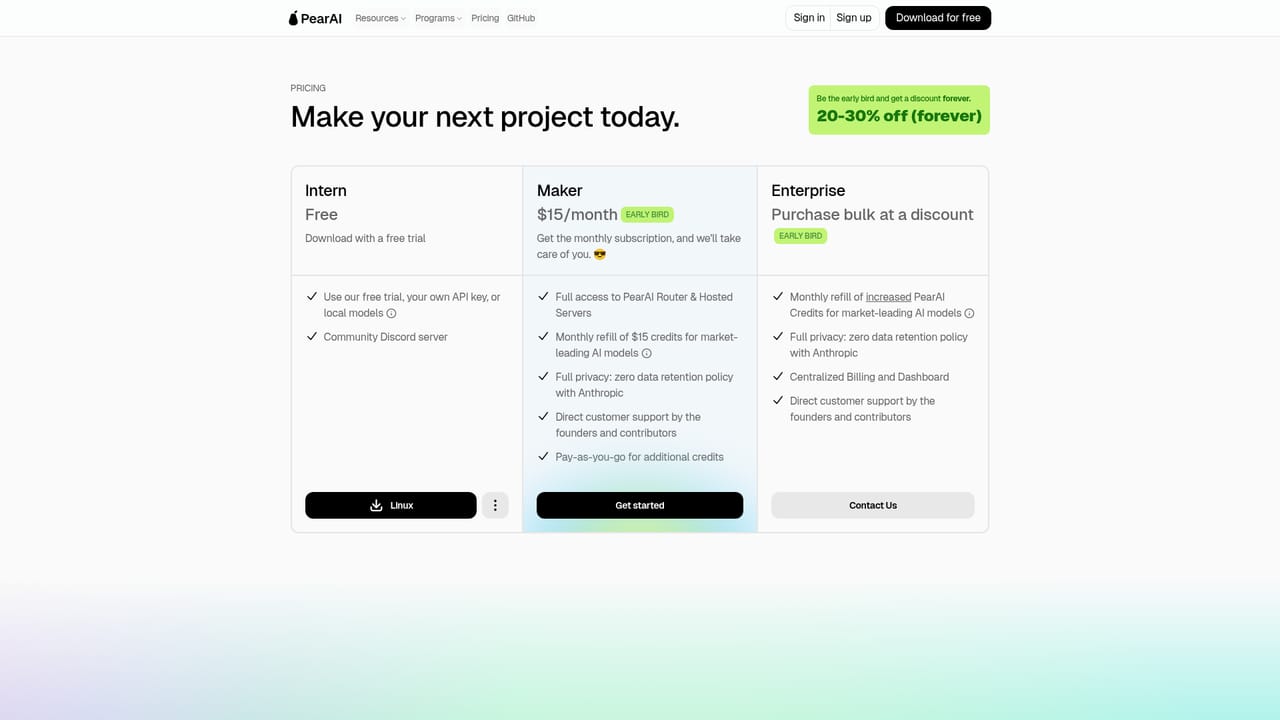

The site states 'Try PearAI for free' and links a download button to the pricing page, with no further terms given.
Learn moreThe homepage promotes trying PearAI for free and the download link points to the pricing page, but no tier names, prices or subscription terms are stated in the source content.
Learn moreThe product builds on Continue for chat and Roo Code / Cline for the agent; PearAI Launch is listed as powered by Netlify, and PearAI Creator and PearAI Login are marked coming soon.
PearAI Chat (powered by Continue) handles questions and inline code generation with @codebase context. PearAI Agent (powered by Roo Code / Cline) writes features and fixes bugs. The PearAI Router steers requests to whichever model currently performs best for coding. PearAI Creator, PearAI Login and PearAI Launch are listed as coming soon.
 AI Angels400+ customizable AI girlfriends for NSFW chat, voice calls, and roleplay
 Candy AIExperience the future of companionship with AI friends who chat, role-play, and connect with you on a human level.
 ourdream.aiA vast AI roleplay platform with millions of characters for chat, images, video and voiceAI Angels400+ customizable AI girlfriends for NSFW chat, voice calls, and roleplayCandy AIExperience the future of companionship with AI friends who chat, role-play, and connect with you on a human level.ourdream.aiA vast AI roleplay platform with millions of characters for chat, images, video and voice