Free trial
Every paid plan starts with 7 days free with a card, and nothing is charged if cancelled before day 7. A Free plan with no card also exists, and an account audit needs no sign-up.
Learn moreAn AI teammate that watches videos, then plans, writes and schedules
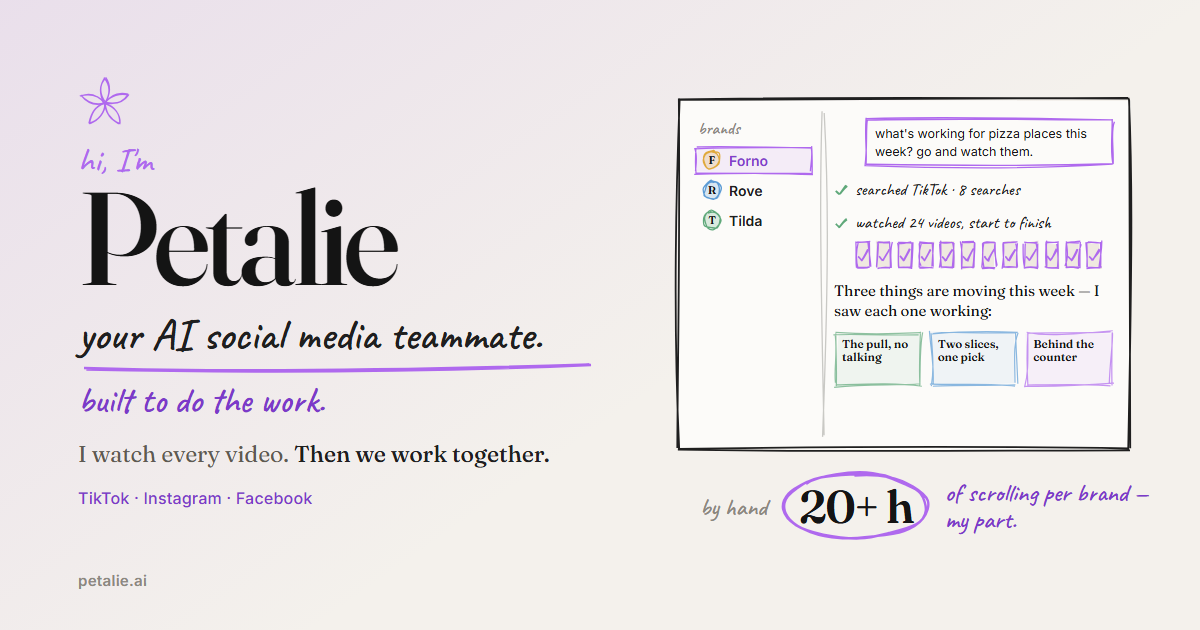
Petalie is an AI social media teammate that watches TikTok, Instagram and Facebook videos, audits your account, studies competitors, finds creators, and writes scripts, captions, plans and calendars for each brand you run.
Petalie is an AI assistant for social media work, presented as a teammate rather than a text generator. Its central idea is that it actually watches video footage, picture, sound and on-screen words, from a brand's own account, from competitors and from a niche on TikTok, Instagram and Facebook. Ideas, scripts, captions and plans are then built on what it saw, and each recommendation names the videos behind it so a user can open them and judge the reasoning. Getting started takes a single handle. A visitor types an account name on the homepage with no sign-up, and Petalie watches the newest 12 videos before writing an audit of up to five findings: what the best posts share, what the weaker ones have in common and what to make next. From there it can study named competitors, or find them, and search for creators, returning a shortlist with a short rationale and a sample video. Each brand gets its own memory page covering voice, rules, past decisions and what works. Users can read and correct every line, and different brands stay separate. Output goes beyond chat replies. Petalie produces shot lists, scripts, captions in a brand's voice and in the audience's language, and longer documents as PDF, Word or Excel. It also keeps a calendar for shoots, edits and posts, with phone reminders and Google Calendar sync. On TikTok the finished video lands in drafts with its caption ready, while Instagram and Facebook get a reminder. Automatic posting is listed as coming soon, and nothing goes out without approval. The tool suits small business owners, solo creators and small teams that lack hours for research, along with agencies managing several brands. It differs from general chatbots by grounding answers in watched footage, and from schedulers by doing the research and drafting first. Limits are worth noting: YouTube is not supported, Facebook coverage is for Pages only, and the predictive feel for performance is based on TikTok outcomes.
Every paid plan starts with 7 days free with a card, and nothing is charged if cancelled before day 7. A Free plan with no card also exists, and an account audit needs no sign-up.
Learn moreFree plan at $0 with 6 messages every 5 hours, 1 brand and 1 platform. Creator is $35/month (50% off at $17.50 for 12 months in a Black Friday offer), Pro $89/month, Studio from $145/month for 3 brands. Paid plans include 7 days free; billed monthly in USD.
Learn moreThe homepage names a contact page for agency setups with more than 10 brands. No help centre or documentation is listed.
Learn moreWorks with TikTok, Instagram and Facebook Pages, and syncs reminders to Google Calendar. Sign-in is through Google or email, and payments are handled by Stripe. YouTube is not supported yet.
Watches videos on TikTok, Instagram and Facebook, writes account audits, studies competitors, finds creators, drafts ideas, scripts, shot lists and captions, keeps per-brand memory, produces PDF, Word or Excel documents, and runs a calendar with reminders and Google Calendar.
 AI Angels400+ customizable AI girlfriends for NSFW chat, voice calls, and roleplay
 Candy AIExperience the future of companionship with AI friends who chat, role-play, and connect with you on a human level.
 ourdream.aiA vast AI roleplay platform with millions of characters for chat, images, video and voiceAI Angels400+ customizable AI girlfriends for NSFW chat, voice calls, and roleplayCandy AIExperience the future of companionship with AI friends who chat, role-play, and connect with you on a human level.ourdream.aiA vast AI roleplay platform with millions of characters for chat, images, video and voice


