Free trial
No separate trial terms are described. The site presents the generator as free to use, with credits as the underlying usage mechanism.
Learn moreTurn written prompts into short AI video clips in the browser

Pixalice is a short videos tool that turns written prompts into short AI video clips in the browser. Pixalice Text to Video turns written prompts into short AI video clips in the browser.
Pixalice Text to Video is a browser based generator that converts written prompts into short video clips. The workflow is built around motion rather than static imagery: you describe subject action, camera movement, environment, atmosphere and pace, then pick a video model that matches the look you want. Before generating, you set the clip duration, aspect ratio and audio options so the output fits the platform you are publishing to. Practical use splits into three groups. Content creators use it to turn hooks, scripts and visual ideas into clips for social channels and daily posting without booking a camera or a set. Marketing teams generate quick variations for product launches, paid social tests and campaign concepts. Educators and trainers convert abstract topics and training scenes into visual sequences that are easier to follow than a slide deck. One detail worth understanding before you start: generation runs asynchronously. Tasks are queued and finished clips land in a Records area rather than appearing instantly, so the tool suits batch style work where you line up several prompts and review later. The page also states that failed generation tasks are refunded in credits, which matters if you are generating a lot of variations. The recommended method is to compare outputs and refine one variable at a time: motion, framing, model, duration or aspect ratio. Pixalice also offers image to video alongside this text mode, plus separate text to image and image to image tools, so a project can start as a still and be animated afterwards. It competes with standalone video generators on convenience rather than depth, and the site says more video models will be added over time. Pixalice is best treated as a fast concept and draft machine, not a finishing suite. Refinement happens iteratively by regenerating rather than by timeline editing.
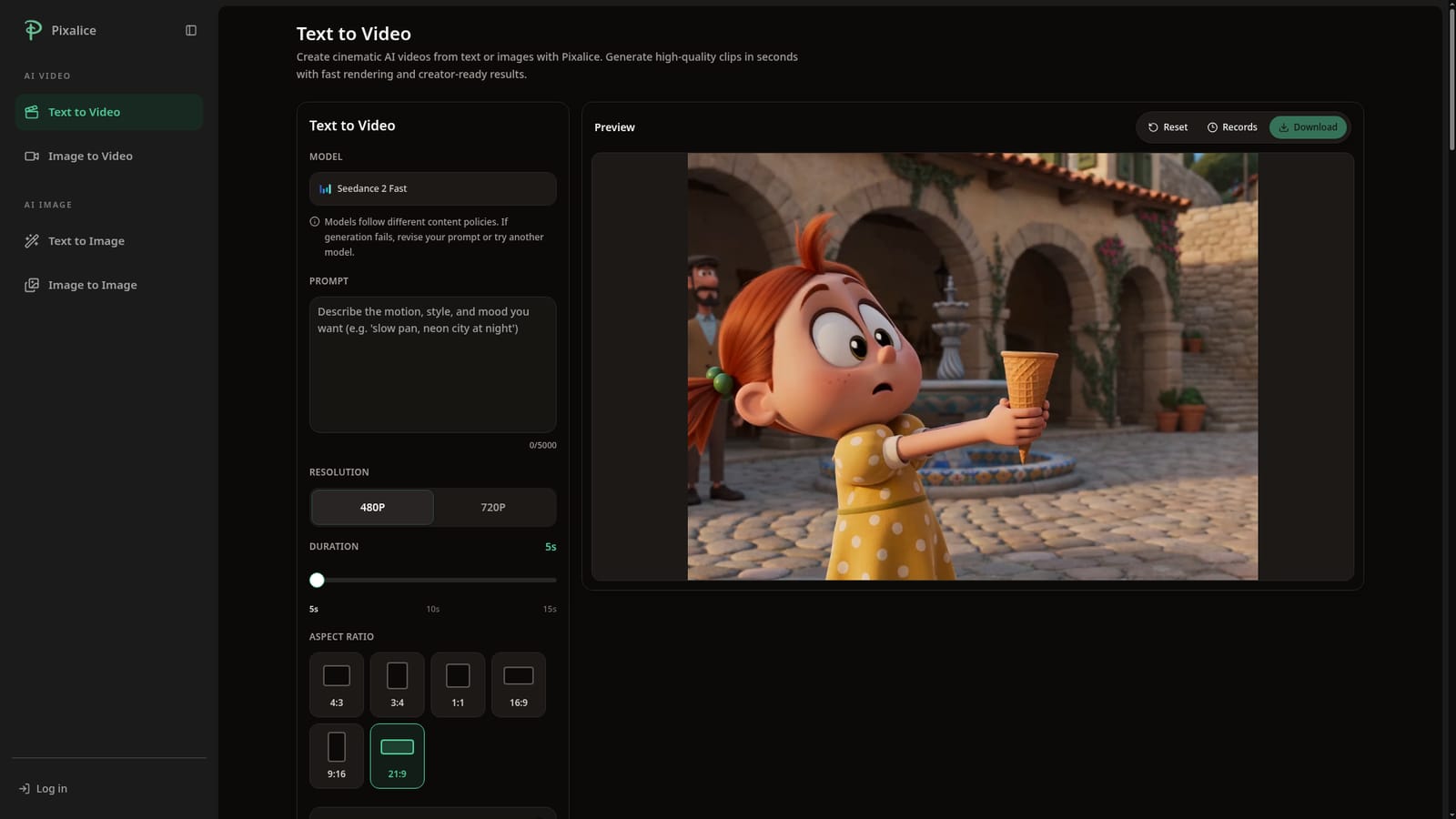
No separate trial terms are described. The site presents the generator as free to use, with credits as the underlying usage mechanism.
Learn moreThe homepage markets the tool as a free text to video AI generator and references credits and refunds for failed tasks, but does not publish plan tiers, credit prices or subscription costs.
Learn moreSupport is handled through an FAQ section on the tool page covering creation options, image to video, task records, credit refunds and future model additions. No email or chat channel is listed.
Choice of video models for different motion and style needs, prompts built around action, camera movement and pacing, configurable duration, aspect ratio and audio, an asynchronous task queue with finished clips stored in Records, credit refunds on failed tasks, and a companion image to video mode plus text to image and image to image tools.
 AI Angels400+ customizable AI girlfriends for NSFW chat, voice calls, and roleplay
 Candy AIExperience the future of companionship with AI friends who chat, role-play, and connect with you on a human level.
 ourdream.aiA vast AI roleplay platform with millions of characters for chat, images, video and voiceAI Angels400+ customizable AI girlfriends for NSFW chat, voice calls, and roleplayCandy AIExperience the future of companionship with AI friends who chat, role-play, and connect with you on a human level.ourdream.aiA vast AI roleplay platform with millions of characters for chat, images, video and voice


