Pixalytica

Facial recognition KYC reports built from public records

Intermediate
Screenshot of Pixalytica, Facial recognition KYC reports built from public records

What is Pixalytica?

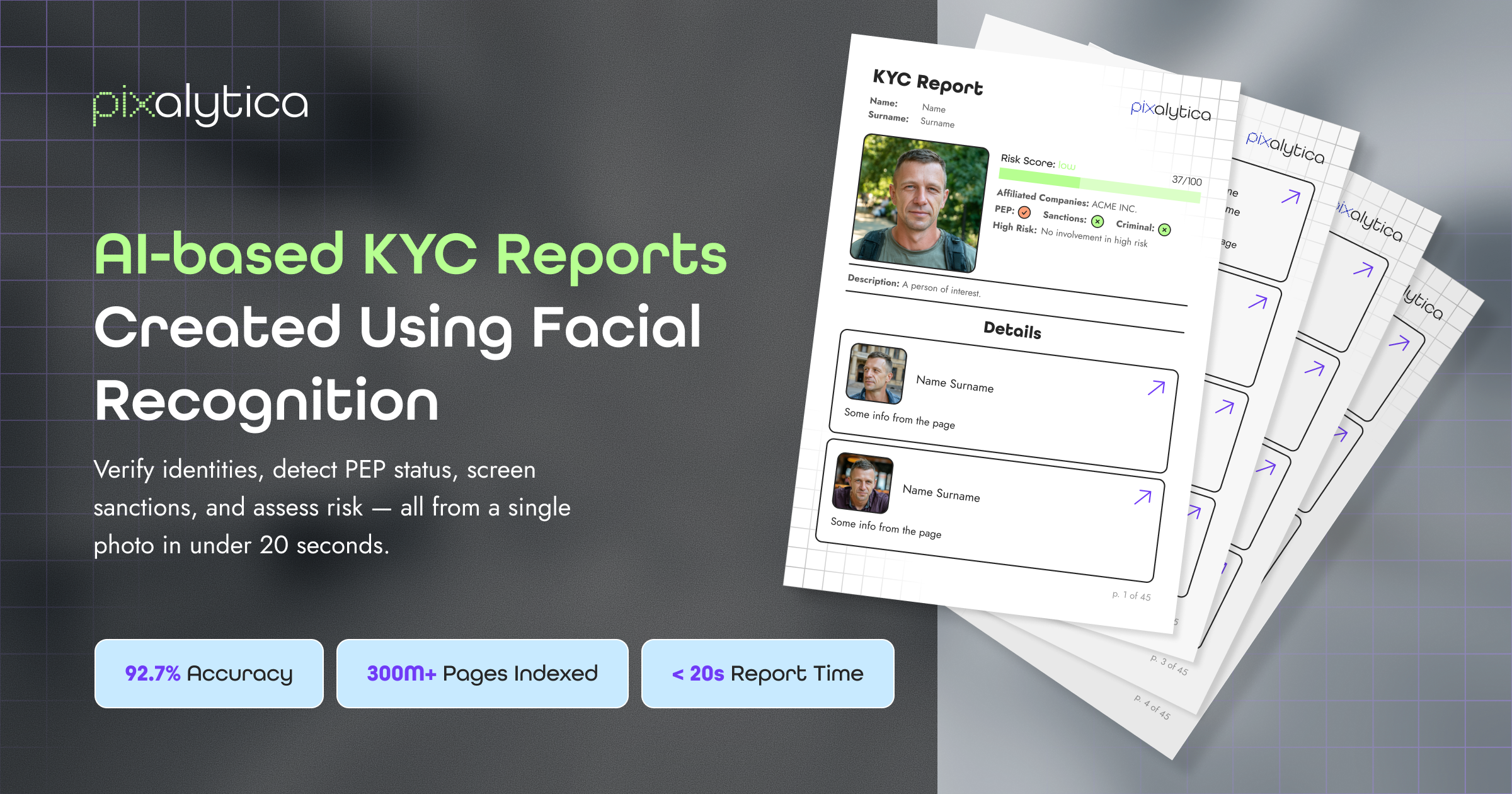
Pixalytica is a deep search people tool. A KYC reporting tool that uses facial recognition to match a face against publicly available records, then compiles a report covering real name, PEP status, criminal activity and connections, plus sanctions and high-risk industry screening.

Pixalytica is a KYC reporting tool that uses facial recognition as its entry point. A submitted face image is matched against publicly available sources, and the output is a structured identity report rather than a raw match score. The company positions the product around four checks: confirming a real name, verifying politically exposed person (PEP) status, detecting criminal activity and known connections, and screening for sanctions and high-risk industries. The practical appeal is the consolidation. Compliance teams normally stitch together a biometric match from one vendor, a sanctions list from another, and adverse media research done by hand. Pixalytica frames itself as doing that work in one pass, drawing only on public records. That keeps the scope narrower than commercial data brokers, but it also means the quality of any single report depends on what is publicly documented about the person being screened. It suits compliance and onboarding staff at smaller financial firms, fintechs, crypto businesses and regulated service providers who need a first-pass identity picture without a full enterprise screening contract. Investigative journalists, fraud teams and due diligence analysts are also plausible users, since the report format combines identity with reputation and affiliation signals. Pixalytica sits between pure facial recognition APIs, which return similarity scores and leave interpretation to you, and large AML platforms that bundle document verification, transaction monitoring and case management. It covers the identity and screening slice only. Buyers should confirm coverage of specific watchlists and jurisdictions before relying on it, since the public homepage makes no claims about list providers, data refresh rates or audit trails. Pricing, trial availability and integration options are not stated publicly on the site, so those need to be confirmed directly with the vendor.

How do you use Pixalytica?

  1. 1Prepare a clear face image of the subject
    Choose a photo where the face is unobstructed and front facing, since the match runs on facial recognition against public sources.
  2. 2Submit the image and start the report
    Upload the image through the Pixalytica interface to trigger the identity search and report build.
  3. 3Review the identity and PEP findings
    Check the matched real name and the politically exposed person status flagged in the report before moving on.
  4. 4Read the criminal and connection section
    Examine the detected criminal activity references and linked associations, and note anything that needs manual follow up.
  5. 5Check sanctions and high-risk industry flags
    Confirm the sanctions screening result and any high-risk industry exposure noted for the subject.
  6. 6Export or file the report for your records
    Save the completed KYC report into your onboarding or due diligence file according to your internal process.

Pros and cons

Pros

  • Combines facial recognition with PEP, sanctions and criminal connection screening in a single reportAI
  • Uses publicly available sources only, which simplifies data provenance questionsAI
  • Report format is readable for compliance and due diligence staff without specialist toolingAI
  • Covers high-risk industry screening as well as individual identity checksAI
  • Lower barrier than full AML platforms for firms that only need identity and screeningAI

Cons

  • Accuracy depends on how much public information exists about the subject, which is unevenAI
  • No public detail on which sanctions or watchlists are coveredAI
  • Pricing, trial terms and integrations are not disclosed on the homepageAI
  • Not a full AML suite: no document verification, transaction monitoring or case management mentionedAI
  • Homepage gave no information on audit logs or regulatory certificationsAI

How much does Pixalytica cost?

Features

Facial recognition matching against publicly available sources, real name identification, PEP status verification, criminal activity and connection detection, and screening for sanctions and high-risk industries, all delivered as a single KYC report.

Frequently asked questions about Pixalytica

  • How do you use Pixalytica?
    The walkthrough on this page covers 6 steps: 1. Prepare a clear face image of the subject 2. Submit the image and start the report 3. Review the identity and PEP findings 4. Read the criminal and connection section 5. Check sanctions and high-risk industry flags 6. Export or file the report for your records.
  • What platforms does Pixalytica support?
    Pixalytica is available on Web App.
  • What are the limitations of Pixalytica?
    Accuracy depends on how much public information exists about the subject, which is uneven. No public detail on which sanctions or watchlists are covered. Pricing, trial terms and integrations are not disclosed on the homepage.

Status

StatusActive
Views0
Outbound clicks0
Added10/21/2026

Platforms

Web App

Pricing

Paid