Free trial
The homepage states "It's free to try" next to the Generate PNG button, without describing limits or duration.
Learn moreText prompts in, transparent PNG assets out, no cutout work
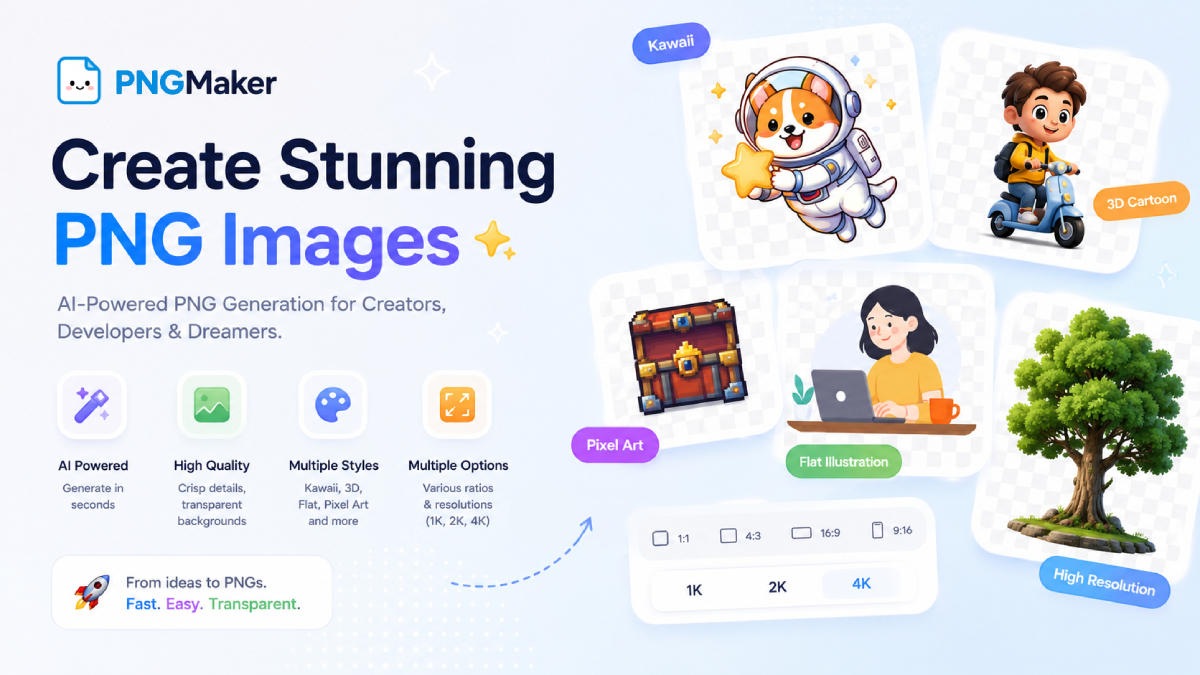
PNGMaker generates transparent-background PNG images from text prompts in the browser. It offers preset styles, five aspect ratios and 1K to 4K output, with commercial use allowed and a public gallery of user creations.
PNGMaker is a browser-based generator with one narrow job: turning a written description into an image that already has a transparent background. The user types the subject, such as a black cat or a futuristic robot, and the service handles background removal on its own. Prompts do not need to mention transparency or file format, and the result is exported as a PNG that can be placed over any backdrop without further editing. The generation form is compact. Besides the prompt, it offers preset styles (kawaii, 3D cartoon, flat illustration and pixel art), an Auto mode for cases where the preset list falls short, and a visibility toggle. In Auto mode, style details go straight into the prompt, for example an ink painting or a neon cyberpunk scene. Output can be set to five aspect ratios (1:1, 4:3, 3:4, 16:9 and 9:16) and to 1K, 2K or 4K resolution before generation. Images are public by default and appear in a community gallery, while paid users can switch on private mode to keep their results confidential. The homepage says the tool is free to try, and it states that generated images may be used commercially and modified. The audience listed by the site is practical and asset-focused: YouTube creators making thumbnails and overlays, indie SaaS developers needing illustrations and feature icons, ecommerce sellers preparing banners and promotional visuals, social media influencers producing stickers, UI and UX designers sketching icons and mockup assets, and indie game developers who need characters and items. No design experience is required. Among alternatives, PNGMaker sits between general image generators and background-removal utilities. It skips the two-step workflow of generating a picture and then cutting out the subject, but it also offers fewer controls than a full image generator. The site itself points users to a separate AI image generator for a wider range of styles, which marks this tool as a specialist for cutout-ready graphics.
The homepage states "It's free to try" next to the Generate PNG button, without describing limits or duration.
Learn moreThe homepage says the tool is free to try. Private mode is reserved for paid users, but no plan names, prices or usage limits are listed.
Learn moreText-to-PNG generation with automatic transparent backgrounds, preset styles (kawaii, 3D cartoon, flat illustration, pixel art) and Auto mode, aspect ratios 1:1, 4:3, 3:4, 16:9 and 9:16, 1K, 2K and 4K resolution, public or private visibility, and a gallery of user creations.
 AI Angels400+ customizable AI girlfriends for NSFW chat, voice calls, and roleplay
 Candy AIExperience the future of companionship with AI friends who chat, role-play, and connect with you on a human level.
 ourdream.aiA vast AI roleplay platform with millions of characters for chat, images, video and voiceAI Angels400+ customizable AI girlfriends for NSFW chat, voice calls, and roleplayCandy AIExperience the future of companionship with AI friends who chat, role-play, and connect with you on a human level.ourdream.aiA vast AI roleplay platform with millions of characters for chat, images, video and voice