Free trial
A free tier is promoted on the homepage with signup by Google. A time-limited trial of paid plans is not described; check the pricing page.
Learn moreSharpen prompts before you send them, and give Claude Code a memory

Prompt Genie optimizes rough prompts into specific ones, stores team prompts and reusable context, tests across GPT-4, Claude and Gemini, and adds a local context memory for Claude Code. Chrome extension, shared library, free tier.
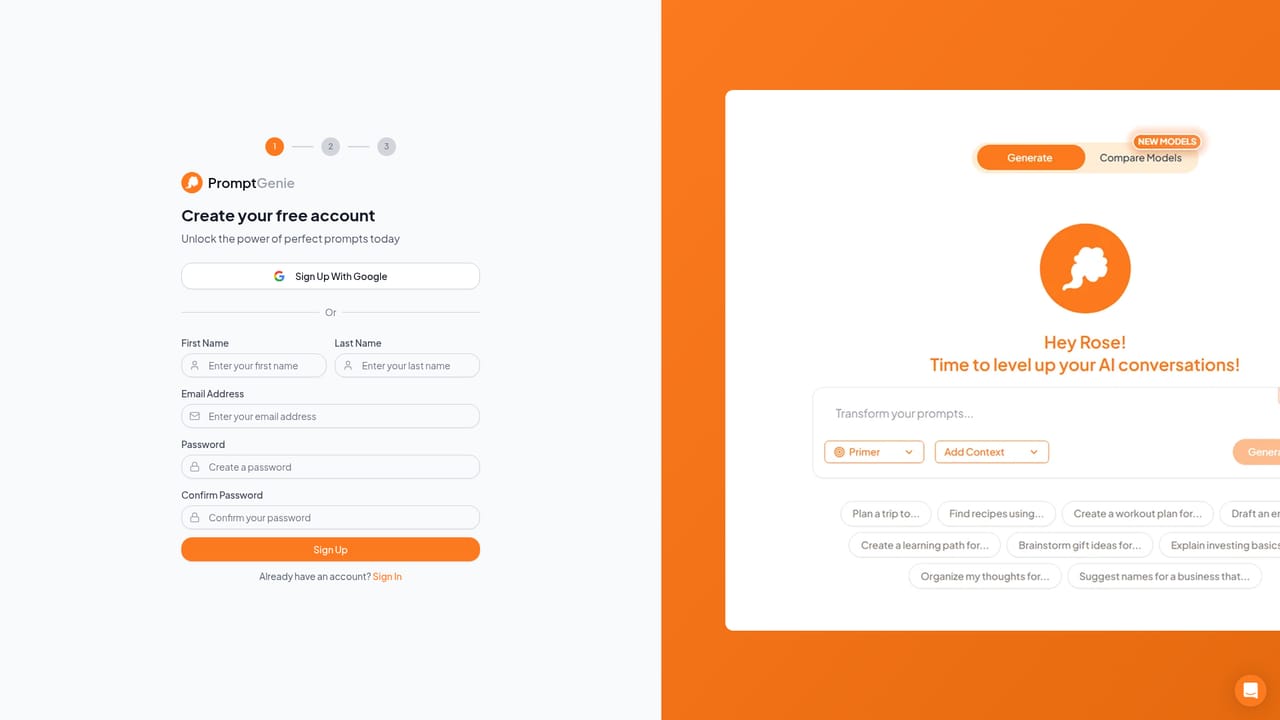
Prompt Genie is a prompt workspace built around one premise: most AI spend is wasted on prompts that were never precise enough in the first place. The core product takes a rough idea typed in plain English and rewrites it into a specific, context-rich instruction before it reaches a model. Around that sit three supporting layers: a shared prompt library, a persistent context store, and a side-by-side testing view that runs one prompt against GPT-4, Claude and Gemini at once so the strongest output can be picked from a single session. The prompt library is aimed at teams. Prompts that worked get saved once and reused, with version control, role-based access and one-click sharing so a good result is not stranded in a Slack thread. Context Genie handles the background text people normally retype on every message (role, audience, constraints); it is written once and applied automatically to later prompts. A Chrome extension puts the same optimization button inside ChatGPT, Claude and Gemini, so a rough draft can be sharpened without leaving the tab. The newest piece targets Claude Code specifically. Prompt Genie installs via npx and runs locally, giving the session a memory: files and commands already read are served from stored context instead of being sent and billed again on later turns. The company claims a typical reread of one file costs around 3,800 tokens and that roughly 70 percent of repeat-read tokens are avoidable. Prompt Genie competes with prompt managers like PromptLayer and with plain saved-snippet documents, but its selling point is cost control rather than prompt storage. It fits teams running heavy model usage, and developers on Claude Code who feel the per-turn token bill. There is also a fixed-price $999 concierge service that scopes and builds one AI workflow in 10 business days.
A free tier is promoted on the homepage with signup by Google. A time-limited trial of paid plans is not described; check the pricing page.
Learn moreA free tier is offered (Get Started for Free, start with Google). Paid plan prices are not stated on the homepage; the pricing page is the reference. Separately, a fixed-price concierge service scopes and builds one AI workflow for $999 in 10 business days, no hourly billing.
Learn moreNo help centre, documentation or contact channel is described on the homepage. A concierge service is offered for paid, scoped AI project builds.
Chrome extension embeds in ChatGPT, Claude and Gemini, and optimized prompts open directly in those three. Supported models listed for optimization and testing also include OpenAI, Midjourney, Cohere, Mistral, Meta, Google, AWS, AI21, Ideogram and Ollama.
Prompt optimizer that rewrites plain-English ideas into specific prompts; persistent Context Genie so background details are set once; Chrome extension working inside ChatGPT, Claude and Gemini; shared prompt library with version control, role-based access and one-click sharing; multi-model testing across GPT-4, Claude and Gemini; suggestions based on the user's work; local context memory for Claude Code installed via npx.
 AI Angels400+ customizable AI girlfriends for NSFW chat, voice calls, and roleplay
 Candy AIExperience the future of companionship with AI friends who chat, role-play, and connect with you on a human level.
 ourdream.aiA vast AI roleplay platform with millions of characters for chat, images, video and voiceAI Angels400+ customizable AI girlfriends for NSFW chat, voice calls, and roleplayCandy AIExperience the future of companionship with AI friends who chat, role-play, and connect with you on a human level.ourdream.aiA vast AI roleplay platform with millions of characters for chat, images, video and voice