Pricing
The site refers to a fee charged before download but does not publish an amount, tier structure or billing model. Payment is required to obtain the finished PDF or LaTeX file, and no free export is described.
Learn moreAI-generated, ATS-friendly resumes delivered as PDF or LaTeX

Quick Resume generates ATS-friendly resumes and CVs from your work history and skills using Google Gemini, then delivers the result as an editable LaTeX file or a ready-to-send PDF for a fee.
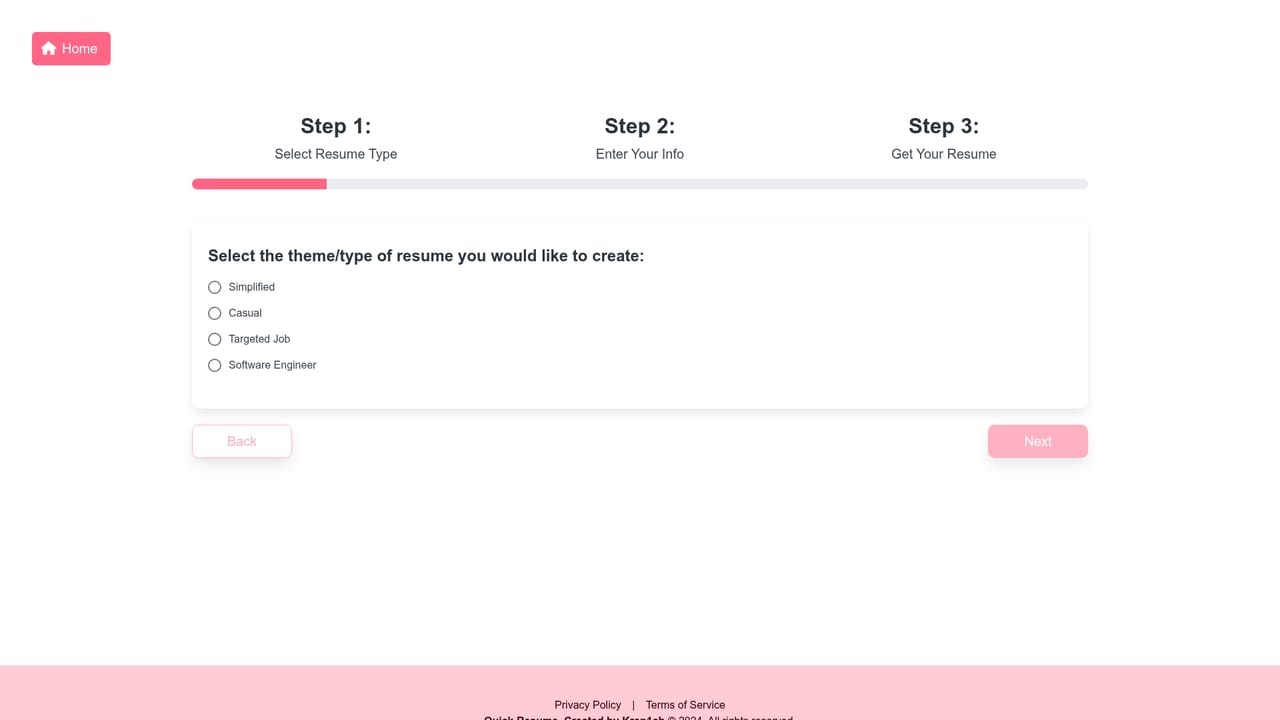
Quick Resume is a web tool that turns a short set of personal details into a complete, professionally formatted resume or CV. The homepage positions it around speed: the stated promise is a finished document in seconds, produced by Google Gemini models rather than by template filling alone. The application is aimed at job seekers who want a polished document without wrestling with word processors or layout software, and it is especially relevant to candidates applying through company portals where automated screening is the first hurdle. The workflow has three stages. You begin by choosing a resume type from a preset list that includes Software Engineer, Casual and Targeted Job, among others. Next you enter your personal information, work history, education and skills. The AI then drafts a resume from that material, and after paying the fee you can download the result as a PDF or as a LaTeX file. The LaTeX option is the distinctive part: it lets users who are comfortable with typesetting edit the source and recompile, while everyone else can simply use the PDF unchanged. The site makes ATS compatibility a central claim. Applicant Tracking Systems filter applications by keyword, and Quick Resume states that its output is designed to pass through those systems. That, combined with the targeted and role-specific resume types, places it in the resume builder category alongside general document generators, but oriented toward a single task rather than general writing. There are limits worth knowing before committing. Downloading requires a fee, and the homepage does not publish the amount, the payment model, or whether there is any way to preview the finished file first. No account features, revision history, cover letter generation, or third-party integrations are described. The tool also says nothing about supported languages or regions, so applicants outside the markets it was designed for should verify output quality themselves. It is best treated as a fast first draft generator for candidates who will review and adjust the result.
The site refers to a fee charged before download but does not publish an amount, tier structure or billing model. Payment is required to obtain the finished PDF or LaTeX file, and no free export is described.
Learn moreResume generation powered by Google Gemini, a choice of resume types including Software Engineer, Casual and Targeted Job, input forms for personal details, work experience, education and skills, ATS-oriented output, and downloads in PDF or editable LaTeX format.
 AI Angels400+ customizable AI girlfriends for NSFW chat, voice calls, and roleplay
 Candy AIExperience the future of companionship with AI friends who chat, role-play, and connect with you on a human level.
 ourdream.aiA vast AI roleplay platform with millions of characters for chat, images, video and voiceAI Angels400+ customizable AI girlfriends for NSFW chat, voice calls, and roleplayCandy AIExperience the future of companionship with AI friends who chat, role-play, and connect with you on a human level.ourdream.aiA vast AI roleplay platform with millions of characters for chat, images, video and voice


