RAADS-R Test

Free 80-item RAADS-R self-assessment with instant scores, no account needed.

Beginner
Screenshot of RAADS-R Test, Free 80-item RAADS-R self-assessment with instant scores, no account needed

What is RAADS-R Test?

RAADS-R Test is an education tool. A free, 80-item online RAADS-R self-assessment for adults that delivers an instant total score and four domain breakdowns without requiring an account, email or payment.

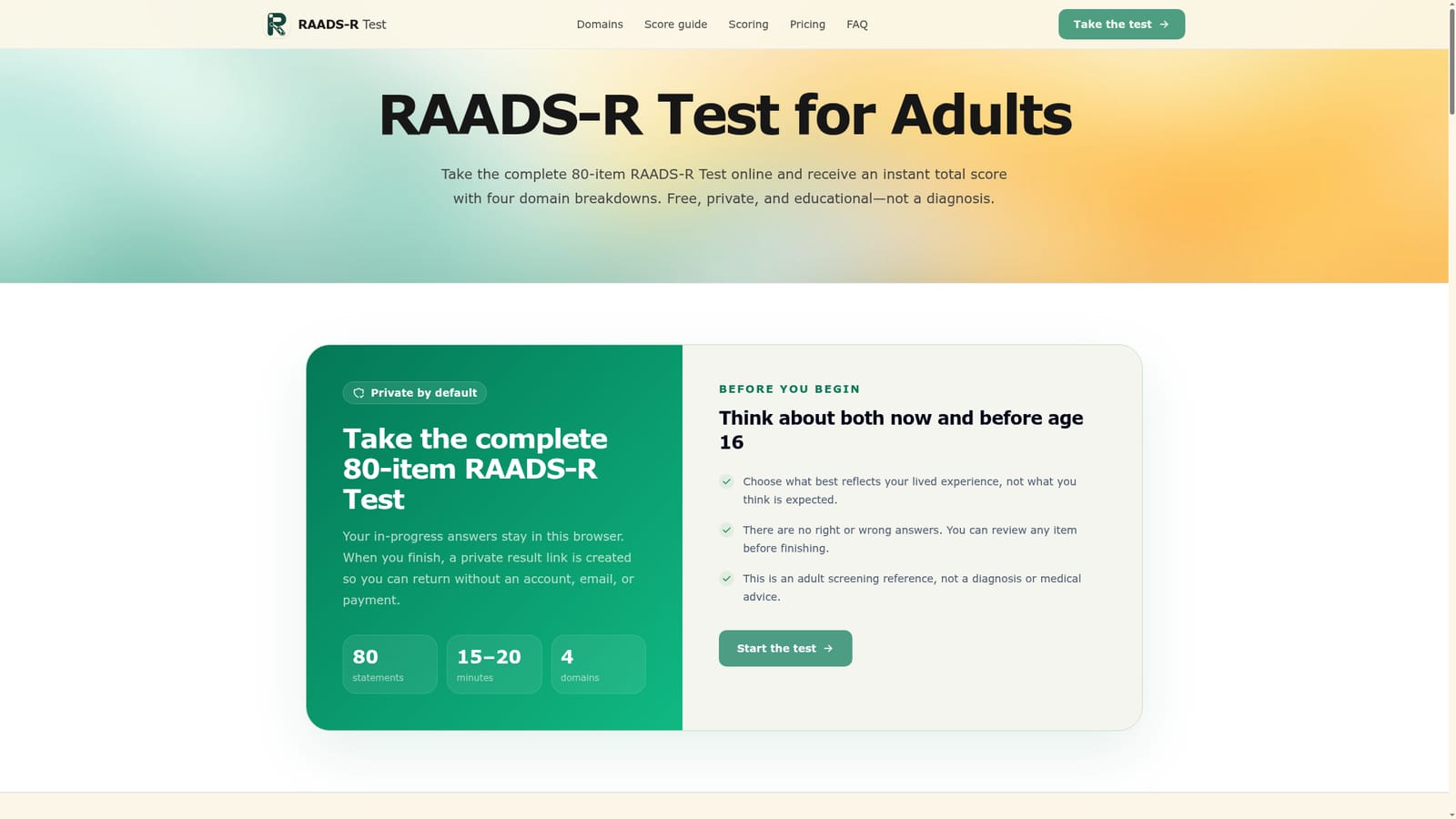
The RAADS-R Test is a free online version of the 80-item Ritvo Autism Asperger Diagnostic Scale, Revised, built for adults who want a structured way to reflect on lifelong social, sensory, language and routine-related experiences. Each item asks respondents to compare how they felt before age 16 with how they feel now, using four response choices per statement. Completion takes roughly 15 to 20 minutes, and in-progress answers are stored locally in the browser rather than on a server. Once finished, the tool generates an immediate total score on a 0 to 240 scale alongside four domain breakdowns: Social Relatedness, Sensory-Motor, Language and Circumscribed Interests. A private result link is created automatically so a person can return to their result without creating an account, entering an email address or paying anything for the basic output. The site also explains the research history behind the commonly cited threshold of 65, noting that later adult-referral studies found the measure performs less reliably as a standalone tool than the original validation study suggested. This makes the tool suited to adults who suspect they may be autistic and want language and scores to organize their experiences before a conversation with a clinician, therapist or trusted person. It is not aimed at parents screening children, and it explicitly does not replace a full developmental or clinical assessment. Compared with short quiz-style autism screeners circulating online, this version is distinguished by using the complete validated 80-item instrument and by pairing the score with explicit discussion of the scale's evidentiary limits rather than presenting the number as conclusive. In practice, the site positions itself as a reflection and preparation aid: a way to turn a vague sense of lifelong difference into concrete domain scores and talking points, while repeatedly reminding users that self-report screening cannot confirm or rule out autism on its own.
How do you use RAADS-R Test?

  1. 1Read the before-you-begin guidance
    Review the homepage notes explaining that answers should reflect lived experience both before age 16 and now, and that there are no right or wrong answers.
    RAADS-R Test — Read the before-you-begin guidance
  2. 2Start the 80-item questionnaire
    Begin the test and work through all 80 statements, choosing from four response options per item and comparing past and present experience for each.
  3. 3Review answers before finishing
    Use the review step to revisit earlier responses if needed, since in-progress answers are held locally in the browser until completion.
  4. 4Check the scoring structure
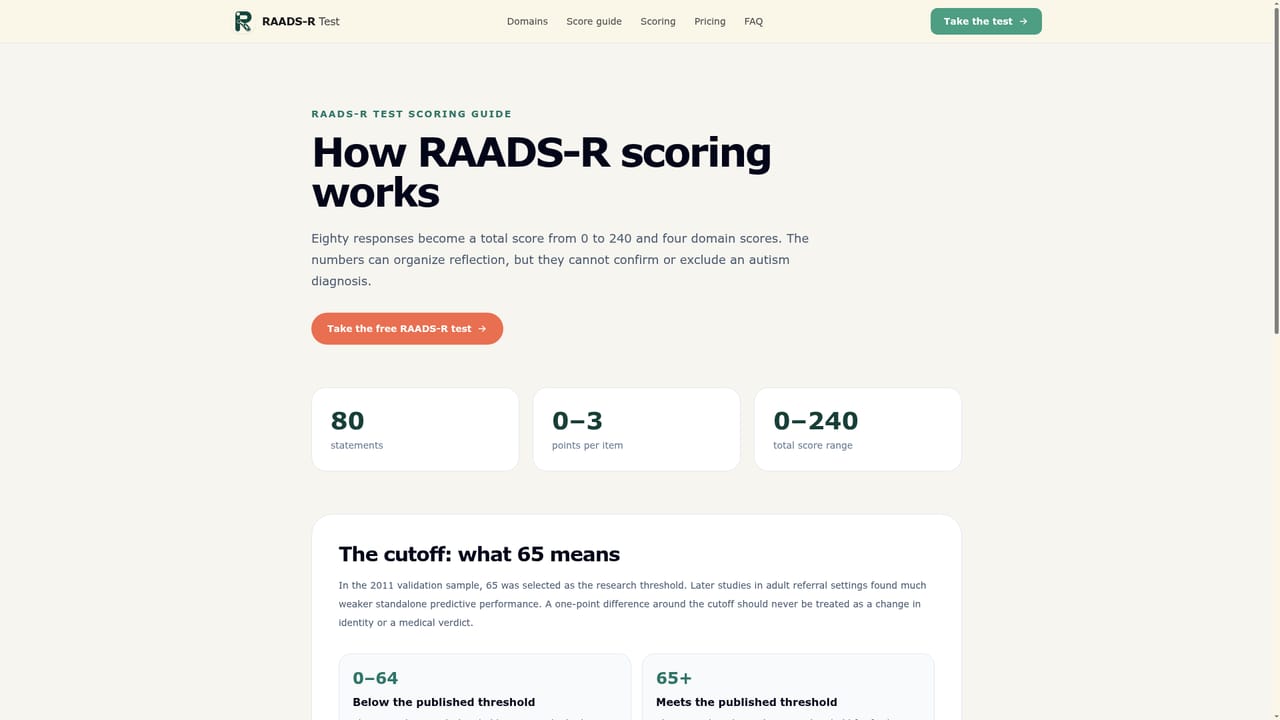
    Read how the total 0 to 240 score and the four domain maximums (Social Relatedness, Sensory-Motor, Language, Circumscribed Interests) are calculated.
    RAADS-R Test — Check the scoring structure
  5. 5Interpret the result with the score guide
    Compare the total score against the described bands and read the context explaining that the 65 threshold comes from older validation research with known limits.
  6. 6Save the private result link
    Keep the private link generated after completion to return to the result later without needing an account or email address.

Pros and cons

Pros

  • Uses the full validated 80-item RAADS-R instrument rather than a shortened quizAI
  • Produces an instant total score plus four domain breakdowns for finer contextAI
  • Basic results require no account, email address or paymentAI
  • In-progress answers stay in the browser, which supports privacy during the testAI
  • Includes explicit score-range guidance explaining what the thresholds do and do not meanAI

Cons

  • Self-report format cannot confirm or exclude autism and is explicitly not a diagnosisAI
  • Published threshold research is dated and later referral studies found weaker standalone performanceAI
  • No stated support for account syncing across devices since results rely on a private link rather than a loginAI
  • Homepage does not specify whether a paid tier unlocks deeper reporting beyond the free total and domain scoresAI
  • No information on mobile apps or offline access; the tool appears to be web-onlyAI

How much does RAADS-R Test cost?

Free trial

There is no separate free trial structure described; the core 80-question test with total and domain scores is offered free by default, with no account or payment needed for basic results.

Learn more

Pricing

The homepage states the basic RAADS-R Test, including the total score and four domain scores, is free and does not require an account, email or payment; a separate pricing page exists but specific paid-tier details are not described on the homepage.

Learn more

Support

Support is available by email at support@raads-rtest.online, and the site includes an about page and FAQ section covering scoring, privacy and the nature of results.

Learn more

Features

Complete 80-item RAADS-R questionnaire, instant total score (0 to 240), four domain scores (Social Relatedness, Sensory-Motor, Language, Circumscribed Interests), answer review before submission, private result link, and published score-range interpretation guidance.

Frequently asked questions about RAADS-R Test

  • How much does RAADS-R Test cost?
    The homepage states the basic RAADS-R Test, including the total score and four domain scores, is free and does not require an account, email or payment; a separate pricing page exists but specific paid-tier details are not described on the homepage.
  • Does RAADS-R Test offer a free trial?
    There is no separate free trial structure described; the core 80-question test with total and domain scores is offered free by default, with no account or payment needed for basic results.
  • How do you use RAADS-R Test?
    The walkthrough on this page covers 6 steps: 1. Read the before-you-begin guidance 2. Start the 80-item questionnaire 3. Review answers before finishing 4. Check the scoring structure 5. Interpret the result with the score guide 6. Save the private result link.
  • What platforms does RAADS-R Test support?
    RAADS-R Test is available on Web App.
  • What are the limitations of RAADS-R Test?
    Self-report format cannot confirm or exclude autism and is explicitly not a diagnosis. Published threshold research is dated and later referral studies found weaker standalone performance. No stated support for account syncing across devices since results rely on a private link rather than a login.

Status

StatusActive
Views0
Outbound clicks0
Added10/10/2026

Platforms

Web App

Pricing

FreeFreemium