Pricing
The homepage presents the background remover as free, with transparent or custom background results delivered without payment or stated limits. No paid tiers or subscription prices appear in the source content.
Learn moreFree AI background remover with no signup and a built-in photo editor
Retoucher is a background tool. A no-signup, browser based AI background remover that produces transparent, white or custom backgrounds, with a built-in editor for cropping, resizing and shadows. Aimed at marketplace sellers, social media users and designers who want quick cutouts without Photoshop.
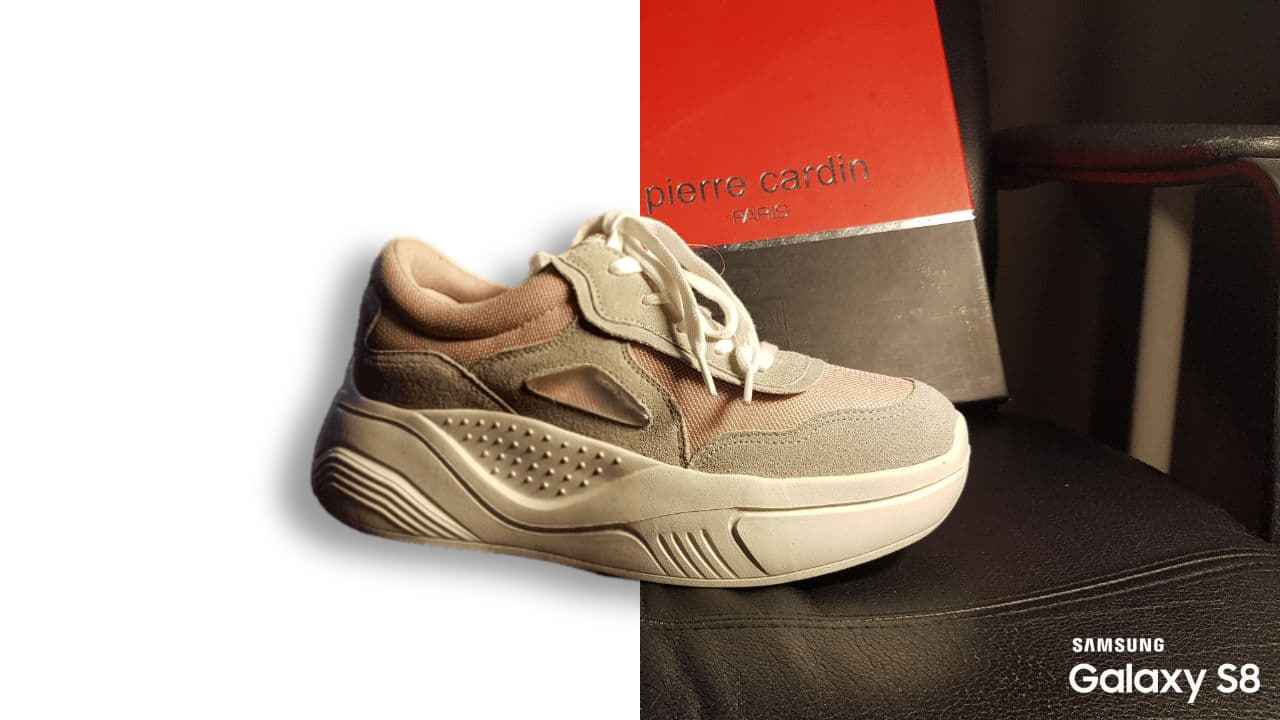
Retoucher is a browser based background removal tool that cuts a subject out of a photo automatically and then lets the user decide what sits behind it. The service is positioned as a 3-in-1 remover: strip the background, set a white or transparent canvas, or drop in a custom background image. Everything runs from a single upload box on the homepage, and no account is required to start. The use cases on the site are grouped by subject rather than by industry. People photos are framed around social profiles and passport style images sized for Instagram, Facebook, TikTok and YouTube. Product shots target sellers who need marketplace ready pictures for Amazon, eBay, Etsy, Walmart, Depop and Best Buy, with the option to add shadows so items do not look pasted in. Graphics and logos, plus car photos for private sellers, round out the four presets. Cropping, resizing, color changes and format selection (PNG or JPG) happen inside the built-in editor after the cutout. In practice the workflow is short. A file is uploaded or dragged in, the AI isolates the foreground, and the user chooses transparent, white or a replacement background before downloading in the resolution they need. Batch upload is supported, so several images can be processed in one pass, and a manual eraser handles stubborn areas such as hair. The site recommends shooting against a plain contrasting surface with steady lighting for the cleanest edges. Retoucher sits in the free, no login tier of background removers, competing with tools that gate downloads behind an account or a credit system. Its differentiator is the surrounding editor rather than the cutout alone. The API is described as forthcoming rather than live, so teams looking for programmatic access should treat that as a future promise instead of a current feature.
The homepage presents the background remover as free, with transparent or custom background results delivered without payment or stated limits. No paid tiers or subscription prices appear in the source content.
Learn moreThe homepage mentions API support as a coming feature, not a live integration. No third party connectors or marketplace plugins are listed.
AI cutout for people, products, graphics, logos and cars; transparent, white or custom backgrounds; manual eraser for fine areas; cropping, resizing, color changes and shadow effects; batch uploads; PNG and JPG export at the resolution you choose; no signup to start.
Learn more AI Angels400+ customizable AI girlfriends for NSFW chat, voice calls, and roleplay
 Candy AIExperience the future of companionship with AI friends who chat, role-play, and connect with you on a human level.
 ourdream.aiA vast AI roleplay platform with millions of characters for chat, images, video and voiceAI Angels400+ customizable AI girlfriends for NSFW chat, voice calls, and roleplayCandy AIExperience the future of companionship with AI friends who chat, role-play, and connect with you on a human level.ourdream.aiA vast AI roleplay platform with millions of characters for chat, images, video and voice