Rewriteit

Paste text, choose a rewrite, get clearer prose in one click.

Beginner
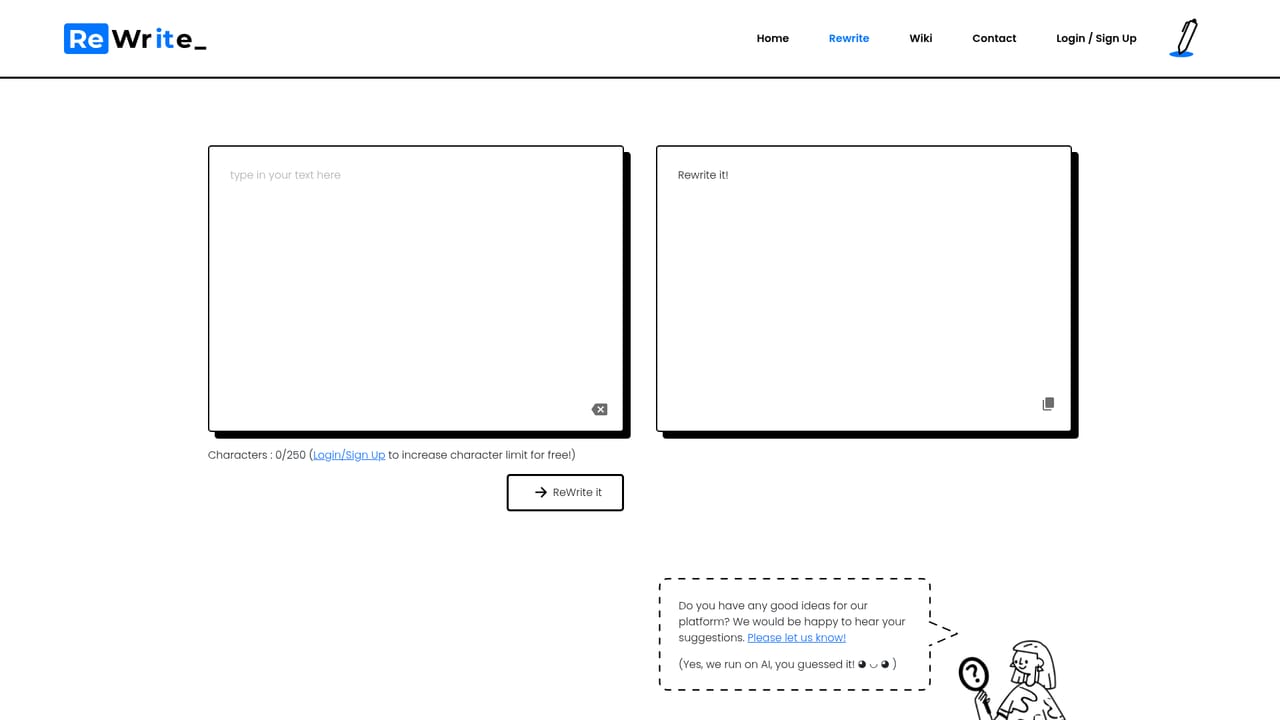
Screenshot of Rewriteit, Paste text, choose a rewrite, get clearer prose in one click

What is Rewriteit?

Rewriteit is a content writing tool. ReWrite It.AI is a web app that rewrites pasted text on one click, aimed at emails, papers and English learning. It emphasizes keeping the author's voice while improving grammar, structure and concision. Pricing, trial terms and integrations are not stated on the homepage.

ReWrite It.AI is a browser based rewriting assistant built around a single action: paste a block of text, choose how you want it rewritten, and receive a new version in your own voice and style. The site frames the tool as both an editing shortcut and a learning aid, so the output is meant to read as high quality writing that still sounds like the person who submitted it, rather than a generic AI template. The core action is labelled Write Now, with the whole workflow described as One Simple Click, which sets the tone for a product that favors speed over deep configuration. The homepage names three practical scenarios. For email, the tool is positioned as a way to fix phrasing and tone so a message can be sent with confidence. For papers, it offers rephrasing and summarization, turning your own wording into something more concise and understandable. For language learning, it works on vocabulary, sentence structure, grammar and proofreading, functioning as a feedback loop for people studying English. The common thread is that ReWrite It.AI assumes you already have text and want it improved, not generated from scratch. In use, the pattern is straightforward: bring the draft to the rewrite page, let the assistant produce a reworked version, then review it before sending or submitting. That places the tool alongside paraphrasing utilities and grammar checkers rather than full featured writing suites. It competes on simplicity and on the stated goal of preserving the author's voice, which matters for anyone who has tried generic rewriters and found the results stiff or obviously machine made. Students, non native English speakers and professionals cleaning up routine correspondence are the obvious audience. The homepage is thin on specifics. There is no published pricing, no free trial terms, no integration list and no support documentation in the supplied content, so buyers should confirm those details directly before committing. What the site does communicate is a narrow, deliberate scope: one click rewriting with an emphasis on voice retention and language improvement.

How do you use Rewriteit?

  1. 1Open the rewrite page
    Go to the rewrite page from the homepage's Write Now button. This is where the pasted text is processed.
    Rewriteit — Open the rewrite page
  2. 2Paste the text you want rewritten
    Drop in an email, a paragraph from a paper or any draft you want improved. The tool works on existing text rather than generating new content.
  3. 3Run the one click rewrite
    Trigger the rewrite and let the assistant produce a revised version. The site describes this as a single click action.
  4. 4Review and compare the output
    Read the rewritten text against your original, checking tone and voice. The stated aim is output that sounds like you, so flag any phrases that drift from your style.
  5. 5Use it as a learning pass
    If you are studying English, compare grammar, vocabulary and sentence structure between versions to see what changed and why.

Pros and cons

Pros

  • One click rewrite workflow keeps the barrier to entry low for beginnersAI
  • Explicit goal of preserving the writer's voice rather than producing generic outputAI
  • Covers email cleanup, paper rephrasing and summarization in one toolAI
  • Doubles as a language learning aid for grammar, vocabulary and sentence structureAI

Cons

  • No pricing information or plan details are published on the homepageAI
  • No integration or API information is given, so workflow fit is unclearAI
  • Nothing is said about output length limits, language support or number of rewritesAI
  • The feature set is narrow compared with full writing assistants that include generation and researchAI
  • Support channels and documentation are not described on the siteAI

How much does Rewriteit cost?

Features

The tool centers on a one click rewrite of pasted text. Named uses are email polishing, rephrasing and summarizing papers, and English learning support covering vocabulary, sentence structure, grammar and proofreading. The site stresses output in your own voice and style. No feature list, limits or language coverage are published on the homepage.

Frequently asked questions about Rewriteit

  • How do you use Rewriteit?
    The walkthrough on this page covers 5 steps: 1. Open the rewrite page 2. Paste the text you want rewritten 3. Run the one click rewrite 4. Review and compare the output 5. Use it as a learning pass.
  • What platforms does Rewriteit support?
    Rewriteit is available on Web App.
  • What are the limitations of Rewriteit?
    No pricing information or plan details are published on the homepage. No integration or API information is given, so workflow fit is unclear. Nothing is said about output length limits, language support or number of rewrites.

Status

StatusActive
Views0
Outbound clicks0
Added10/21/2026

Platforms

Web App

Pricing

Freemium