Free trial
The hero offers a Start free path that opens a hobby plan signup, so a workspace can be created without an upfront payment. No trial length or paid tier details are stated on the homepage.
Learn moreShared marketing access layer that connects AI agents to ad and analytics platforms.

Roger is a lead generation tool. Roger links Claude, ChatGPT, Cursor and Claude Code to Google Ads, Meta Ads, Analytics, Search Console, Merchant Center and other marketing platforms through one shared workspace with roles, shared skills, guardrails and an activity log.
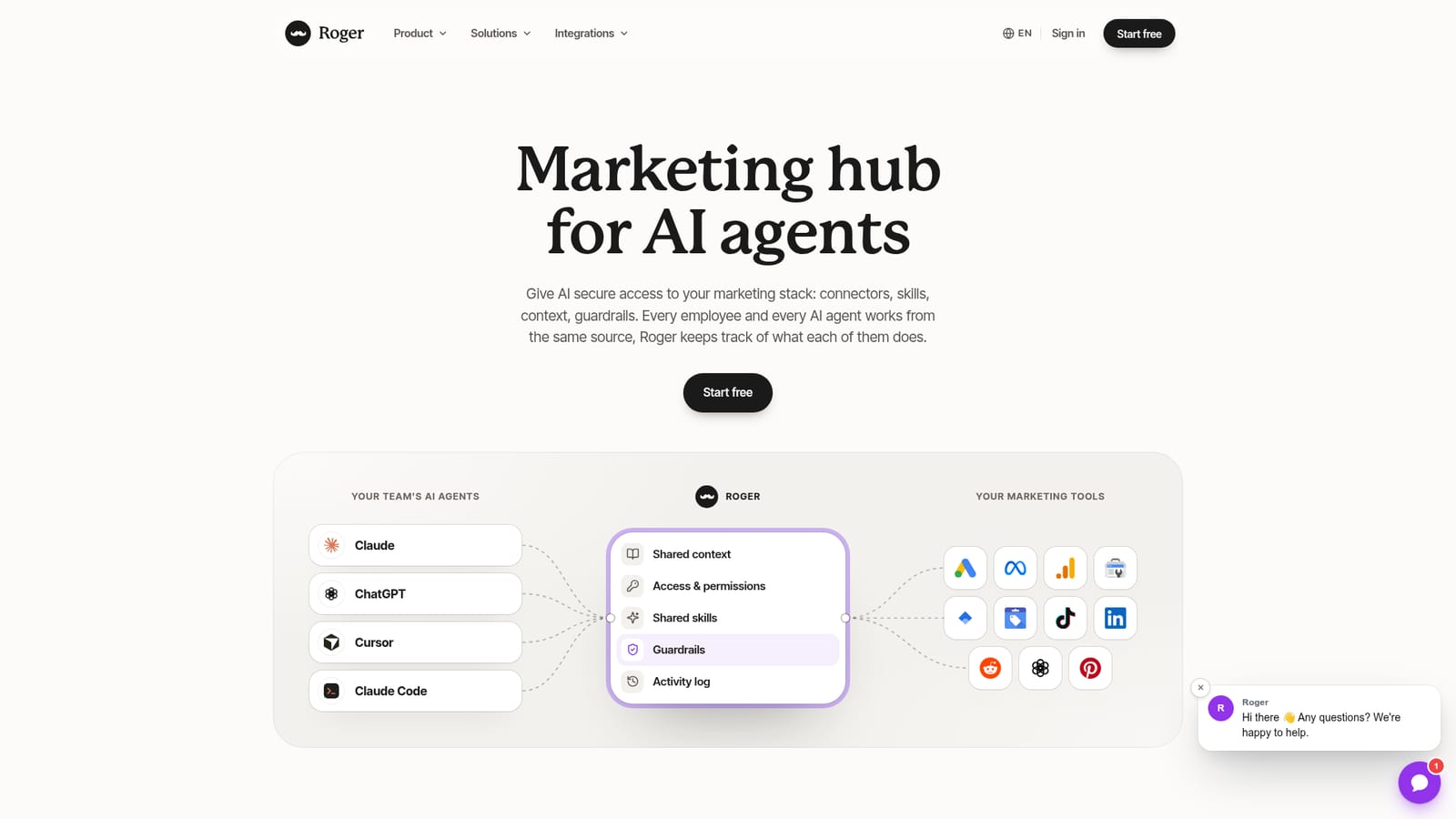
Roger is a marketing hub that sits between the AI assistants a team already uses and the marketing platforms those assistants need to read or act on. Claude, ChatGPT, Cursor and Claude Code connect to Roger once, and Roger in turn holds the authorized connections to Google Ads, Meta Ads, Google Analytics, Search Console, Tag Manager, Merchant Center, TikTok Ads, LinkedIn Ads, Reddit Ads, Pinterest Ads and roughly 30 tools in total. Instead of every person wiring up their own credentials and rebuilding their own prompts, the whole team inherits one setup. The structure mirrors how a marketing department actually works. Tools are connected once at the workspace level, users get individual roles (Editor, Admin, Viewer), skills are shared across the team, and a context layer carries brand and account knowledge so an agent does not start cold on every request. Guardrails constrain what an agent may change: the site's own example shows a request to double a Meta budget being blocked by a rule capping increases at 50 percent per 24 hours, with a compliant draft offered in its place. An Activity log records what each person and each agent did, which is the piece most ad hoc AI workflows lack. In practice the product is used conversationally. A media buyer asks Claude to find wasted ad spend, Roger returns the search terms with zero conversions and a dollar figure, then drafts negative keywords. Similar flows cover budget pacing, traffic trends, search rankings, product feed disapprovals and creative fatigue. Actions land as drafts first, so a human still presses apply on changes to live campaigns. The tool is aimed at performance marketing teams and agencies that have already adopted general purpose assistants and want to stop improvising permissions. It is not an agent itself and it does not replace the ad platforms' own interfaces. Compared with native ad platform AI features, Roger's differentiator is breadth across platforms and one governed permission model; compared with custom scripts or MCP setups, it trades some flexibility for a managed, auditable layer.
The hero offers a Start free path that opens a hobby plan signup, so a workspace can be created without an upfront payment. No trial length or paid tier details are stated on the homepage.
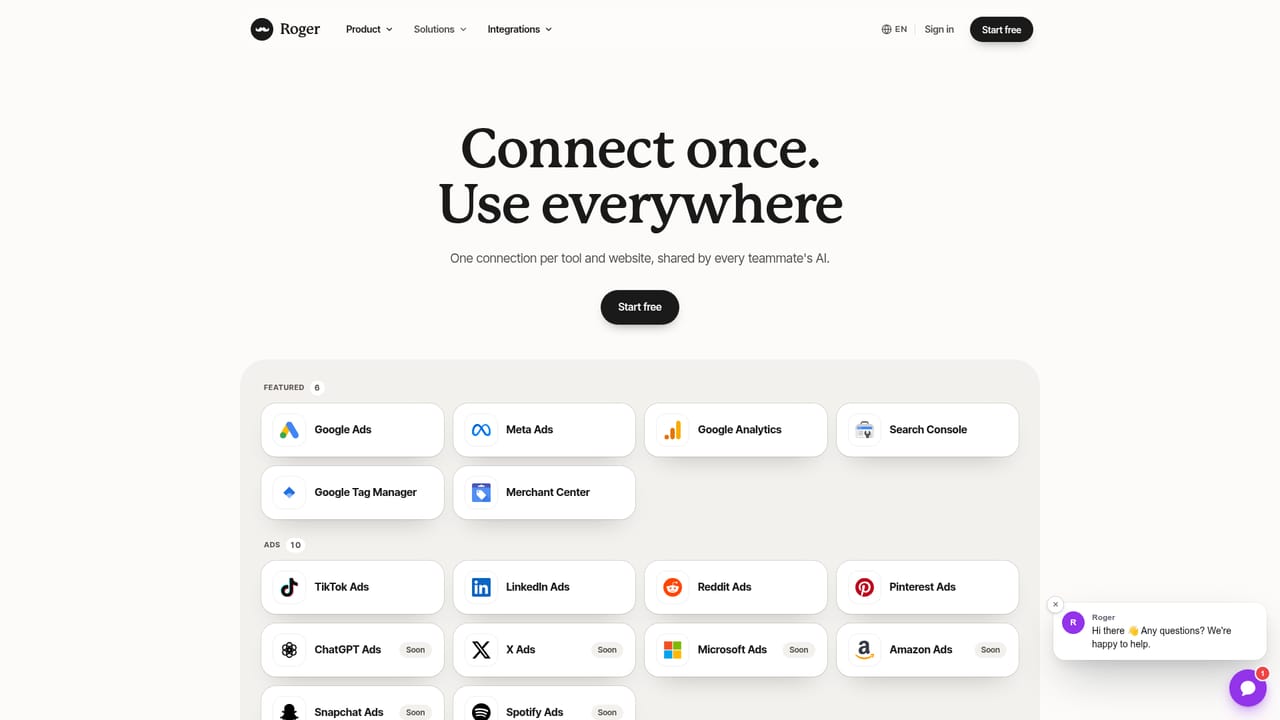
Learn moreRoughly 30 tools connect through a single sign-in, including the major Google marketing products, Meta Ads, TikTok Ads, LinkedIn Ads, Reddit Ads and Pinterest Ads. The integrations page lists the full catalogue.
Learn moreShared context, per user access and permissions, shared skills, guardrails on live changes, and an Activity log tracking what each employee and agent does. Connectors reach Google Ads, Meta Ads, Google Analytics, Search Console, Tag Manager, Merchant Center, TikTok Ads, LinkedIn Ads, Reddit Ads, Pinterest Ads and ChatGPT Ads, with agents including Claude, ChatGPT, Cursor and Claude Code.
Learn more AI Angels400+ customizable AI girlfriends for NSFW chat, voice calls, and roleplay
 Candy AIExperience the future of companionship with AI friends who chat, role-play, and connect with you on a human level.
 ourdream.aiA vast AI roleplay platform with millions of characters for chat, images, video and voiceAI Angels400+ customizable AI girlfriends for NSFW chat, voice calls, and roleplayCandy AIExperience the future of companionship with AI friends who chat, role-play, and connect with you on a human level.ourdream.aiA vast AI roleplay platform with millions of characters for chat, images, video and voice


