Free trial
A free Hobby plan with monthly credits is available, so no separate trial period is needed to test the agent. Paid plans include more credits and advanced model access.
Learn moreAn AI agent that writes, runs and debugs Python cells inside JupyterLab

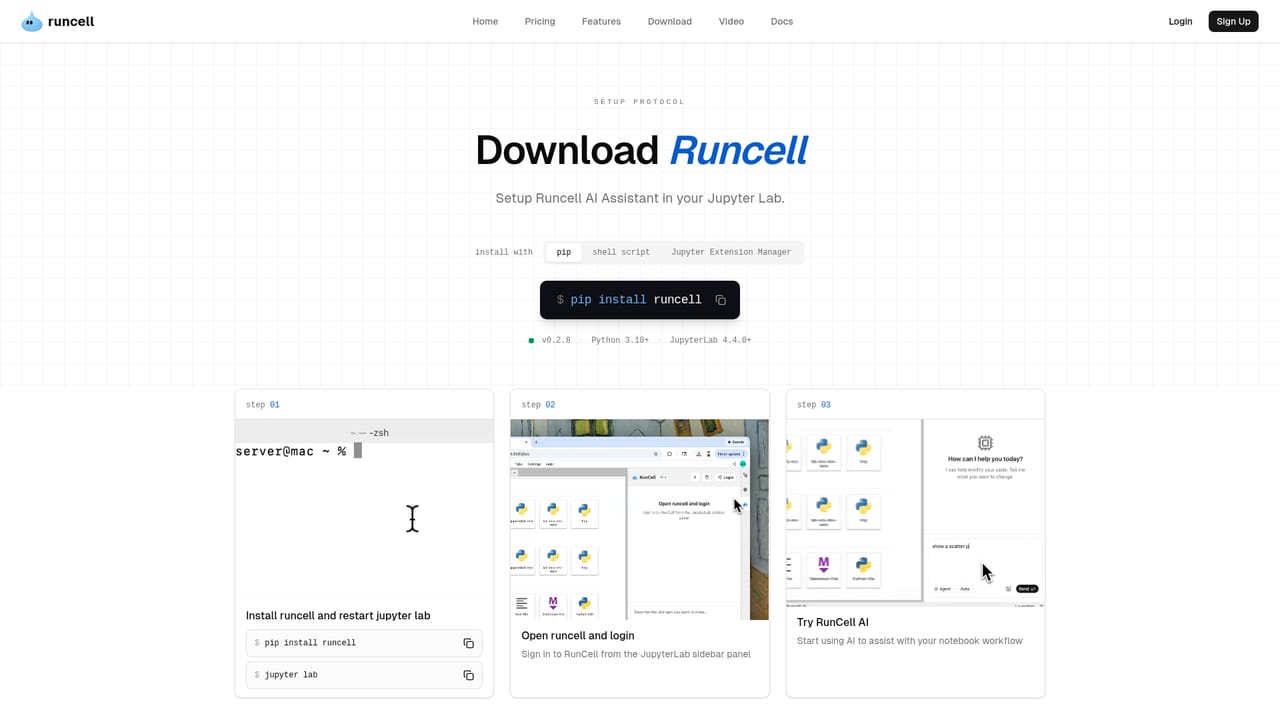
Runcell is a code modifier tool. A Jupyter-native AI agent that plans notebook steps, writes and executes Python, reads charts and tables, debugs errors and keeps project context across sessions, installed as a JupyterLab extension.
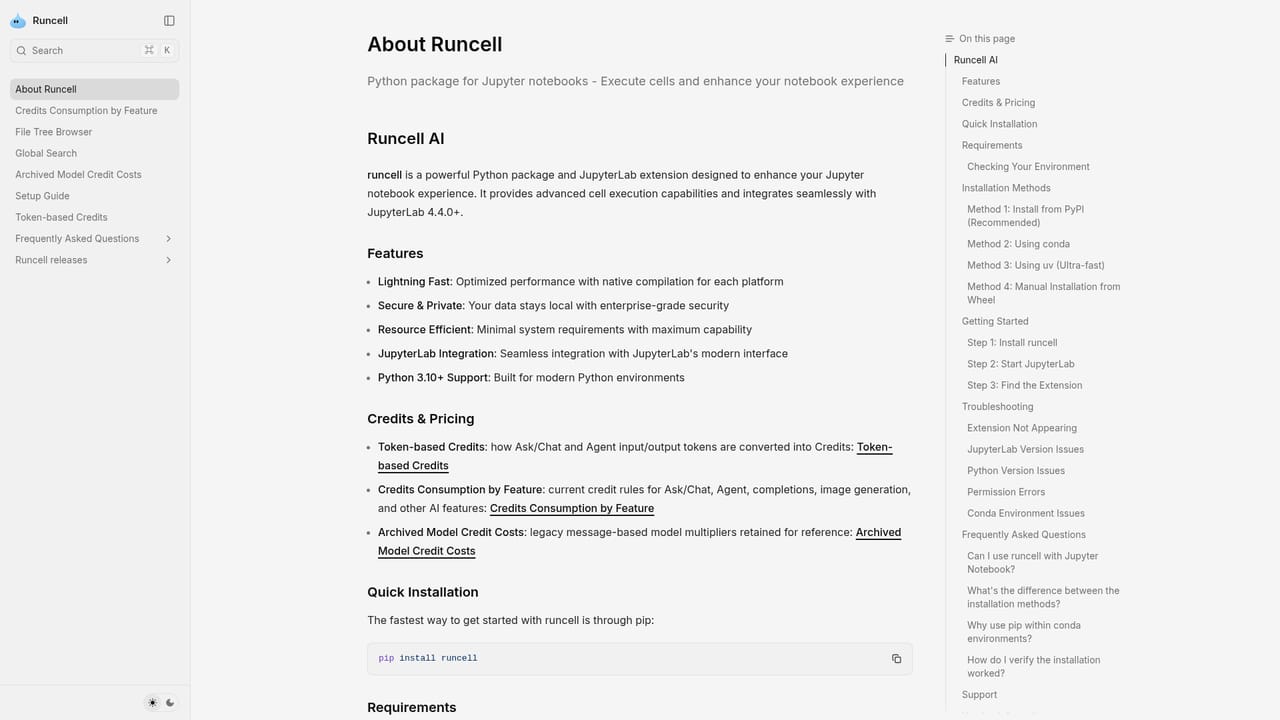
Runcell is an AI agent that operates inside JupyterLab rather than beside it. A question goes in, and the agent plans the notebook steps, writes the Python, executes the cells, reads the resulting tables and charts, and fixes errors as they appear. It works on the .ipynb files already open in JupyterLab, so the analysis stays in the environment where it runs. Installation is a pip command or the JupyterLab extension manager, followed by a restart and a sign in. There is no separate desktop app and no new editor to learn. The design point is the agent loop. Runcell inspects the notebook, data and existing code before choosing a step, then plans and executes, interprets cell outputs so the next decision rests on evidence instead of code alone, and carries the result forward into the following question. Context is kept across iterations and across sessions, so a multi-week project can be resumed by asking what has been done so far. A separate in-context assist mode handles smaller jobs: ask about a transformation or an error, and the agent reads the surrounding cells and applies a fix. It is built for analysts, data scientists, quantitative and risk researchers, and anyone whose work has to be reproducible rather than a single prompt. Against AI IDEs such as Cursor, the difference is notebook-native execution and output reading; against autocomplete, it is multi-step workflow work; against notebook chat, it is action on the notebook. GPT, Claude and Gemini models are included by plan, so no external API key is needed. The main constraint is scope. Runcell lives in Jupyter, which makes it a poor fit for teams working in scripts, IDEs or BI dashboards. Published material covers the free Hobby credits and paid plans but does not list exact credit allowances, per-seat limits or model tiers, so buyers should confirm cost before committing a team.

A free Hobby plan with monthly credits is available, so no separate trial period is needed to test the agent. Paid plans include more credits and advanced model access.
Learn moreA free Hobby plan includes monthly credits for trying Runcell on a real project. Paid plans add more credits and access to advanced AI models for heavier notebook work. Exact credit amounts, tiers and prices are not stated on the homepage.
Learn moreSupport is documented through the official docs and blog, which include tutorials and explainers. No dedicated help centre or contact channel is described on the homepage.
Learn moreWorks inside JupyterLab on existing .ipynb files and adds git support in the notebook environment. Models such as GPT, Claude and Gemini are included by plan, so no external API key is required.
Notebook-native agent in JupyterLab with multi-step planning, Python writing and cell execution, error diagnosis and recovery, and reading of tables, statistics, charts and image outputs. In-context assist explains or fixes cells using surrounding context, runnable experiments support method comparison, and cross-session memory keeps datasets and decisions connected. Also adds a file tree, global search and git inside Jupyter.
Learn more AI Angels400+ customizable AI girlfriends for NSFW chat, voice calls, and roleplay
 Candy AIExperience the future of companionship with AI friends who chat, role-play, and connect with you on a human level.
 ourdream.aiA vast AI roleplay platform with millions of characters for chat, images, video and voiceAI Angels400+ customizable AI girlfriends for NSFW chat, voice calls, and roleplayCandy AIExperience the future of companionship with AI friends who chat, role-play, and connect with you on a human level.ourdream.aiA vast AI roleplay platform with millions of characters for chat, images, video and voice