Sistava.com

Hire AI employees for sales, marketing, support and operations

Intermediate API
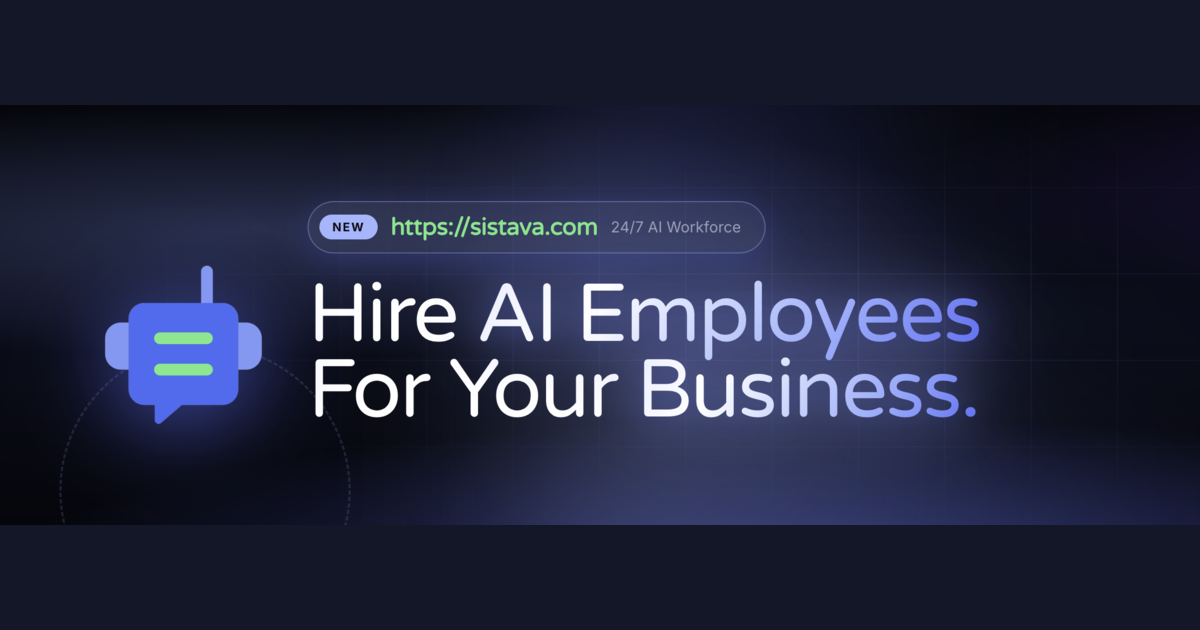
Screenshot of Sistava.com, Hire AI employees for sales, marketing, support and operations

What is Sistava.com?

Sistava.com is a meta AI automation tool. AI workforce platform where solo founders and small teams hire named AI employees for sales, marketing, support, accounting and research workflows, connected to chat, voice, email, Slack, WhatsApp and CRMs, with guardrails and a 3D observability view.

Sistava is an AI workforce platform built around a simple premise: instead of buying another single purpose AI tool, you hire AI employees who own repeatable workflows. Each employee is a named agent with a role (Personal Assistant, Sales Representative, Marketing Manager, Support Specialist, Accountant, Data Analyst, among others) and a set of role specific skills. A Sales Representative ships with 21 skills such as Prospect Finder, Meeting Prep, Outreach Drafter, Lead Qualifier and Deal Research. A custom AI agent can be assembled when the prebuilt roster does not cover the work. The product targets solo founders and small teams who cannot justify a full hiring cycle for every function. Agents reach customers and colleagues through channels the business already uses: chat, voice, phone, Slack, WhatsApp, Telegram, email, API, webhook, MCP and agent to agent messaging. Connectors run across CRM, calendar, accounting, helpdesk, storage and project tools, with HubSpot, Salesforce, Apollo, ZoomInfo, Gmail, Notion, Google Calendar, Zendesk, Intercom, QuickBooks, Xero, Stripe and a long list of others named on the site. Knowledge, automation, workflow and browser automation features let an agent read company material, act on a schedule, chain steps and operate web interfaces. In practice you sign up for early access, install the desktop app on macOS, Windows or Linux (a web workspace and mobile access are also shown), pick or design an employee, connect the accounts it needs, and define behaviour along with guardrails that limit what it may do. A 3D office view provides observability into what agents are working on, and a meeting assistant handles calls. Output arrives through the same channels as the rest of the business. The positioning is deliberately closer to staffing than to software. Compared with off the shelf chatbots or point automation tools, Sistava bundles identity, skills, connectors, memory and oversight into one workspace, and its own editorial content draws a line between AI agents and AI employees. Buyers weighing it against building custom agents in house should note that the vendor supplies model access through partners including OpenAI, Anthropic, Google Gemini and OpenRouter rather than exposing a purely bring your own model setup.

How do you use Sistava.com?

  1. 1Request early access
    Start on the homepage and choose Get Early Access, then complete the signup form to create the account that will host your workspace.
  2. 2Review the AI employee roster
    Browse the agents directory to see roles such as Personal Assistant, Sales Representative, Marketing Manager, Support Specialist, Accountant and Data Analyst, and read the skills listed for each.
  3. 3Connect your business tools
    Open the integrations page and link the accounts an employee needs, for example a CRM, calendar, helpdesk or accounting package, so the agent can read and act on real data.
  4. 4Set behaviour and guardrails
    Define how the employee should act and which actions require approval before the agent is allowed to work unsupervised.
  5. 5Install the desktop app
    Download the macOS, Windows or Linux build if you prefer a desktop workspace, or stay in the browser workspace.
  6. 6Watch work in the 3D office
    Use the observability view to see what each agent is doing and step in when a task drifts.

Pros and cons

Pros

  • Named employees come with role specific skill sets, so a sales hire already includes prospect finding, meeting prep and outreach draftingAI
  • Wide channel coverage: chat, voice, phone, Slack, WhatsApp, Telegram, email, API, webhook, MCP and agent to agent messagingAI
  • Deep connector list spanning CRM, helpdesk, accounting, storage and project tools, including HubSpot, Salesforce, Zendesk, QuickBooks and XeroAI
  • Guardrails and behaviour settings give owners a way to bound what an agent is allowed to doAI
  • Desktop apps for macOS, Windows and Linux plus a web workspace support working away from a deskAI

Cons

  • The site gates access behind early access signup, so general availability and real world reliability remain unprovenAI
  • Model access runs through third party providers, which means less control over model choice or data routing than a bring your own model stackAI
  • An agent roster this broad invites configuration work: connectors, knowledge and guardrails all need setup before output is trustworthyAI
  • No public pricing figures on the homepage, making budget comparisons against human hires or point tools difficultAI
  • Voice and phone channels raise compliance and consent questions that small teams may not be equipped to auditAI

How much does Sistava.com cost?

Integrations

Connectors cover CRM (HubSpot, Salesforce, Apollo), helpdesk (Zendesk, Intercom), accounting (QuickBooks, Xero, Stripe), productivity (Gmail, Notion, Google Drive, Calendar, Sheets) and messaging (Slack, WhatsApp, Telegram), alongside API, webhook and MCP access.

Learn more

Features

Prebuilt AI employees with role specific skills (sales, marketing, support, accounting, research), a custom AI agent builder, channels including chat, voice, phone, Slack, WhatsApp, Telegram and email, knowledge, automation, workflow and browser automation features, behaviour and guardrail settings, a meeting assistant and a 3D office observability view.

Learn more

Frequently asked questions about Sistava.com

  • Does Sistava.com have an API?
    Yes, Sistava.com offers an API.
  • How do you use Sistava.com?
    The walkthrough on this page covers 6 steps: 1. Request early access 2. Review the AI employee roster 3. Connect your business tools 4. Set behaviour and guardrails 5. Install the desktop app 6. Watch work in the 3D office.
  • What platforms does Sistava.com support?
    Sistava.com is available on Web App, MacOS, Windows, Linux, iOS and Android.
  • What does Sistava.com integrate with?
    Connectors cover CRM (HubSpot, Salesforce, Apollo), helpdesk (Zendesk, Intercom), accounting (QuickBooks, Xero, Stripe), productivity (Gmail, Notion, Google Drive, Calendar, Sheets) and messaging (Slack, WhatsApp, Telegram), alongside API, webhook and MCP access.
  • What are the limitations of Sistava.com?
    The site gates access behind early access signup, so general availability and real world reliability remain unproven. Model access runs through third party providers, which means less control over model choice or data routing than a bring your own model stack. An agent roster this broad invites configuration work: connectors, knowledge and guardrails all need setup before output is trustworthy.

Status

StatusActive
Views0
Outbound clicks0
Added10/21/2026

Platforms

Web AppMacOSWindowsLinuxiOSAndroid

Pricing

Paid