Free trial
Users can get started free without a credit card, and the homepage shows Stepper as free in its step-volume comparison. Exact free plan limits are not detailed.
Learn moreDescribe a workflow in chat and get a working automation
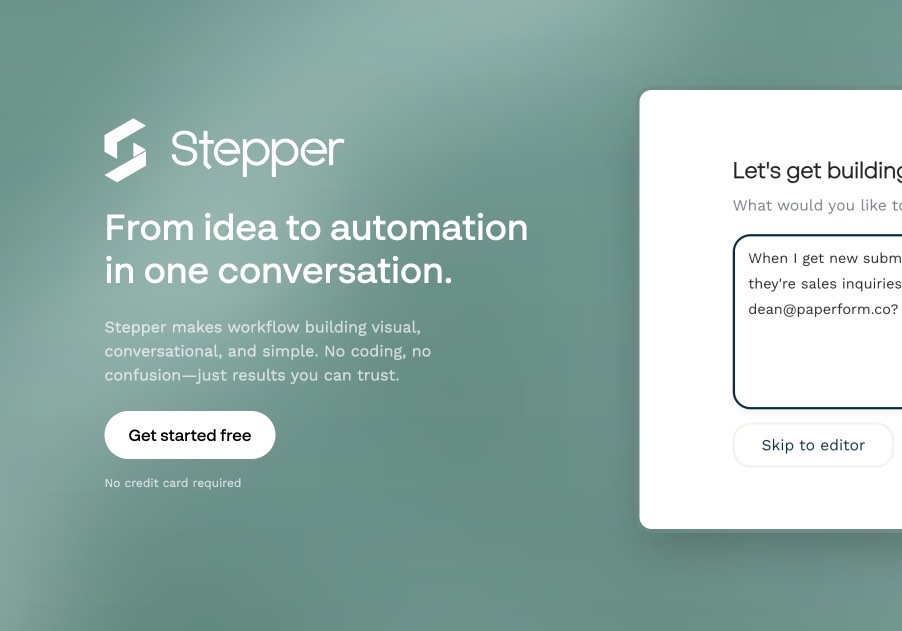
Stepper is an AI workflow automation tool where users describe a process in chat and the assistant builds the steps, with a visual editor for manual control, reusable components, and 489 supported apps.
Stepper is a workflow automation platform built around a conversational editor. Instead of dragging blocks onto a canvas from scratch, a user types what they want, for example sending a Slack message whenever a form is submitted, and the AI assistant generates the steps in real time. The same assistant can answer questions about a flow, add steps, or change existing logic, so the builder does not have to hunt through menus to adjust something. The conversational layer does not replace manual control. A visual editor sits alongside it, letting users inspect, tweak and understand each step by hand. That pairing suits people who want speed from AI generation but still need to verify what a workflow actually does before relying on it. Another core idea is the component library: recurring logic such as authentication, lookups or common data transforms can be saved once and dropped into as many workflows as needed, which keeps complex flows maintainable. Stepper connects to a large catalog of apps, listed on the site as 489 at the time of writing, with more added weekly. Coverage includes Gmail, Google Sheets, Slack, HubSpot, Salesforce, Notion, Shopify, Stripe and many others, each exposed as triggers and actions. Built-in platform actions cover AI, email and HTTP requests, which lets a flow call services that have no dedicated connector. Ready-made templates, such as AI invoice OCR from PDFs and drafting replies to new Gmail messages, show typical use cases like lead qualification, receipt processing, approvals, onboarding and support routing. Cost is a stated differentiator. The site compares monthly step volumes against Zapier and Make, says Stepper Pro has unlimited steps, lets users bring their own API keys for AI and email, and sells prepaid credits that do not expire. It is made by the team behind Paperform, which explains the deep Paperform and Papersign integrations. Stepper fits small teams and non-developers who want Zapier-style automation with an AI-first build experience, while heavy custom-code users may find more depth elsewhere.
Users can get started free without a credit card, and the homepage shows Stepper as free in its step-volume comparison. Exact free plan limits are not detailed.
Learn moreThe homepage advertises a free plan with no credit card required, a Stepper Pro tier with unlimited steps, and prepaid credits that do not expire. Specific paid prices are not stated.
Learn moreSupports 489 apps, including Gmail, Google Sheets, Slack, HubSpot, Salesforce, Notion, Shopify, Stripe, Airtable, Asana and Microsoft Teams, with more added weekly. Generic HTTP requests cover other services.
Learn moreConversational AI workflow builder, visual editor for manual control, reusable component library, built-in AI, email and HTTP request actions, ready-made templates, bring-your-own API keys, and prepaid non-expiring credits.
 AI Angels400+ customizable AI girlfriends for NSFW chat, voice calls, and roleplay
 Candy AIExperience the future of companionship with AI friends who chat, role-play, and connect with you on a human level.
 ourdream.aiA vast AI roleplay platform with millions of characters for chat, images, video and voiceAI Angels400+ customizable AI girlfriends for NSFW chat, voice calls, and roleplayCandy AIExperience the future of companionship with AI friends who chat, role-play, and connect with you on a human level.ourdream.aiA vast AI roleplay platform with millions of characters for chat, images, video and voice