Pricing
No prices are published. The suite is licensed through a modular model, so cost depends on which hubs and functions are selected; pricing is agreed with the sales team after a demo.
Learn moreCustomer data, AI search and personalization hubs for business teams
Own Solver AI Suite? Verify ownership to get a dofollow link

Solver AI Suite is a lead generation tool. Solver AI Suite from Things Solver combines Customer Hub, Marketing Hub and Personalization Hub with AI features for unified customer profiles, fine-grained segmentation, predictive pattern detection and personalized campaigns, aimed at business teams in telco, banking, insurance and retail.
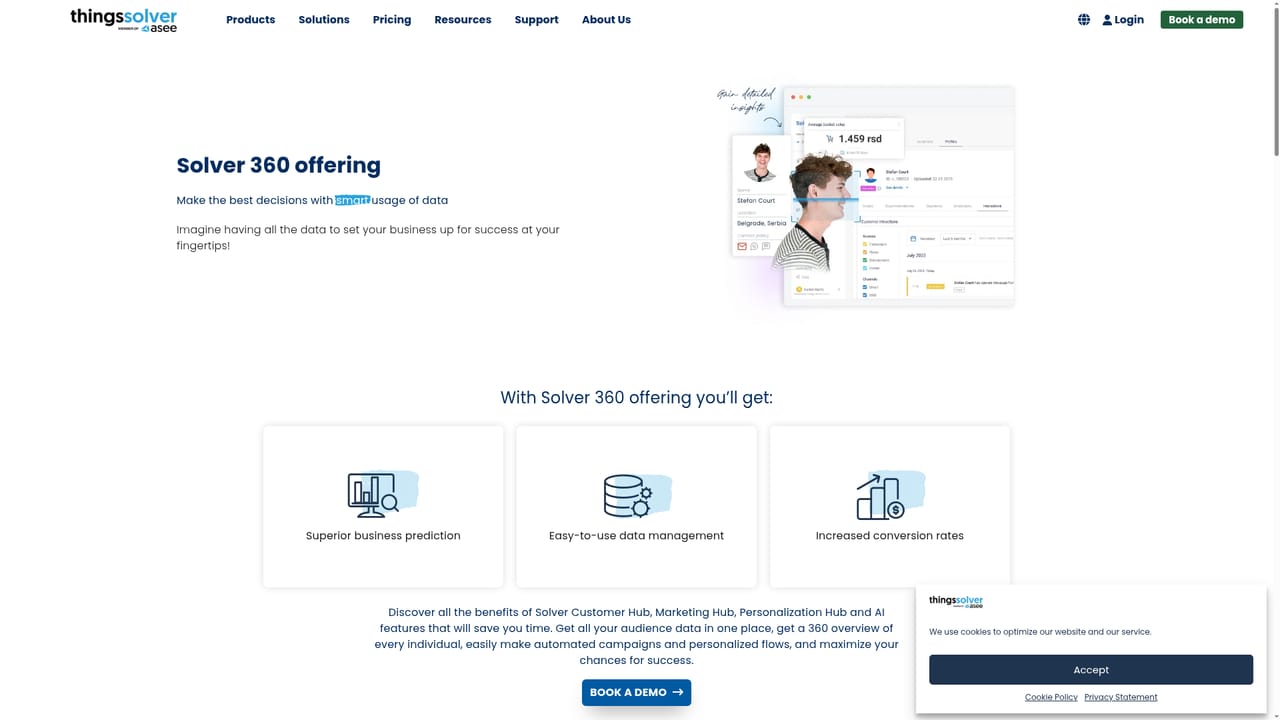
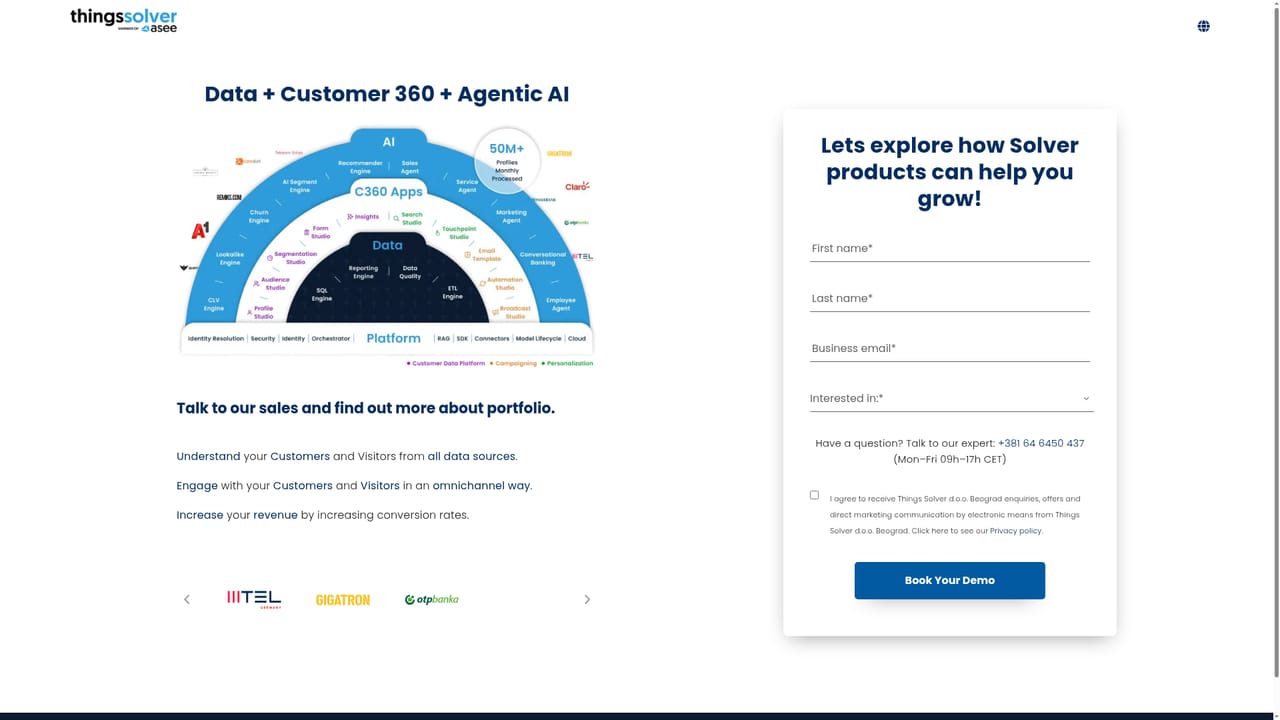
Solver AI Suite is a collection of AI modules from Things Solver that sit on top of a company's customer data and turn it into segmentation, prediction and personalized marketing. The suite is organized around the Solver 360 offering, which bundles Customer Hub, Marketing Hub and Personalization Hub with the underlying AI features. Rather than one monolithic product, it is sold as building blocks that a business can adopt in stages. The platform is aimed at business users rather than engineers. Things Solver states plainly that the tools are built for marketing, CRM and analytics people, so campaign building, audience segmentation and reporting do not require coding. Typical buyers are organizations in insurance, telecommunications, banking and retail that hold large customer databases and want to act on them without a long technical project. Solver AI specifically covers data management and pattern detection: it surfaces obvious and hidden patterns in audience behavior so teams can anticipate what customers will do next and target them accordingly. In daily use, the flow is data in, insight out. Customer data is gathered into unified profiles, segmented down to fine detail through Audience Studio and Segmentation Studio, then used to trigger automated, personalized campaigns across channels. Solver AI's product search applies the same personalization logic to ecommerce catalogs, recommending items based on individual shopper behavior. Deployments can cover a part or the whole suite, and Things Solver adapts integrations for mobile, web or other platforms, which is why the vendor positions itself as a managed partner rather than pure self-serve software. Compared with standalone CDPs or marketing automation tools, Solver AI Suite leans on a services relationship: demos, discovery and ongoing adaptation are part of the model. That suits established enterprises wanting guidance, and matters less to small teams looking for instant signup and transparent self-serve pricing.
No prices are published. The suite is licensed through a modular model, so cost depends on which hubs and functions are selected; pricing is agreed with the sales team after a demo.
Learn moreClient testimonials describe hands-on account support with fast responses and customer input into the product roadmap. Formal support tiers are not detailed on the homepage.
The vendor states the suite integrates with existing systems across mobile, web or another platform, with parameters adjusted per client and no coding required. No named third party integrations are listed.
Learn moreCustomer Hub for unified 360 profiles, Marketing Hub for automated campaigns and personalized flows, Personalization Hub for tailored experiences, plus Solver AI features for pattern detection, deep audience segmentation and AI-driven product search personalization.
Learn more AI Angels400+ customizable AI girlfriends for NSFW chat, voice calls, and roleplay
 Candy AIExperience the future of companionship with AI friends who chat, role-play, and connect with you on a human level.
 ourdream.aiA vast AI roleplay platform with millions of characters for chat, images, video and voiceAI Angels400+ customizable AI girlfriends for NSFW chat, voice calls, and roleplayCandy AIExperience the future of companionship with AI friends who chat, role-play, and connect with you on a human level.ourdream.aiA vast AI roleplay platform with millions of characters for chat, images, video and voice