Free trial
A free sign-up tier allows users to generate 10 royalty-free songs cleared for commercial use before any payment is mentioned.
Learn moreText-to-song generator with artist-inspired style matching and 8-minute tracks
Own Song Maker AI? Verify ownership to get a dofollow link

Song Maker AI is an audio analysis tool. A text-to-song generator that converts prompts or pasted lyrics into full tracks up to 8 minutes long, with vocals or instrumental, artist-inspired style matching and royalty-free commercial licensing.
Song Maker AI is a browser-based music generator that turns written prompts or pasted lyrics into complete tracks with vocals or as instrumentals. Two input modes cover most workflows: Lyrics Mode accepts up to 5,000 characters of your own words, while Easy Mode works from a style description capped at 1,000 characters. An optional title field rounds out the submission form, and the engine returns a finished arrangement rather than a short loop. The distinguishing feature is Style Match, which takes a reference artist, album or song name and analyzes its energy, groove, instrumentation and vocal attitude. The output is a new composition built on that sonic profile, though the site frames it as capture of a vibe rather than reproduction of a specific recording. Vocal gender, tone and emotion can be adjusted, and genres range from lo-fi and pop through EDM, rock and metal. Tracks can run up to 8 minutes with full intros, verses, choruses and bridges, which puts the tool in a different bracket from generators that cap out at 30-second clips. The audience is broad by design. Video creators get on-demand background beds and hooks instead of digging through stock libraries; lyricists without instrument skills can hear their words sung and iterate on genre, mood and tempo; small brands build a repeatable sonic identity without licensing fees; and individuals commission-style personalized songs as gifts. Downloads come as MP3 or WAV. Licensing is the strongest selling point: tracks are royalty free and cleared for commercial use, including YouTube, TikTok and Spotify, with the site stating no recurring fees and no copyright strikes. Against competitors, Song Maker AI leans on long-form output and reference-based styling rather than deep DAW-style editing. Expect prompt-and-regenerate iteration, not stem-level production control.
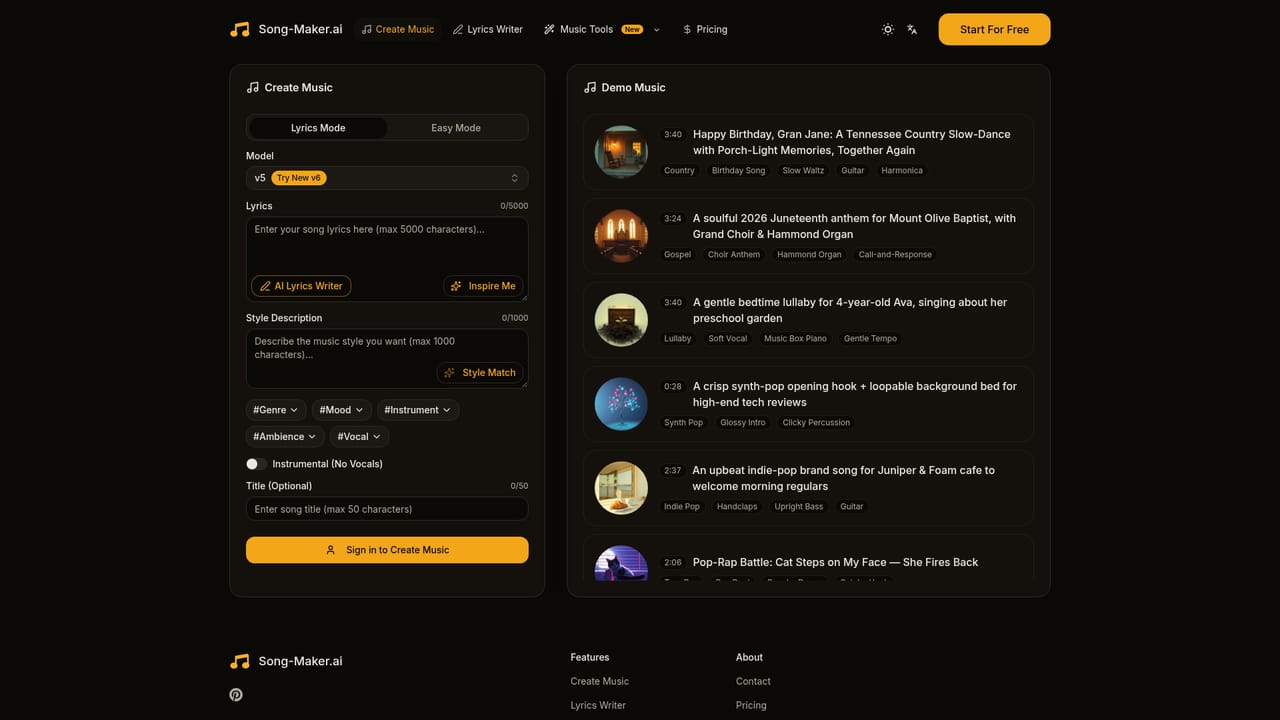
A free sign-up tier allows users to generate 10 royalty-free songs cleared for commercial use before any payment is mentioned.
Learn moreThe site advertises a free version and a free sign-up tier that includes 10 royalty-free songs. No paid plan prices, credit allowances or subscription tiers are listed on the homepage.
Learn moreText-to-song and lyrics-to-song generation, Style Match reference analysis, vocal gender and emotion controls, instrumental mode, tracks up to 8 minutes with full song structure, MP3 and WAV downloads, and royalty-free commercial licensing.
 AI Angels400+ customizable AI girlfriends for NSFW chat, voice calls, and roleplay
 Candy AIExperience the future of companionship with AI friends who chat, role-play, and connect with you on a human level.
 ourdream.aiA vast AI roleplay platform with millions of characters for chat, images, video and voiceAI Angels400+ customizable AI girlfriends for NSFW chat, voice calls, and roleplayCandy AIExperience the future of companionship with AI friends who chat, role-play, and connect with you on a human level.ourdream.aiA vast AI roleplay platform with millions of characters for chat, images, video and voice