Free trial
Not a formal trial: the free tier is the v5 Lite model, with a limited number of free song generations available to anyone who visits the site.
Learn moreType a few words, get a finished song with vocals, melody and instruments.

Song.do is a death metal generator tool. A prompt to song generator with detailed genre, mood, vocal, instrument and tempo controls, plus a lyrics writer and a vocal remover. Three models, MP3 downloads, and a free Lite tier make it a low risk entry point for personalized songs and social clips.
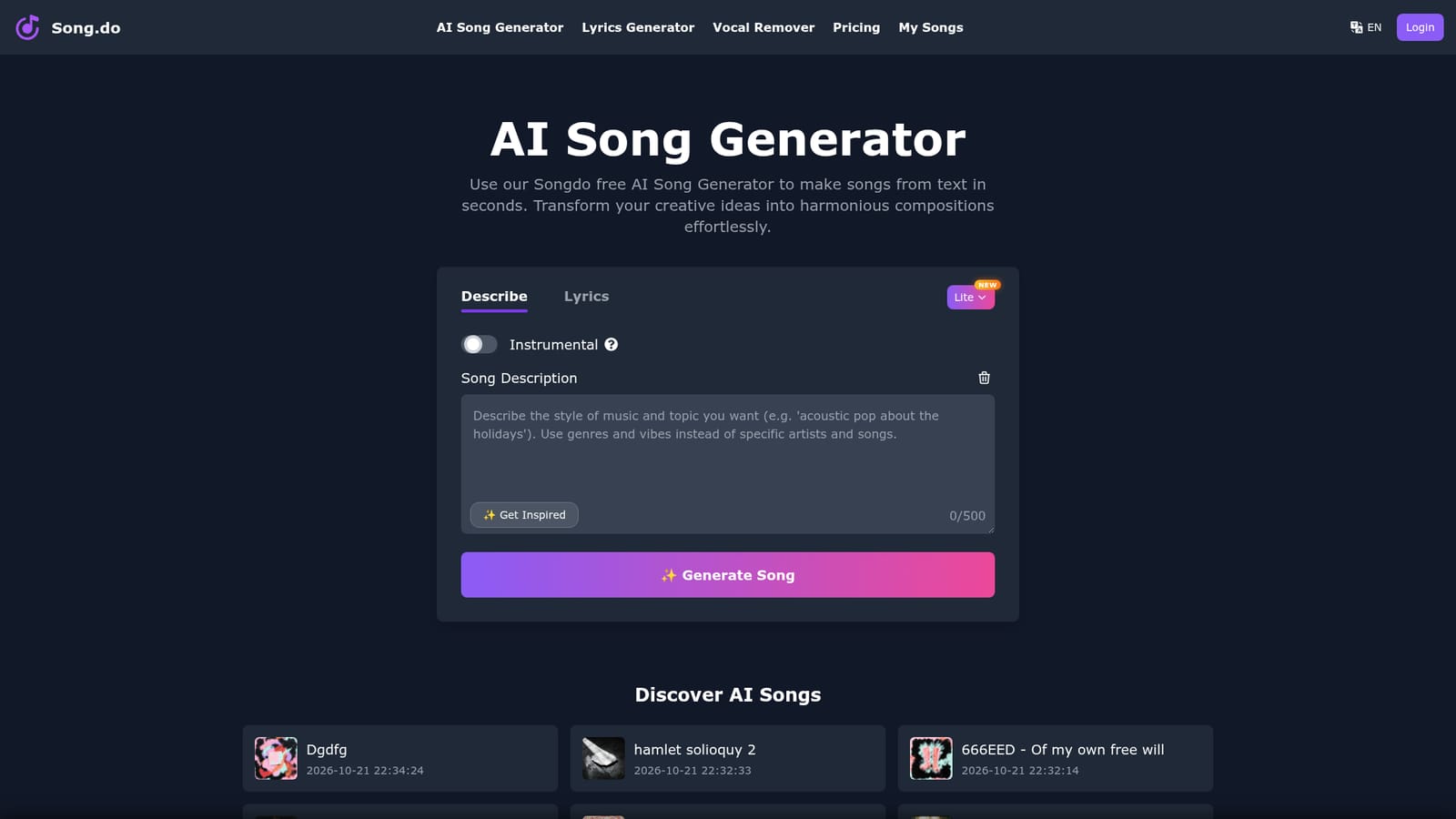
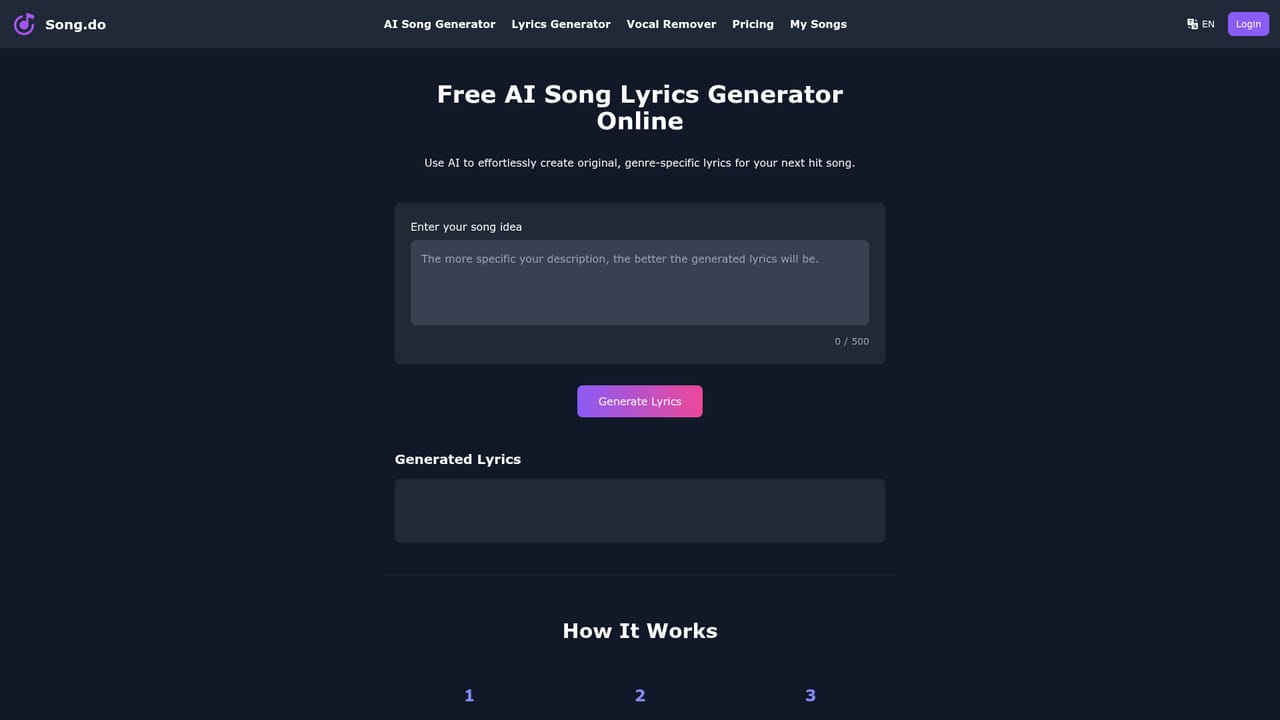
Song.do is a browser based AI song generator that turns a short text prompt or a set of written lyrics into a complete track. The workspace on the homepage is a single form: a description field, a lyrics box with an optional AI Lyrics Generator, a style field with an Enhance helper, an Instrumental toggle, and a model picker. Push Generate and the service returns a song with vocals, melody and instrumental arrangement already combined, so nothing has to be recorded, sequenced or mixed by hand. The style controls are the substance of the product. Roughly 40 genres are listed, from Afrobeats and Bossa Nova to Trap and World Music, alongside mood tags such as Cinematic, Melancholic or Uplifting, about 20 vocal options (male, female, choir, falsetto, growling, spoken word, multilingual), a 30 instrument list, and tempo bands from very slow to very fast. Additional fields cover styles to exclude, title, song description and a custom duration option. Three models are offered: v5 Pro for studio grade output, v5 Muse for experimental results, and v5 Lite, which is free. Two adjacent tools round out the workflow. The AI Lyrics Generator drafts lyrics from a song idea, with more detail in the prompt producing better verses. The Vocal Remover is a separate utility for separating a vocal from an existing audio file. Finished songs land in My Songs, where they can be played in the browser, shared, or downloaded as MP3. The homepage gallery shows public results in several languages, including Arabic, Spanish, Indonesian and French, which says something about how the tool is actually being used: personal gifts, short social clips, and hobby projects rather than album production. That is the honest positioning. Song.do competes with other text to music services on speed and simplicity rather than on fine control. There are no stem exports, no MIDI, no arrangement timeline, and no versioning beyond regenerating. For a personalized birthday track, a TikTok backing loop, or a fast demo of a lyric idea, that tradeoff is reasonable. For anyone who needs editable audio, the ceiling arrives quickly.
Not a formal trial: the free tier is the v5 Lite model, with a limited number of free song generations available to anyone who visits the site.
Learn moreThe homepage does not list prices. It confirms that a limited number of free generations are available, that the Song.do v5 Lite model is completely free, and that the v5 Pro and v5 Muse models require any subscription. A separate pricing page exists for current plans.
Learn moreA FAQ on the homepage covers what the generator does, free usage limits, supported music styles and MP3 downloads. No help centre, contact channel or documentation site is listed.
Text to song generation from short prompts, lyrics to song conversion using your own words, and an AI Lyrics Generator for drafting verses. Style controls cover about 40 genres, mood tags, roughly 20 vocal types, a 30 instrument list, tempo bands, excluded styles, title, description and custom duration. An Instrumental mode creates tracks without vocals, a Vocal Remover handles existing audio, and finished songs can be played online or downloaded as MP3.
 AI Angels400+ customizable AI girlfriends for NSFW chat, voice calls, and roleplay
 Candy AIExperience the future of companionship with AI friends who chat, role-play, and connect with you on a human level.
 ourdream.aiA vast AI roleplay platform with millions of characters for chat, images, video and voiceAI Angels400+ customizable AI girlfriends for NSFW chat, voice calls, and roleplayCandy AIExperience the future of companionship with AI friends who chat, role-play, and connect with you on a human level.ourdream.aiA vast AI roleplay platform with millions of characters for chat, images, video and voice