
Stable Video Diffusion

Open generative video model built on the Stable Diffusion image stack

Advanced
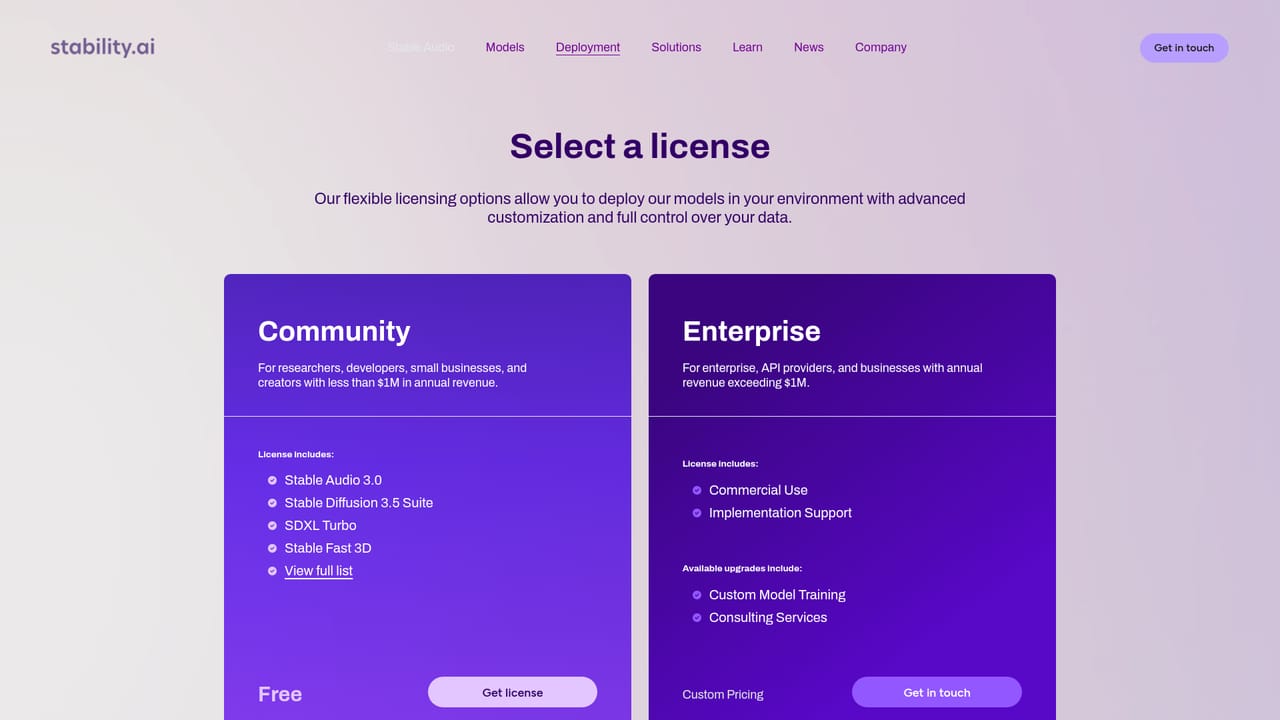
Screenshot of Stable Video Diffusion, Open generative video model built on the Stable Diffusion image stack

What is Stable Video Diffusion?

Stable Video Diffusion is a content tool. Stability AI's open generative video model generates short clips from text prompts, with 14 or 25 frames at customizable frame rates and processing in 2 minutes or less. It is licensed for self-hosted deployment rather than hosted consumer use.

Stable Video Diffusion is Stability AI's first open generative video model, built on the same lineage as the Stable Diffusion image model. Instead of producing a single still frame, it accepts a text prompt and returns a short video clip. The model generates 14 or 25 frames per clip, and those frames can be played back at customizable frame rates between 3 and 30 frames per second. Stability AI states that processing completes in 2 minutes or less, which puts it in the range of quick iteration rather than overnight batch jobs. The distribution model is the defining characteristic. Stable Video Diffusion is not offered primarily as a hosted consumer app. It is licensed for self-hosted deployment, meaning teams download the model and run it inside their own environment. That appeals to studios, research groups and product teams that need to keep prompts and outputs on their own infrastructure, or that want to fine-tune and customize the model beyond what a closed API would allow. Stability AI positions the self-hosted license as the route for advanced customization. The tool fits a specific slot among generative video options. Users who want a point-and-click interface with no setup are better served by hosted video apps. Stable Video Diffusion is aimed at people who are comfortable with model weights, inference hardware and deployment work, and who value control and openness over convenience. Short clips, explicit frame counts and adjustable frame rate are the practical output parameters stated on the page. The page is lean on details: it does not list training data, resolution, codecs, GPU requirements or a step-by-step installation guide. Buyers should treat the license page as the starting point and expect to evaluate the model in their own stack before committing. It is a serious tool for a technical audience, not a finished consumer product.

How do you use Stable Video Diffusion?

  1. 1Review the model overview
    Read the Stable Video page to confirm the capabilities: text-to-video, 14 or 25 frames per clip, frame rates from 3 to 30 fps, and processing under 2 minutes.
    Stable Video Diffusion — Review the model overview
  2. 2Request a self-hosted license
    Use the Get license link to start the licensing process. The homepage frames the self-hosted license as the route for deploying the model in your own environment with advanced customization.
    Stable Video Diffusion — Request a self-hosted license
  3. 3Deploy on your infrastructure
    Once licensed, stand up the model inside your own environment. Stability AI does not publish hardware or installation specifics on the tool page, so plan your compute and pipeline around your own setup.
  4. 4Set frame count and frame rate
    Choose between 14 and 25 frames and set a frame rate between 3 and 30 fps to match the clip length and motion feel you need.
  5. 5Generate and iterate on prompts
    Run text prompts through the deployed model, review the short clips and refine wording. The under 2 minute processing target supports repeated iteration in a session.
  6. 6Confirm license terms for use
    Check the license page for the conditions attached to the self-hosted deployment before shipping outputs into commercial or client work.

Pros and cons

Pros

  • Open generative video model that can be self-hosted on your own infrastructureAI
  • Generates 14 or 25 frames per clip with frame rates adjustable between 3 and 30 fpsAI
  • Stated processing time of 2 minutes or less per videoAI
  • Builds on the Stable Diffusion image model lineage, so image-side familiarity carries overAI
  • Self-hosted license is positioned for advanced customization and tuningAI

Cons

  • No hosted editor or point-and-click interface; deployment and hardware are your responsibilityAI
  • Short clips only, capped at 25 frames per generationAI
  • Homepage omits resolution, codec, GPU requirements and installation guidanceAI
  • Pricing is not published on the tool page; you must request a licenseAI
  • Limited information on training data and content limitations for compliance reviewAI

How much does Stable Video Diffusion cost?

Features

Text-to-video generation from a prompt, with 14 or 25 frames per clip and customizable frame rates between 3 and 30 frames per second. Stability AI states videos are created in 2 minutes or less. The model is distributed through a self-hosted license for deployment in your own environment with advanced customization.

Frequently asked questions about Stable Video Diffusion

  • How do you use Stable Video Diffusion?
    The walkthrough on this page covers 6 steps: 1. Review the model overview 2. Request a self-hosted license 3. Deploy on your infrastructure 4. Set frame count and frame rate 5. Generate and iterate on prompts 6. Confirm license terms for use.
  • What platforms does Stable Video Diffusion support?
    Stable Video Diffusion is available on Web App, Linux, Windows and MacOS.
  • What are the limitations of Stable Video Diffusion?
    No hosted editor or point-and-click interface; deployment and hardware are your responsibility. Short clips only, capped at 25 frames per generation. Homepage omits resolution, codec, GPU requirements and installation guidance.

Status

StatusActive
Views0
Outbound clicks0
Added10/21/2026

Platforms

Web AppLinuxWindowsMacOS

Pricing

Paid