Stocknear

Real-time options flow, dark pool prints and news for US stocks and ETFs

Advanced
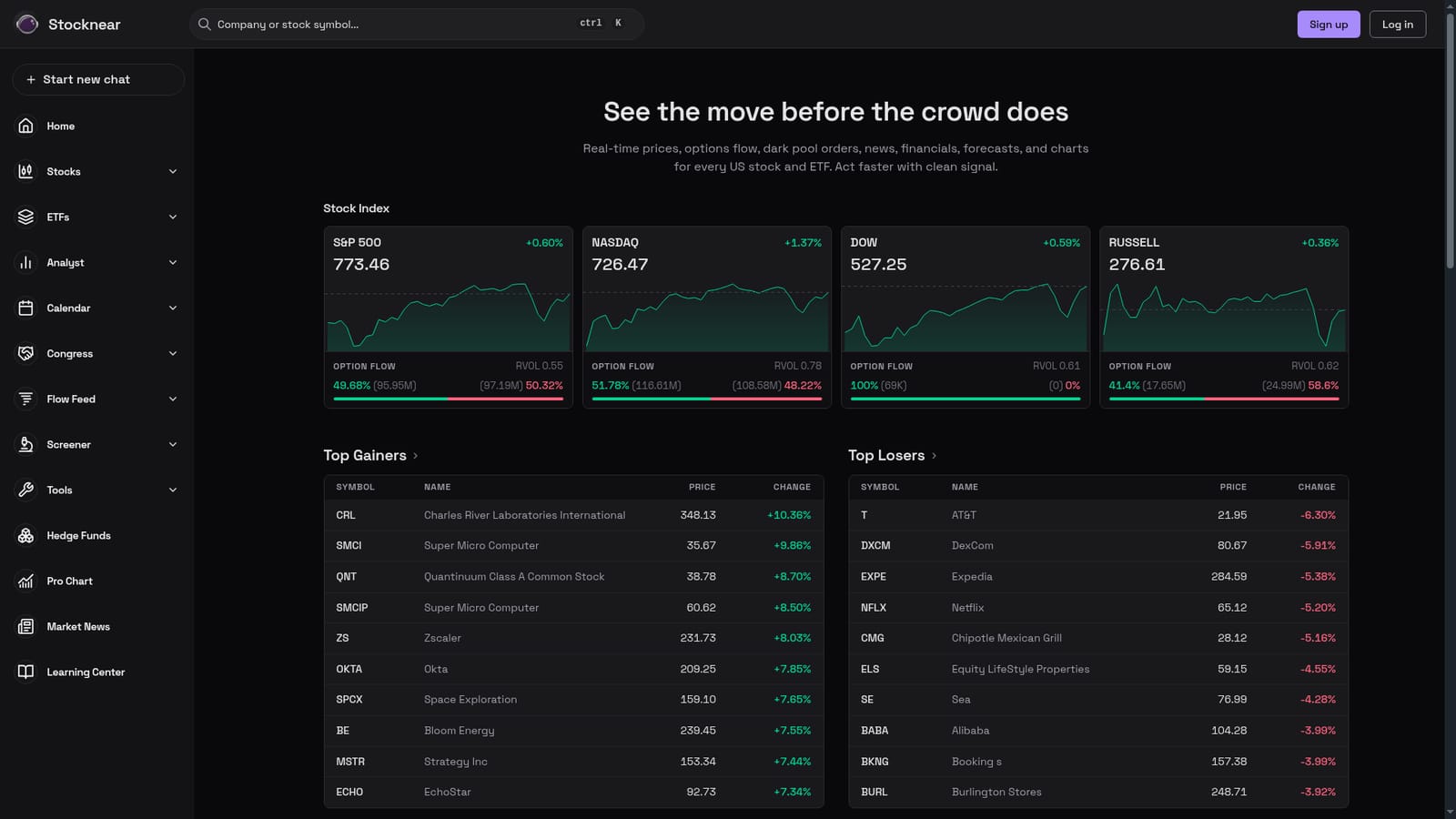
Screenshot of Stocknear, Real-time options flow, dark pool prints and news for US stocks and ETFs

What is Stocknear?

Stocknear is a real-time market dashboard for US stocks and ETFs that puts options flow, dark pool orders, block and sweep activity, timestamped news and analyst forecasts on one screen. Built for active traders who read order flow rather than beginners looking for recommendations.

Stocknear is a market data dashboard built around one idea: surfacing order flow before price charts catch up. The homepage aggregates real-time prices, options flow, dark pool orders, news, financials, analyst forecasts and charts for every US stock and ETF. The headline claim is speed of signal, and the layout reflects that: index tiles for SPY, QQQ, DIA and IWM each carry option flow and relative volume figures alongside the price change, so a reader can gauge participation rather than just direction. The core product is the unusual activity feed. Traders see large premium orders sorted by size, with the symbol, premium paid, strike, calls or puts, and an order type label such as Block, Sweep or Split. A 17.48M block in UAL calls or a 9.74M sweep in CRWV shows up as a row rather than something to be reconstructed from raw tape. Around that sits a news flow stream that timestamps headlines by minute and tags every mentioned ticker, which is useful for explaining why a sector is moving. Market mover tables for gainers and losers, an earnings calendar with consensus revenue and EPS estimates, and analyst rating summaries with price target ranges round out the picture. This is a tool for active self-directed traders, particularly options traders who already understand sweeps and blocks, and for anyone who wants a second screen next to their broker. It is not a beginner's first portfolio app: nothing here tells you what to buy, and the value comes from reading flow correctly. Against mainstream screeners, Stocknear's differentiator is emphasis on derivatives activity rather than fundamentals alone, though it also carries financials and forecasts for context. No pricing is stated on the homepage, so cost has to be checked directly.

How do you use Stocknear?

  1. 1Scan the index tiles for broad participation
    Start on the homepage and read the S&P 500, NASDAQ, DOW and Russell tiles. Each shows the price change next to option flow and relative volume, which tells you whether a move has heavy derivatives activity behind it.
    Stocknear — Scan the index tiles for broad participation
  2. 2Check the unusual options orders table
    Scroll to the unusual orders list and sort mentally by premium. Note the symbol, strike, calls or puts, and whether the tag reads Block, Sweep or Split before drawing any conclusion about intent.
  3. 3Read the news flow for context
    Open the news stream and look at the timestamps and tagged tickers. Headlines about analyst actions, earnings or sector rotation often explain why a flow print appeared when it did.
    Stocknear — Read the news flow for context
  4. 4Review the day's biggest movers
    Use the gainers and losers tables to see which names moved most and by how much. Cross-reference any mover with heavy flow back to its individual stock page.
    Stocknear — Review the day's biggest movers
  5. 5Drill into a single stock page
    Pick a name from the flow or mover lists and open its page for charts, financials and forecast data. This is where a signal gets checked against the underlying business and analyst view.
    Stocknear — Drill into a single stock page
  6. 6Set expectations around the earnings calendar
    Before acting on a flow print, confirm whether the company reports soon. The earnings section lists upcoming reporters with estimated revenue and EPS, which frames the risk around any short-term setup.

Pros and cons

Pros

  • Options flow feed labels order type as Block, Sweep or Split with premium, strike and calls or puts in a single rowAI
  • Index tiles pair price with option flow and relative volume, giving participation context at a glanceAI
  • News flow is timestamped by the minute and tags every affected ticker, which helps explain sector movesAI
  • Covers both single stocks and major ETFs, with dedicated pages for highly traded namesAI
  • Earnings calendar includes consensus revenue and EPS estimates with year over year comparisonsAI

Cons

  • Homepage states no pricing, plan tiers or feature gating, so buyers cannot assess cost from the siteAI
  • Coverage is limited to US stocks and ETFs, with no international markets mentionedAI
  • No stated broker integration, so flow signals sit apart from order executionAI
  • Raw flow data assumes prior knowledge of sweeps, blocks and strikes, with little onboarding visibleAI
  • Ticker list and targets shown in the examples are live data, not a demonstration dataset for evaluationAI

How much does Stocknear cost?

Features

Real-time prices, options flow, dark pool orders, news, financials, analyst forecasts and charts for every US stock and ETF. Includes an unusual options activity feed tagged Block, Sweep or Split, market mover tables, a timestamped news stream with ticker tagging, an earnings calendar with consensus estimates, and analyst rating summaries with price target ranges.

Frequently asked questions about Stocknear

  • How do you use Stocknear?
    The walkthrough on this page covers 6 steps: 1. Scan the index tiles for broad participation 2. Check the unusual options orders table 3. Read the news flow for context 4. Review the day's biggest movers 5. Drill into a single stock page 6. Set expectations around the earnings calendar.
  • What platforms does Stocknear support?
    Stocknear is available on Web App.
  • What are the limitations of Stocknear?
    Homepage states no pricing, plan tiers or feature gating, so buyers cannot assess cost from the site. Coverage is limited to US stocks and ETFs, with no international markets mentioned. No stated broker integration, so flow signals sit apart from order execution.

Status

StatusActive
Views0
Outbound clicks0
Added10/21/2026

Platforms

Web App

Pricing

Freemium