Free trial
The homepage advertises a free way to try the tool, but the scope of the free usage is not described in the published material.
Learn moreBrowser-based AI annotation for fast, fine-tune-free datasets

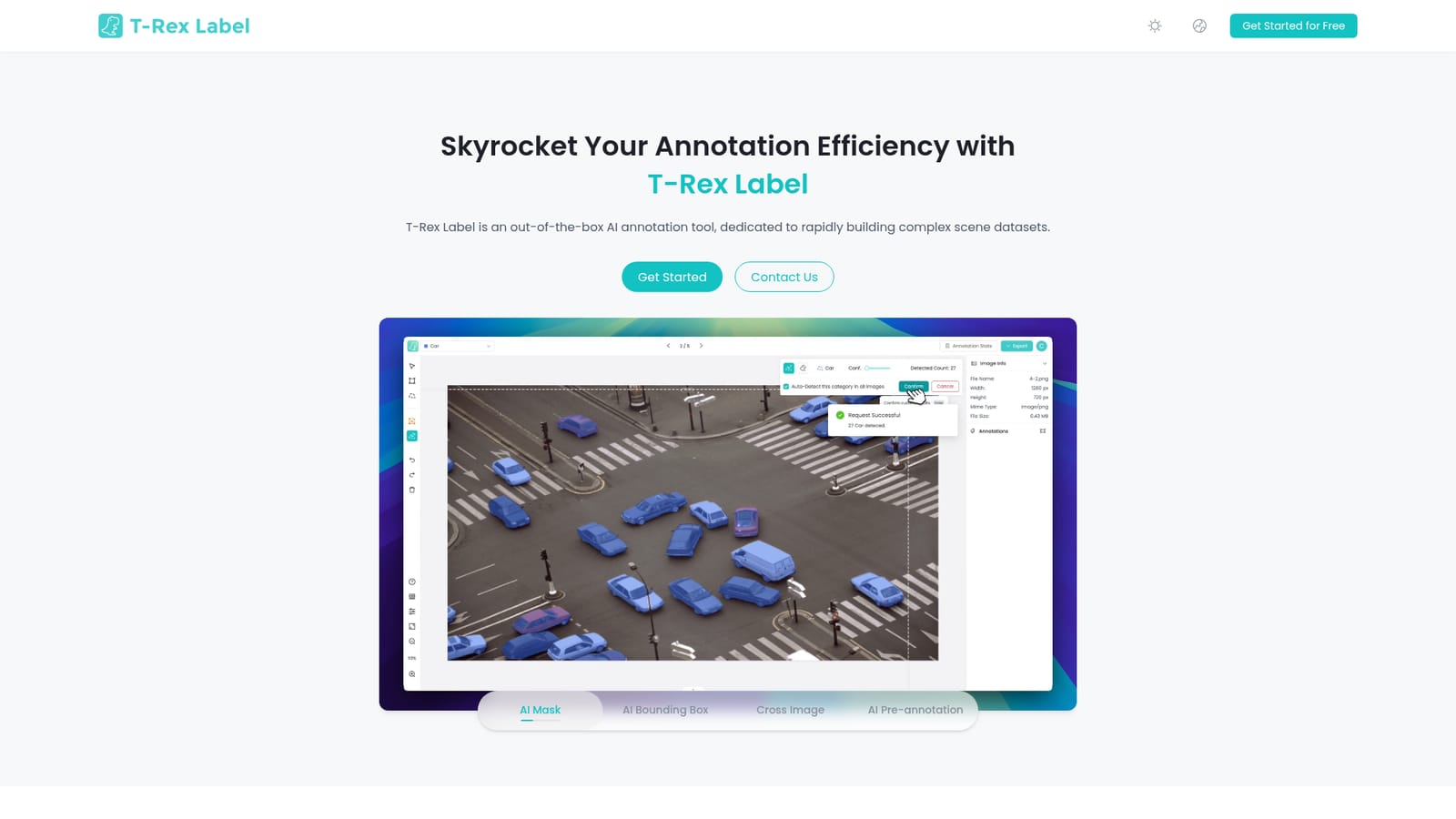
T-Rex Label is a browser-based image annotation tool that uses visual prompts and open-set detection to label images without fine-tuning. It supports AI bounding boxes, mask segmentation, cross-image propagation and pre-annotation, and exports to formats such as COCO and YOLO.
T-Rex Label is a browser-based data annotation tool built for teams that need to turn raw images into training-ready computer vision datasets quickly. Its central mechanic is prompt-driven detection: instead of training a model on your own classes, you draw a box or a mask around an example object, and the built-in open-set detector finds similar targets across the rest of the image and across the wider batch. Four core modes cover the common annotation shapes: AI bounding boxes, AI mask segmentation, cross-image propagation, and AI pre-annotation, which seeds a dataset so humans only fix and confirm rather than draw from scratch. The tool is aimed at computer vision engineers, data scientists, annotation teams and domain specialists working in complex visual scenes. Agriculture, livestock, electronics, construction, retail, healthcare, logistics and transportation are the verticals the vendor highlights, and the common thread is messy real-world imagery where training a bespoke detector would otherwise be expensive. Because there is no fine-tuning step and no installation, a team can open the tool in a browser and start labelling the same day. In practice the workflow is iterative. A labeler places visual prompts on a few representative objects, runs detection, reviews what the model returned, corrects misses and false positives, then propagates the prompt across the rest of the batch. Output carries through to established dataset conventions, with COCO and YOLO compatibility named, and the vendor points to Kaggle Datasets, Roboflow Universe, ModelScope, Hugging Face, Label Studio, FiftyOne, PyTorch, TensorFlow and Keras as pipeline touchpoints. Those connections make T-Rex Label a front-end labeling layer rather than a full MLOps suite. Among annotation tools, its positioning is the low-ceremony alternative to platform-heavy labeling environments and to the older pattern of training a custom detector before you can label at speed. It competes on zero setup and zero fine-tuning, not on workforce management, review queues or granular permissioning. Buyers who need those governance features will likely pair it with an existing labeling platform. Pricing tiers are not published on the homepage, so plans need to be confirmed with the vendor, though a free entry point is advertised.
The homepage advertises a free way to try the tool, but the scope of the free usage is not described in the published material.
Learn moreA contact form is available for sales and general enquiries, and the footer links to a usage document, the user agreement, the privacy policy and an AI glossary.
Learn moreThe vendor lists compatibility with COCO and YOLO datasets and points to Kaggle Datasets, Roboflow Universe, ModelScope, Hugging Face, Label Studio, FiftyOne, PyTorch, TensorFlow and Keras as pipeline touchpoints.
AI bounding box detection, AI mask segmentation, cross-image prompt propagation and AI pre-annotation, all driven by visual prompts. The built-in open-set model needs no fine-tuning, and the browser-based editor requires no installation or setup.
 AI Angels400+ customizable AI girlfriends for NSFW chat, voice calls, and roleplay
 Candy AIExperience the future of companionship with AI friends who chat, role-play, and connect with you on a human level.
 ourdream.aiA vast AI roleplay platform with millions of characters for chat, images, video and voiceAI Angels400+ customizable AI girlfriends for NSFW chat, voice calls, and roleplayCandy AIExperience the future of companionship with AI friends who chat, role-play, and connect with you on a human level.ourdream.aiA vast AI roleplay platform with millions of characters for chat, images, video and voice