Talk To Locals

Real-time speech interpreter for face-to-face travel conversations

Beginner
Screenshot of Talk To Locals, Real-time speech interpreter for face-to-face travel conversations

What is Talk To Locals?

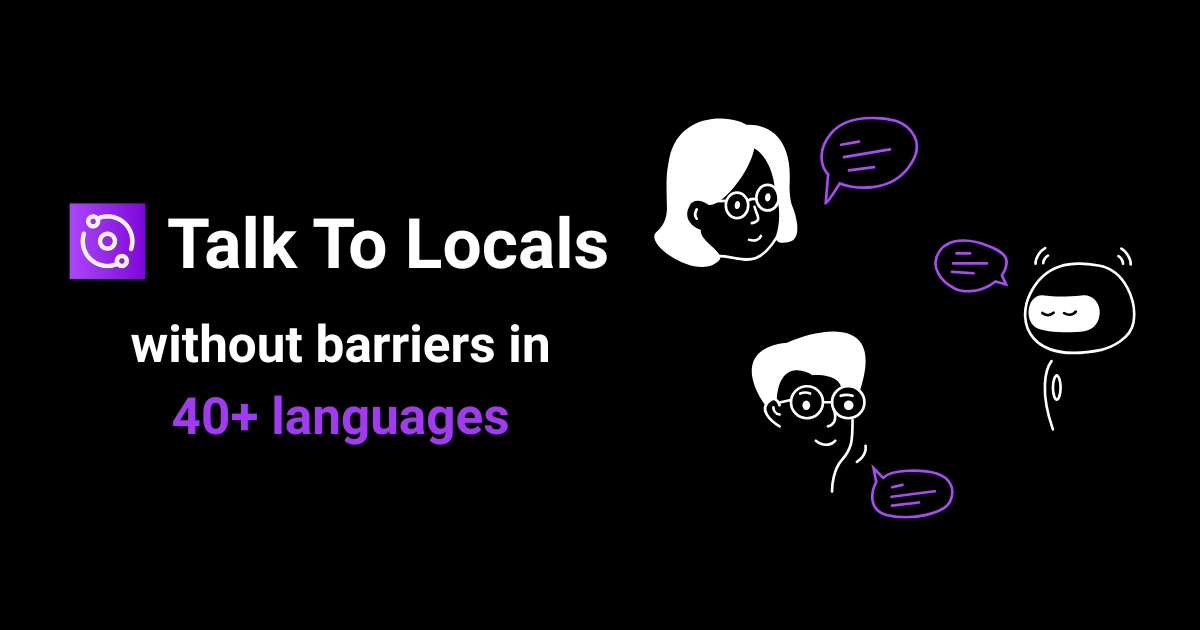
Talk To Locals is a dialogue generator tool. AI speech interpreter for face-to-face travel conversations, translating live dialogue between more than 40 languages so each person hears their own language through the phone. Priced in minute bundles rather than subscriptions, though new sign-ups and purchases are currently closed on the site.

Talk To Locals is an AI interpreter built for spoken, in-person conversations while travelling. Rather than translating text you point a camera at, the product focuses on the moment two people stand across from each other and cannot share a language: at a border checkpoint, in a taxi, at a hotel desk, in a restaurant or in a shop. The site frames the product explicitly around those situations and argues that reading a menu and holding a conversation are different problems that deserve different tools. The workflow is deliberately shallow. A user picks their own language, picks the other person's language from a list of more than 40 options, then presses a button and starts talking. The interpreter listens to the exchange and translates speech into speech in real time. When the traveller speaks English, the Japanese-speaking counterpart hears Japanese through the phone; when they answer, the traveller hears clear English. The site stresses that conversation context is retained and that each participant hears their own language, so neither side has to hand a screen back and forth or type anything. The intended audience is leisure and business travellers who need to resolve practical, time-sensitive situations with locals, plus anyone who regularly hosts or serves visitors speaking another language. It suits beginners: there is no setup beyond language selection. The comparison the site draws is with general translation apps, which it positions as better for signs and written text, while Talk To Locals is scoped to live dialogue. Chinese, Japanese, Spanish, French and English are among the supported set. Commercial status is the main caveat. The homepage states that sign-ups are closed and that purchases are not currently possible, so the listing describes a product that only existing account holders can still use. Pricing, where shown, is credit based in minute bundles rather than a subscription.

How do you use Talk To Locals?

  1. 1Check whether you can still get access
    The homepage notes that sign-ups are closed and that only existing users can continue. Read the launch article to understand the current status before planning around the tool.
  2. 2Sign in to your account
    Existing users go to the sign-in page to reach the interpreter and spend the minutes already attached to their account.
  3. 3Choose your own language
    Inside the interpreter, select the language you speak from the list of more than 40 options. This is what your side of the conversation will be translated from.
  4. 4Choose the other person's language
    Set the language of the person you are speaking with so their speech comes back to you in your own language.
  5. 5Start the conversation
    Press the button and talk normally. The interpreter listens and translates in real time, so each person hears the exchange in their own language without typing or passing the phone back and forth.

Pros and cons

Pros

  • Real-time speech-to-speech translation aimed at live dialogue rather than typed textAI
  • More than 40 languages, including English, French, Spanish, Japanese and ChineseAI
  • No screen sharing needed: both participants simply hear their own languageAI
  • Keeps conversation context, which matters for multi-turn exchanges in taxis or hotelsAI
  • Credit model charges per minute of use, with no subscription commitmentAI

Cons

  • New sign-ups are closed, so the tool cannot be adopted by new users right nowAI
  • Purchases are disabled on the site, making the listed minute bundles unavailableAI
  • Not designed for reading menus, signs or photographed text, so a second app is still neededAI
  • No mobile app details are published, leaving unclear whether use requires a browserAI
  • Quality claims are not backed by published accuracy figures or benchmark dataAI

How much does Talk To Locals cost?

Pricing

Pricing is credit based, sold as minute bundles rather than a subscription: 30 minutes for $9, 100 minutes for $33 (discounted to $24) and 300 minutes for $99 (discounted to $59). All tiers list fast translations and 40+ languages. The site states purchases are not possible at the moment and local taxes or VAT may apply.

Learn more

Support

A contact route is referenced in the FAQ entry on getting in touch, but no support email, help centre or response times are published on the homepage.

Features

Real-time speech-to-speech interpretation for face-to-face conversations, with 40+ languages, language selection for both participants, live listening and instant spoken output, retained conversation context, and audio delivered through the phone so no screen sharing is needed. The site positions it for dialogue rather than reading signs or translating visible text.

Frequently asked questions about Talk To Locals

  • How much does Talk To Locals cost?
    Pricing is credit based, sold as minute bundles rather than a subscription: 30 minutes for $9, 100 minutes for $33 (discounted to $24) and 300 minutes for $99 (discounted to $59). All tiers list fast translations and 40+ languages. The site states purchases are not possible at the moment and local taxes or VAT may apply.
  • How do you use Talk To Locals?
    The walkthrough on this page covers 5 steps: 1. Check whether you can still get access 2. Sign in to your account 3. Choose your own language 4. Choose the other person's language 5. Start the conversation.
  • What platforms does Talk To Locals support?
    Talk To Locals is available on Web App.
  • What are the limitations of Talk To Locals?
    New sign-ups are closed, so the tool cannot be adopted by new users right now. Purchases are disabled on the site, making the listed minute bundles unavailable. Not designed for reading menus, signs or photographed text, so a second app is still needed.

Status

StatusActive
Views0
Outbound clicks0
Added10/21/2026

Platforms

Web App

Pricing

Paid