TalkingPdf

Upload a PDF and ask it questions in plain language

Beginner
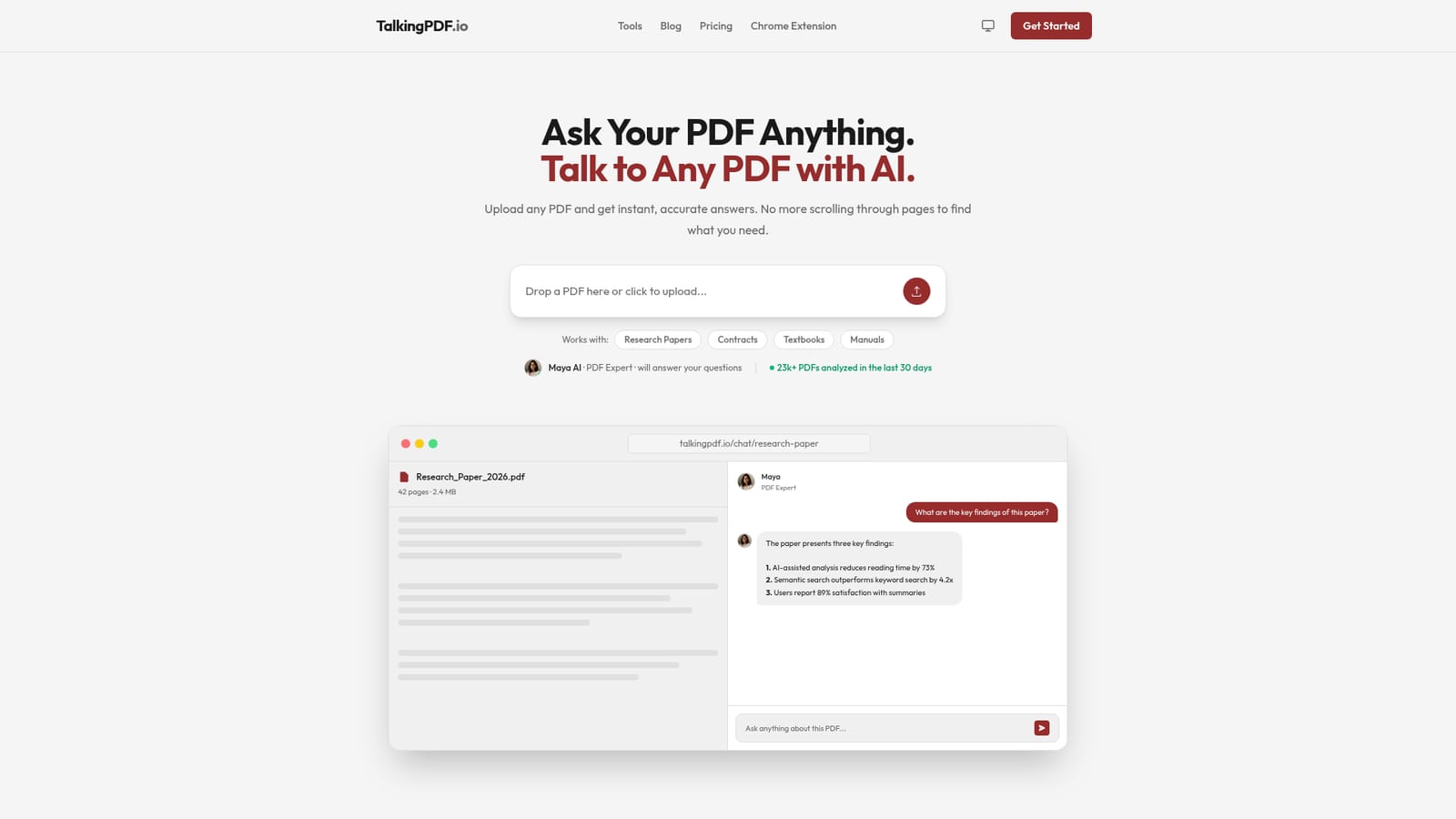
Screenshot of TalkingPdf, Upload a PDF and ask it questions in plain language

What is TalkingPdf?

TalkingPDF is a browser based AI reader that turns any PDF into a conversation. Upload a paper, contract, manual or scanned document, ask questions in plain language, and get answers with page citations. OCR and multi language support are included, and free usage is available without a credit card.

TalkingPDF is a document chat tool built around a single, narrow job: letting a reader interrogate a PDF instead of scrolling through it. A file is uploaded through the browser, and a conversational assistant named Maya takes over from there, answering questions in plain language and citing the page it pulled the answer from. The homepage positions this against the usual routine of searching for keywords, losing track of a section, and rereading the same paragraph three times. The pitch is speed: answers in seconds with source references attached, rather than a summary blob with no traceability. The tool is aimed at people who read dense documents for a living or for a grade. The listed use cases cover research papers, contracts, textbooks, technical manuals, corporate reports and scanned documents. OCR is included, so handwritten notes and image based scans become searchable text, and the interface accepts documents in multiple languages and can answer in the reader's preferred one. A question box with follow up prompts sits beside the document transcript, and answers arrive with page markers such as a section number and page reference, which is the detail that makes the output checkable rather than something to be trusted blindly. The product is entirely web based. There is no install, and the homepage stresses that no technical knowledge is needed. Questions can span multiple PDFs at once, which suits literature reviews and side by side contract comparison. Around 23,000 users are claimed, alongside counters showing PDFs analyzed and questions answered in the last 30 days. The homepage mentions encryption and the ability to delete documents, and states that data is not shared with third parties. Where it sits among alternatives is straightforward. It is a lighter, purpose built reader rather than a general assistant that happens to accept file attachments, and it competes with established PDF chat tools on speed and citation quality rather than on breadth of features. Nothing on the homepage mentions export options, team workspaces, or an API, so buyers who need those should look at heavier document intelligence platforms.

How do you use TalkingPdf?

  1. 1Upload your PDF
    Open the site and drop a file onto the upload area, or click to browse and select a PDF from your device. Text and scanned documents are both accepted.
    TalkingPdf — Upload your PDF
  2. 2Wait for the document to be processed
    The tool reads the file, running OCR where the pages are images rather than text. Longer documents take a moment before the chat becomes available.
  3. 3Ask your first question
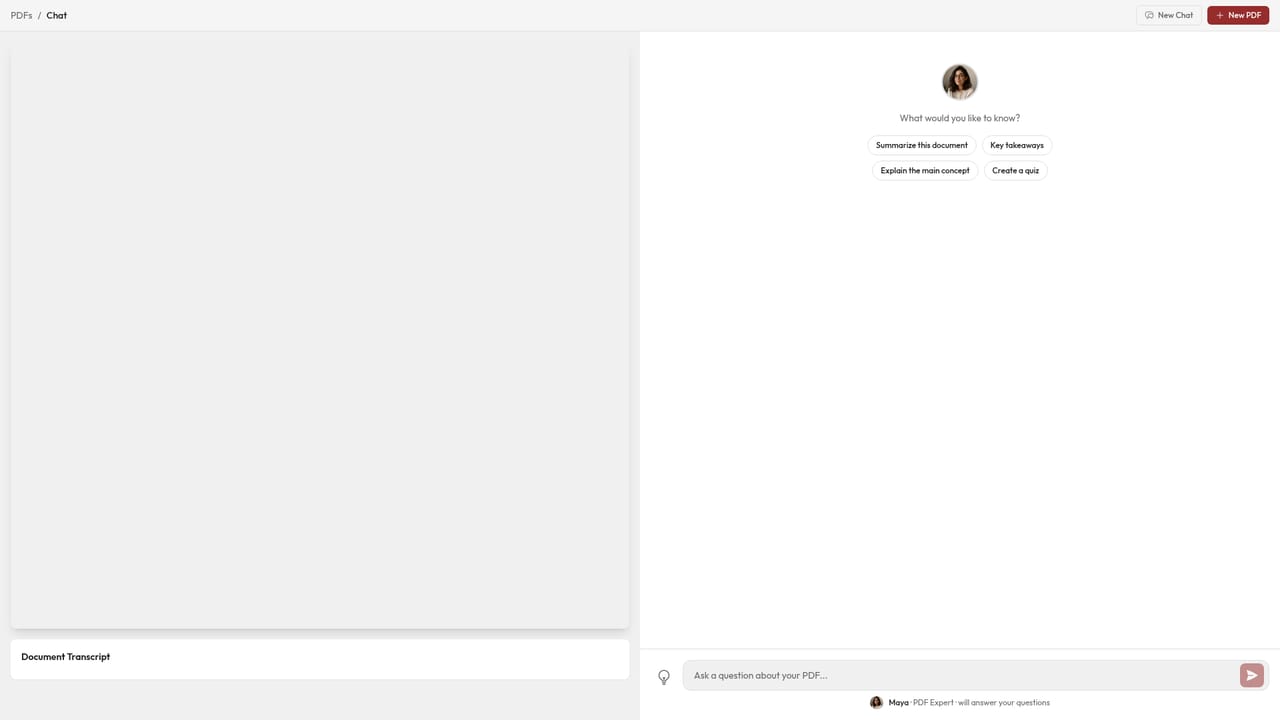
    Type a question in the chat box in ordinary language, for example asking for the main conclusions or a summary of a specific section. Follow up prompts are accepted.
  4. 4Check the cited pages
    Each answer carries a page or section reference. Click through to confirm the material was read correctly, especially for contracts and financial figures.
  5. 5Add more documents or try a worked example
    Upload additional PDFs to question them together, or open one of the published sample chats to see the format before committing your own files.
    TalkingPdf — Add more documents or try a worked example

Pros and cons

Pros

  • Answers include page and section references, so claims can be checked against the source textAI
  • OCR handles scanned and image based PDFs, including handwritten notes, rather than only clean text filesAI
  • Questions can be asked across several PDFs at once, which suits research and document comparisonAI
  • Multi language support covers documents in German, French, Spanish and other languages, with answers in the reader's preferred languageAI
  • No install or signup required to try it, and the free plan is usable without a cardAI

Cons

  • The homepage publishes no concrete pricing tiers, so the cost of unlimited use cannot be evaluated before signing upAI
  • No API, export, or team collaboration features are mentioned, which limits it for engineering or enterprise workflowsAI
  • Answers depend on OCR quality for scans, and the site gives no guidance on accuracy limits or failure casesAI
  • The user and usage counters on the homepage are modest and self reported, so adoption claims are hard to verifyAI
  • Chat sessions are tied to the web app only, with no desktop or mobile client mentionedAI

How much does TalkingPdf cost?

Pricing

The homepage confirms a free plan that allows PDF uploads and questions, and refers to premium plans for unlimited usage and advanced features. No prices, tiers or billing periods are published on the page, so the cost of upgrading is only visible after signing up. No credit card is required to start.

Learn more

Support

Only a frequently asked questions block on the homepage, covering how the tool works, data security, supported file types and languages, multi document chat and the free plan. No help centre, contact channel or documentation site is listed.

Features

Chat with any PDF and get contextual answers with page references. Supports academic papers, legal contracts, technical manuals, textbooks, corporate reports and scanned documents via OCR. Handles multiple languages and allows questions across several PDFs at once. Documents are described as encrypted and can be deleted at any time.

Frequently asked questions about TalkingPdf

  • How much does TalkingPdf cost?
    The homepage confirms a free plan that allows PDF uploads and questions, and refers to premium plans for unlimited usage and advanced features. No prices, tiers or billing periods are published on the page, so the cost of upgrading is only visible after signing up. No credit card is required to start.
  • How do you use TalkingPdf?
    The walkthrough on this page covers 5 steps: 1. Upload your PDF 2. Wait for the document to be processed 3. Ask your first question 4. Check the cited pages 5. Add more documents or try a worked example.
  • What platforms does TalkingPdf support?
    TalkingPdf is available on Web App.
  • What are the limitations of TalkingPdf?
    The homepage publishes no concrete pricing tiers, so the cost of unlimited use cannot be evaluated before signing up. No API, export, or team collaboration features are mentioned, which limits it for engineering or enterprise workflows. Answers depend on OCR quality for scans, and the site gives no guidance on accuracy limits or failure cases.

Status

StatusActive
Views0
Outbound clicks0
Added10/21/2026

Platforms

Web App

Pricing

FreemiumFree