Tawk

Free live chat, ticketing and CRM in one shared inbox

Beginner
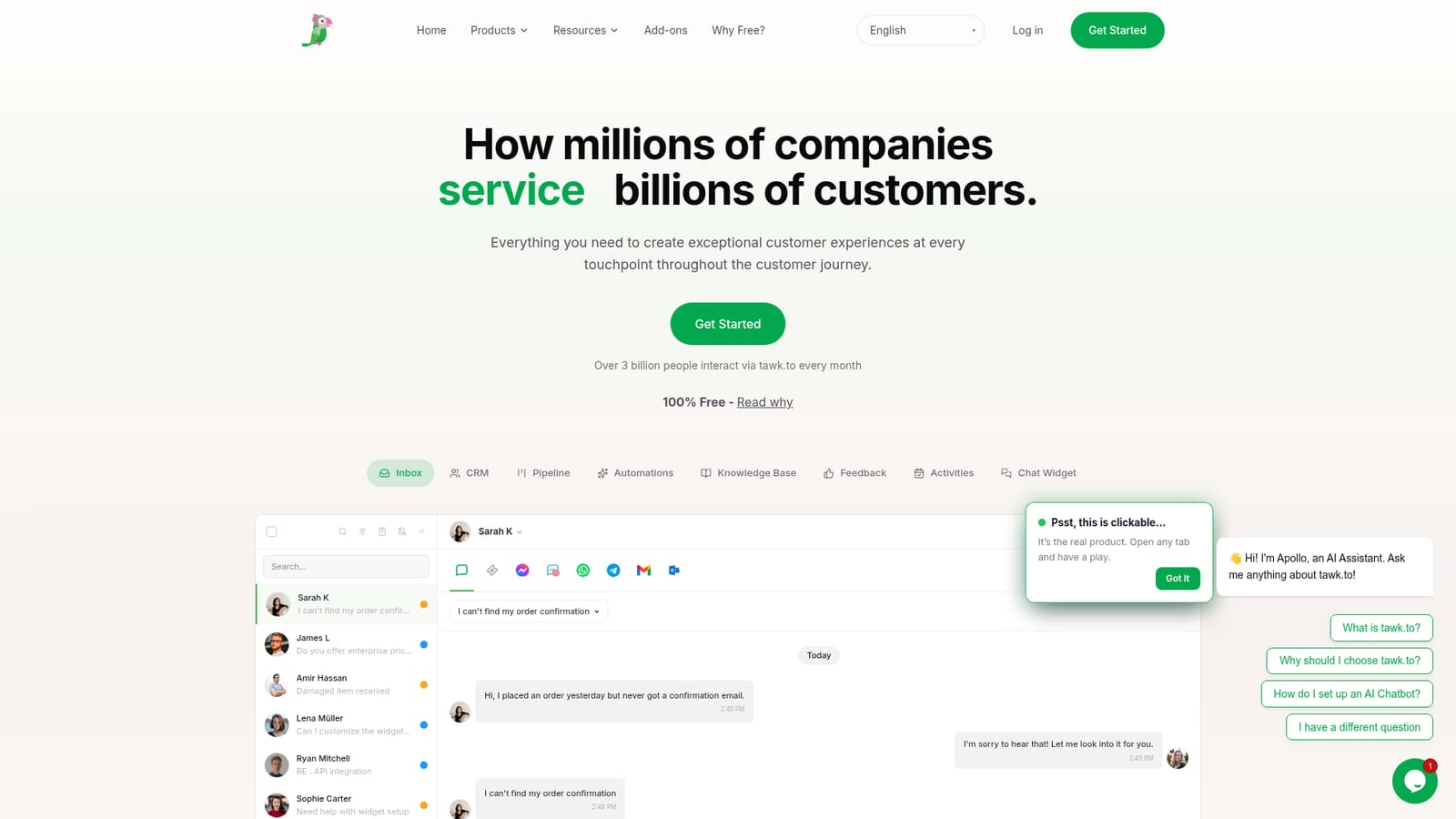
Screenshot of Tawk, Free live chat, ticketing and CRM in one shared inbox

What is Tawk?

Tawk is an AI chat bot tool. A free customer support platform that combines live chat, a shared multi-channel inbox, ticketing, CRM records, a deals pipeline and an AI assistant that learns from agent corrections. The widget installs with one JavaScript snippet and agents can respond from web and desktop or mobile apps.

Tawk is a customer support platform built around a shared inbox and a free pricing model. The chat widget is the entry point: one JavaScript snippet dropped into a site template puts a live chat window in front of visitors, and from there the dashboard handles chat, email, forms, voice and messaging channels in the same queue. Contacts, tickets, pipeline stages and tasks all attach to a single record, so an agent replying to a third message from the same buyer can see the history instead of asking again. Setup is aimed at people without engineering time. The snippet is a copy and paste job with no build step or redeploy, and the marketing site names WordPress, Shopify and Squarespace as common hosts. Branding controls sit in the dashboard, along with channel switches and team seats. Native apps for iOS, Android, macOS and Windows mean agents can pick a conversation back up away from a desk, which matters for small teams covering long hours. AI sits alongside the human team rather than replacing it. An assistant answers routine questions around the clock across multiple languages, drawing on files and knowledge base pages the business supplies. Agents review and correct those answers, and corrections are meant to improve later responses. Conversations that need a person can be taken over with full context. Beyond support, the platform covers a knowledge base customers can search themselves, a deals pipeline, an activities and bookings area, a feedback board that feeds a public roadmap and changelog, and CRM records that enrich a contact with company and role details. The product competes with paid helpdesk suites, and its pitch is that the core is free permanently, funded by optional paid services, with millions of businesses on the platform and billions of monthly interactions reported. It suits ecommerce stores, home services, clinics, hotels and property teams that want one inbox without a per seat bill, and solo founders who need something live in minutes. Buyers who need deep custom reporting or heavy workflow engineering should check how far the automations go before committing.

How do you use Tawk?

  1. 1Create your account
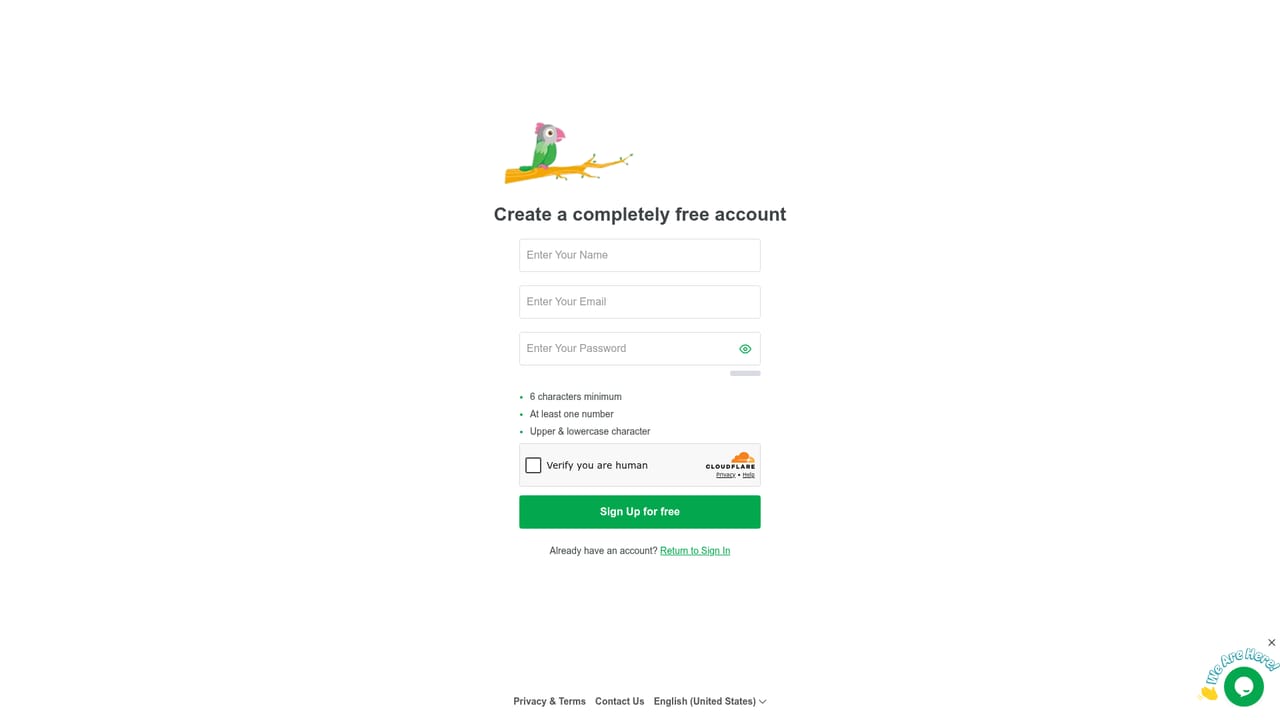
    Sign up from the dashboard to open a property, which is the workspace that holds your widget, inbox and team.
    Tawk — Create your account
  2. 2Add the widget snippet to your site
    Copy the JavaScript snippet and paste it before the closing body tag in your template. The site quotes roughly two minutes to a live widget, with WordPress, Shopify and Squarespace as common hosts.
    Tawk — Add the widget snippet to your site
  3. 3Style the widget and switch on channels
    Use the dashboard to match widget colours and text to your brand, then enable the channels you want feeding the shared inbox, such as email, messaging apps or SMS.
  4. 4Invite agents and set routing
    Add team members to the property and decide how conversations are assigned. Review whether your planned agent count needs checking against the free terms.
  5. 5Load knowledge and review AI answers
    Upload policy documents and knowledge base links so the assistant can answer routine questions. Agents should correct answers that miss to improve later responses.
  6. 6Track resolution and pipeline in one record
    Work chat, tickets and deals from the same contact record, and check the live dashboard for replies, response time and satisfaction.

Pros and cons

Pros

  • Core chat, inbox, ticketing, knowledge base and CRM are free with no per agent billAI
  • One snippet install with no developer or build step neededAI
  • Channels including web chat, email, WhatsApp, Messenger, Telegram and SMS land in a single inboxAI
  • AI assistant handles routine questions around the clock and accepts human correctionsAI
  • Native apps on iOS, Android, macOS and Windows let agents reply away from a deskAI

Cons

  • The free model depends on optional paid services, so costs can appear later for extrasAI
  • Homepage does not state chat volume or agent limits, so heavy teams must verify termsAI
  • Custom reporting and analytics depth are not documented on the homepageAI
  • AI answer quality relies on the knowledge files you upload and maintainAI
  • Feature breadth across CRM, pipeline and feedback can overwhelm a very small teamAI

How much does Tawk cost?

Pricing

The homepage states that tawk.to is 100 percent free, with a dedicated page explaining why the core product carries no charge. Optional paid services are referenced by the free model, but no price points or tier names appear in the homepage content.

Learn more

Support

Support is offered through the platform itself: visitors can chat with the team, and a contact page is provided for questions that remain after the FAQ.

Learn more

Integrations

The homepage shows Messenger, Twilio SMS, WhatsApp, Telegram, Gmail and Outlook feeding the inbox, and names WordPress, Shopify and Squarespace as widget install targets. A full integration directory is not listed on the homepage.

Features

Shared inbox pulling web chat, email, forms, voice and messaging channels together; chat widget with branding controls; ticketing on the contact record; CRM profiles that enrich names with company, role and verified details; deals pipeline; activities and bookings; knowledge base; customer feedback and public roadmap; AI assistant that answers common questions and learns from agent corrections.

Frequently asked questions about Tawk

  • How much does Tawk cost?
    The homepage states that tawk.to is 100 percent free, with a dedicated page explaining why the core product carries no charge. Optional paid services are referenced by the free model, but no price points or tier names appear in the homepage content.
  • How do you use Tawk?
    The walkthrough on this page covers 6 steps: 1. Create your account 2. Add the widget snippet to your site 3. Style the widget and switch on channels 4. Invite agents and set routing 5. Load knowledge and review AI answers 6. Track resolution and pipeline in one record.
  • What platforms does Tawk support?
    Tawk is available on Web App, iOS, Android, MacOS and Windows.
  • What does Tawk integrate with?
    The homepage shows Messenger, Twilio SMS, WhatsApp, Telegram, Gmail and Outlook feeding the inbox, and names WordPress, Shopify and Squarespace as widget install targets. A full integration directory is not listed on the homepage.
  • What are the limitations of Tawk?
    The free model depends on optional paid services, so costs can appear later for extras. Homepage does not state chat volume or agent limits, so heavy teams must verify terms. Custom reporting and analytics depth are not documented on the homepage.

Status

StatusActive
Views0
Outbound clicks0
Added10/21/2026

Platforms

Web AppiOSAndroidMacOSWindows

Pricing

FreeFreemium