Free trial
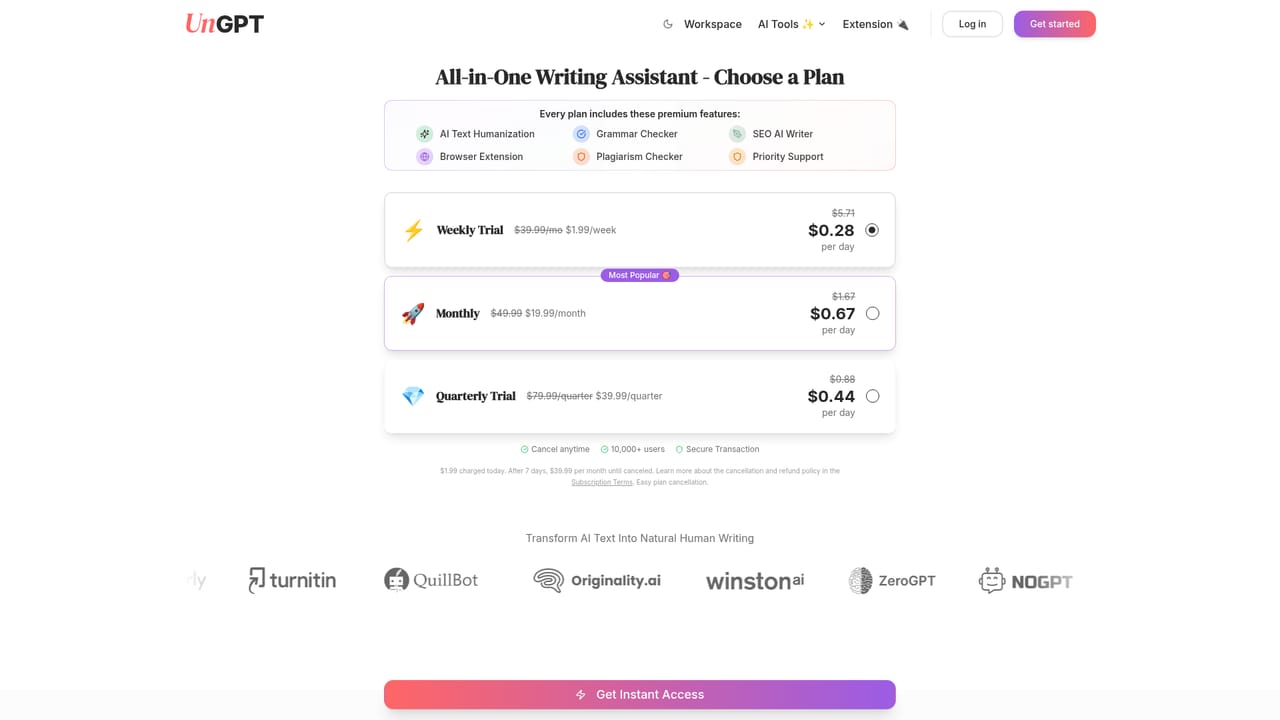
The site says you can start without a credit card and upgrade when ready, but it does not specify a trial length or which features are limited on the free entry point.
Learn moreOne unlimited AI workspace for humanizing, writing, and polishing text

UnGPT is an AI humanizer tool. UnGPT bundles a humanizer, AI chat on GPT, Gemini and Grok, a grammar checker, plagiarism scanning, an SEO writer, and translation into one subscription with 100k+ words per month, plus Chrome and Safari extensions and a REST API.
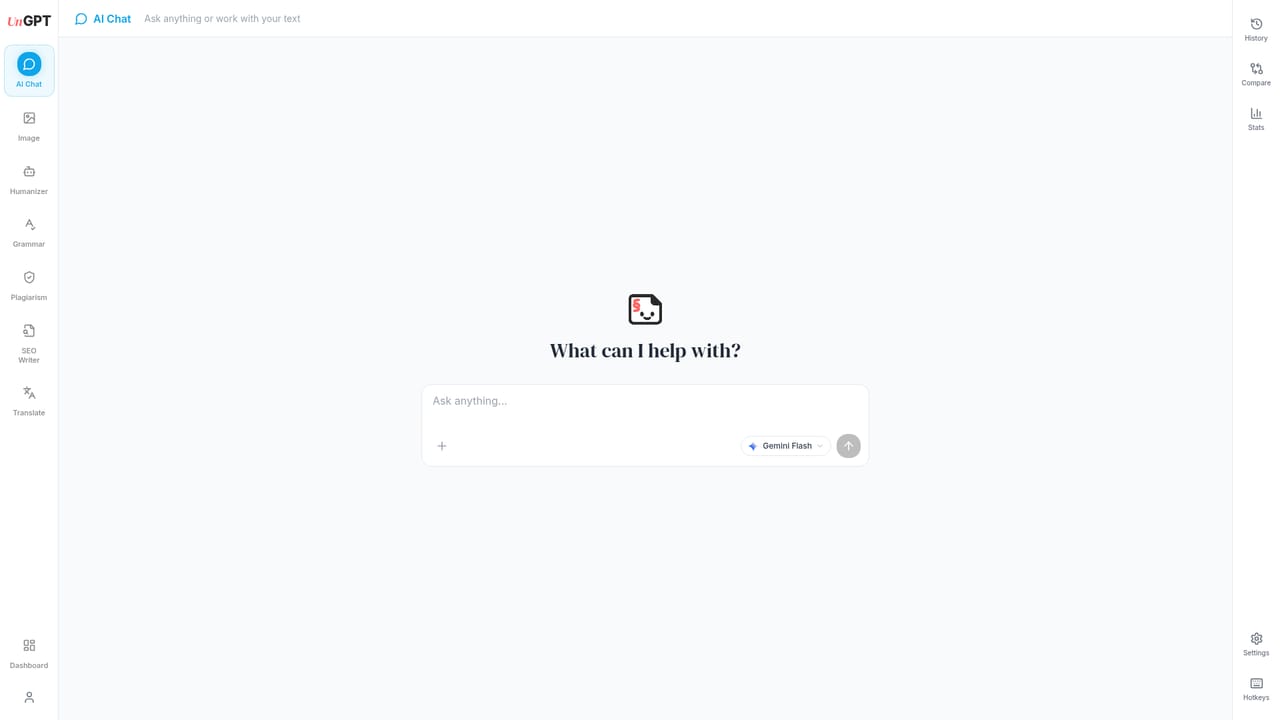
UnGPT is a single workspace that bundles six AI writing utilities behind one subscription: a humanizer, a chat interface, a grammar checker, a plagiarism scanner, an SEO article writer, and a translator. The core pitch is the humanizer, which rewrites machine-generated drafts so they read like something a person actually typed. Around it sits a broader suite aimed at anyone who moves a lot of text each week and is tired of paying for four separate subscriptions with four separate word limits. The product is clearly aimed at writers rather than engineers. Students who research with chatbots and want the final essay to sound like their own voice, professionals cleaning up reports and client emails, and marketing teams producing blog posts are the audiences named on the site. The workflow is straightforward: pick a tool from the workspace, paste or type your text, and get output back that you can copy, export, or push into another tool in the same dashboard. Chat runs on GPT, Gemini, and Grok, so you can switch models depending on the task rather than committing to one provider. In day to day use the humanizer is the entry point, but the surrounding tools matter just as much. A draft can be humanized, run through the grammar checker, scanned for plagiarism, and then reshaped by the SEO Writer without leaving the tab. A browser extension for Chrome and Safari extends the humanizer to Gmail, Google Docs, LinkedIn, and other sites, so you highlight text in place instead of copying it back and forth. There is also a REST API with Bearer token authentication for teams that want to automate the humanizer or other tools inside their own pipelines. UnGPT states that content is not stored or trained on without permission. Compared with single-purpose humanizers, the advantage is breadth and the claim of 100k+ words per month without metering. The tradeoff is that each individual tool competes with dedicated products that go deeper. UnGPT is the practical pick for someone who wants one bill and one interface for a mix of editing tasks, not for a specialist who needs fine-grained control over a single function.
The site says you can start without a credit card and upgrade when ready, but it does not specify a trial length or which features are limited on the free entry point.
Learn moreThe homepage does not list prices or plan tiers. It states that usage is unlimited at 100k+ words per month, that all six tools are included in a single subscription, and that no credit card is needed to start, with an upgrade path available later.
Learn moreA contact page and a support email route are linked from the homepage FAQ, which covers topics such as the humanizer, academic use, translator accuracy, the API and content security.
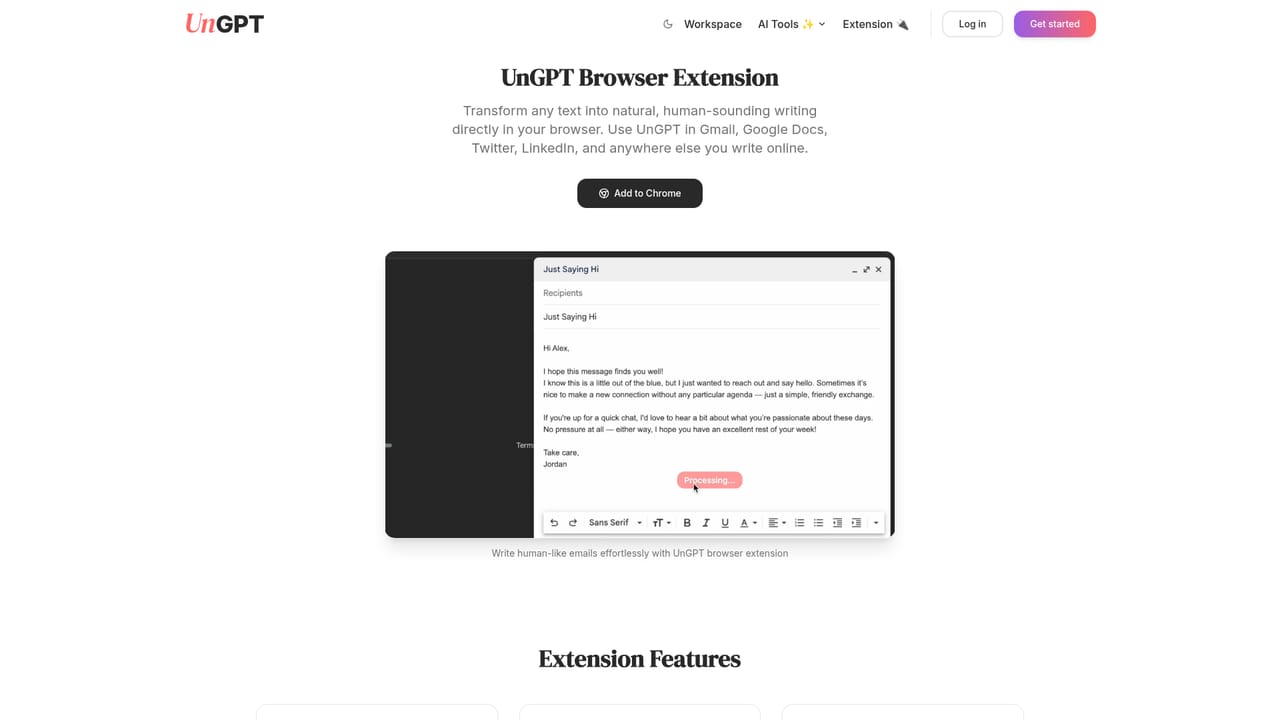
Learn moreChrome and Safari browser extensions bring the humanizer to Gmail, Google Docs, LinkedIn and other websites. A REST API with Bearer token authentication is available for custom automation; no other named integrations are listed.
Learn moreSix tools in one workspace: an AI humanizer, chat powered by GPT, Gemini and Grok, a grammar checker, a plagiarism checker, an SEO Writer, and a translator. Also included are Chrome and Safari browser extensions for in-place humanizing and a REST API with Bearer token authentication.
 AI Angels400+ customizable AI girlfriends for NSFW chat, voice calls, and roleplay
 Candy AIExperience the future of companionship with AI friends who chat, role-play, and connect with you on a human level.
 ourdream.aiA vast AI roleplay platform with millions of characters for chat, images, video and voiceAI Angels400+ customizable AI girlfriends for NSFW chat, voice calls, and roleplayCandy AIExperience the future of companionship with AI friends who chat, role-play, and connect with you on a human level.ourdream.aiA vast AI roleplay platform with millions of characters for chat, images, video and voice


