Free trial
A free conversation is offered on the homepage as a way to try the tutor. The length of that session and which features it unlocks are not stated.
Learn moreAI conversation practice for learners who freeze when they speak
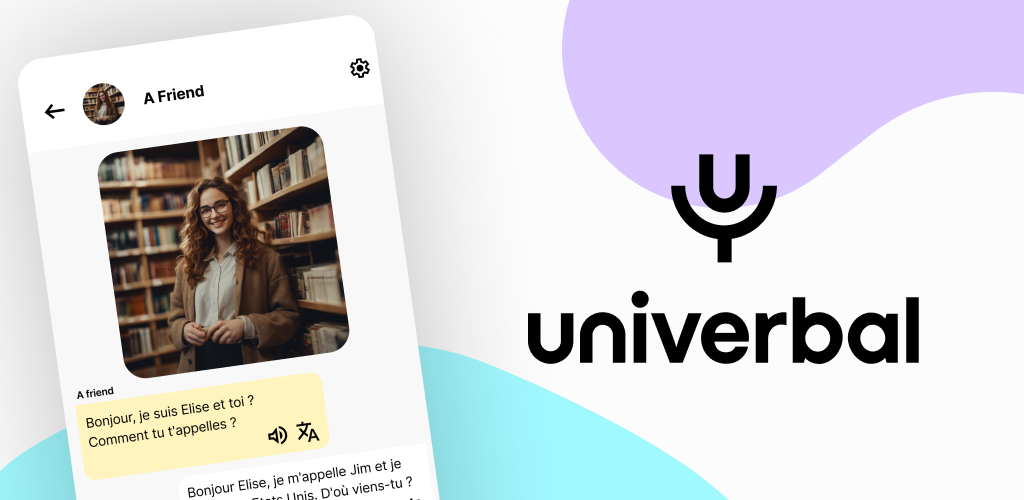
Univerbal is an AI language tutor for spoken conversation practice across 20+ languages. Pick a scenario or create your own, talk or type, and get corrections mid-conversation with a personalised record of your mistakes for later review.
Univerbal is an AI language tutor built around spoken conversation rather than drills. The premise is narrow and specific: learners who already know vocabulary and grammar but stall when a real exchange starts. Instead of vocabulary cards or listening exercises, the product puts you in a dialogue with an AI tutor and keeps the exchange moving, correcting as you go. The workflow has three parts. You pick a scenario from a library of over 100 situations, or write your own, then you talk to the tutor using your voice or type if you would rather not speak yet. Corrections arrive during the conversation: a better version of what you meant plus a short explanation of why, at the moment it matters, without stopping the flow. Mistakes are logged so they can be revisited later as targeted practice. The tutors are presented as named characters with distinct nationalities and languages, including English, German, Spanish, French, Italian, Portuguese, Dutch, Korean, Japanese and Chinese, with the homepage claiming 20+ languages overall. The system also builds a picture of each session, noting what went well and where you hesitated, and uses that to shape what comes next. That personalisation is the main differentiator against static conversation scripts. The fit is learners at intermediate level and beyond who want volume of speaking practice without the social cost of a human partner or the scheduling of a tutor. It is a weaker match for absolute beginners who still need structured grammar instruction, and it does not replace human conversation for anyone preparing for high-stakes exams or professional fluency. Univerbal is built in Switzerland, and the site notes backing from academic researchers. Pricing details are not stated on the homepage beyond a free conversation offer, so check the app before committing.
A free conversation is offered on the homepage as a way to try the tutor. The length of that session and which features it unlocks are not stated.
Learn moreScenario-based spoken dialogue with an AI tutor across 20+ languages, including English, German, Spanish, French, Italian, Portuguese, Dutch, Chinese, Korean and Japanese. Users pick from 100+ scenarios or create their own, speak or type replies, receive in-line corrections with brief explanations, and keep a saved record of mistakes for later practice. A session model tracks performance and hesitation to personalise the curriculum.
Learn more AI Angels400+ customizable AI girlfriends for NSFW chat, voice calls, and roleplay
 Candy AIExperience the future of companionship with AI friends who chat, role-play, and connect with you on a human level.
 ourdream.aiA vast AI roleplay platform with millions of characters for chat, images, video and voiceAI Angels400+ customizable AI girlfriends for NSFW chat, voice calls, and roleplayCandy AIExperience the future of companionship with AI friends who chat, role-play, and connect with you on a human level.ourdream.aiA vast AI roleplay platform with millions of characters for chat, images, video and voice


