
Free trial
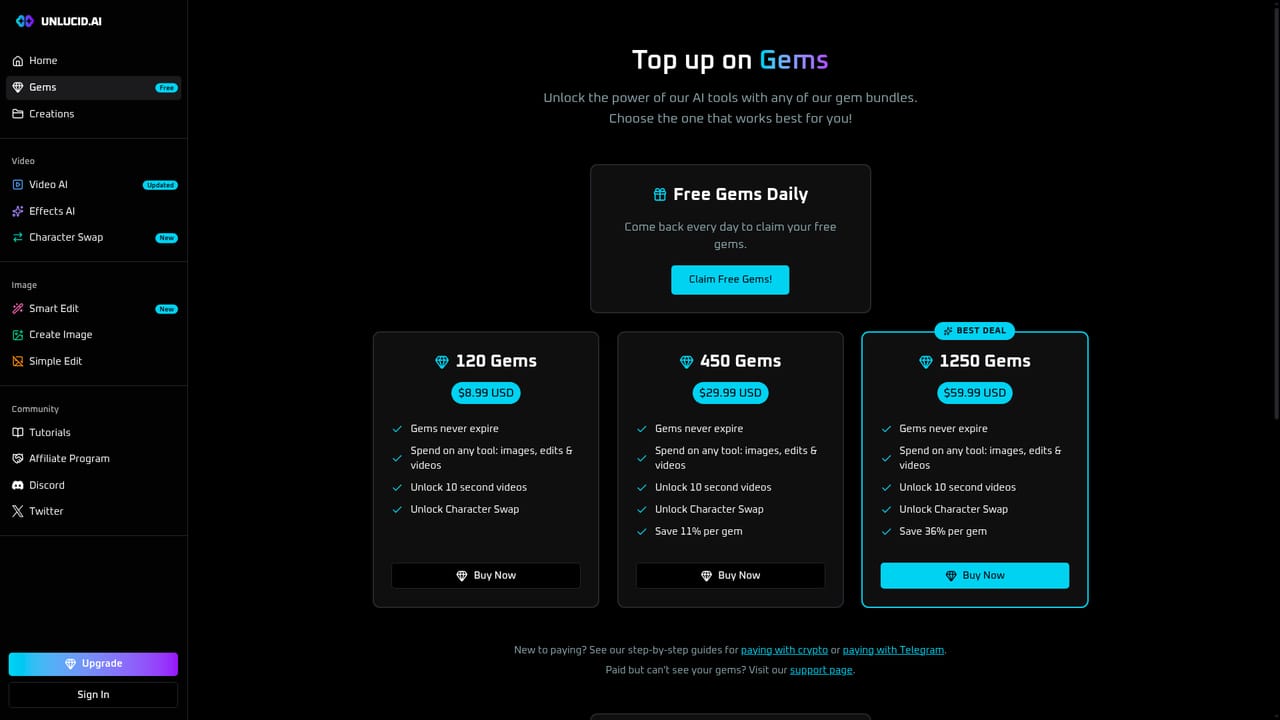
A free tier is advertised via the Gems page, which is listed as Free. No time limited trial terms or credit amounts are stated on the homepage.
Learn moreUncensored AI image and video generation with prompt based editing
Unlucid AI is a generative image tool. Uncensored AI studio for text to image, photo editing by prompt, image to video animation, preset effects and character swap, all in the browser with no tools or skills required.
Unlucid AI is a browser based creative studio built around unrestricted image and video generation. The product bundles four core tools on one site: Create Image turns a text prompt into a generated picture, Video AI animates a still image into a short clip, Smart Edit changes an existing photo from a written instruction, and Character Swap places a chosen character into a video. A separate Effects library adds more than 20 preset animations, so a single upload can be pushed toward a specific motion without writing a detailed prompt. The workflow is prompt driven rather than layer based. A user uploads a source image or types a description, optionally attaches a motion or editing instruction, and the system returns a rendered result. Smart Edit is the clearest example: instead of selecting regions and brushing masks, the user describes the change and the model applies it. Character Swap follows the same logic, taking a face or character and a target clip and combining them. Finished work collects in a Creations area, and the site publishes step by step tutorials for users who want guidance before subscribing. The audience is creators working outside mainstream content filters: adult oriented artists, meme and fan communities, and hobbyists who want to test image to video ideas quickly. The visual examples shown across the site make the positioning explicit, pairing ordinary outputs with NSFW variants. Anyone producing brand safe commercial work for regulated platforms will find the output style a poor match, and the public galleries are not a neutral showcase. Against mainstream generators, the differentiator is the combination of editing, animation and character tools under one account with fewer content restrictions. The trade off is depth: there is no evidence of fine control over aspect ratio, seed or model versions, and the site emphasizes speed and volume over professional finishing. It suits rapid, informal experimentation more than a production pipeline.
A free tier is advertised via the Gems page, which is listed as Free. No time limited trial terms or credit amounts are stated on the homepage.
Learn moreThe site advertises a free tier through the Gems section and a paid Upgrade path, so the model is freemium: a free credit allowance followed by paid Gems. No specific plan prices or credit quantities are shown on the homepage.
Learn moreSupport runs through a linked Discord server, a Tutorials page with guided walkthroughs, and social contact via the site's Twitter account. No email or ticket channel is stated.
Learn moreA Discord community server is linked from the site navigation. No third party software integrations or public API are described on the homepage.
Create Image generates pictures from text prompts. Smart Edit modifies an uploaded photo from a written instruction. Video AI animates a still image into a short clip, and an Effects library adds more than 20 preset animations. Character Swap inserts a chosen character into a video. Outputs are collected in a Creations feed.
Learn more AI Angels400+ customizable AI girlfriends for NSFW chat, voice calls, and roleplay
 Candy AIExperience the future of companionship with AI friends who chat, role-play, and connect with you on a human level.
 ourdream.aiA vast AI roleplay platform with millions of characters for chat, images, video and voiceAI Angels400+ customizable AI girlfriends for NSFW chat, voice calls, and roleplayCandy AIExperience the future of companionship with AI friends who chat, role-play, and connect with you on a human level.ourdream.aiA vast AI roleplay platform with millions of characters for chat, images, video and voice






