Pricing
The homepage gives no price figures. It points to a separate pricing page and offers a demo booking.
Learn moreResearch-backed UX snapshot of your ecommerce site
Own UX-Ray 1.0 by Baymard? Verify ownership to get a dofollow link
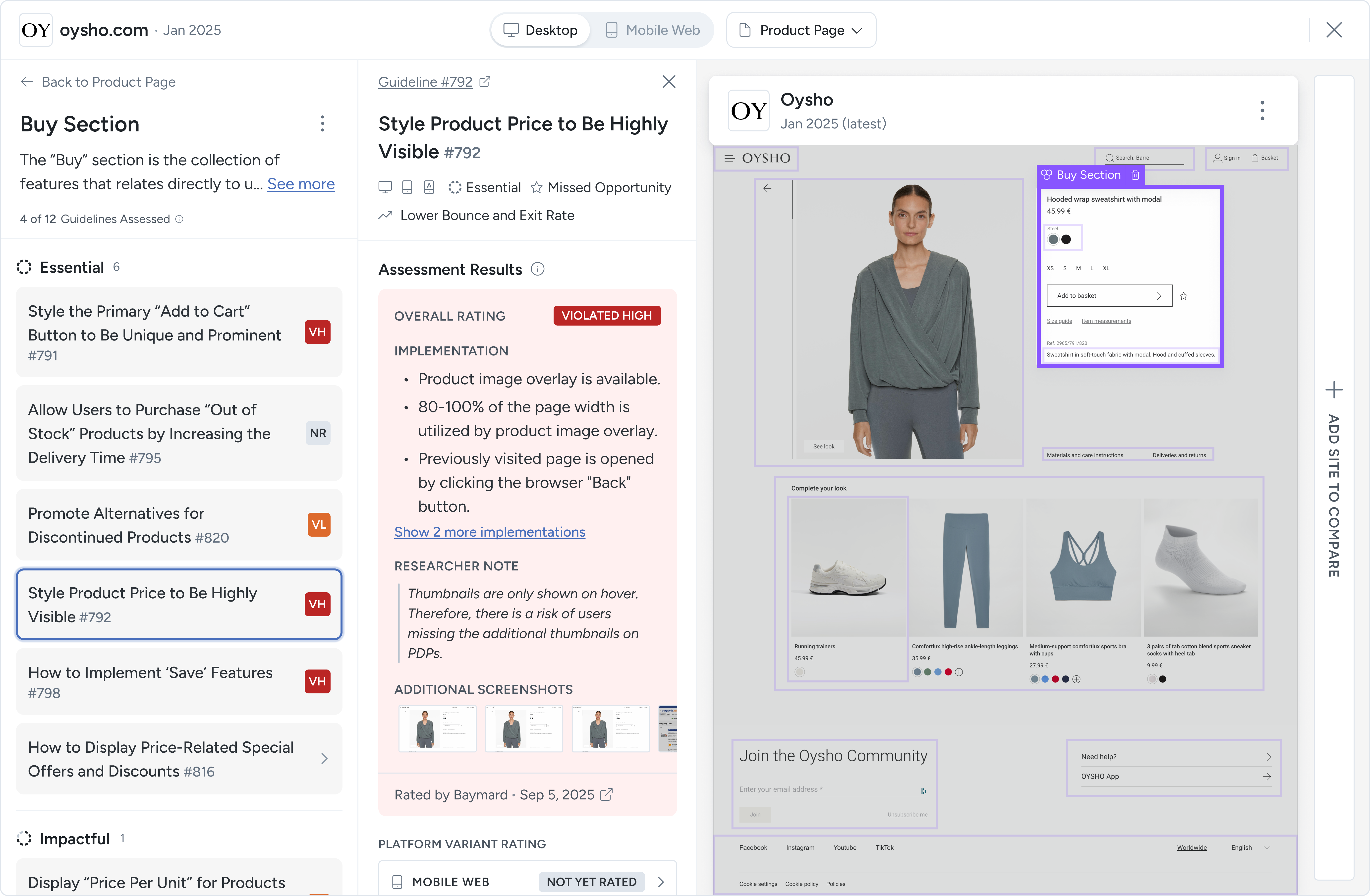
UX-Ray 1.0 by Baymard is a website audit tool. UX-Ray from Baymard Institute scans an ecommerce site against the company's usability research, returning a severity-grouped snapshot of UX issues and competitor comparisons, and helps teams decide where a deeper expert audit is worthwhile.
UX-Ray is a site scanning product from Baymard Institute that gives ecommerce teams a quick read on how their storefront experience measures up. It reviews key parts of a site against Baymard's body of usability research and returns a structured snapshot of potential friction points, so teams can see where shoppers may struggle before committing to a larger study. The findings are mapped to Baymard's large-scale ecommerce research, which covers thousands of observed usability issues across product pages, navigation, search, checkout, forms and account flows. Rather than a generic checklist, the output is meant to show where a site aligns with or departs from established best practice. Issues are grouped by likely severity, which helps a team decide what deserves attention first and which problems may affect usability, trust and conversion most. A competitor comparison view lets a site be set against selected rivals across key UX areas, showing where it leads and where others offer a smoother experience. In practice, a user scans a site, reads the prioritized snapshot, and uses it to guide internal discussions or plan improvements. The tool is also positioned as a triage step: when the snapshot points to a serious problem area, Baymard offers expert audit services that go deeper with a full evaluation and recommendations from its UX specialists. Access and plan details sit on the pricing page, and a demo can be booked. UX-Ray suits UX researchers, designers, product managers and conversion teams at online retailers and agencies who want evidence-based direction without running their own usability tests. It sits within a wider Baymard product line that includes best practice guidelines, a question-answering assistant, benchmarking, a manual review tool and annotated design examples. Compared with general analytics or session-replay tools, it evaluates the interface against research rather than measuring visitor behavior, and it is narrower than a full human audit, serving as a fast first pass.
The homepage gives no price figures. It points to a separate pricing page and offers a demo booking.
Learn moreA demo can be booked with the Baymard team, and expert UX audit services are available for deeper, specialist-led evaluation.
Scans key parts of an ecommerce site against Baymard's research, groups findings by likely severity, maps issues to documented usability problems, and compares your UX with selected competitors. Expert audit services are available for deeper review.
Learn more AI Angels400+ customizable AI girlfriends for NSFW chat, voice calls, and roleplay
 Candy AIExperience the future of companionship with AI friends who chat, role-play, and connect with you on a human level.
 ourdream.aiA vast AI roleplay platform with millions of characters for chat, images, video and voiceAI Angels400+ customizable AI girlfriends for NSFW chat, voice calls, and roleplayCandy AIExperience the future of companionship with AI friends who chat, role-play, and connect with you on a human level.ourdream.aiA vast AI roleplay platform with millions of characters for chat, images, video and voice