Pricing
The page title and description describe the checker as free. No paid plans are listed on the page.
Learn morePaste a robots.txt and see which of 21 AI crawlers it blocks

AI Ranked is an analytics tool. A free browser-based checker that tests a pasted robots.txt against 21 AI crawlers, shows which rule allows or blocks each one, and generates a recommended config for search and training policies.
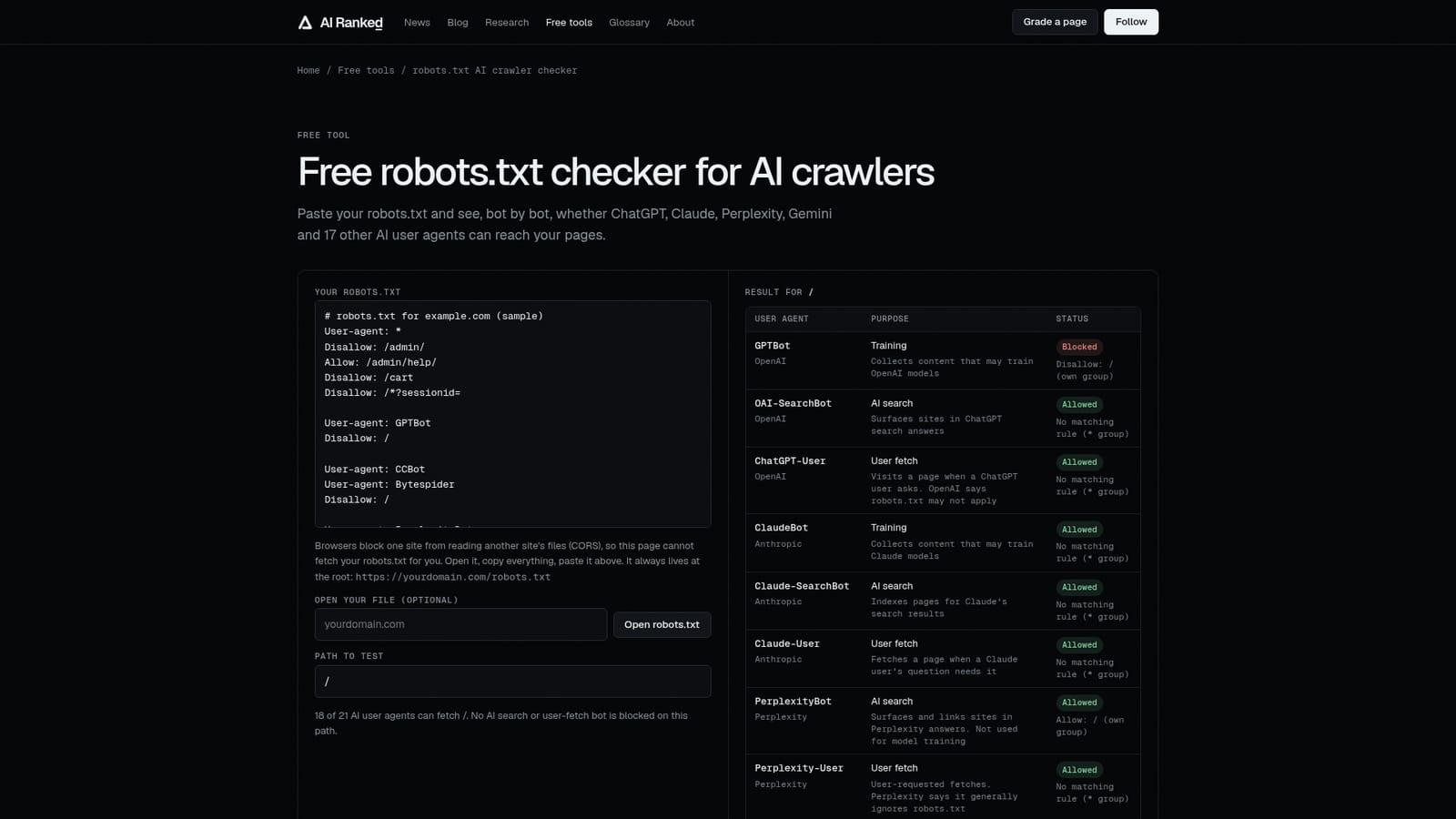
AI Ranked's robots.txt checker answers a narrow but important question: which AI crawlers can actually read a given site. A user pastes the contents of their robots.txt, picks a path to test, and receives a table covering 21 AI user agents from OpenAI, Anthropic, Perplexity, Google, Apple, Microsoft, Meta, Common Crawl, ByteDance, Amazon, DuckDuckGo and Mistral AI. Each row shows the bot's purpose (training, AI search or user fetch) and whether it is allowed or blocked, along with the exact line that decided the outcome. The file has to be pasted because browsers block cross-site reads (CORS), so the page cannot fetch a robots.txt on its own. The page states that nothing pasted leaves the browser. Matching follows RFC 9309: consecutive User-agent lines form a group, a bot obeys only the group that names it, the longest matching path wins, and Allow beats Disallow on a tie. Wildcard and end-anchor characters are supported. Beyond the verdict table, the tool generates a recommended configuration with two policies: allow AI search, user fetches and training, or allow search and fetches while blocking training. The snippet copies existing wildcard rules into the named groups so a bot with its own group does not gain access to private paths. Below the tool sits editorial material: a worked example comparing The Guardian and The New York Times, a priority guide for which blocked rows to fix first, a decision rule on blocking GPTBot, and four common accidental-blocking mistakes, including a leftover staging rule and CDN-level bot blocking. The tool suits SEO professionals, site owners and B2B software marketers who want to stay citable in AI answers while controlling model training. It is narrower than a full AI visibility platform, since it audits crawler access only, but it links to a citability grader and a comparison of free visibility checkers for the next steps. Among alternatives, it fits as a quick, free, no-signup diagnostic.
The page title and description describe the checker as free. No paid plans are listed on the page.
Learn moreChecks a pasted robots.txt against 21 AI user agents, shows the deciding rule per bot, tests any path, flags training versus search versus user-fetch crawlers, and generates a recommended config for two policies.


