Free trial
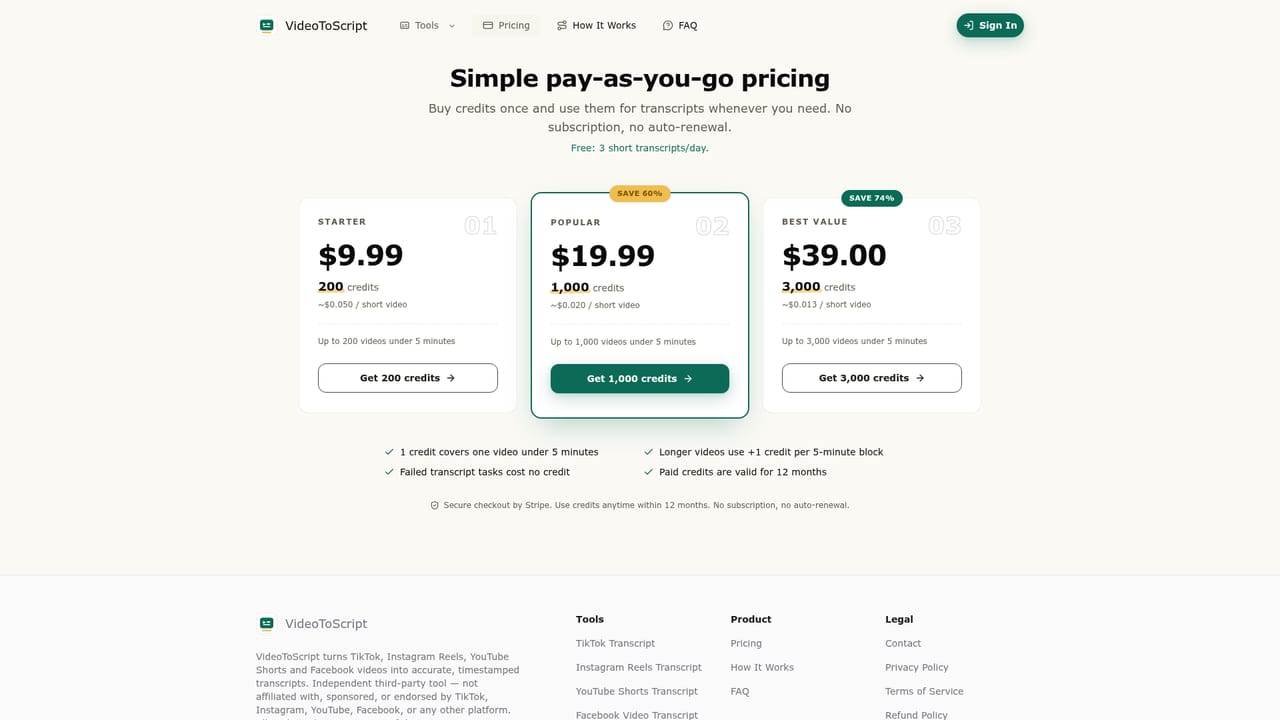
The free tier works as an ongoing trial: 3 short transcripts per day with no credit card and no platform account needed.
Learn moreTurn TikTok, Reels and Shorts links into timestamped transcripts
Own VideoToScript? Verify ownership to get a dofollow link

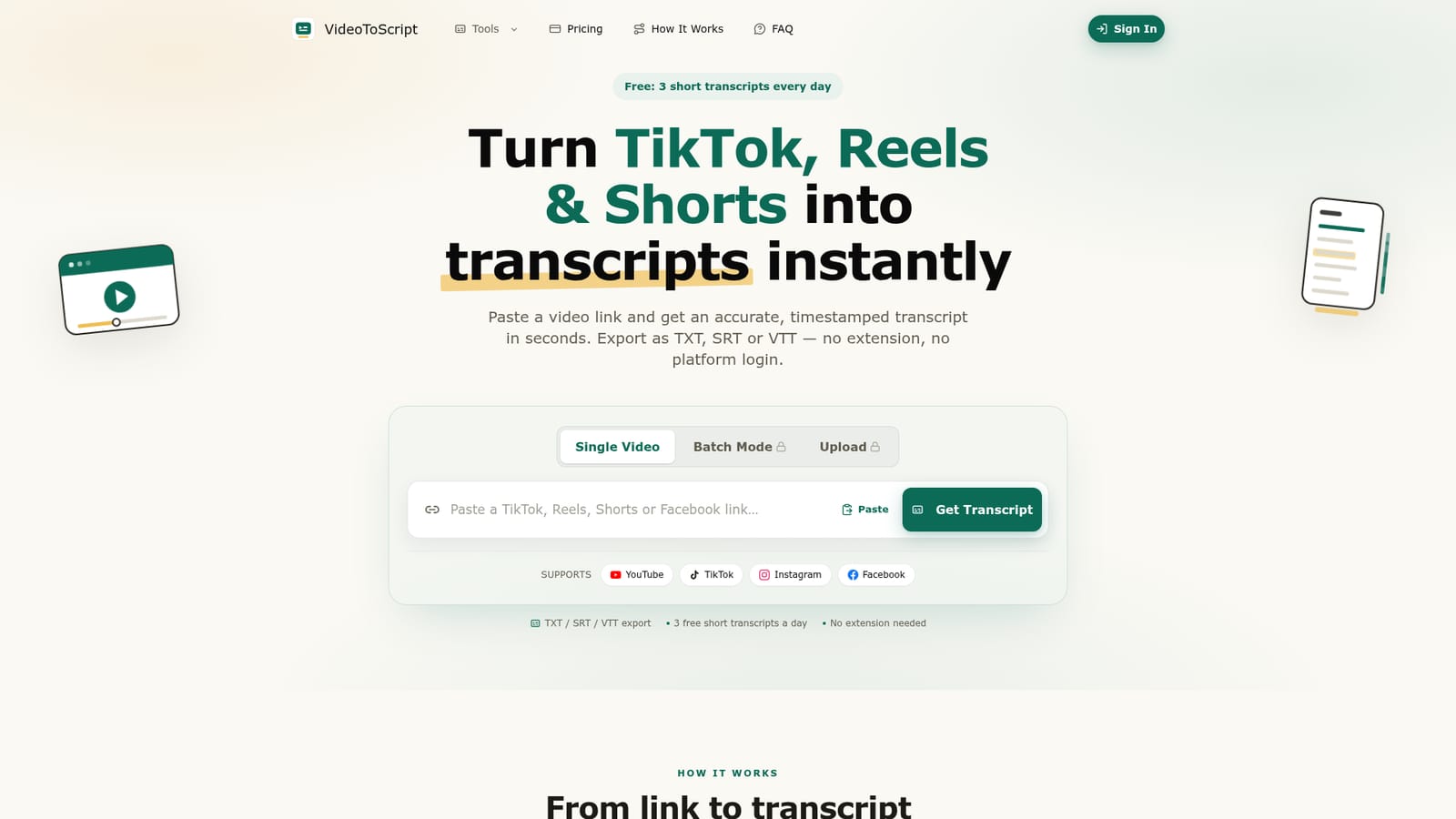
VideoToScript is a dailymotion transcript tool that turns TikTok, Reels and Shorts links into timestamped transcripts. A no-install web tool that converts public TikTok, Instagram Reels, YouTube Shorts and Facebook links into timestamped transcripts in seconds, with TXT, SRT and VTT export, batch mode and a free daily allowance.
VideoToScript is a browser based transcription tool aimed at short-form video. You paste a public link from TikTok, Instagram Reels, YouTube Shorts or Facebook, and the service returns a timestamped transcript, typically within 3 to 10 seconds. There is no browser extension to install and no platform account to connect, which keeps the workflow to a single paste and click. Results can be copied straight out or downloaded as TXT, SRT or VTT, so the same output serves as plain reading material, subtitle file or caption track. The product is positioned around creators, marketers and researchers rather than enterprise media teams. Creators use it to study how viral clips are written and to rebuild hooks into new scripts. Marketers pull the spoken copy from winning ads to see which claims and openings repeat. Students and researchers run transcripts into other AI tools for summaries and notes. A batch mode accepts a list of links instead of one at a time, which suits anyone auditing a set of competitor videos in a sitting. Accuracy is quoted at 95 percent or above, with speech recognition tuned for the fast delivery and voiceover style common on TikTok. The vendor states that links and files are processed securely and are not shared with third parties. Where a video returns no transcript, the usual causes are absent or unclear speech, so the tool is a poor fit for music-only clips or heavily overlapped dialogue. Compared with full editing suites and meeting transcription services, VideoToScript is deliberately narrow: it handles public short-form links and nothing else. That focus is the appeal, since there is no timeline to learn and no workspace to configure. The trade-off is that longer uploads, private videos and deep editing features are outside its scope, so teams needing those will keep a second tool alongside it.
The free tier works as an ongoing trial: 3 short transcripts per day with no credit card and no platform account needed.
Learn moreA free tier provides 3 short transcripts every day with no credit card required. Beyond that, the site offers pay-as-you-go credit packs, with exact prices listed on the pricing page.
Learn morePaste a public short-form link and receive a timestamped transcript in about 3 to 10 seconds, with 95 percent or higher accuracy quoted for fast dialogue. Supports TikTok, Instagram Reels, YouTube Shorts and Facebook, in single or batch mode. Export as TXT, SRT or VTT, with no extension or platform login required and processing stated as private.
 AI Angels400+ customizable AI girlfriends for NSFW chat, voice calls, and roleplay
 Candy AIExperience the future of companionship with AI friends who chat, role-play, and connect with you on a human level.
 ourdream.aiA vast AI roleplay platform with millions of characters for chat, images, video and voiceAI Angels400+ customizable AI girlfriends for NSFW chat, voice calls, and roleplayCandy AIExperience the future of companionship with AI friends who chat, role-play, and connect with you on a human level.ourdream.aiA vast AI roleplay platform with millions of characters for chat, images, video and voice