VidBee

Free, open source video downloader with local, searchable transcripts.

Beginner API
Screenshot of VidBee, Free, open source video downloader with local, searchable transcripts

What is VidBee?

VidBee is a free, open source desktop app that downloads video and audio from 1,000+ sites and turns them into local, searchable, speaker-labeled transcripts you can export, summarize or translate with an AI provider of your choice.

VidBee is an open source video and audio downloader for macOS, Windows and Linux that pulls media from YouTube, TikTok, Instagram, X, Facebook, Bilibili and more than 1,000 other sites, built on top of yt-dlp and FFmpeg. It works without an account: paste a link or a playlist URL, pick a format up to 4K or 8K, and save the files to a local folder. Users can also import video or audio files already sitting on their computer rather than downloading them. Once a file is in VidBee, it can generate a transcript locally, choosing between Whisper, SenseVoice or Qwen3-ASR. The transcript keeps timestamps and separates speakers, auto-detects among more than 100 languages, and lets a user search for a word or phrase, click a result and jump straight to that moment in playback. Transcripts and downloads are stored on the device rather than on VidBee's servers, and export options cover plain text, Markdown, subtitle files or a captioned video. A further layer turns the transcript into something usable: summaries, translations, FAQs, mind maps, chapter outlines or quote libraries, either through built-in workflows or custom skills a user writes and saves for reuse. This step is optional and requires an AI provider, which can be OpenAI, Anthropic, Google Gemini, DeepSeek, Groq, Hugging Face, OpenRouter, xAI, Azure, or a local model run through Ollama or LM Studio, connected with the user's own API key or endpoint. VidBee suits researchers, journalists, podcasters and anyone who regularly needs to pull quotes or notes out of long recordings rather than watch them back. It sits alongside downloader alternatives such as Downie, Stacher and Parabolic, but differentiates itself with the local transcript and search layer, an MIT license, and a bundled set of online video and audio tools for trimming, converting, compressing and subtitling.

How do you use VidBee?

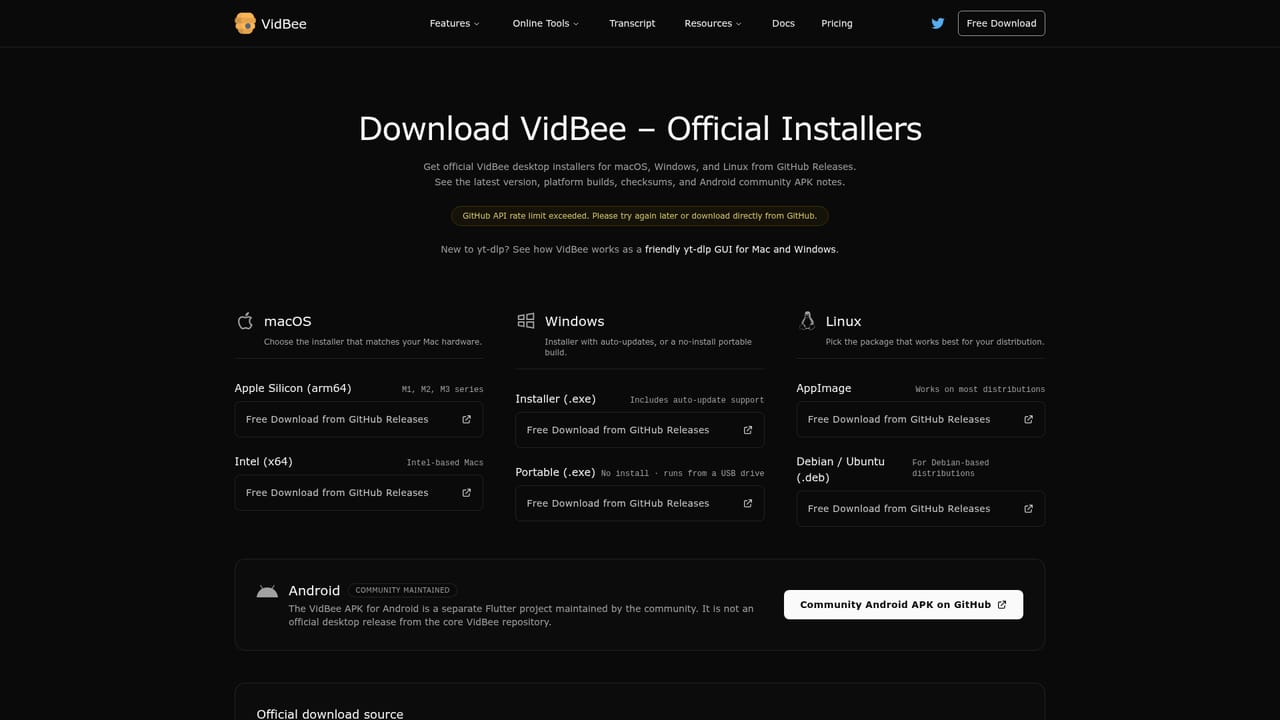
  1. 1Download and install VidBee
    Get the desktop installer for macOS, Windows or Linux from the download page. No account or sign-up is required to start using it.
    VidBee — Download and install VidBee
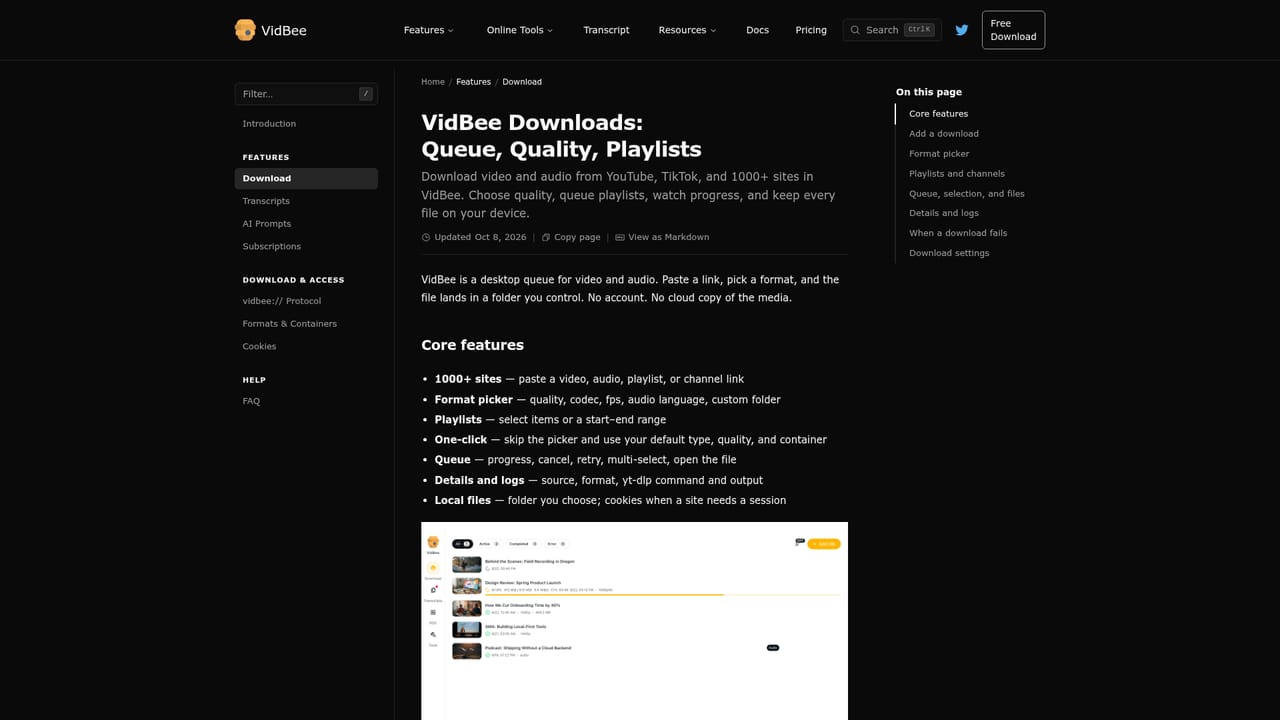
  2. 2Paste a link or import a file
    Paste a video, playlist or channel URL from a supported site, or import media already saved on the computer.
    VidBee — Paste a link or import a file
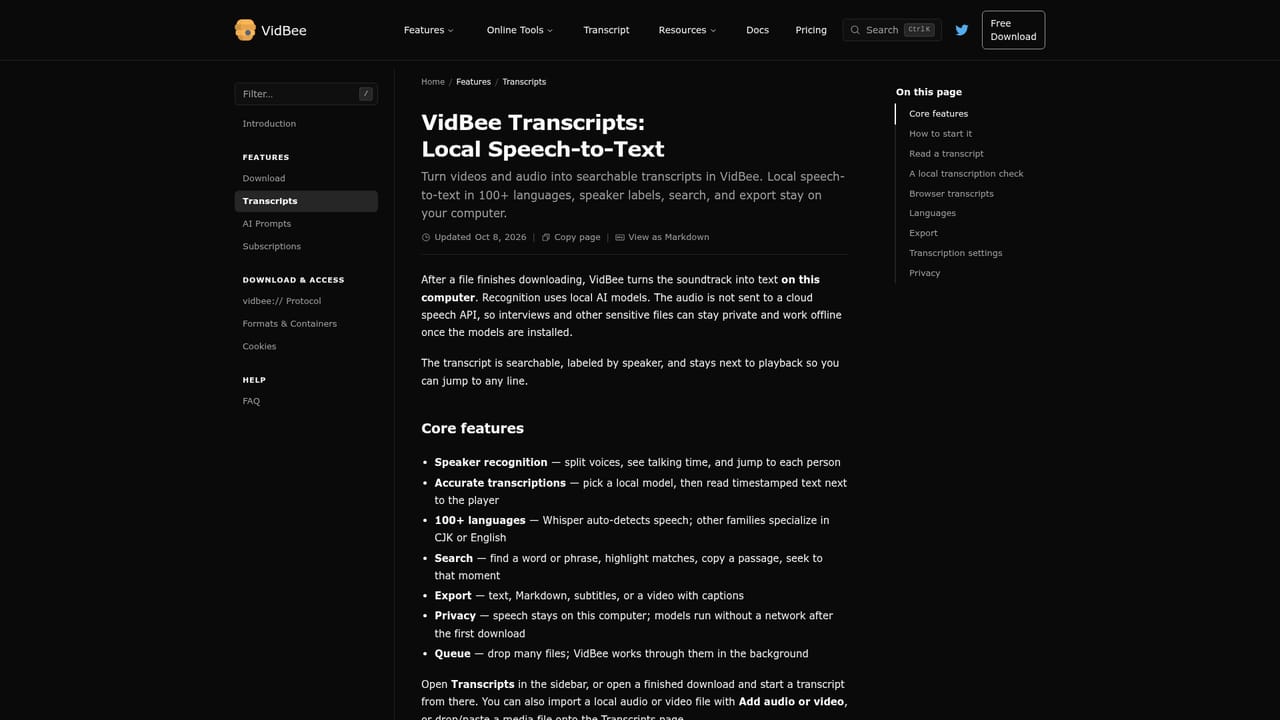
  3. 3Generate a local transcript
    Run transcription with Whisper, SenseVoice or Qwen3-ASR to get a timestamped, speaker-labeled transcript that stays on the device.
    VidBee — Generate a local transcript
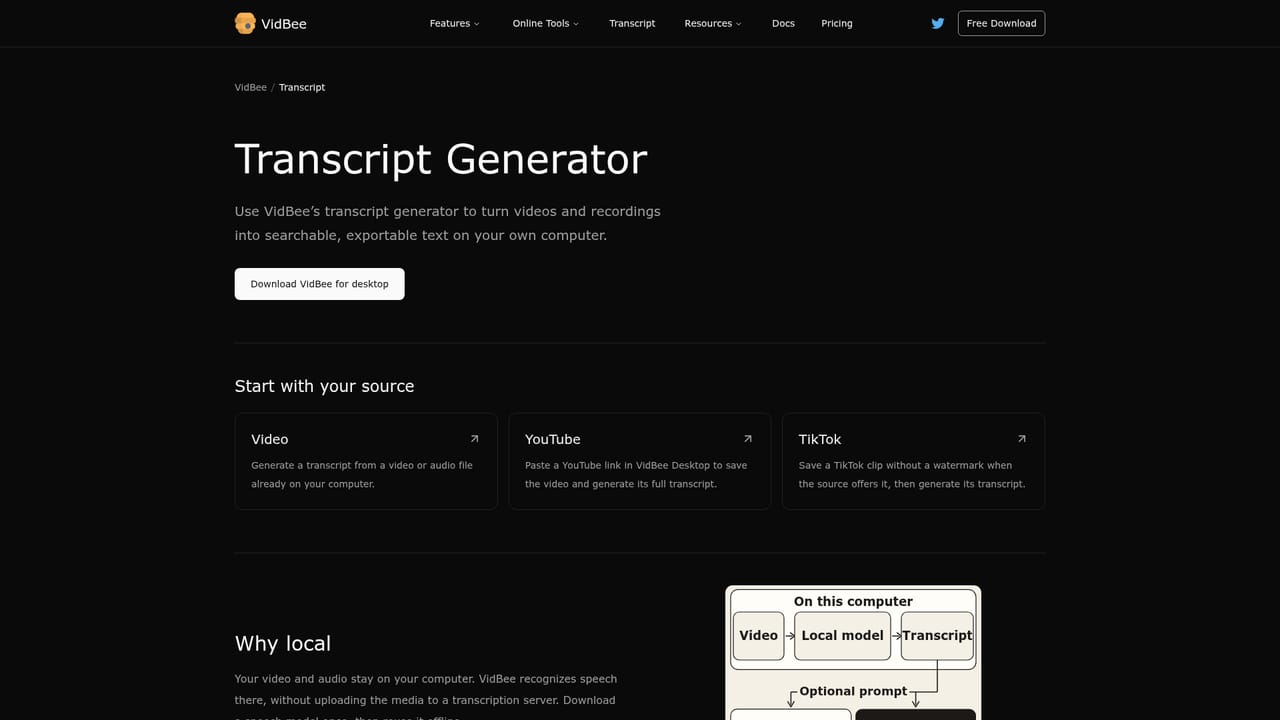
  4. 4Search and jump to a moment
    Search the transcript for a word or phrase, select a result and the player jumps to that exact timestamp.
    VidBee — Search and jump to a moment
  5. 5Summarize or translate with AI
    Connect an AI provider with an API key, or a local model through Ollama or LM Studio, then run a built-in or custom skill to summarize, translate or outline the transcript.
  6. 6Check what sites and formats are supported
    Review the supported sites list to confirm a platform works before downloading, and check available resolutions up to 4K or 8K.

Pros and cons

Pros

  • Downloads from more than 1,000 sites using the proven yt-dlp and FFmpeg engines.AI
  • Transcripts are generated and stored locally, keeping media off VidBee's servers.AI
  • Speaker recognition and automatic language detection across 100+ languages.AI
  • Open source under MIT license with no account or sign-up required.AI
  • Lets users plug in their own AI provider, including local models via Ollama or LM Studio.AI

Cons

  • Installer is large because it bundles yt-dlp, Deno, FFmpeg and ffprobe upfront.AI
  • AI summarization and translation depend on a separate provider and API key, adding setup steps.AI
  • Pricing for subscription features like batch processing and RSS auto-download isn't detailed on the homepage.AI
  • No mobile apps; coverage is limited to macOS, Windows and Linux desktops plus web tools.AI
  • Downloading from some sites may be restricted by each platform's own terms, limiting what's actually permitted.AI

How much does VidBee cost?

Pricing

VidBee's desktop downloader and local transcription are free with no account required; the site also lists a Pricing page and references subscription features such as RSS auto-download and batch processing, though specific plan costs aren't detailed on the homepage.

Learn more

Support

Support resources include a documentation site, how-to guides and articles, a GitHub repository for issues and contributions, and community channels on Discord, Twitter, Threads, Bluesky and Mastodon.

Learn more

Integrations

Connects to OpenAI, Anthropic, Google Gemini, DeepSeek, Groq, Hugging Face, OpenRouter, xAI and Azure, or local models via Ollama and LM Studio, with a user-supplied API key. Downloads run on yt-dlp and FFmpeg.

Learn more

Features

Downloads video, audio and playlists from 1,000+ sites or local files; generates local, timestamped transcripts with speaker labels and 100+ language auto-detect; supports search-to-timestamp navigation; exports text, Markdown, subtitles or captioned video; offers built-in and custom AI skills for summaries, translation, FAQs and mind maps; includes online tools for converting, trimming, merging, cropping, resizing, compressing and subtitling video and audio.

Learn more

Frequently asked questions about VidBee

  • How much does VidBee cost?
    VidBee's desktop downloader and local transcription are free with no account required; the site also lists a Pricing page and references subscription features such as RSS auto-download and batch processing, though specific plan costs aren't detailed on the homepage.
  • Does VidBee have an API?
    Yes, VidBee offers an API.
  • How do you use VidBee?
    The walkthrough on this page covers 6 steps: 1. Download and install VidBee 2. Paste a link or import a file 3. Generate a local transcript 4. Search and jump to a moment 5. Summarize or translate with AI 6. Check what sites and formats are supported.
  • What platforms does VidBee support?
    VidBee is available on MacOS, Windows, Linux and Web App.
  • What does VidBee integrate with?
    Connects to OpenAI, Anthropic, Google Gemini, DeepSeek, Groq, Hugging Face, OpenRouter, xAI and Azure, or local models via Ollama and LM Studio, with a user-supplied API key. Downloads run on yt-dlp and FFmpeg.
  • What are the limitations of VidBee?
    Installer is large because it bundles yt-dlp, Deno, FFmpeg and ffprobe upfront. AI summarization and translation depend on a separate provider and API key, adding setup steps. Pricing for subscription features like batch processing and RSS auto-download isn't detailed on the homepage.

Status

StatusActive
Views0
Outbound clicks0
Added10/17/2026

Platforms

MacOSWindowsLinuxWeb App

Pricing

FreeFreemium