Voicemaker

Text to speech with 2,000+ AI voices and cinematic prompt-based audio

Beginner
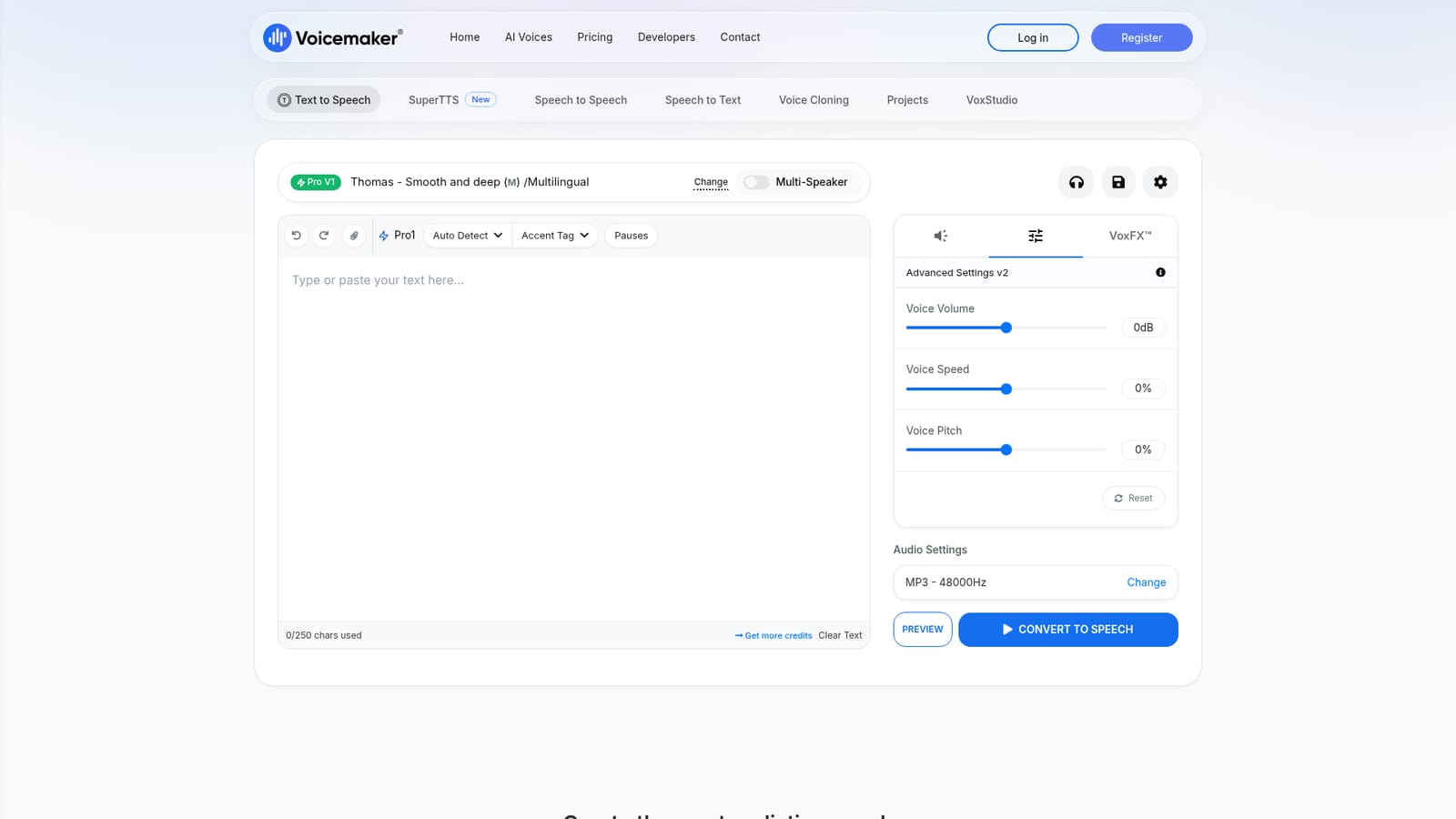
Screenshot of Voicemaker, Text to speech with 2,000+ AI voices and cinematic prompt-based audio

What is Voicemaker?

Voicemaker is a demon voice tool. A browser based text to speech studio with 2,000+ voices in 130 languages, SSML style controls, voice cloning, speech to speech and a prompt driven SuperTTS engine for multi speaker clips with effects and music.

Voicemaker is a web based text to speech studio that covers the full range of voice production work: plain narration, multi speaker dialogue, speech to speech conversion, transcription and voice cloning. The library runs past 2,000 AI voices across roughly 130 languages, and output downloads as MP3 or WAV, which makes the files usable directly in video editors, podcast hosts and ad delivery workflows. The product is split between a classic editor and a newer prompt driven engine called SuperTTS. In the editor, a script is typed or pasted, then shaped with SSML style controls: pauses, emphasis, volume, speed, pitch, say-as tags for dates, currency and phone numbers, plus read-aloud effects such as newscaster, whispered, empathetic or angry. Several voice model tiers sit underneath, from Aura Flash (the lowest credit cost) through Turbo and High-Res up to Expressive V1 and V2, with the expressive tiers billed at a multiple of standard credits and the cheapest tier at half. SuperTTS takes a different approach: a written prompt can specify speakers, sound effects and background music using @ notation, and the engine returns a finished clip of up to 90 seconds in one of three models (SuperSeed, Pulse or Mercury), each aimed at different jobs like audio ads, dialogue or songs and scores. Practical users are video creators, podcasters, advertisers, e-learning producers and indie game teams who need voiceover without a recording booth. The prompt library on the homepage gives ready made starting points for radio spots, product launches, social hooks and character dialogue, so a newcomer is not staring at an empty text box. Against plainer TTS utilities, Voicemaker competes on model variety and the prompt based multi speaker generation rather than on integrations or team tooling. Audio quality on the expressive and SuperTTS tiers is the selling point, but credit multipliers and short prompt clip limits are the trade off.

How do you use Voicemaker?

  1. 1Pick your mode on the homepage
    Choose Text to Speech for standard narration, SuperTTS for prompt based scenes, or Speech to Speech to restyle an existing recording.
    Voicemaker — Pick your mode on the homepage
  2. 2Choose a voice model and language
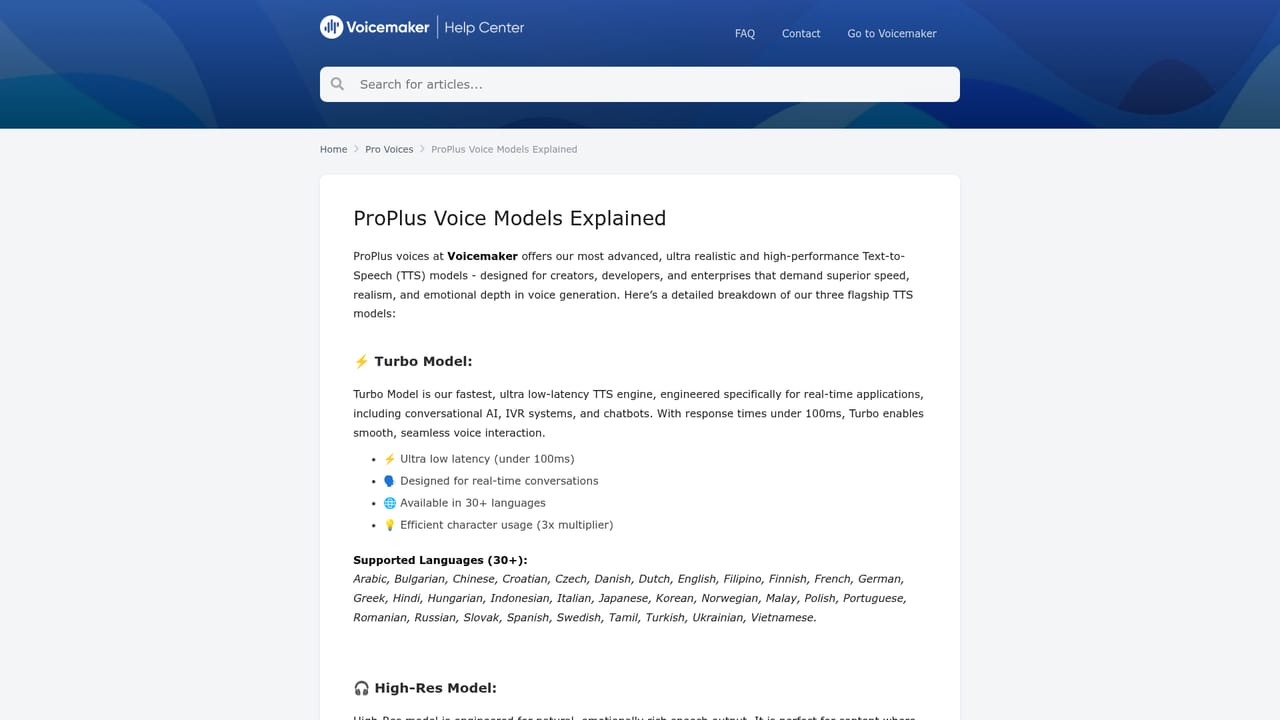
    Open the voice model selector and compare tiers such as Aura Flash, Turbo, High-Res and Expressive V2, then set the language and speaker.
    Voicemaker — Choose a voice model and language
  3. 3Shape the delivery with effects and settings
    Apply a voice effect, add pauses, and adjust emphasis, volume, speed and pitch until the preview sounds right.
  4. 4Write expressive prompts if using the expressive models
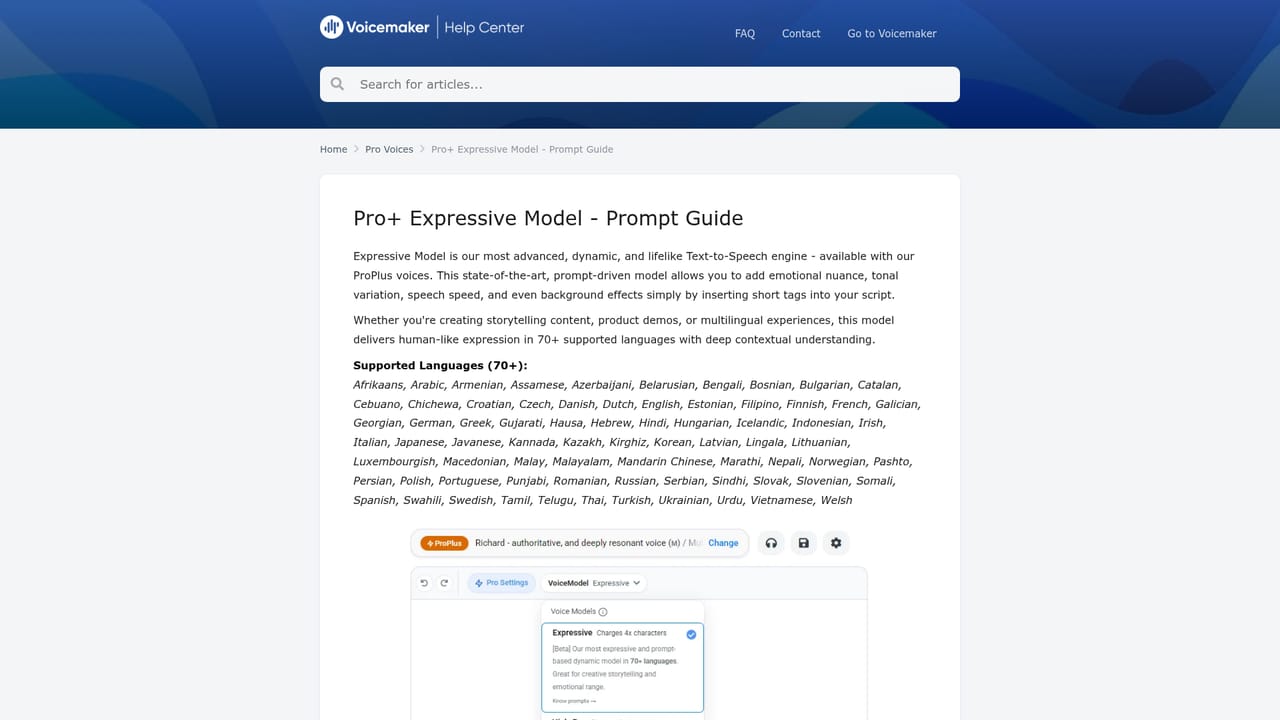
    Expressive tiers respond to written style prompts, so follow the prompt guide to describe tone and emotion rather than tweaking sliders.
    Voicemaker — Write expressive prompts if using the expressive models
  5. 5Generate and download the audio
    Preview the result, then export the finished clip as MP3 or WAV at your chosen sample rate.

Pros and cons

Pros

  • Large voice catalogue spanning 2,000+ voices and around 130 languages in the editorAI
  • Granular delivery controls: pauses, emphasis, pitch, speed, volume and say-as tags for dates and numbersAI
  • SuperTTS accepts written prompts with @ speaker, sound effect and background music notation for finished scenesAI
  • Downloads as MP3 or WAV, so output drops straight into video and podcast workflowsAI
  • VoxFX effects and environment presets give creative reads (newscaster, whispered, robotic) without extra toolsAI

Cons

  • Credit costs vary by model, and expressive tiers consume 2x to 4x credits, so heavy expressive use burns through plans quicklyAI
  • SuperTTS clips are capped at 30, 60 or 90 seconds, which rules out long form narration in the prompt engineAI
  • Pricing tiers and plan limits are not stated on the homepage, so buyers must check before committingAI
  • Audio quality at the cheapest Aura Flash tier is positioned for speed and cost rather than production polishAI
  • No signs of third party integrations or a documented API on the homepage, which matters for automated pipelinesAI

How much does Voicemaker cost?

Pricing

The homepage does not publish plan prices. What it does disclose is that generation is metered in credits and that models carry multipliers: Aura Prime at 1x, Aura Flash at 0.5x, Turbo and Expressive Turbo at 2x, and Expressive V1, Expressive V2 and High-Res at 4x.

Learn more

Support

A dedicated help site hosts model documentation and prompt guides for the expressive models. Further support channels are not described on the homepage.

Learn more

Features

Text to speech with SSML style controls (pauses, emphasis, volume, speed, pitch, say-as tags), VoxFX effects, multi speaker scripts, speech to speech, speech to text, voice cloning, project storage and VoxStudio. SuperTTS adds prompt driven generation with @ speaker, @sfx and @bgm notation across SuperSeed, Pulse and Mercury models. Output exports as MP3 or WAV.

Frequently asked questions about Voicemaker

  • How much does Voicemaker cost?
    The homepage does not publish plan prices. What it does disclose is that generation is metered in credits and that models carry multipliers: Aura Prime at 1x, Aura Flash at 0.5x, Turbo and Expressive Turbo at 2x, and Expressive V1, Expressive V2 and High-Res at 4x.
  • How do you use Voicemaker?
    The walkthrough on this page covers 5 steps: 1. Pick your mode on the homepage 2. Choose a voice model and language 3. Shape the delivery with effects and settings 4. Write expressive prompts if using the expressive models 5. Generate and download the audio.
  • What platforms does Voicemaker support?
    Voicemaker is available on Web App.
  • What are the limitations of Voicemaker?
    Credit costs vary by model, and expressive tiers consume 2x to 4x credits, so heavy expressive use burns through plans quickly. SuperTTS clips are capped at 30, 60 or 90 seconds, which rules out long form narration in the prompt engine. Pricing tiers and plan limits are not stated on the homepage, so buyers must check before committing.

Status

StatusActive
Views0
Outbound clicks0
Added10/21/2026

Platforms

Web App

Pricing

FreemiumSubscription