Free trial
The homepage invites visitors to get started free, but does not specify how many credits or which features that free access covers.
Learn moreAI voice cloning, music production, and stem splitting in one studio

Lalals is an audio editing tool. Lalals bundles AI voice cloning, a 3,000+ voice changer, text-to-speech, a 23+ stem splitter and mastering tools in one browser studio, aimed at musicians and creators who want voice and production work in a single place.
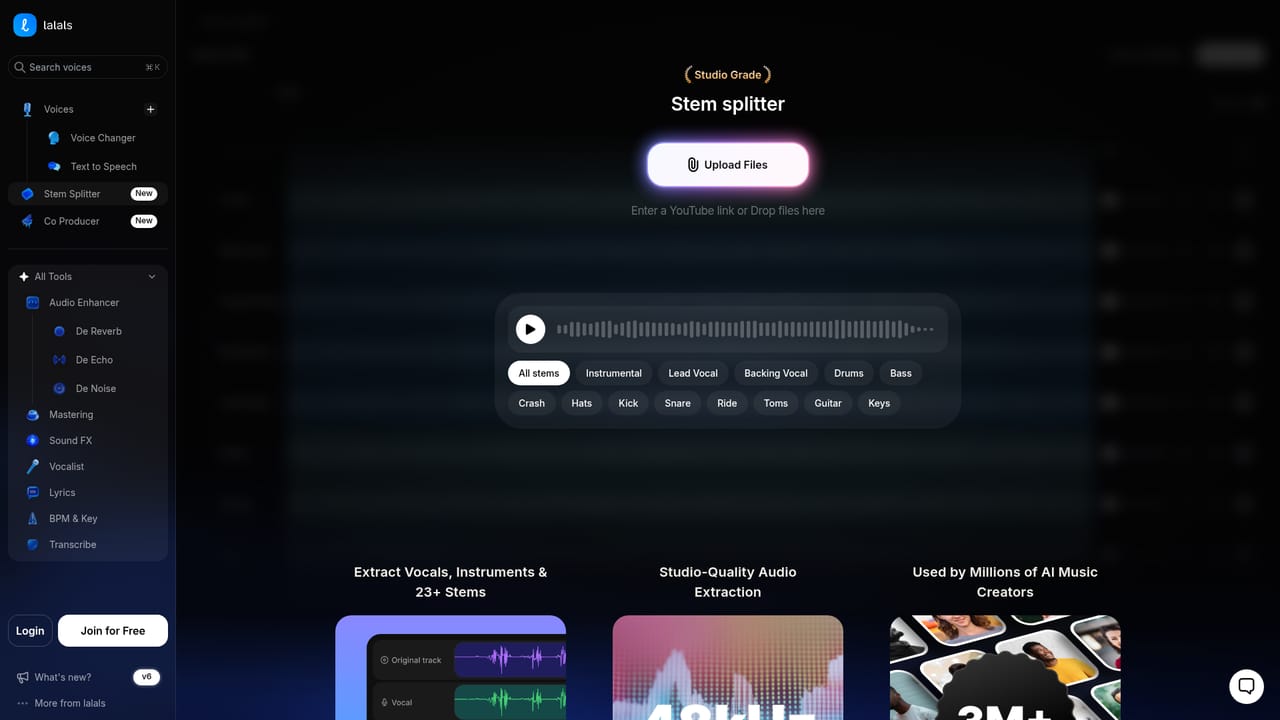
Lalals is a browser-based audio studio built around AI voice work, with voice cloning sitting alongside a voice changer, text-to-speech, stem splitting, mastering and a set of cleanup tools. The pitch is consolidation: instead of paying for a voice changer here, a stem separator there and a mastering service somewhere else, the platform bundles them into one workspace. The catalogue advertises 3,000+ voices, which covers both the voice changer and text-to-speech, and the voice changer is the most visible feature, with individual landing pages for artists such as Bruno Mars, The Weeknd, Ed Sheeran, Billie Eilish and Drake, plus a text-to-speech page for figures like Donald Trump. The typical user is a musician, producer or content creator who wants to hear a track in a different voice, sketch a demo with a vocal they cannot perform themselves, or generate spoken audio from a script. Voice cloning enters the workflow when a creator wants a custom voice that is not in the public catalogue, and the output can then be used across the platform's other tools. The stem splitter is unusually deep for this class of product, breaking a track into 23+ stems at lossless quality so vocals, instruments and individual parts can be extracted for study, remixing or rebuilding a song. Ancillary tools include mastering, de-noise, de-reverb, de-echo, sound FX, lyrics, BPM and key detection. In practice the platform runs in a web browser and the free start is the main on-ramp. The scope is broad enough that it competes less with single-purpose voice cloners and more with music production suites that have added AI features. The trade-off is that the feature list is long and the public pages say little about pricing tiers, usage limits or licensing, so buyers should treat the free start as a way to test quality before committing.
The homepage invites visitors to get started free, but does not specify how many credits or which features that free access covers.
Learn moreCore tools include voice changer, text-to-speech, voice cloning, a 23+ stem lossless splitter, mastering, de-noise, de-reverb, de-echo, sound FX, lyrics, vocals, BPM and key detection, and transcription, with 3,000+ voices advertised across voice changer and text-to-speech.
Learn more AI Angels400+ customizable AI girlfriends for NSFW chat, voice calls, and roleplay
 Candy AIExperience the future of companionship with AI friends who chat, role-play, and connect with you on a human level.
 ourdream.aiA vast AI roleplay platform with millions of characters for chat, images, video and voiceAI Angels400+ customizable AI girlfriends for NSFW chat, voice calls, and roleplayCandy AIExperience the future of companionship with AI friends who chat, role-play, and connect with you on a human level.ourdream.aiA vast AI roleplay platform with millions of characters for chat, images, video and voice


