Free trial
The Mac app downloaded from whispernotes.app is free for up to 5,000 words per week, with no time limit, before the $14 one-time license applies. The iOS app is a paid purchase with no free tier.
Learn moreOffline Whisper transcription for iPhone, iPad and Apple Silicon Macs
Own Whisper Notes? Verify ownership to get a dofollow link
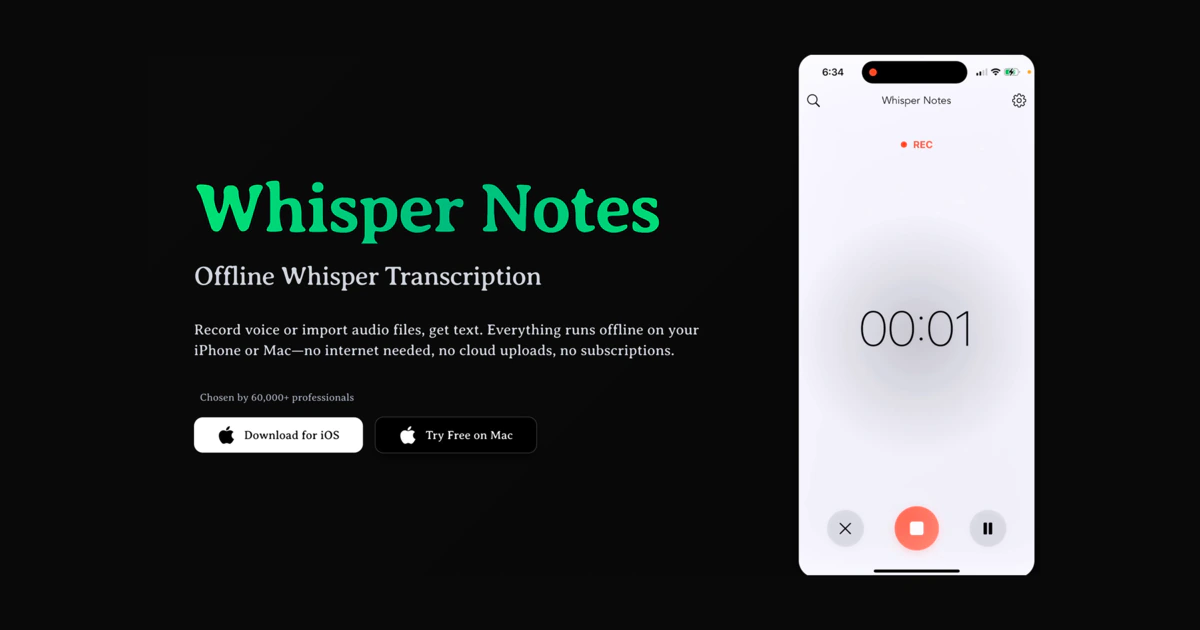
Whisper Notes is an AI transcriber tool. A native Apple app that transcribes audio entirely on-device using Whisper and Parakeet models. Covers Lock Screen recording, Voice Memos import, speaker labels, 100+ languages, Mac system-wide Fn voice typing and optional meeting capture, with a one-time purchase instead of a subscription.
Whisper Notes is a native speech-to-text app for iPhone, iPad and Apple Silicon Macs that runs Whisper and Parakeet models entirely on the device. Recordings, imported audio files and meeting captures are processed locally, with no servers, no analytics and no internet requirement. The pitch is narrow and deliberate: take the open-source Whisper family, wrap it in interface that needs no Python install or command line, and keep every second of audio on the hardware that captured it. The developer states that roughly 70,000 professionals use it. The iPhone and iPad build covers recording from the Lock Screen, importing MP3, M4A and WAV files, sharing clips straight out of Apple Voice Memos, and automatic speaker labelling with per-speaker timestamps. It supports more than 100 languages and handles five Shortcuts actions that let people automate recording and transcription. The Mac build adds system-wide voice typing: hold Fn in any app, speak, release, and the text is pasted into whatever field has focus. It also monitors for Zoom, Microsoft Teams and Google Meet calls and offers to record them from system audio, then produces transcripts with speaker labels. Model choice is where the product rewards a little reading. Parakeet V3 is the default and is fast (a 35 minute file in about 18 seconds on an M4 Pro test, at 6.32 percent word error rate) but covers 25 European languages. Whisper Large V3 Turbo is the multilingual fallback at over 100 languages and a much slower 14.3x realtime. SenseVoice is the correct pick for Chinese, Japanese, Korean and Cantonese. The direct-download Mac app also includes an optional on-device Gemma model for summaries and transcript Q&A. The tool sits in the same space as cloud transcription services such as Otter and Descript, and competes on privacy and pricing model rather than collaboration features. Buyers who need shared workspaces, team accounts, live transcription or Windows and Android support should look elsewhere: the developer states no such versions exist or are planned.
The Mac app downloaded from whispernotes.app is free for up to 5,000 words per week, with no time limit, before the $14 one-time license applies. The iOS app is a paid purchase with no free tier.
Learn moreiOS, iPadOS and the Mac App Store build cost $7.99 once, covering unlimited transcriptions and updates. The Mac direct download from whispernotes.app is a separate $14 one-time license, free for 5,000 words a week. No subscriptions on either path.
Learn moreThe homepage answers common questions in a detailed FAQ covering models, devices, privacy, exports and meeting recording. No dedicated help centre, contact page or documentation site is listed.
Shares audio in from Apple Voice Memos, plugs into the Shortcuts app through five actions, and on Mac detects Zoom, Microsoft Teams and Google Meet calls to record system audio. Markdown transcripts can land in an Obsidian vault.
Learn moreOffline transcription on the Apple Neural Engine via Parakeet V3, Whisper Large V3 Turbo and SenseVoice, covering 100+ languages. Includes Lock Screen recording, Voice Memos import, speaker diarization with timestamps, SRT/VTT/Markdown export, Shortcuts actions, and on Mac, Fn voice typing, streaming output, meeting capture and an on-device Gemma assistant for summaries and transcript questions.
 AI Angels400+ customizable AI girlfriends for NSFW chat, voice calls, and roleplay
 Candy AIExperience the future of companionship with AI friends who chat, role-play, and connect with you on a human level.
 ourdream.aiA vast AI roleplay platform with millions of characters for chat, images, video and voiceAI Angels400+ customizable AI girlfriends for NSFW chat, voice calls, and roleplayCandy AIExperience the future of companionship with AI friends who chat, role-play, and connect with you on a human level.ourdream.aiA vast AI roleplay platform with millions of characters for chat, images, video and voice





