Free trial
New accounts receive 10 free credits on signup with no credit card required, which allows a limited test of the animation and consistency features before any payment.
Learn moreCreate consistent AI characters and viral animation clips for social media.
Own Winter Comics? Verify ownership to get a dofollow link

Winter Comics is an anime tool that creates consistent AI characters and viral animation clips for social media. Winter Comics is a browser based AI animation studio focused on character consistency, offering instant clip generation, style choices (anime, 3D, cartoon) and direct export in 9:16, 1:1 and 16:9 for short form social video.
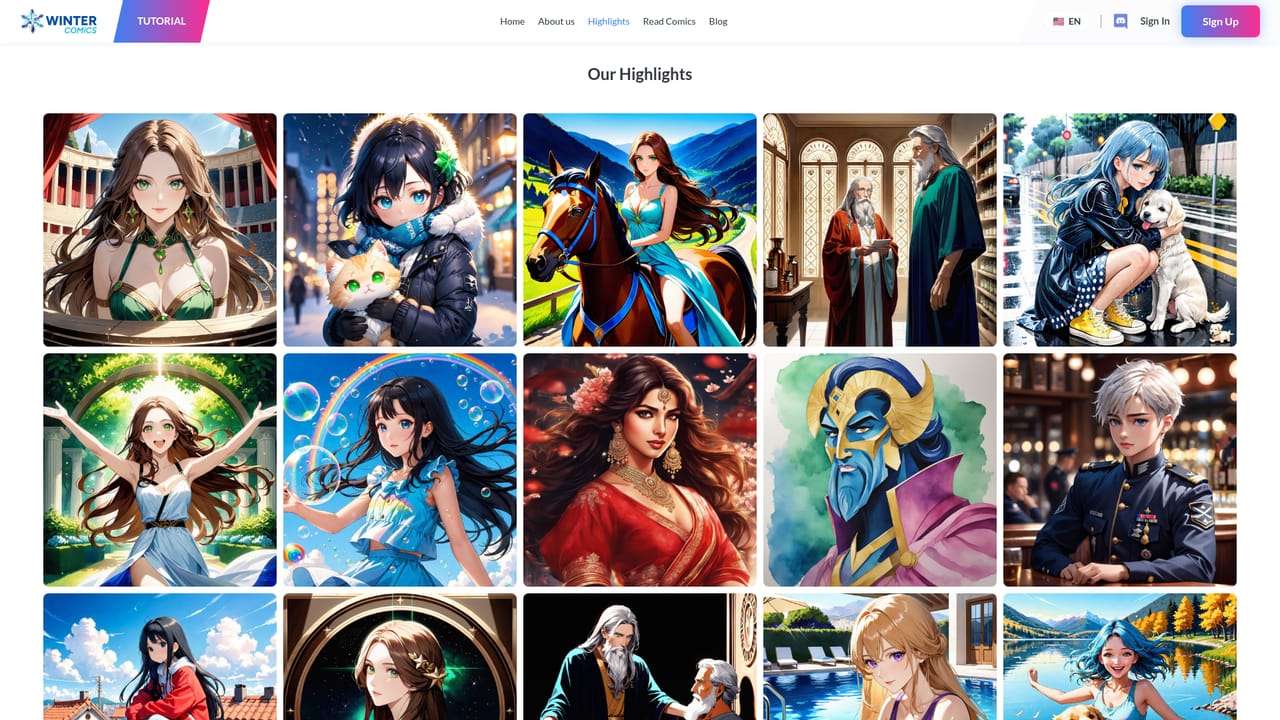
Winter Comics is a browser based creative studio for building animated stories with AI. The core offer is straightforward: generate animation clips in a chosen visual style while keeping the same characters recognizable from scene to scene. That character consistency is the feature the product leans on hardest, and it matters most for creators who want to run a recurring series rather than post disconnected one-off clips. Style options include anime, 3D and cartoon looks. The workflow is aimed at people producing short form video rather than long form animation. Clips generate in seconds and export in 9:16, 1:1 or 16:9, so the same piece can go out to Reels, TikTok or a widescreen feed without a separate edit pass. The site positions the tool around social performance, citing 55M+ Reel views, 20K+ social followers and a user base of 140K+ creators, alongside logos of companies where users reportedly work. A public gallery of community creations with view counts is there for inspiration and to show what the models can produce. Writers, digital artists, cartoonists and game designers are the professions the signup flow asks about, which suggests the intended audience spans storytellers moving into motion and artists who already have characters and want to animate them. The tool is a reasonable landing spot for someone who has outgrown static image generators but does not want to learn a conventional animation suite. Where it sits among alternatives: general text to video tools tend to treat each generation as a fresh canvas, so characters drift between clips. Winter Comics sells continuity instead. Against a full animation package it is narrower, and the social audio and template features are listed as coming soon rather than shipped. New accounts get 10 free credits with no credit card required, which is enough to judge whether the character consistency claim holds. A demo can be booked through the site.

New accounts receive 10 free credits on signup with no credit card required, which allows a limited test of the animation and consistency features before any payment.
Learn moreThe homepage does not list prices or plan tiers. It states that signup includes 10 free credits and that no credit card is required to start, which implies a paid credit or subscription model exists once the free allowance runs out. Exact costs are not published on the site.
Learn moreSupport is available through a Discord community linked from the site, and a demo call can be booked via Calendly. No help centre or documentation page is published.
AI animation generation tuned for social media, character consistency across frames and clips, style control (anime, 3D, cartoon and others), near instant clip generation, and exports in 9:16, 1:1 and 16:9. Trending audio integration and viral templates are listed as coming soon.
 AI Angels400+ customizable AI girlfriends for NSFW chat, voice calls, and roleplay
 Candy AIExperience the future of companionship with AI friends who chat, role-play, and connect with you on a human level.
 ourdream.aiA vast AI roleplay platform with millions of characters for chat, images, video and voiceAI Angels400+ customizable AI girlfriends for NSFW chat, voice calls, and roleplayCandy AIExperience the future of companionship with AI friends who chat, role-play, and connect with you on a human level.ourdream.aiA vast AI roleplay platform with millions of characters for chat, images, video and voice


