Komiko App

Anime art, comics, animation and character chat in one studio

Beginner
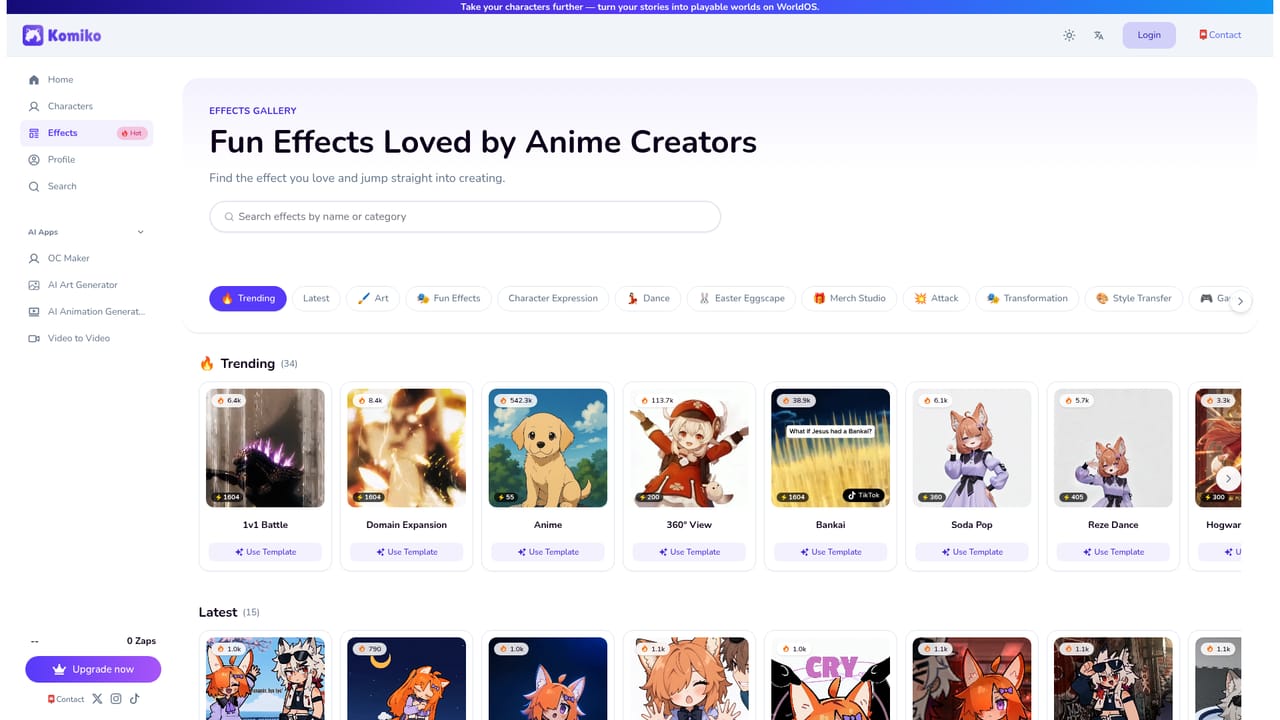
Screenshot of Komiko App, Anime art, comics, animation and character chat in one studio

What is Komiko App?

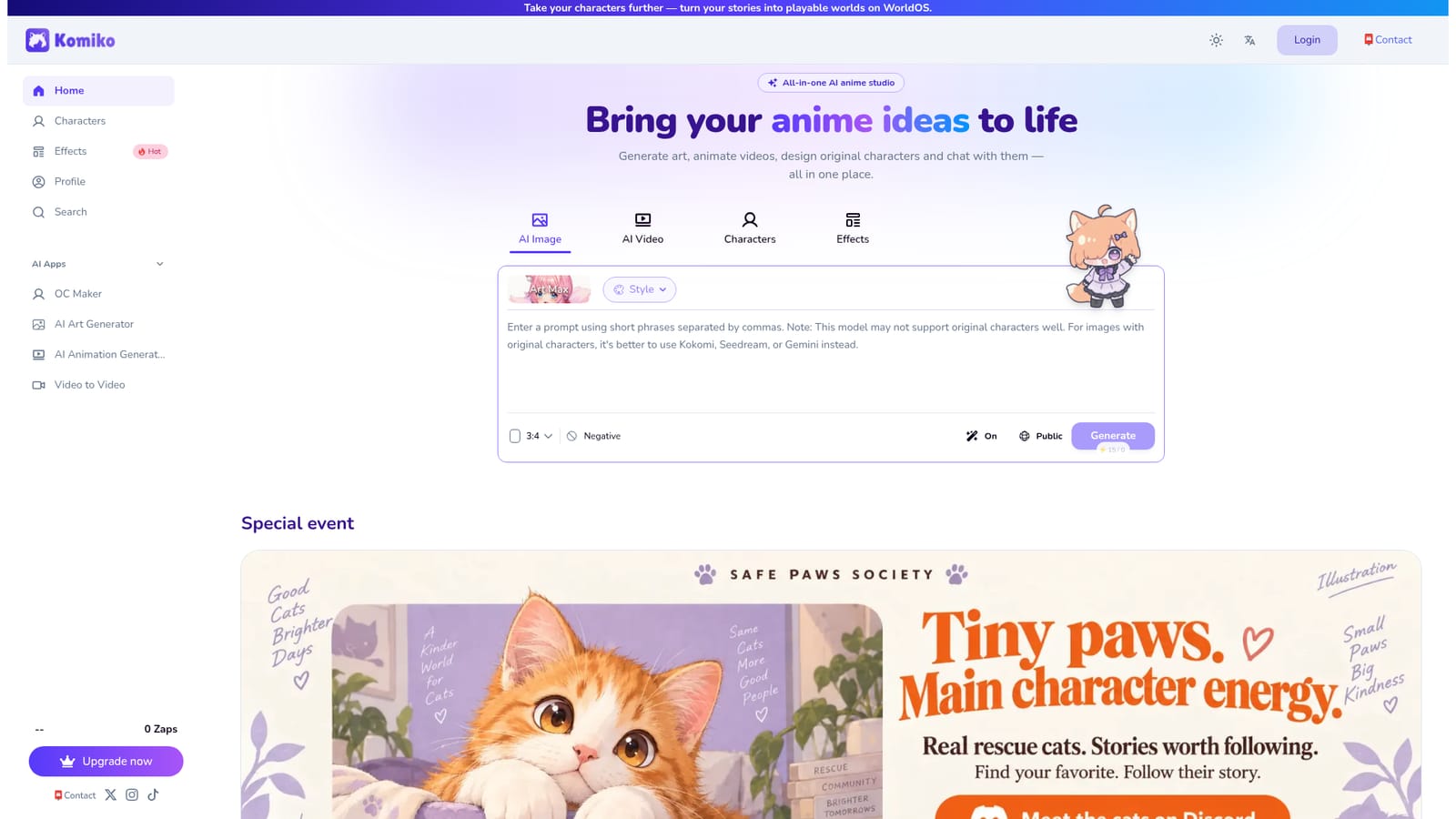
Komiko App is an anime tool. Komiko App combines anime image generation, short video effects, original character design, manga page creation, voice generation and character chat under one web account, with a large library of trend-driven templates and one-tap community remixes.

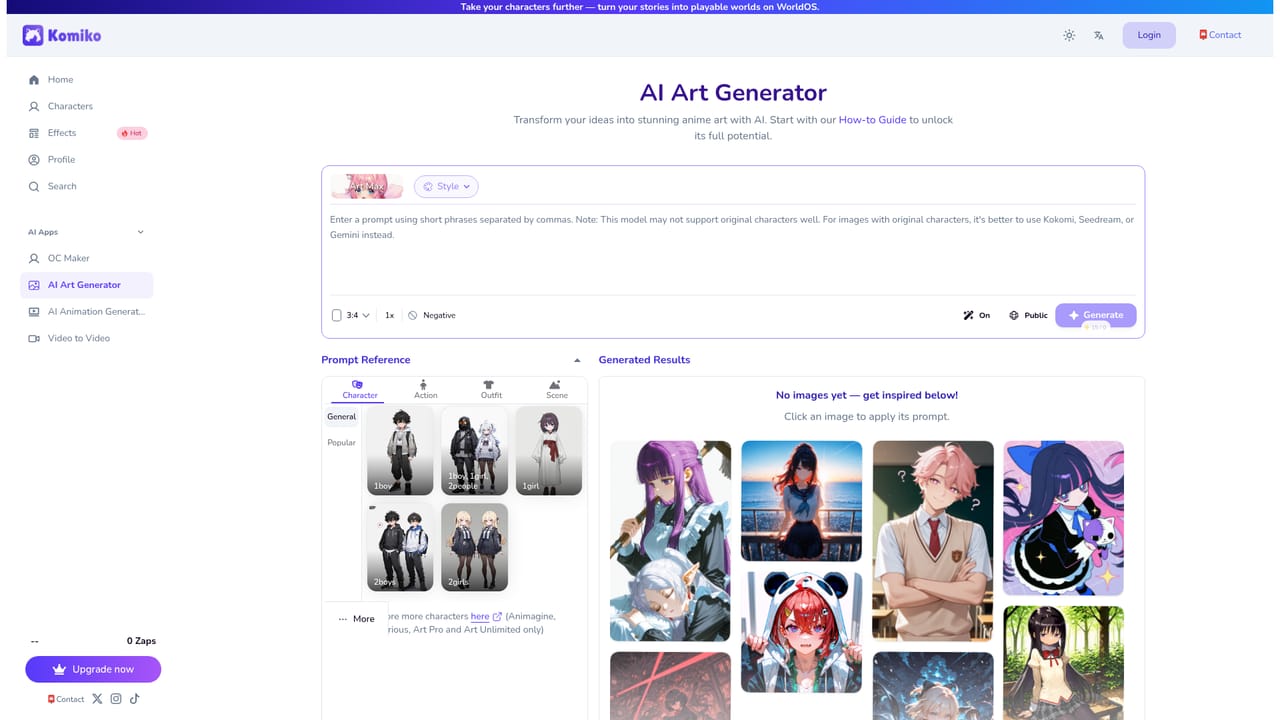
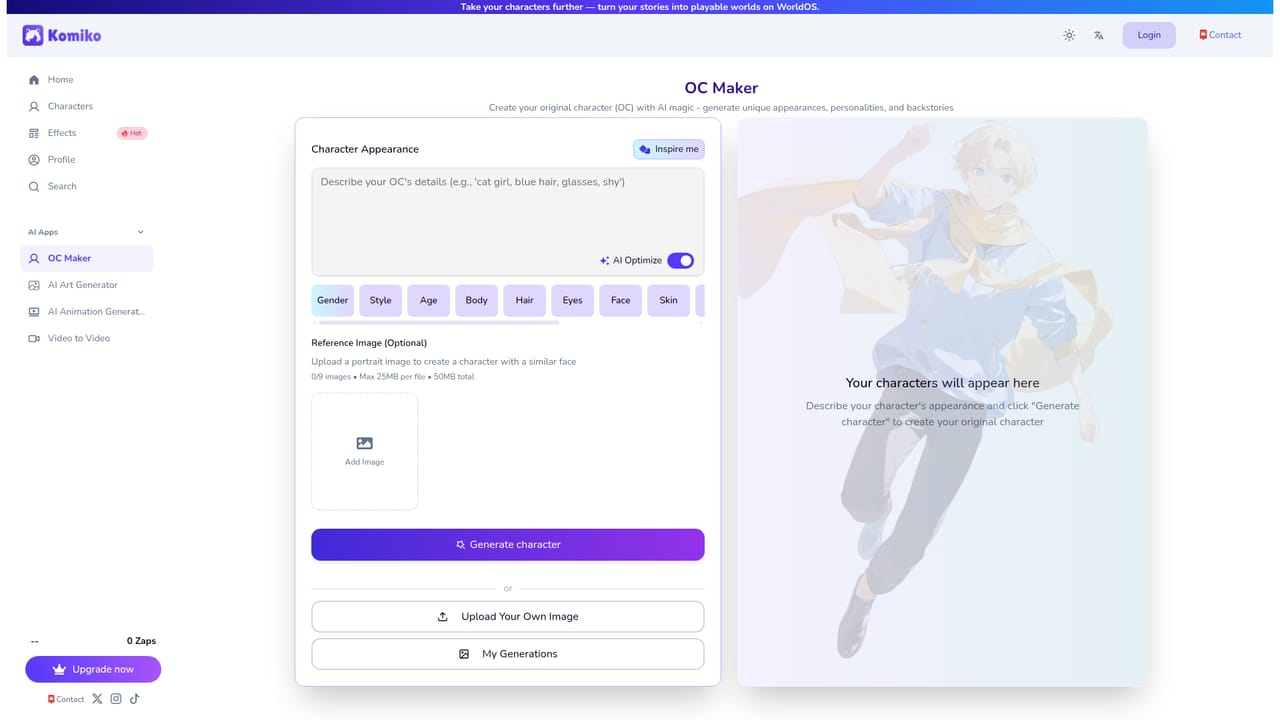
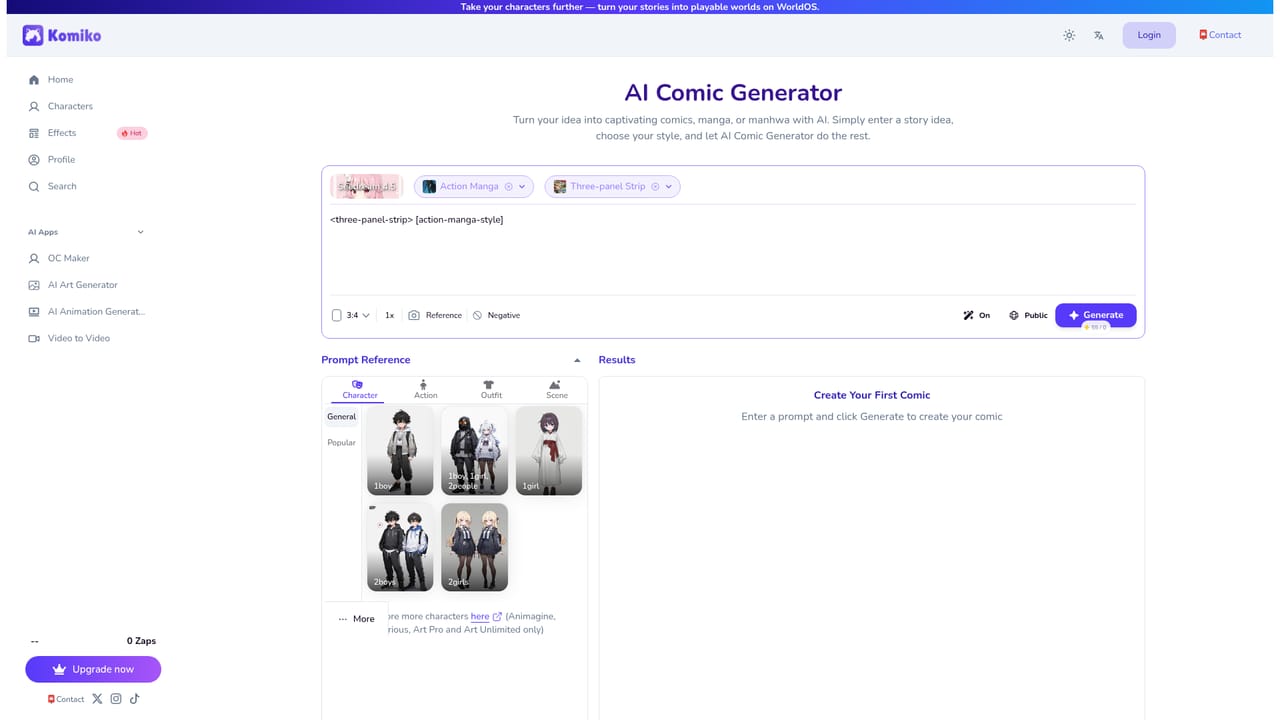
Komiko App is a browser-based creative studio built around anime and manga aesthetics. The homepage positions it as an all-in-one anime studio where a single account covers image generation, video generation, original character design, comic creation, text to speech and character roleplay. The toolset is aimed at fan artists, webcomic hobbyists, roleplayers and anyone who wants a consistent visual identity for a cast of characters without learning a full illustration pipeline. In practice, work starts from a prompt or an uploaded photo. The AI Image Generator runs on a model called Art Max and offers more than 20 styles plus a negative prompt field, aspect ratio control and a public or private output toggle. The AI Video Generator animates an existing image or a written prompt into a short clip, and a separate Video to Video tool restyles footage. A library of one-tap Effects covers trend-driven templates such as Bankai, Domain Expansion, 360 View, Chibi Stickers, Character Sheet, Turnaround Sheet and The Simpsons style, which is where much of the viral appeal sits. The longer-form side of the product is the OC Maker for designing original characters, the AI Comic tool that turns a story into manga pages, a Text to Speech module for anime-style voice lines, and a Komiko Agent that accepts plain chat instructions. A character gallery supports chat and roleplay sessions, and community creations can be recreated with one tap, which makes the site useful for remixing rather than only generating from scratch. Komiko competes with general image models on one side and character chat platforms on the other. Its advantage is consolidation: a character sheet, a manga page, a voice line and a short animated clip can all come from the same account and the same reference design. The trade-off is depth. Each individual module is simpler than a dedicated illustration, animation or voice tool, and the interface leans heavily on templates and trend effects, so users with precise production requirements will likely pair it with specialist software.

How do you use Komiko App?

  1. 1Create an account and collect free credits
    Sign up on the homepage. New accounts receive a small credit balance, shown in the header, which is enough to test image generation before choosing a paid plan.
    Komiko App — Create an account and collect free credits
  2. 2Generate your first anime image
    Open the AI Image Generator, pick a style and aspect ratio, then write a prompt. The negative prompt field is useful for removing unwanted elements from the first pass.
    Komiko App — Generate your first anime image
  3. 3Lock in an original character
    Use the OC Maker to define a recurring character, then run the Character Sheet effect to produce a reference view you can reuse across future prompts.
    Komiko App — Lock in an original character
  4. 4Turn the story into manga pages
    Bring a script or scene outline into the AI Comic generator to lay out panels. Character references from earlier steps keep faces and outfits stable between pages.
    Komiko App — Turn the story into manga pages
  5. 5Animate a still or try an effect
    Send a finished image to the animation generator, or browse Effects and apply a template such as Bankai or 360 View to an uploaded photo for a short clip.
    Komiko App — Animate a still or try an effect
  6. 6Add voice and test character chat
    Generate dialogue lines in the Text to Speech tool and paste them alongside your pages. Character chat pages show how the same persona behaves in conversation.

Pros and cons

Pros

  • Broad toolkit in one place: images, video, comics, characters, voice and chat share a single account.AI
  • Large library of one-tap effects tied to recognisable anime trends, useful for fast social content.AI
  • Character Sheet, Turnaround Sheet and OC Maker support keeping a cast visually consistent.AI
  • Community gallery with a recreate function gives beginners ready starting points.AI
  • Free credits let users test the image pipeline before committing to a paid tier.AI

Cons

  • Each module is shallower than a dedicated image, animation or voice tool, so fine control is limited.AI
  • Effect templates lean on established franchises, which raises originality and rights questions for commercial use.AI
  • No published API or third-party integration, so output cannot be wired into an existing pipeline.AI
  • Credit consumption across image, video and voice is hard to forecast before you build a workflow.AI

How much does Komiko App cost?

Pricing

The site uses a credit system rather than flat tiers: a Zaps balance appears in the header, new accounts start with a small free allowance, and an Upgrade now control leads to paid plans. Specific prices are not published on the homepage.

Learn more

Support

Support is handled by email at contact@komiko.app. No help centre, documentation portal or live chat is listed on the homepage.

Features

AI Image Generator powered by Art Max with 20+ styles, negative prompts and aspect ratio control; image and prompt to video animation; Video to Video restyling; a large effects library including Bankai, Domain Expansion, Character Sheet and Turnaround Sheet; OC Maker; AI Comic for manga pages; Text to Speech; a chat-based Komiko Agent; and a character gallery with roleplay chat.

Learn more

Frequently asked questions about Komiko App

  • How much does Komiko App cost?
    The site uses a credit system rather than flat tiers: a Zaps balance appears in the header, new accounts start with a small free allowance, and an Upgrade now control leads to paid plans. Specific prices are not published on the homepage.
  • How do you use Komiko App?
    The walkthrough on this page covers 6 steps: 1. Create an account and collect free credits 2. Generate your first anime image 3. Lock in an original character 4. Turn the story into manga pages 5. Animate a still or try an effect 6. Add voice and test character chat.
  • What platforms does Komiko App support?
    Komiko App is available on Web App.
  • What are the limitations of Komiko App?
    Each module is shallower than a dedicated image, animation or voice tool, so fine control is limited. Effect templates lean on established franchises, which raises originality and rights questions for commercial use. No published API or third-party integration, so output cannot be wired into an existing pipeline.

Status

StatusActive
Views0
Outbound clicks0
Added10/21/2026

Platforms

Web App

Pricing

Freemium