Free trial
The app can be used free with no registration or credit card, and the free tier includes 50 renames across all AI modes.
Learn moreAI file renamer and sorter for Mac and Windows that reads what is inside each file
Own Zush AI File Renamer & Organizer? Verify ownership to get a dofollow link
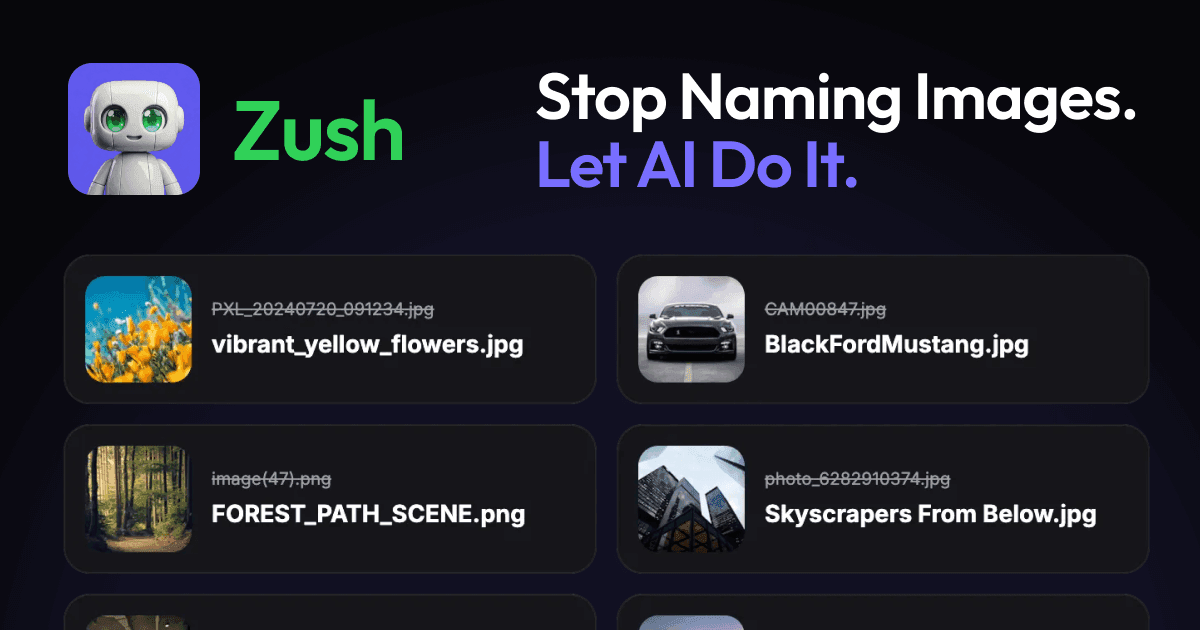
Zush AI File Renamer & Organizer is a file organizer tool. A Mac and Windows desktop app that uses AI to rename files by their contents and sort them into folders.
Zush is a desktop application for Mac and Windows that renames and sorts files based on what they actually contain rather than what they happen to be called. The tool reads the text inside PDFs and scans, the visual content of photos and video frames, and the audio in recordings, then proposes descriptive filenames built from that analysis plus file metadata and user-defined rules. Nothing is applied silently: every batch is previewed first, and Rename History allows a one click rollback to the original names. In practice the workspace revolves around Naming Blocks. More than 145 of these cover dates, metadata, audio fields, photo details, finance and legal fields, and AI-detected values, and users can define their own Custom AI Blocks by describing the detail they want extracted, such as a vendor name or invoice number. Blocks combine into reusable Templates for repeat jobs, and Folder Monitoring watches one or several directories, including iCloud Drive, Google Drive, Dropbox, OneDrive and Box, renaming new arrivals in the background. A separate AI folder sorting mode groups files by content and names the folders, or follows a written rule, again with review before anything moves. The audience is people who handle documents at volume: accountants working through invoices and receipts, legal teams assembling case chronologies, medical practices, HR departments, real estate agents, and photographers processing shoots. A local AI option through LM Studio or Ollama keeps analysis on the machine, which is the relevant setting for sensitive records. Elsewhere the same workflow runs on Zush Cloud, which routes through a relay to a commercial provider, or on a bring-your-own-key setup with Gemini, OpenRouter, OpenAI or Claude. Compared with traditional batch renaming utilities that rely on patterns, sequential numbering and EXIF fields, Zush competes on content awareness and on control over where the AI runs. The trade-offs are that it is a desktop install rather than a browser tool, the most useful automation sits behind the paid tier, and results depend on how well a prompt describes the field you want pulled out.
The app can be used free with no registration or credit card, and the free tier includes 50 renames across all AI modes.
Learn morePRO costs $10 per month plus VAT, or a one-time purchase listed at $36 plus VAT (discounted from $48) for a lifetime licence covering 3 devices. Both tiers remove the rename limit across all AI modes. Payment is handled by Paddle with a 14 day money-back guarantee.
Learn moreWatches folders synced by iCloud Drive, Google Drive, Dropbox, OneDrive and Box. Bring-your-own-key mode connects to Gemini, OpenRouter, OpenAI or Claude, and LM Studio or Ollama provide local processing.
Batch rename across 107 formats, AI folder sorting with custom rules, folder monitoring for local and cloud directories, 145+ naming blocks, reusable templates, custom AI prompts, Finder tags and Spotlight metadata, rename history with one click undo, and a choice of cloud, bring-your-own-key or fully local AI processing.
Learn more AI Angels400+ customizable AI girlfriends for NSFW chat, voice calls, and roleplay
 Candy AIExperience the future of companionship with AI friends who chat, role-play, and connect with you on a human level.
 ourdream.aiA vast AI roleplay platform with millions of characters for chat, images, video and voiceAI Angels400+ customizable AI girlfriends for NSFW chat, voice calls, and roleplayCandy AIExperience the future of companionship with AI friends who chat, role-play, and connect with you on a human level.ourdream.aiA vast AI roleplay platform with millions of characters for chat, images, video and voice


