2markdown

37 browser-based tools to convert files, links and platform content to and from Markdown.

Beginner
Screenshot of 2markdown, 37 browser-based tools to convert files, links and platform content to and from Markdown

What is 2markdown?

2markdown is a document formatting tool. A browser-based Markdown toolbox with 37 converters and a live viewer. It turns PDFs, Word, HTML, Notion, spreadsheets, ebooks, social posts and transcripts into clean Markdown, and exports Markdown back to PDF, DOCX, HTML and more.

2markdown is a browser-first Markdown converter and viewer that bundles 37 separate utilities into one consistent interface. The core idea is straightforward: take almost any input (a PDF, Word file, HTML page, URL, Notion page, spreadsheet, ebook, video transcript, social post, or podcast episode) and produce clean, structured Markdown that is ready for an LLM prompt, a RAG pipeline, an Obsidian vault, or a documentation system. The reverse direction is covered too, so a Markdown source can be exported to PDF, DOCX, HTML, Excel, EPUB, LaTeX, Confluence, Slack or image formats. The tool is aimed squarely at people who work in Markdown every day: AI engineers preparing training or retrieval data, technical writers and documentation teams, researchers migrating notes between knowledge tools, and content operators who want one source that publishes to many formats. Conversion happens in the browser when the format allows it, with files staying on the local device. Scanned PDFs and complex formats can use an AI or OCR mode, which requires explicit consent and does not retain data after processing. Every result can be opened in a live Markdown viewer that supports GitHub Flavored Markdown, LaTeX math, syntax highlighting and one-click export. In practice the workflow is import, convert, review, use. A user uploads a file or pastes a link, optionally checks the output in the viewer to verify tables, headings and math, then downloads the .md file or copies the rendered result into another system. The product positions itself as the lightweight alternative to Pandoc for one-off jobs and non-technical users, while acknowledging that Pandoc remains stronger for batch automation inside CI pipelines. Free core tools require no account; paid Pro and Team tiers add AI and OCR credits, higher content-link limits, ad-free use and team seats.

How do you use 2markdown?

  1. 1Pick the right converter
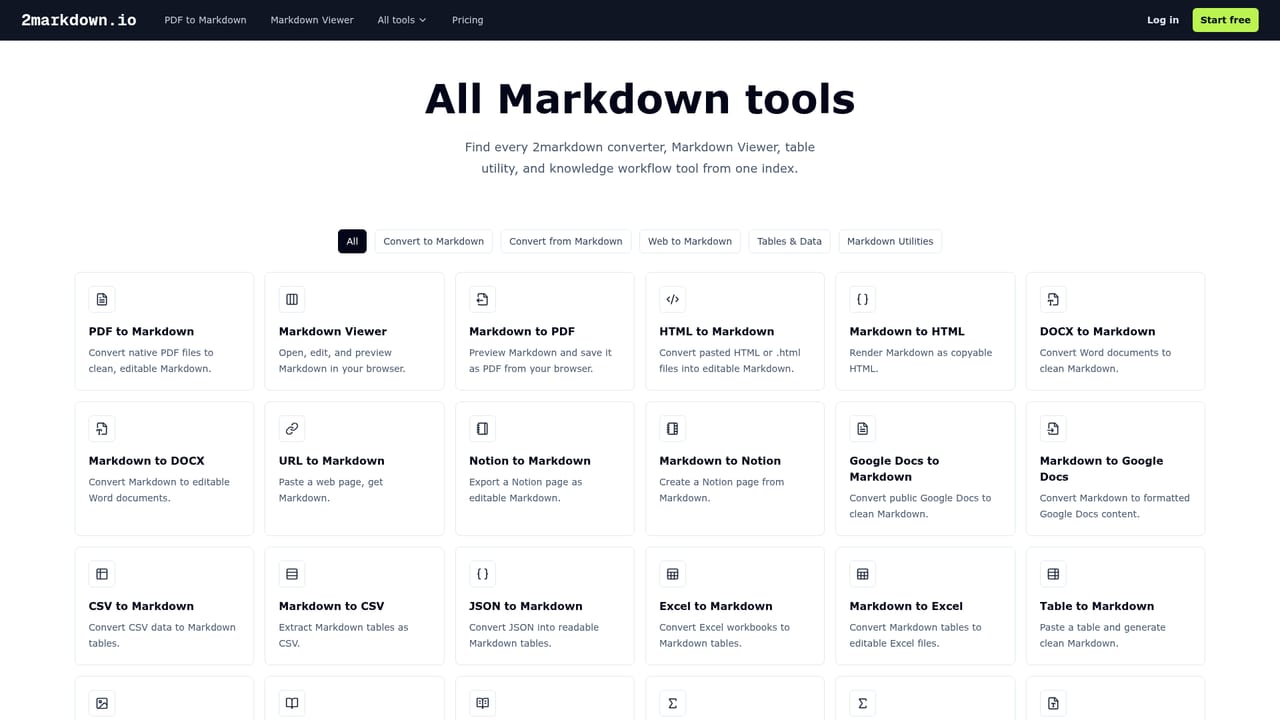
    Open the tools directory and choose the conversion that matches your source, such as PDF to Markdown or URL to Markdown. Each converter has its own page and input method.
    2markdown — Pick the right converter
  2. 2Upload a file or paste a link
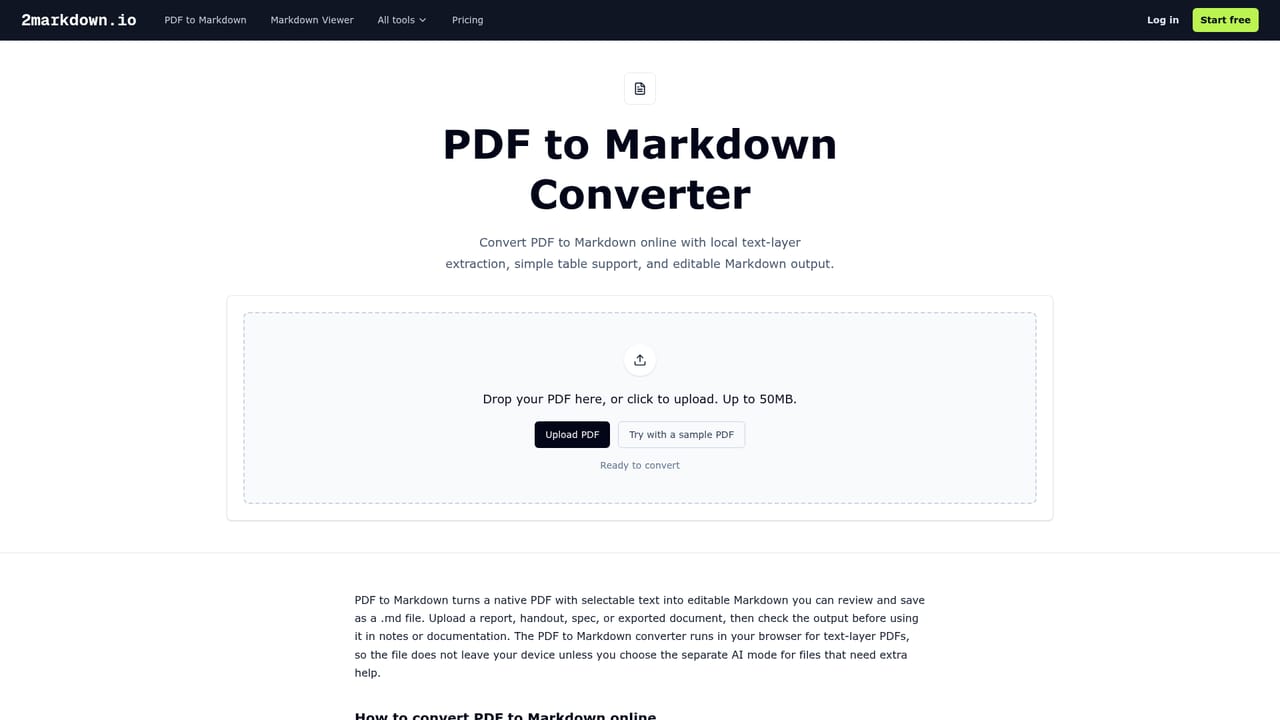
    Use the converter page to upload your PDF, DOCX or other file, or paste a web address. Core browser conversions run locally without an account.
    2markdown — Upload a file or paste a link
  3. 3Review the Markdown in the viewer
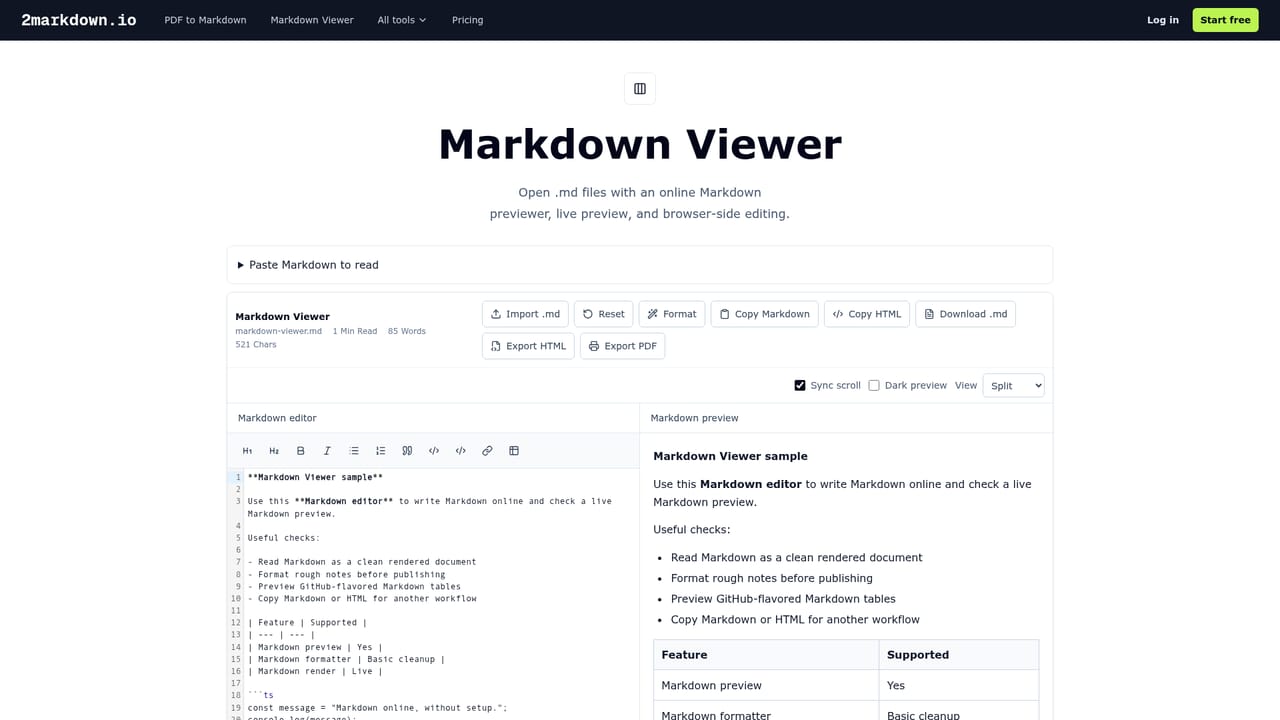
    Open the result in the live Markdown Viewer to check headings, tables, math and formatting before you export or download. The viewer supports GFM and LaTeX math.
    2markdown — Review the Markdown in the viewer
  4. 4Export to your target format
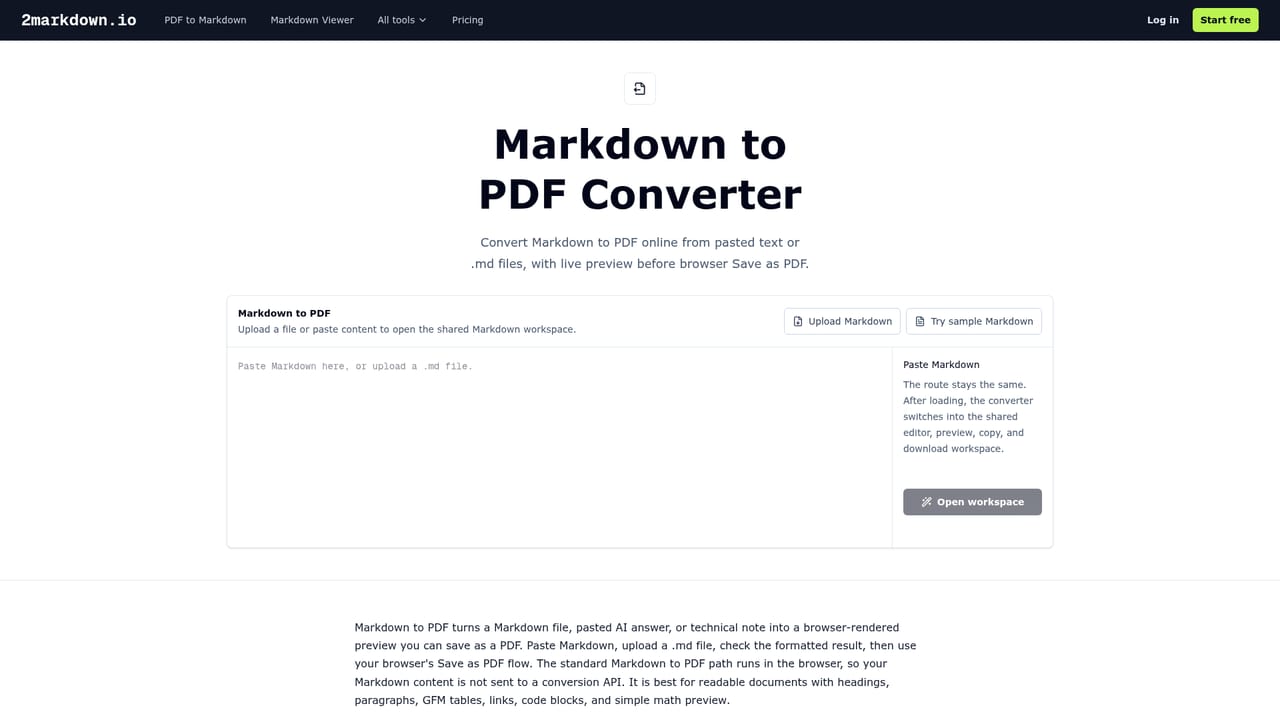
    Download the .md file, or use the reverse converters to produce PDF, HTML, DOCX, Excel or another output for clients, collaborators or publishing.
    2markdown — Export to your target format
  5. 5Consent to AI processing when needed
    For scanned PDFs or complex formats, enable the AI or OCR mode when prompted. This step requires explicit consent and is billed against Pro or Team credits.

Pros and cons

Pros

  • Very broad input coverage: PDF, DOCX, HTML, Notion, Google Docs, CSV, Excel, EPUB, LaTeX, RTF, images, YouTube and several social platforms.AI
  • Core conversions run in the browser, so files stay on the device and no account is needed.AI
  • Live Markdown viewer supports GFM, LaTeX math, syntax highlighting and diagrams for checking output before download.AI
  • Bidirectional converters mean the same toolbox handles import and export, including Confluence and Slack formats.AI
  • Explicit AI/OCR consent step is a sensible privacy default for scanned documents.AI

Cons

  • Pricing details for Pro and Team tiers, including credit allowances, are not stated on the homepage.AI
  • AI and OCR features consume credits and depend on third-party processing after consent, so offline use is limited to core conversions.AI
  • No API or batch automation is described, which leaves CI and pipeline jobs to tools like Pandoc.AI
  • The homepage does not document file size limits, output fidelity, or how scanned PDFs perform without the AI mode.AI
  • Breadth of 37 separate tools can make it harder to know which converter fits an unusual source format.AI

How much does 2markdown cost?

Pricing

Core browser-based Markdown tools are free without signup. Pro and Team plans add AI and OCR credits, higher content-link limits, ad-free usage, team seats and support. Specific prices and credit amounts are not stated on the homepage.

Learn more

Support

Support is listed as a Pro and Team plan benefit. The homepage provides an FAQ and documentation-style answers but no dedicated help centre page.

Integrations

Converters target Notion, Google Docs, Confluence, Slack, Obsidian-style Markdown workflows, and LLM tools such as Claude and ChatGPT via clean Markdown output.

Learn more

Features

37 converters cover PDF, DOCX, HTML, Notion, Google Docs, CSV, JSON, Excel, EPUB, LaTeX and RTF to and from Markdown, plus URL, image, YouTube, podcast and social platform imports. A live Markdown viewer renders GFM, LaTeX math, syntax highlighting and diagrams, with one-click export to PDF, HTML or .md.

Learn more

Frequently asked questions about 2markdown

  • How much does 2markdown cost?
    Core browser-based Markdown tools are free without signup. Pro and Team plans add AI and OCR credits, higher content-link limits, ad-free usage, team seats and support. Specific prices and credit amounts are not stated on the homepage.
  • How do you use 2markdown?
    The walkthrough on this page covers 5 steps: 1. Pick the right converter 2. Upload a file or paste a link 3. Review the Markdown in the viewer 4. Export to your target format 5. Consent to AI processing when needed.
  • What platforms does 2markdown support?
    2markdown is available on Web App.
  • What does 2markdown integrate with?
    Converters target Notion, Google Docs, Confluence, Slack, Obsidian-style Markdown workflows, and LLM tools such as Claude and ChatGPT via clean Markdown output.
  • What are the limitations of 2markdown?
    Pricing details for Pro and Team tiers, including credit allowances, are not stated on the homepage. AI and OCR features consume credits and depend on third-party processing after consent, so offline use is limited to core conversions. No API or batch automation is described, which leaves CI and pipeline jobs to tools like Pandoc.

Status

StatusActive
Views0
Outbound clicks0
Added10/21/2026

Platforms

Web App

Pricing

FreemiumSubscription