AdsTurbo

AI video ad studio for cloning, generating and localizing short-form ads

Beginner API
Screenshot of AdsTurbo, AI video ad studio for cloning, generating and localizing short-form ads

What is AdsTurbo?

AdsTurbo is a clone video generator tool. AI video ad platform for e-commerce teams: clone winning ad structures, turn product links or photos into UGC-style videos, swap characters, lip sync, translate and upscale. Includes an ad inspiration library, AI actors, templates and an open API.

AdsTurbo is an AI video ad generator aimed at e-commerce sellers and performance marketers who need short-form creative at volume. The core idea is reuse: instead of starting from a blank timeline, you feed the platform a reference (a product link, a winning competitor ad, a product photo) and it produces a fresh variant built around your own item. Ad Clone breaks down the structure of an ad that is already working and rebuilds it as a new creative, while URL to Video takes a product page and returns a video ad without manual scripting or shooting. The production toolset is broad. Product Video turns a single product into UGC-style short-form ads, Character Swap replaces the person in a clip or image, Lip Sync aligns dubbing with mouth movement and expression, and Video Translation repurposes one finished ad into multiple languages. Supporting utilities cover the less glamorous parts of the workflow: clip by clip shot breakdown for replication, AI upscaling to 4K for video and 2x to 8x for images, watermark and subtitle erasure, automatic subtitles, background replacement, white-background product images, e-commerce product images and event posters. Motion Control copies movement paths from reference footage. In practice the work starts on the Explore side of the site, where real ad cases are catalogued by creative structure and sorted by category (food and snacks, pets, footwear, home makeover and others), each with the hook that makes it work. You pick a pattern, an AI actor or a video template, then generate your version. The platform map lists the channels and marketplaces these creatives are built for, including Amazon, Shopify, TikTok, Meta, Google Ads and Temu, which tells you who the product is really designed for. Compared with general video generators, AdsTurbo sits closer to an ad production line than a creative sandbox: more cloning, swapping and localizing, less open-ended scene generation. It also ships an open API and team features, so agencies and in-house creative teams can plug it into existing production. The trade-off is that the tool is optimized for commerce formats, and a subscription sits behind most of it.

How do you use AdsTurbo?

  1. 1Browse the ad inspiration library
    Open Explore and look through real ad cases grouped by category, each tagged with its creative hook such as crave trigger or before and after. Save two or three structures that fit your product.
  2. 2Pick an AI actor or video template
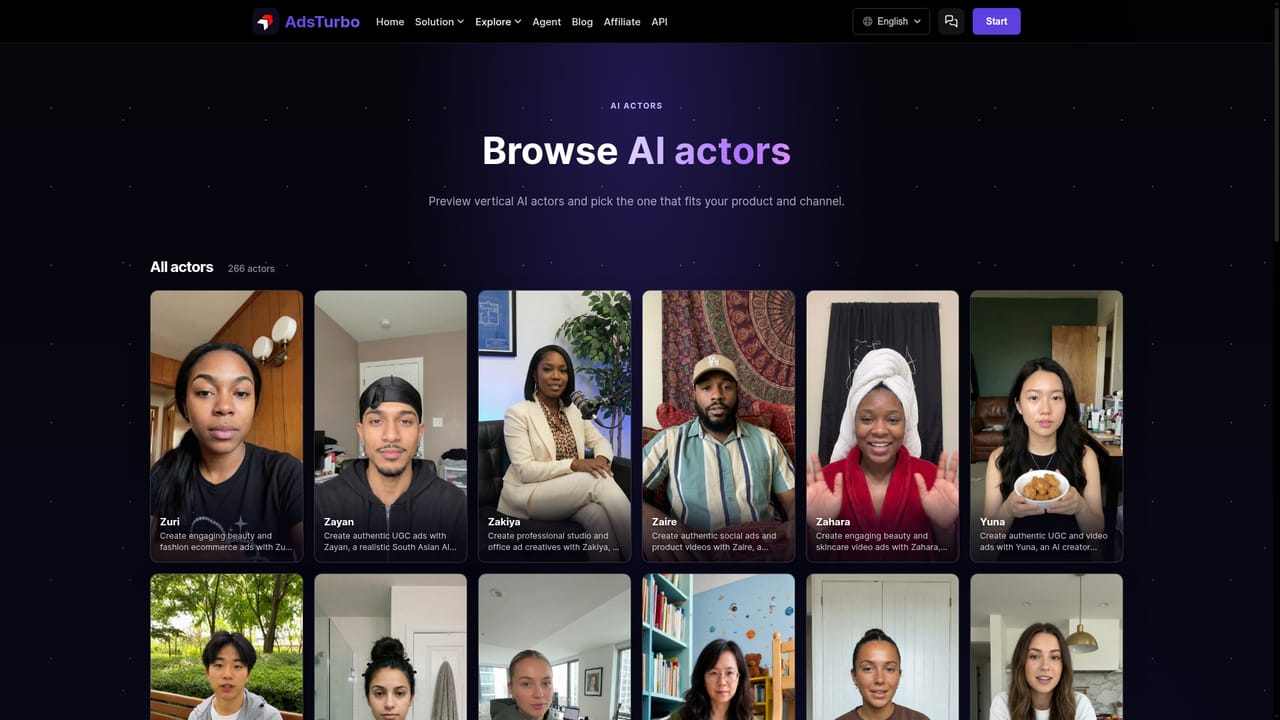
    Choose the on-camera persona from the AI Actors page, or start from a template organized by shooting structure, so the generated video matches the format you selected.
    AdsTurbo — Pick an AI actor or video template
  3. 3Generate from a product link or photo
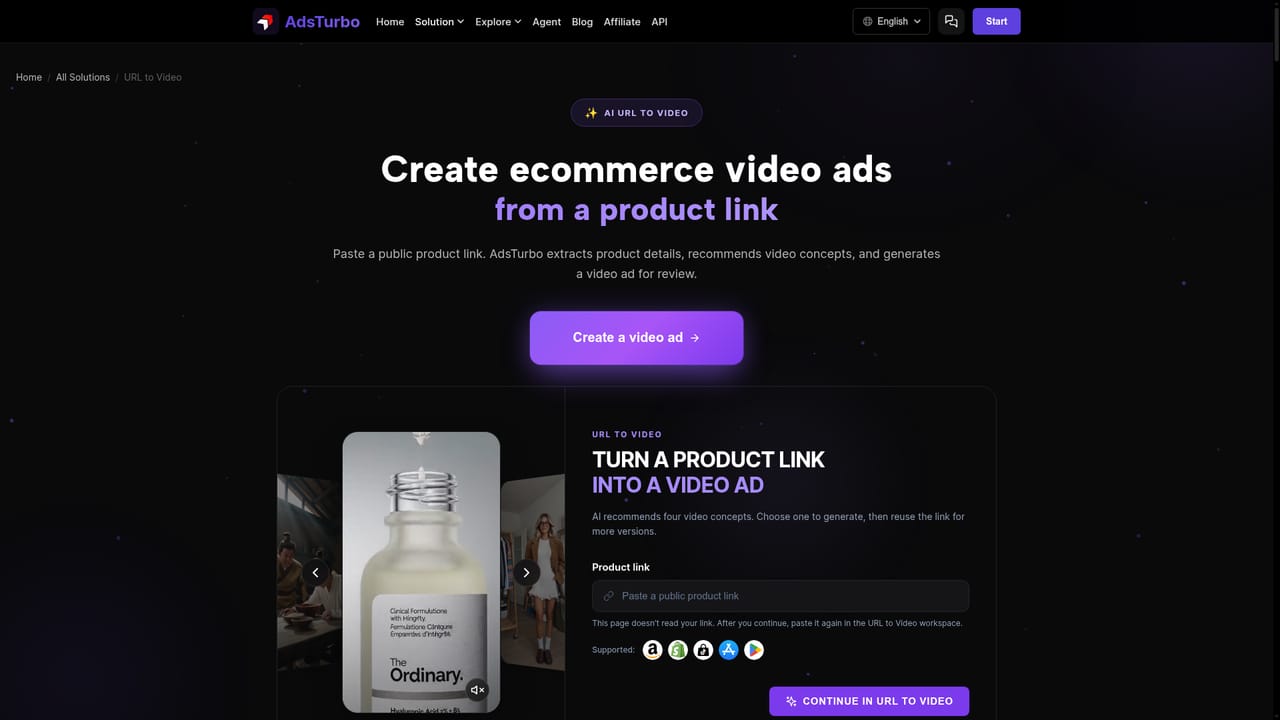
    Use URL to Video with a product page URL, or Product Video with product assets, to produce a first UGC-style short. Keep the structure from step one in mind when writing the prompt.
    AdsTurbo — Generate from a product link or photo
  4. 4Clone a winning ad into your own version
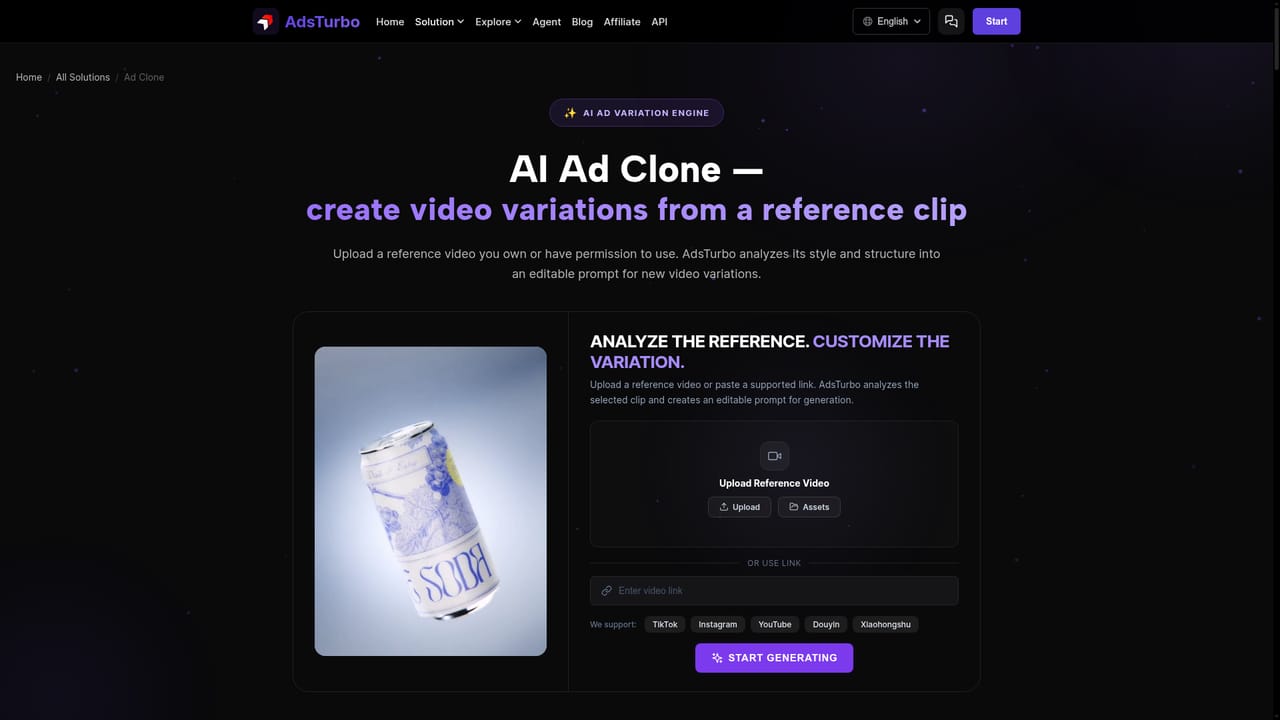
    Upload a reference ad to Ad Clone and let the platform break down its structure, then rebuild it around your product instead of copying the original footage.
    AdsTurbo — Clone a winning ad into your own version
  5. 5Polish and localize
    Run the result through Lip Sync and Video Translation for other markets, add subtitles, and upscale the final cut to 4K before export.
  6. 6Scale with the API or team workspace
    Once a format performs, move repeatable production into the open API or a team workspace so campaigns can be generated at volume.

Pros and cons

Pros

  • Covers the full ad production loop in one place: cloning, UGC product videos, character swap, lip sync, translation, subtitles and upscalingAI
  • Ad Clone and URL to Video reduce the blank page problem by starting from a proven structure or a product linkAI
  • Explore library organizes real ad cases by category and creative hook, which is genuinely useful for briefingAI
  • Localization stack (video translation plus lip sync) makes one creative reusable across marketsAI
  • Open API and team pages signal it can fit into agency or in-house production rather than staying a one-off toyAI

Cons

  • Pricing details are not stated on the homepage, so cost per render and credit limits need checking before committingAI
  • Feature depth is skewed to commerce and short-form social formats; long-form or brand film work is not the focusAI
  • Output quality depends heavily on the reference ad or product asset you supply, so weak inputs likely produce weak variantsAI
  • Cloning existing ad structures raises creative originality questions that marketing and legal teams should reviewAI
  • The toolset is wide, and several utilities (poster generation, background removal) feel adjacent to the core ad workflowAI

How much does AdsTurbo cost?

Features

Ad Clone, URL to Video, Product Video, Motion Control, Character Swap, Lip Sync and Video Translation form the ad production core. Supporting tools include clip by clip shot breakdown, AI upscaling to 4K and 2x to 8x image enlargement, watermark and subtitle erasure, auto subtitles, background replacement, white-background and e-commerce product images, and event posters.

Learn more

Frequently asked questions about AdsTurbo

  • Does AdsTurbo have an API?
    Yes, AdsTurbo offers an API.
  • How do you use AdsTurbo?
    The walkthrough on this page covers 6 steps: 1. Browse the ad inspiration library 2. Pick an AI actor or video template 3. Generate from a product link or photo 4. Clone a winning ad into your own version 5. Polish and localize 6. Scale with the API or team workspace.
  • What platforms does AdsTurbo support?
    AdsTurbo is available on Web App.
  • What are the limitations of AdsTurbo?
    Pricing details are not stated on the homepage, so cost per render and credit limits need checking before committing. Feature depth is skewed to commerce and short-form social formats; long-form or brand film work is not the focus. Output quality depends heavily on the reference ad or product asset you supply, so weak inputs likely produce weak variants.

Status

StatusActive
Views0
Outbound clicks0
Added10/22/2026

Platforms

Web App

Pricing

FreemiumSubscription