Free trial
A 7-day free trial is offered at checkout before the subscription starts. Payment details are taken up front and the plan begins billing at $8 per month after the trial unless cancelled.
Learn moreTurn your website or docs into an SEO-friendly AI agent page.

Agent One is an AI chat bot tool that turns your website or docs into an SEO-friendly AI agent page. Agent One builds public AI agent pages from your website, docs or uploaded files. It trains in minutes, embeds as a chat widget, captures leads and supports custom domains, with plans from $8 to $150 per month.
Agent One is a no-code platform for turning existing content into public AI agent pages. You point the builder at a website URL or upload files such as PDFs, docs and text files, and it produces an assistant that answers visitor questions from that material. Each agent can be published as a standalone page meant to be indexed by Google, or embedded on an existing site as a chat widget through a single snippet. Lead capture is part of the package, so conversations double as a demand channel rather than a pure support cost. The setup is conversational: instead of working through a form-heavy admin panel, you describe the agent you want to the builder and it assembles the page. Training accepts a single source or a blend of files and public URLs, and the assistant rereads your website so answers stay current without manual retraining. Tone and personality are adjustable, and agents can be kept public for search traffic or private for internal team use. On higher tiers the assistant can also take smart actions such as booking appointments, looking up orders and triggering workflows. Practically, Agent One suits small teams, solo founders and content-led businesses that already have useful text sitting on a site or in documents and want it to answer questions around the clock. It also fits agencies and support organisations that need to run several agents across several sites, since a single dashboard manages them all, with custom domains and multilingual agents available for reaching broader audiences. It competes with general chatbot builders and helpdesk AI add-ons, and its differentiator is the emphasis on public, indexable pages rather than a widget bolted onto an existing help centre. Growth plans add pageview and conversation analytics that show which questions visitors actually ask, plus image-to-video generation for follow-up content. It is not a full helpdesk: live chat and human handoff only appear on the top tier, and the monthly message credits are the constraint to watch as traffic scales.
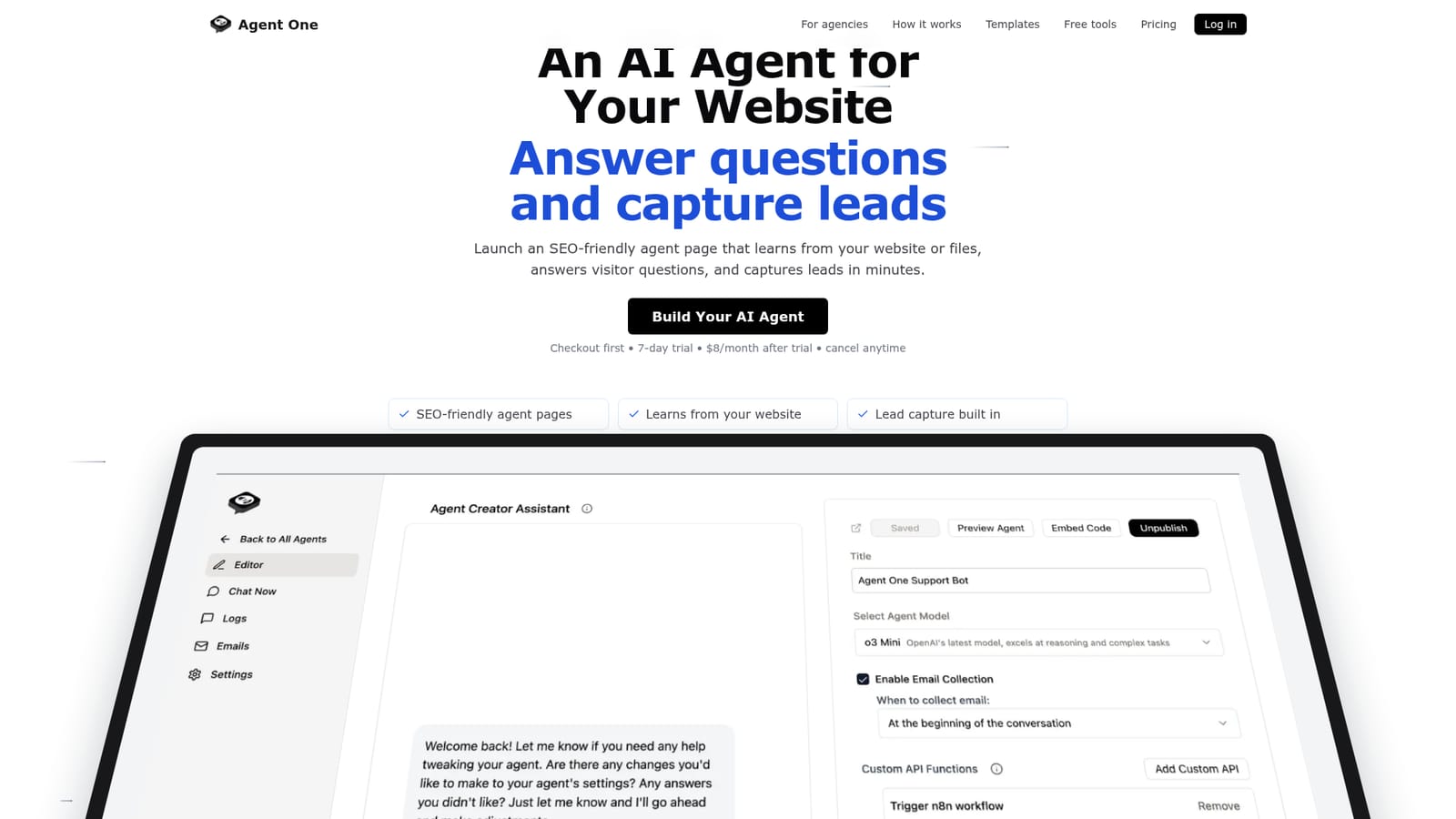
A 7-day free trial is offered at checkout before the subscription starts. Payment details are taken up front and the plan begins billing at $8 per month after the trial unless cancelled.
Learn moreThree monthly plans billed after a trial: Starter at $8 (500 message credits, one public agent page, file and website training, lead capture, custom domain), Basic at $50 (5,000 credits, analytics, image-to-video, up to 100 agents, branding removal) and Standard at $150 (15,000 credits, live chat, human handoff, unlimited agents and sites).
Learn morePriority support is listed as a Basic plan feature. A dedicated Agent One Support Bot agent answers setup, feature and troubleshooting questions, and live chat with human handoff appears on the Standard plan.
Training from files and public URLs, blended multi-source agents, conversational no-code building, tone controls, SEO-friendly public pages alongside private internal agents, one-snippet chat widget, custom domains, multilingual output, lead capture, smart actions such as appointment booking and order lookup, multi-agent management, analytics on growth plans and image-to-video content tools.
 AI Angels400+ customizable AI girlfriends for NSFW chat, voice calls, and roleplay
 Candy AIExperience the future of companionship with AI friends who chat, role-play, and connect with you on a human level.
 ourdream.aiA vast AI roleplay platform with millions of characters for chat, images, video and voiceAI Angels400+ customizable AI girlfriends for NSFW chat, voice calls, and roleplayCandy AIExperience the future of companionship with AI friends who chat, role-play, and connect with you on a human level.ourdream.aiA vast AI roleplay platform with millions of characters for chat, images, video and voice


