Free trial
A free trial with limited features is offered, and new accounts receive an initial credit allocation on login, though the exact amount is not stated on the page.
Learn moreTurn two portrait photos into a short romantic kissing video clip.
Own AI Kiss Video Generator? Verify ownership to get a dofollow link
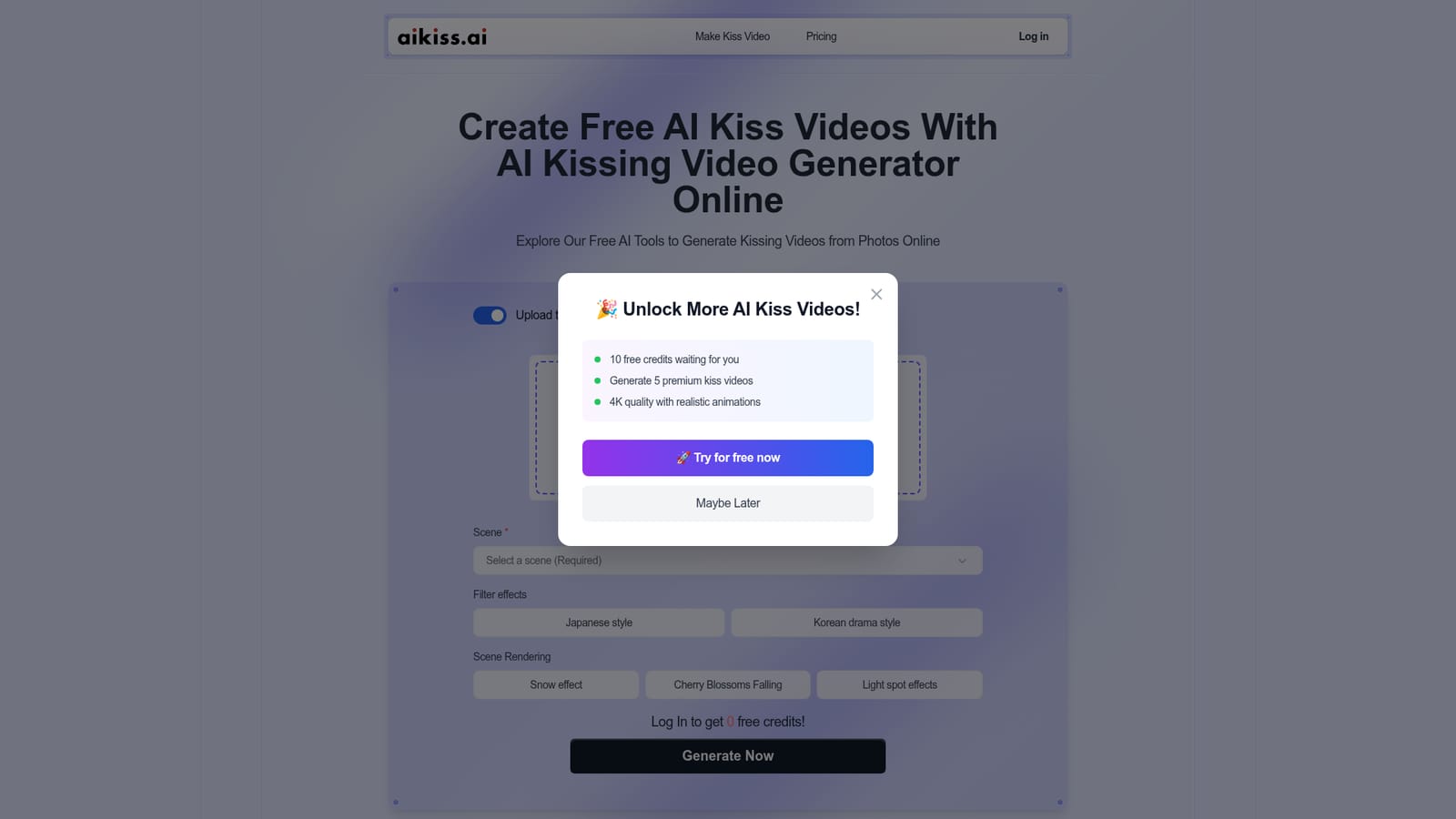
AI Kiss Video Generator is an AI french kissing generator tool that turns two portrait photos into a short romantic kissing video clip. A single purpose web tool that animates two uploaded portraits into a short kissing clip, with preset scenes, Japanese and Korean drama filters, and optional snow, cherry blossom and light spot effects layered over the render.
AI Kiss Video Generator is a browser based tool that converts still photos of two people into a short animated clip in which the subjects appear to kiss. The workflow is deliberately narrow: the visitor uploads a portrait of each person, picks a scene from a preset menu, optionally layers a filter and an environmental effect, and then asks the model to render the result. Because the input is flat imagery rather than footage, the product sits in the same family as other photo driven generative video tools, but it targets a single romantic output instead of general animation. The interesting part of the interface is the layering around the render itself. Two stylistic filters are listed, a Japanese style and a Korean drama style, and these act on the overall look of the scene rather than the subjects alone. Snow, falling cherry blossoms and light spot effects can be switched on as separate atmosphere layers. That combination gives the user more control over mood than a single prompt box would, and it keeps the process readable for people who have never touched a generative model before. The interface is point and click from start to finish, so the skill ceiling is low and the tool is easy to hand to someone who just wants a clip for a message or a post. The tool is aimed at casual creators, social media users and couples who want a novelty keepsake, plus anyone building light romantic content who does not want to shoot or edit real footage. Accounts receive an initial allocation of free credits on login, and the FAQ states that premium plans unlock custom character models and broader control. Against alternatives, aikiss is a single purpose service rather than a general video lab, so it is simpler and faster for this exact output but much less flexible than a broader text to video platform. The site itself is crowded with loosely related filler text about songs, nail products and unrelated topics, which makes documentation harder to trust than the interface deserves.
A free trial with limited features is offered, and new accounts receive an initial credit allocation on login, though the exact amount is not stated on the page.
Learn moreThe homepage states that a free trial with limited features is available and that full access requires an affordable subscription. No plan names, credit costs or prices are published on the page.
Learn moreSupport is limited to a homepage FAQ section; no help centre, contact channel or documentation page is linked.
Two photo upload with a separate two image mode, preset scene selection, a Japanese style and a Korean drama style filter, snow, falling cherry blossom and light spot effects, and a prompt driven re-render loop on top of premium custom character models.
 AI Angels400+ customizable AI girlfriends for NSFW chat, voice calls, and roleplay
 Candy AIExperience the future of companionship with AI friends who chat, role-play, and connect with you on a human level.
 ourdream.aiA vast AI roleplay platform with millions of characters for chat, images, video and voiceAI Angels400+ customizable AI girlfriends for NSFW chat, voice calls, and roleplayCandy AIExperience the future of companionship with AI friends who chat, role-play, and connect with you on a human level.ourdream.aiA vast AI roleplay platform with millions of characters for chat, images, video and voice