Free trial
The homepage labels itself a free poster maker and allows 1K generation, but credit limits and what the free tier includes are not specified there.
Learn morePrompt to poster in about ten seconds, no design software required
Own AI Poster Generator? Verify ownership to get a dofollow link
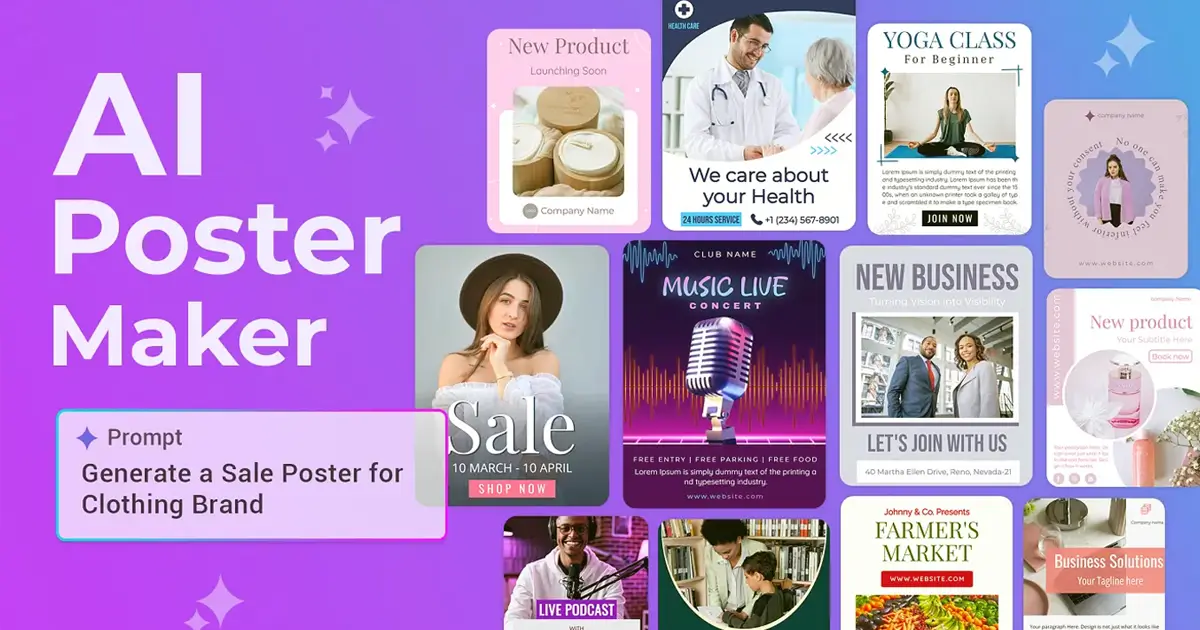
AI Poster Generator is a banner image generator tool. A web app that turns a written brief, headline and style choice into a downloadable poster in about ten seconds, with aspect ratio presets for social, print and story formats and text rendered inside the artwork.
AI Poster Generator is a browser based tool that turns a written brief into a finished poster. The input form asks what the poster is about, then collects a headline, an optional subtitle and any additional text, so the copy is placed by the generator rather than typed in later. A style picker offers seven looks on the homepage (Modern, Minimalist, Bold type, Cinematic, Luxury, Vintage, Illustrated and Futuristic), and the aspect ratio can be set to 9:16, 1:1, 4:5, 2:3 or 16:9 depending on whether the result goes to a phone screen, a square social post or a printed sheet. Generation is reported to take roughly ten seconds. The product is aimed at people who need promotional visuals without a design background: small businesses running a launch or a seasonal offer, event organisers producing concert and conference artwork, social media managers who want platform shaped graphics, teachers building classroom materials, and hobbyists experimenting with film poster concepts. Output resolution runs from 1K to 4K, but the higher tiers are marked as paid only, which is worth knowing before committing to a free run. The workflow is deliberately short. A text prompt describes the scene, the generator handles layout, visual balance, typography and creative details, and the result can be downloaded and shared. A history panel keeps previous generations, and a public gallery of other users' posters serves as a reference point when the prompt is the hard part. A Magic Prompt helper is listed among the features, alongside text integration into images, so headline type is rendered inside the artwork instead of being pasted on afterwards. Against general purpose image models, the pitch is specialisation: fixed poster formats, style presets and a text first form. That narrowness helps beginners but limits people who want granular layer control, and the site frames its own comparison with traditional design software around speed rather than precision. Generations cost 40 credits each, with edits priced the same as new generations.
The homepage labels itself a free poster maker and allows 1K generation, but credit limits and what the free tier includes are not specified there.
Learn moreCredit based: each generation or edit costs 40 credits, and 2K and 4K resolutions are reserved for paid users. The pricing page advertises 33% off, but no plan prices appear on the homepage.
Learn moreSupport runs through a contact page and a homepage FAQ covering design types, commercial use, Magic Prompt and required skill level.
Learn morePrompt based poster generation with separate headline, subtitle and body text fields, style presets, five aspect ratios, 1K to 4K output, a Magic Prompt helper, text integrated into images, generation history, and a public gallery for inspiration.
 AI Angels400+ customizable AI girlfriends for NSFW chat, voice calls, and roleplay
 Candy AIExperience the future of companionship with AI friends who chat, role-play, and connect with you on a human level.
 ourdream.aiA vast AI roleplay platform with millions of characters for chat, images, video and voiceAI Angels400+ customizable AI girlfriends for NSFW chat, voice calls, and roleplayCandy AIExperience the future of companionship with AI friends who chat, role-play, and connect with you on a human level.ourdream.aiA vast AI roleplay platform with millions of characters for chat, images, video and voice