Free trial
The homepage invites visitors to sign up for free and start for free, implying a no-cost entry point before any paid plan. Specific trial length and limits are not stated.
Learn moreAI product design that connects to real manufacturing
Own AI Product Design by Pietra? Verify ownership to get a dofollow link

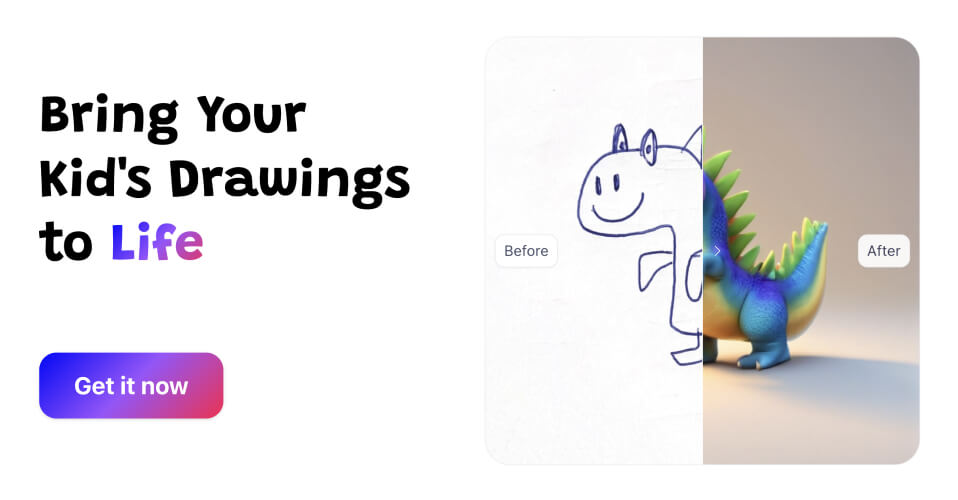
AI Product Design by Pietra is a drawing to image tool. A design studio that uses AI to generate product and packaging concepts from prompts, references or sketches, then connects those designs to a network of over 1,300 factories for sampling and production.
Pietra Product Design Studio is a design workspace built for people who make physical goods rather than screens. It pairs generative image tools with a manufacturing network, so a concept can move from a rough idea to a sample without leaving the same platform. The homepage frames the promise plainly: design products and packaging with AI, then get them made with more than 1,300 factories. The workflow starts with ideation. Users can feed in reference images, upload a sketch, or write a prompt and receive design ideas and variations for a product line in seconds. A dedicated sketch-to-design mode converts basic concept drawings into 3D-looking renders, which is useful for founders who can draw a rough silhouette but cannot model in CAD. A template library drawn from manufacturers provides starting points that are already known to be producible, reducing the chance of falling in love with a design no factory will quote. Collaboration is where the tool separates itself from generic image generators. Teams can invite their own vendors into the workspace, attach measurements and annotations to a design, and send everything over for sampling. That turns the design file into a working document shared between a brand and its supplier, rather than a mood board that has to be re-explained over email. It suits small and mid-sized consumer brands, independent creators launching a first product, and in-house design teams that need to explore more directions before committing to tooling. Compared with standalone AI image tools, the advantage is the handoff to production; compared with traditional design software, the advantage is speed at the concept stage. It is not a replacement for technical pattern making or engineering drawings, and the homepage does not detail file exports or CAD compatibility.
The homepage invites visitors to sign up for free and start for free, implying a no-cost entry point before any paid plan. Specific trial length and limits are not stated.
Learn moreSupport resources include a help video library, a help centre with FAQ collections, and a contact route for questions. A supplier specific FAQ is also published.
Learn moreThe platform links designs to external suppliers and factories, who can be invited into the workspace directly. No third party software integrations are listed on the page.
Prompt, reference image and sketch based concept generation with rapid variations; sketch to 3D design conversion; thousands of manufacturer templates; team and supplier collaboration with annotated designs and measurements; connection to a network of more than 1,300 factories for sampling and production.
 AI Angels400+ customizable AI girlfriends for NSFW chat, voice calls, and roleplay
 Candy AIExperience the future of companionship with AI friends who chat, role-play, and connect with you on a human level.
 ourdream.aiA vast AI roleplay platform with millions of characters for chat, images, video and voiceAI Angels400+ customizable AI girlfriends for NSFW chat, voice calls, and roleplayCandy AIExperience the future of companionship with AI friends who chat, role-play, and connect with you on a human level.ourdream.aiA vast AI roleplay platform with millions of characters for chat, images, video and voice