Pricing
The site states the basic planner is completely free, with unlimited itinerary generation for any destination and no sign up required. No paid tiers, subscription prices or premium features are listed on the homepage.
Learn moreFree AI itinerary builder that plans any trip in seconds.
Own AI Trip Maker? Verify ownership to get a dofollow link

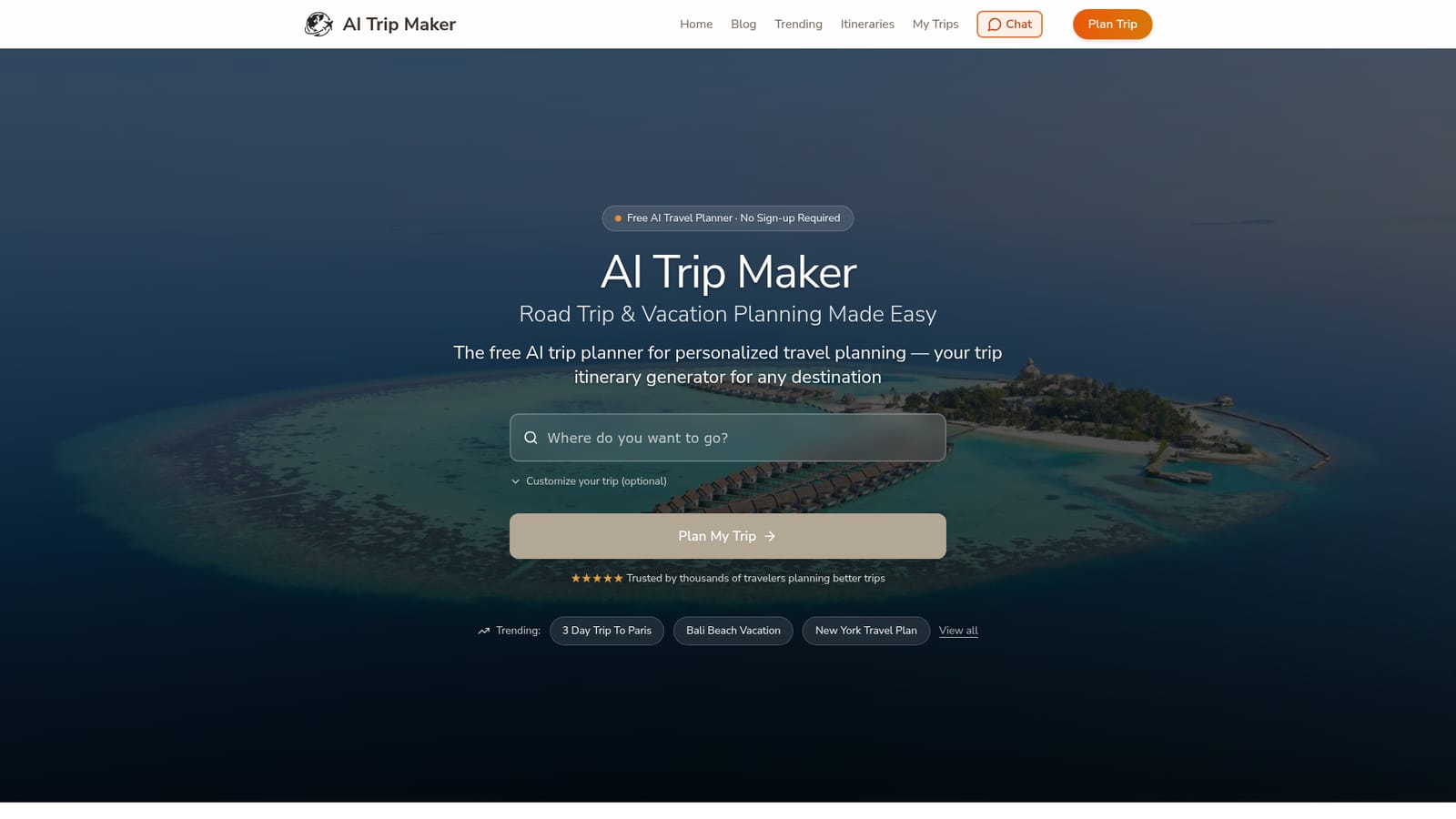
AI Trip Maker generates free, personalized day by day itineraries for any destination, including optimized road trip routes and restaurant picks. You refine plans with simple commands, and no sign up is needed. Best suited to travelers who want a fast first draft and are willing to verify details before booking.
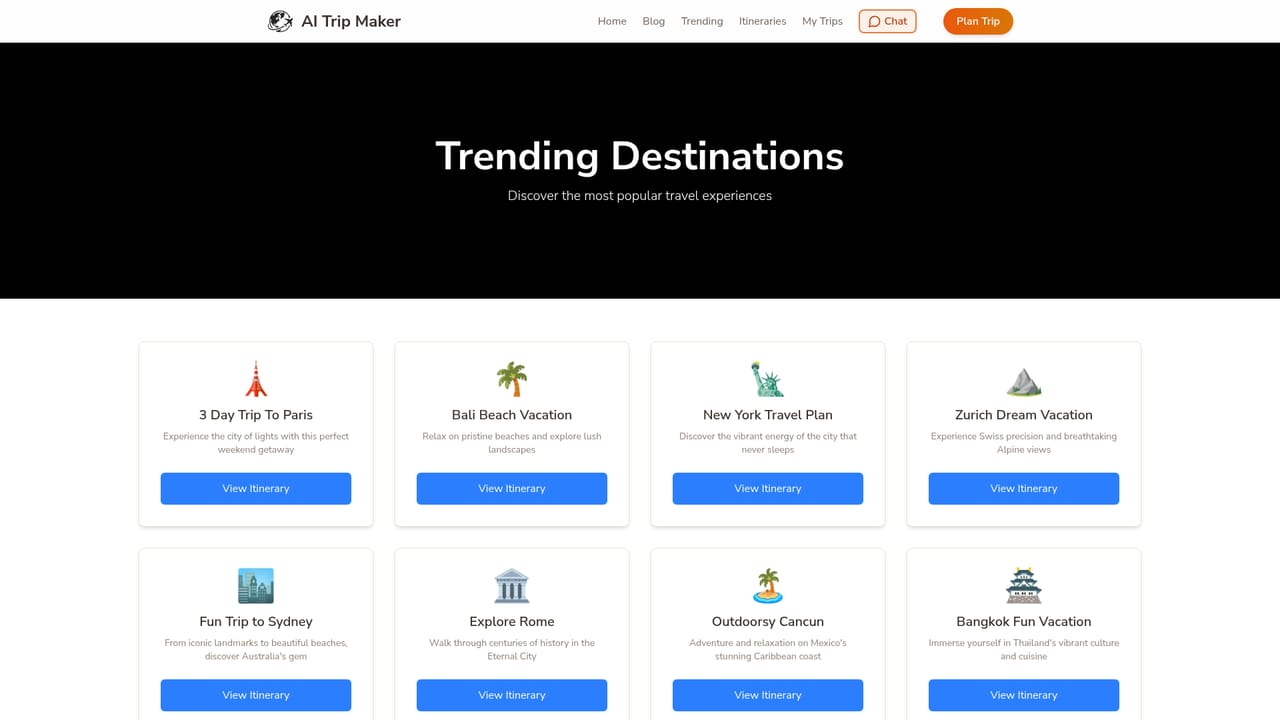
AI Trip Maker is a free web based planner that turns a destination and a few preferences into a day by day travel itinerary. You type where you are going, choose a trip length (weekend, three days or one week), optionally set a start date and a vibe such as adventure, relaxation, foodie or family friendly, and the tool returns a schedule covering attractions, restaurants and activities. No account is required to generate a plan. The product is aimed at independent travelers who would otherwise spend hours stitching together blogs, maps and reviews: weekend trippers, families, couples, solo travelers and groups. Road trippers get specific attention, with route optimization between stops, suggested scenic detours and accommodation ideas along the way, while city breaks get condensed schedules that fit the major sights into limited time. In practice the tool works like a conversational planner. After the first draft you refine it with plain instructions such as adding more museums or more family friendly activities, and the AI revises the existing plan instead of starting over. Budget conscious users can ask for free attractions and cheaper dining, and the itinerary adapts to the destination's local context with cultural notes and practical tips. Ready made itineraries for popular cities like Paris, Tokyo, Rome, London, Dubai, Bali, New York and Maui show what output looks like before you commit to planning. Compared with human travel agents, the main trade off is speed and cost against accountability. AI Trip Maker is fast, free and unlimited, but the site itself advises verifying opening hours and availability, and it acknowledges that recommendation quality varies with how well known a destination is. Treat the output as a strong first draft rather than a booking engine.
The site states the basic planner is completely free, with unlimited itinerary generation for any destination and no sign up required. No paid tiers, subscription prices or premium features are listed on the homepage.
Learn moreDay by day itineraries with attractions, restaurants and hidden gems. Real time customization through plain language commands. Road trip route optimization with scenic stops and accommodation suggestions. Budget friendly picks including free attractions and cheaper dining. Support for weekend getaways, day trips and multi week tours, with destination specific tips and cultural context.
 AI Angels400+ customizable AI girlfriends for NSFW chat, voice calls, and roleplay
 Candy AIExperience the future of companionship with AI friends who chat, role-play, and connect with you on a human level.
 ourdream.aiA vast AI roleplay platform with millions of characters for chat, images, video and voiceAI Angels400+ customizable AI girlfriends for NSFW chat, voice calls, and roleplayCandy AIExperience the future of companionship with AI friends who chat, role-play, and connect with you on a human level.ourdream.aiA vast AI roleplay platform with millions of characters for chat, images, video and voice