Travelities

AI travel assistant for building trips, stays and activities

Beginner
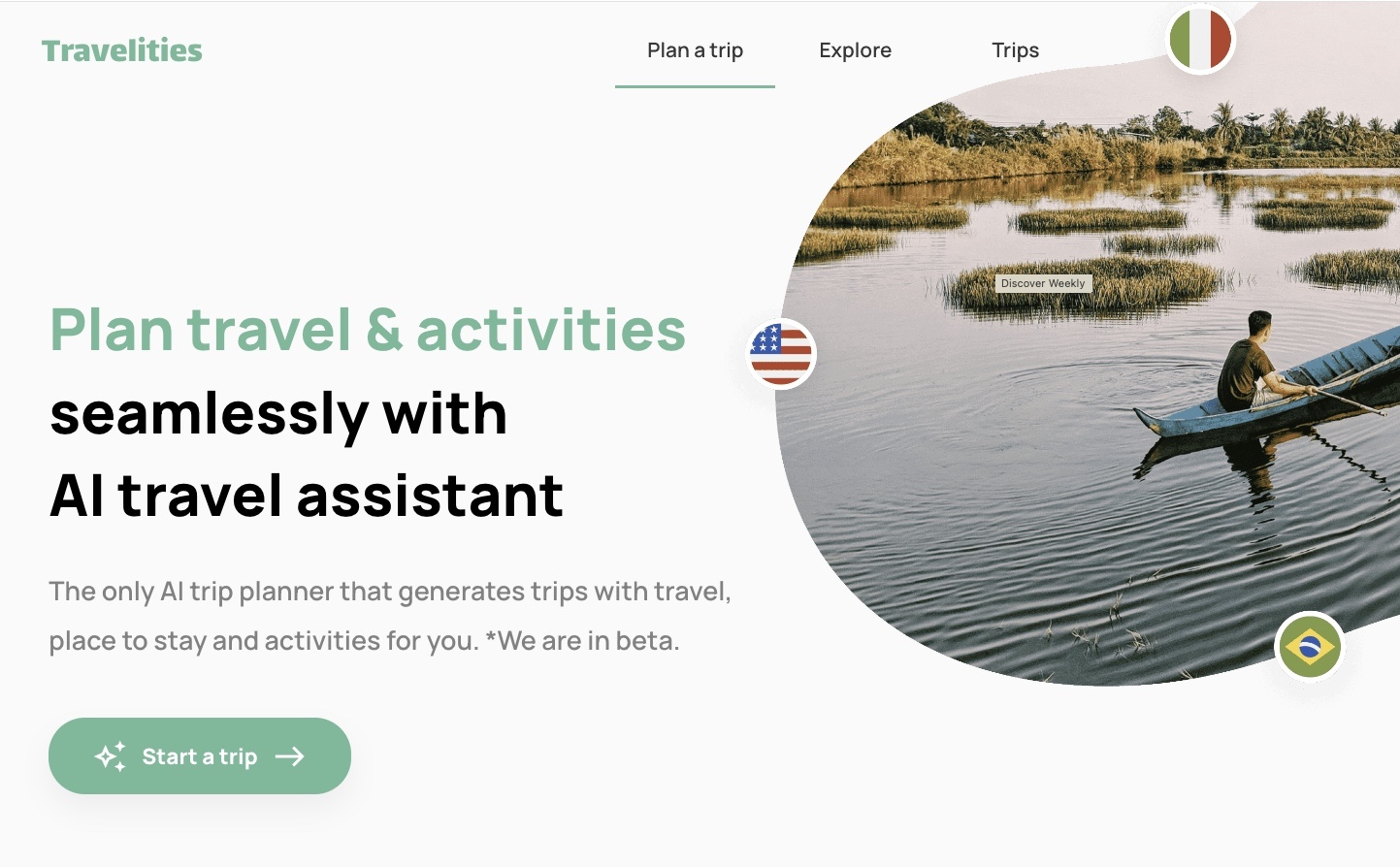
Screenshot of Travelities, AI travel assistant for building trips, stays and activities

What is Travelities?

Travelities is a web app that plans trips and activities with an AI assistant, pairs itineraries with browsable trip examples from other travelers, and surfaces affordable flight, train and bus deals from a chosen origin city.

Travelities is a web based trip planning tool built around a single idea: describe the journey and let an assistant assemble the itinerary. The homepage positions it as an AI travel assistant for planning travel and activities, with a prominent start button that opens a planning flow rather than a blank spreadsheet. That framing matters, because most itinerary builders hand users an empty grid and expect them to fill it in. Travelities instead leads with recommendations for travel, stays and activities, then lets the traveler shape the result. The product has two visible surfaces. The planning flow is where a trip gets built, and the Explore section is where finished trips are browsed. Explore shows recently planned itineraries from other travelers, each with a destination, a date range and a duration: Kyoto and Osaka over ten days, Florianopolis over five, Santiago de Compostela over eighteen, Copenhagen over four. Tapping any card opens the full trip page for that route, which gives a useful sense of the output format and level of detail before committing to building one. A second feature set handles deals. On the homepage a Travel deals block defaults to London as the origin and lists affordable flight, train or bus connections to European cities, each with a price and a suggested night count: Madrid at $64 for two nights, Venice at $59 for three, Barcelona at $51 for nine. This pairs the itinerary layer with a rough cost signal, so a traveler can compare a short city break against a longer stay without leaving the site. Destinations skew heavily toward Europe from a UK departure point, and the trip pages follow the same origin-to-destination structure (London to Paris, London to Prague, London to Edinburgh). Travelities suits independent travelers who want a first draft fast and are happy to refine it, especially those planning multi city European routes or short stays. It is less suited to people who need deep booking, loyalty program handling or offline access. Compared with manual planners and generic chatbots, it keeps planning and browsing in one place, though the homepage does not state how much of the itinerary is AI generated versus curated.

How do you use Travelities?

  1. 1Open the homepage and start a trip
    Landing on the site presents the AI assistant with a Start a trip button. This is the entry point for building a new itinerary rather than browsing existing ones.
  2. 2Browse example trips for format
    Before planning, open Explore to see recently planned trips by other travelers. Each card shows destination, dates and trip length, which sets expectations for the output you will get.
  3. 3Read a full trip page
    Open a specific itinerary such as London to Paris to see how a completed plan is laid out. This helps you judge the level of detail and whether the structure fits your own trip.
  4. 4Check deals from your origin
    The Travel deals block lists affordable flight, train and bus connections with a price and suggested nights. Change the origin city to see what routes and costs apply to you.
  5. 5Refine the generated plan
    Once the assistant returns a draft, adjust destinations, dates and activities to match your constraints. The refined trip can then be kept as your working itinerary.

Pros and cons

Pros

  • Planning flow starts from a description rather than an empty itinerary gridAI
  • Explore section shows real finished itineraries with dates and durations before you build oneAI
  • Deal cards combine a price with a suggested night count, making short versus long stays easy to compareAI
  • Trip pages follow a clear origin-to-destination structure, useful for multi city European routesAI
  • No account needed to read example trips and deal listingsAI

Cons

  • No pricing information appears on the homepage, so cost is unknown before signing upAI
  • Deal coverage shown is London outbound to Europe only, which limits usefulness for other originsAI
  • No stated integrations with booking sites, airlines or calendarsAI
  • Homepage gives no detail on how itineraries are generated or how much human curation is involvedAI
  • Mobile app availability is not indicated, so planning appears tied to the browserAI

How much does Travelities cost?

Features

AI assisted planning of travel, stays and activities from a Start a trip entry point; an Explore feed of recently planned itineraries with destination, dates and duration; individual trip pages structured as origin to destination; and a Travel deals panel showing affordable flight, train or bus connections with prices and suggested night counts from a selectable origin city.

Frequently asked questions about Travelities

  • How do you use Travelities?
    The walkthrough on this page covers 5 steps: 1. Open the homepage and start a trip 2. Browse example trips for format 3. Read a full trip page 4. Check deals from your origin 5. Refine the generated plan.
  • What platforms does Travelities support?
    Travelities is available on Web App.
  • What are the limitations of Travelities?
    No pricing information appears on the homepage, so cost is unknown before signing up. Deal coverage shown is London outbound to Europe only, which limits usefulness for other origins. No stated integrations with booking sites, airlines or calendars.

Status

StatusActive
Views0
Outbound clicks0
Added10/21/2026

Platforms

Web App

Pricing

Free