AIDO Cell Simulator by GenBio

A virtual cell that simulates experiments before the lab does.

Advanced
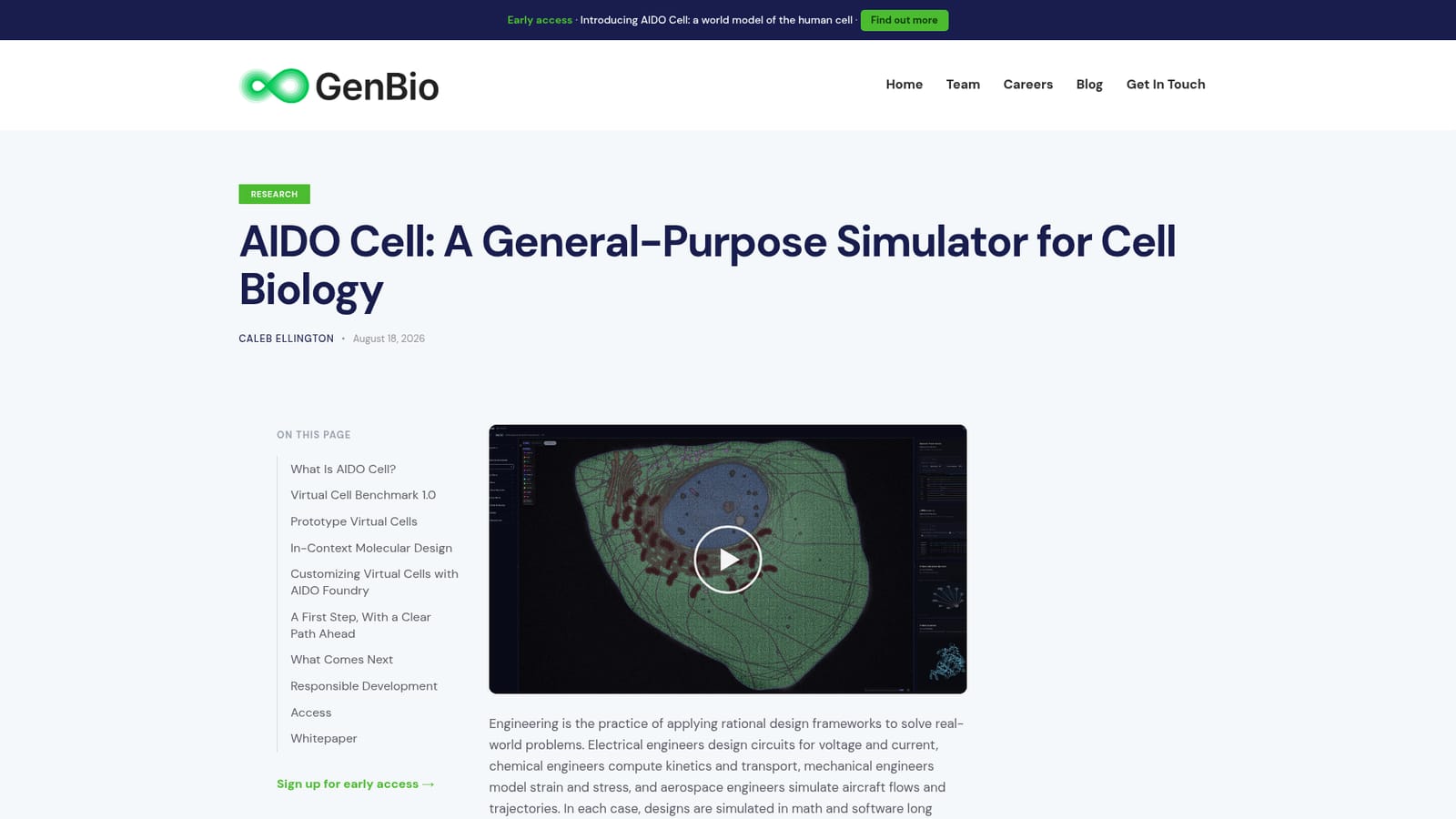
Screenshot of AIDO Cell Simulator by GenBio, A virtual cell that simulates experiments before the lab does

What is AIDO Cell Simulator by GenBio?

AIDO Cell Simulator by GenBio is an AI simulation generator tool. GenBio AI's AIDO Cell is a world-model simulator for cell biology that holds a persistent cell state, accepts multi-turn perturbations, and decodes coherent multimodal readouts. Prototype virtual cells cover K-562 and Hep-G2, with benchmark coverage across five task families and a reverse mode for phenotype-driven molecule design.

AIDO Cell is a general-purpose simulator for cell biology from GenBio AI. It models how a cell changes in response to experimental interventions (small molecules, genetic knockouts, knockdowns, overexpressions) and decodes those changes across many measurement types at once: chromatin accessibility, histone marks, transcription factor binding, expression, isoform usage, protein structure and interaction, localization, abundance, and morphology. The premise is that biology has lacked the kind of simulation framework that electrical or chemical engineering takes for granted, and that fragmented single-task predictors miss the interplay inside a living cell. AIDO Cell is built on a world model rather than a conventional predictor: it maintains a persistent cell state that can be perturbed midway, redirected, cloned for replicates, and read out on demand, wrapped in a harness that translates user commands into executable steps. The release focuses on two heavily characterized human cell lines, K-562 (leukemia) and Hep-G2 (liver cancer), chosen because decades of multi-omics data and literature make simulation accuracy checkable before expansion to other cells. On the Virtual Cell Benchmark 1.0, which aggregates public atlases into 31 metrics across five task families, AIDO Cell 1.0 is described as the only system spanning all five and reaches state of the art on 24 of 31 metrics, with specialized tools retaining narrow edges on some tasks. The system also runs in reverse: users specify a desired cellular phenotype and generate candidate molecules, then profile each design in cloned cells across scales, a capability GenBio calls in-context molecular design. AIDO Cell is aimed at computational biologists, drug discovery teams, and research groups who need to triage hypotheses before committing bench time or wet-lab budget. It fits alongside rather than replacing specialized structure predictors and single-cell foundation models, and the broader ecosystem includes AIDO Foundry for adapting the simulator to new cell types and data modalities and AIDO Lab as the interface for running and observing experiments.

How do you use AIDO Cell Simulator by GenBio?

  1. 1Read the AIDO Cell overview
    Start on the simulator page to understand the world model design, the harness layer, and the three claimed benefits before running anything.
    AIDO Cell Simulator by GenBio — Read the AIDO Cell overview
  2. 2Review the technical report
    The technical report covers drug response prediction, combinatorial screens, structural mechanisms, and resistance analysis, and is the best source for method details.
  3. 3Study the multiscale foundation model context
    Read the AIDO multiscale foundation models page to see how the simulator relates to GenBio's broader model stack.
    AIDO Cell Simulator by GenBio — Study the multiscale foundation model context
  4. 4Instantiate a prototype virtual cell
    Inside AIDO Lab, create a cell object for K-562 or Hep-G2. This baseline state is the ancestor for every perturbation and clone.
  5. 5Perturb, clone, and query readouts
    Apply a small molecule or genetic intervention, clone the cell to branch or replicate, then call expression, structure, or interaction readouts on the resulting states.
  6. 6Run an in-context design loop
    Define a reference perturbation such as imatinib, then iterate: generate candidate molecules, apply them to fresh clones, and profile each design across modalities.

Pros and cons

Pros

  • One shared cell state yields multimodal readouts that stay consistent with each other, unlike stitched single-task predictors.AI
  • Multi-turn experimentation with cloning supports branching trajectories and simulated replicates from a shared ancestor.AI
  • Reported state of the art on 24 of 31 Virtual Cell Benchmark metrics while spanning all five task families.AI
  • Reverse mode turns the simulator into a phenotypic design loop, generating molecules against a cell state rather than a binding pocket alone.AI
  • AIDO Foundry path exists for adapting virtual cells to new cell types and data modalities as experiments accumulate.AI

Cons

  • Prototype coverage is limited to two immortalized cell lines, K-562 and Hep-G2, so other tissues and primary cells require custom adaptation.AI
  • No pricing, licensing, or access details are published on the homepage, making cost planning difficult for labs.AI
  • Validation leans on GenBio's own benchmark and case studies; independent replication is not described.AI
  • Specialized tools still lead on some metrics, notably protein-DNA interactions and docking, so results should be cross-checked.AI
  • The world model harness and AIDO Lab workflow assume computational biology fluency; this is not a plug-and-play tool.AI

How much does AIDO Cell Simulator by GenBio cost?

Features

Persistent world-model cell state with cloning and branching, multiscale readouts from DNA and RNA to pathways and phenotype, coherent multimodal decoding (expression, chromatin, protein structure, localization, morphology), Virtual Cell Benchmark 1.0 with 31 metrics, protection atlases over one million five-plex perturbations per cell line, in-context molecular design, and customization through AIDO Foundry and AIDO Lab.

Frequently asked questions about AIDO Cell Simulator by GenBio

  • How do you use AIDO Cell Simulator by GenBio?
    The walkthrough on this page covers 6 steps: 1. Read the AIDO Cell overview 2. Review the technical report 3. Study the multiscale foundation model context 4. Instantiate a prototype virtual cell 5. Perturb, clone, and query readouts 6. Run an in-context design loop.
  • What platforms does AIDO Cell Simulator by GenBio support?
    AIDO Cell Simulator by GenBio is available on Web App.
  • What are the limitations of AIDO Cell Simulator by GenBio?
    Prototype coverage is limited to two immortalized cell lines, K-562 and Hep-G2, so other tissues and primary cells require custom adaptation. No pricing, licensing, or access details are published on the homepage, making cost planning difficult for labs. Validation leans on GenBio's own benchmark and case studies; independent replication is not described.

Status

StatusActive
Views0
Outbound clicks0
Added10/21/2026

Platforms

Web App

Pricing

Paid