Free trial
One limited free preview is available to guests without an account. It is not an unlimited free tier; signed in users need credits for any additional generation.
Learn morePreview 100+ hairstyles and colors on your own portrait before the salon
Own AIHairstyleChanger.AI? Verify ownership to get a dofollow link

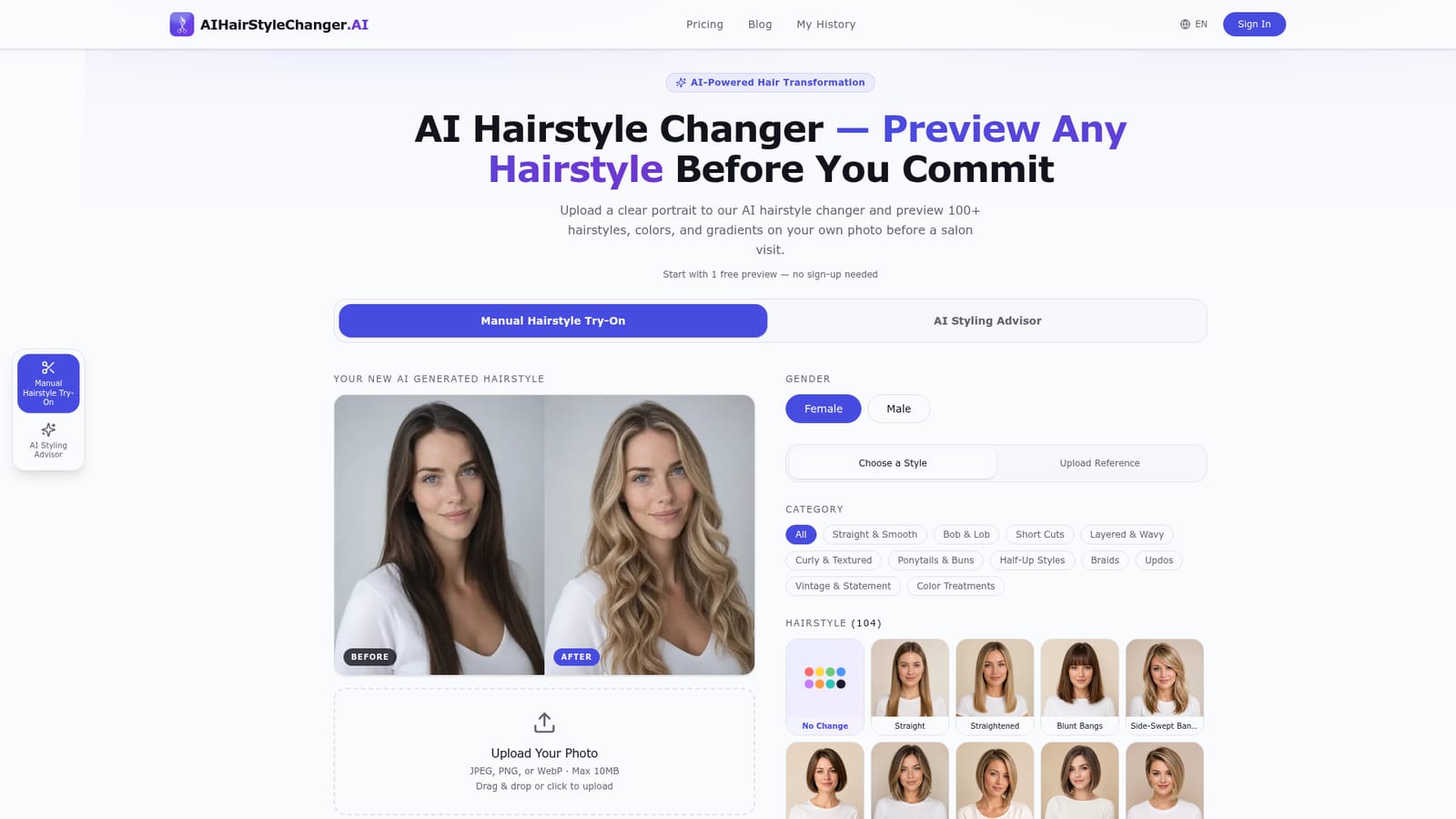
AIHairstyleChanger.AI is a face editor tool. A browser based AI hairstyle and hair color simulator with 100+ catalog styles, root to tip gradients, a reference photo mode and an optional face shape advisor. One free guest preview, then credit based generation.
AIHairstyleChanger.AI is a browser based simulator that swaps the hair on your own portrait for one of more than 100 catalog styles, then returns a preview you can compare against the original. The tool keeps your face, pose, skin tone, clothing and background as close to the source photo as the model allows, so the output reads as you with different hair rather than a stranger's stock image. It targets people weighing a real cut or color, plus anyone curious enough to test a look first. Use is straightforward. A front facing JPEG, PNG or WebP up to 10 MB is uploaded, a gender option is set, and you pick from grouped categories such as bobs, pixie cuts, layers, braids, updos and color treatments. Hair color runs in two modes: solid shades and root to tip gradients, with 31 natural tones plus symbolic colors like blue and pastel pink. A separate Reference mode accepts a second image of a hairstyle you found elsewhere and borrows its cut, length and texture while your chosen color takes priority. Signed in users can queue up to 10 looks from the same photo and compare before and after views in a history list. An optional AI Styling Advisor studies the visible face shape in your photo with your consent and returns six subjective style suggestions with reasoning. That flow is sold as a one time purchase (60 credits for three personal previews, 100 credits for six) rather than a recurring plan. A dedicated bald filter sits at its own page for users testing a shaved head. Among virtual try on tools, this one leans toward a fixed, curated catalog instead of free form prompting, which keeps results predictable but limits novelty. It is a planning aid, not a dye formula: lighting, starting color and screen settings shift the output, and the site itself says stylists should still judge what your hair can safely reach.
One limited free preview is available to guests without an account. It is not an unlimited free tier; signed in users need credits for any additional generation.
Learn moreCredit based. New guests get one limited free preview without sign up, and further generations require purchased credits. One time credit packs are offered for people who prefer not to subscribe, including a 60 credit advisor plan with three personal previews and a 100 credit plan with six. Exact credit prices are listed on the pricing page.
Learn more104 hairstyles across 12 categories, 31 natural hair colors plus symbolic shades, solid and root to tip gradient coloring, reference photo mode, batch generation of up to 10 looks for signed in users, before and after history comparison, downloadable unlocked results, an optional AI Styling Advisor with six face shape based suggestions, and a separate bald filter page.
 AI Angels400+ customizable AI girlfriends for NSFW chat, voice calls, and roleplay
 Candy AIExperience the future of companionship with AI friends who chat, role-play, and connect with you on a human level.
 ourdream.aiA vast AI roleplay platform with millions of characters for chat, images, video and voiceAI Angels400+ customizable AI girlfriends for NSFW chat, voice calls, and roleplayCandy AIExperience the future of companionship with AI friends who chat, role-play, and connect with you on a human level.ourdream.aiA vast AI roleplay platform with millions of characters for chat, images, video and voice