Support
A founders email address is listed for contact, alongside a public Slack community, LinkedIn and X profiles, and documentation for the API.
Learn moreOn-brand AI decks that hold a visual system together
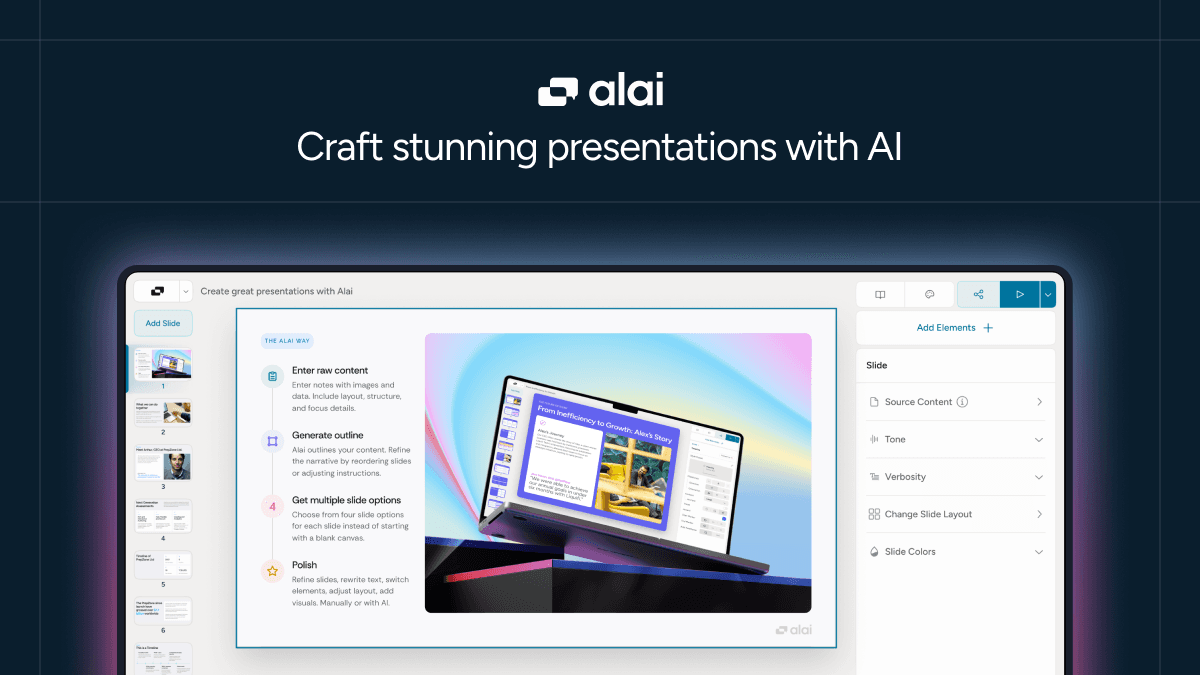
Alai is an AI presentation maker that starts with a reusable design system built from your brand assets or a ready-made template, then generates presentations, social posts and infographics that stay visually consistent. Slides can be edited manually or by describing changes to the AI.
Alai is an AI presentation maker built around a design system rather than a single prompt. Instead of dumping a topic into a text box and accepting whatever layout appears, you first establish a visual identity: a brand kit assembled from your own assets, or a hand-crafted system picked from the platform's library. Every slide, social post or infographic generated afterwards inherits those rules, which is the core reason decks come out looking like one document rather than a collage of unrelated layouts. Working through a deck is conversational. Alai drafts from your idea or source material, and from there you either adjust elements by hand or describe the change in plain language and let the AI apply it. Mixed control like this suits people who want the speed of generation but still care about the final detail, a common complaint with fully automated slide tools. Beyond presentations, the same system covers social visuals and infographics, so a single design language carries across formats. The audience is broad: founders assembling pitch decks without a designer, consultants and product marketers who need consistent client-facing material, and teams who want conceptual drafts before committing design hours. Free utility tools sit alongside the main app, including PDF to PPT conversion, turning a link into a deck, beautifying an existing deck and a NotebookLM slides editor. An API is available for teams that want to wire generation into their own workflows. The competitive framing is honest. Alai publishes direct comparisons against Beautiful AI and Gamma, positioning itself on brand consistency and editing logic rather than raw output volume, and public testimonials repeatedly name Gamma as the tool users switched from. The tradeoff is that the design-system-first approach asks for a little setup before you get the polished result. How much the service costs is not stated on the homepage, so check the pricing page before committing.
A founders email address is listed for contact, alongside a public Slack community, LinkedIn and X profiles, and documentation for the API.
Learn moreDesign systems built from your own brand assets or chosen from a hand-crafted library; AI generation of presentations, social posts and infographics that stay on-brand across formats; slide editing either by hand or through natural language instructions; free companion tools for PDF to PPT conversion, link to PPT, deck beautification and a NotebookLM slides editor; pitch deck examples and an insights generator; API access for embedding generation in other workflows.
Learn more AI Angels400+ customizable AI girlfriends for NSFW chat, voice calls, and roleplay
 Candy AIExperience the future of companionship with AI friends who chat, role-play, and connect with you on a human level.
 ourdream.aiA vast AI roleplay platform with millions of characters for chat, images, video and voiceAI Angels400+ customizable AI girlfriends for NSFW chat, voice calls, and roleplayCandy AIExperience the future of companionship with AI friends who chat, role-play, and connect with you on a human level.ourdream.aiA vast AI roleplay platform with millions of characters for chat, images, video and voice